
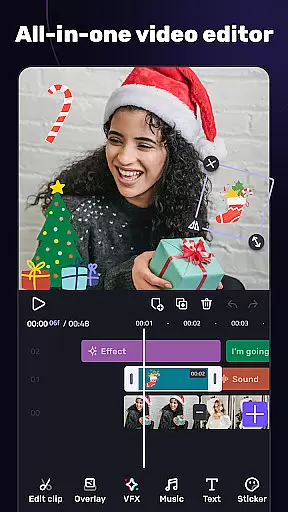
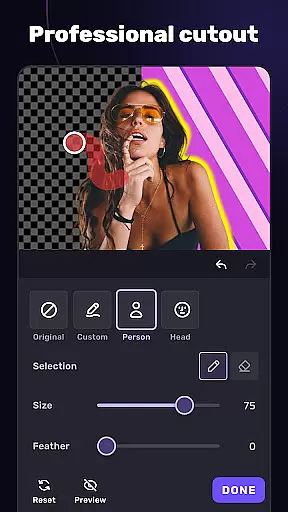
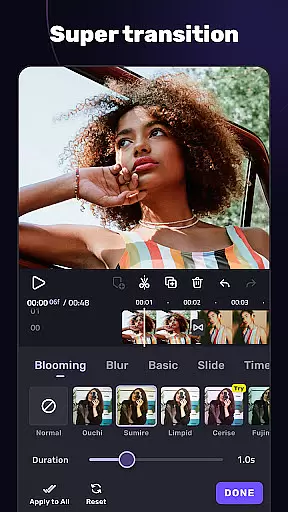
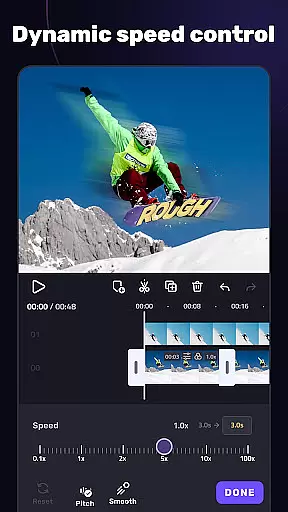
VivaCut is a versatile video editing app that combines professional-grade features with user-friendly tools, making it suitable for both casual creators and advanced users. The app offers a complete suite of basic and advanced editing capabilities, including multi-layer timelines, chroma key effects, and speed controls. Whether you're looking to create short social media clips or cinematic masterpieces, VivaCut provides the resources needed to produce high-quality content.
One standout feature is its green screen functionality, which allows users to create Hollywood-style video composites. Additionally, the app supports creative transitions, filters, and glitch effects, enabling unique visual styles. With customizable text options, blending modes, and picture-in-picture editing, VivaCut empowers users to craft engaging videos tailored to platforms like YouTube, Instagram, and TikTok.
The app also integrates music editing tools, such as audio extraction and rhythm-based markers, enhancing the ability to synchronize visuals with soundtracks. Export options include resolutions up to 4K, ensuring professional output quality. By combining powerful editing tools with intuitive design, VivaCut bridges the gap between complex desktop editors and mobile convenience.
VivaCut distinguishes itself through an extensive range of features designed to cater to diverse video editing needs. At its core, the app provides a multi-layer timeline interface, allowing precise frame-by-frame edits. This is complemented by advanced tools such as chroma key (green screen), keyframe animations, and masking options, which are typically found in desktop-grade software. These features enable users to achieve sophisticated compositions, from blending videos to creating dynamic overlays.
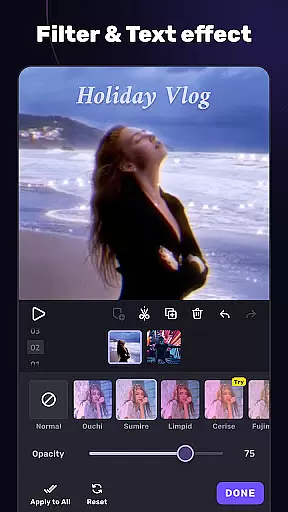
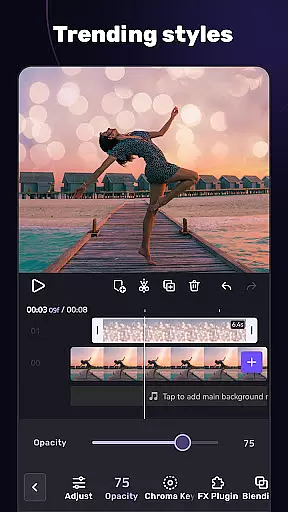
In addition to its robust editing toolkit, VivaCut includes creative elements like glitch effects, transitions, and adjustable filters. Users can experiment with blending modes such as Multiply, Screen, and Hard Light to produce visually striking results. The app also supports picture-in-picture editing and collage creation, offering flexibility for storytelling and branding purposes. Furthermore, customizable text styles and emoji integration enhance the personalization of video projects.
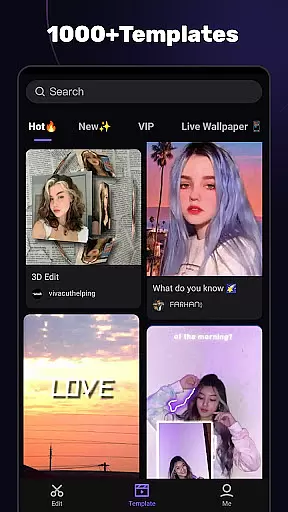
For audio enthusiasts, VivaCut incorporates a music marker system and audio extraction functionality. Creators can sync edits with music beats or extract soundtracks from existing videos. Templates streamline the process of generating trendy content, while export settings accommodate various resolutions, including 1080p and 4K. Overall, these features position VivaCut as a comprehensive solution for modern video production.
Video format compatibility is a crucial feature for any video editing application, ensuring that users can work with a wide range of video files without conversion hassles. AI Video Editor supports an extensive array of formats, allowing creators to import and export videos in resolutions up to 4K. This versatility ensures that whether you're editing footage from a professional camera or a smartphone, the app maintains the original quality while providing the flexibility needed for various project requirements.
The app's dedication to format compatibility extends beyond just basic support. It includes optimized rendering for different devices and platforms, such as YouTube, Instagram, and TikTok. This means that when you're ready to share your masterpiece, AI Video Editor provides customized export settings that adhere to each platform's specifications, enhancing the viewer's experience while simplifying the content creator's workflow.
Moreover, the ability to save videos directly to your device's gallery with non-destructive editing ensures that your original files remain untouched. With AI Video Editor, you have the confidence that your projects will be accessible and retain their intended impact across multiple viewing platforms, making it an indispensable tool for both amateur and professional video editors alike.
AI-powered editing features represent the cutting edge of video editing technology, enabling creators to produce professional-quality content with minimal effort. AI Video Editor incorporates advanced algorithms that assist with tasks ranging from simple trimming to complex animations and transitions. The app's AI capabilities allow users to create Hollywood-level movies by offering tools like Green Screen effects, Keyframe Animation, and Masking options, which were once exclusive to desktop software.
These intelligent features not only speed up the editing process but also open new creative possibilities. For instance, the Music Marker function analyzes audio tracks and suggests visual effects that match the rhythm, elevating the synchronization between sound and visuals. Additionally, the AI-driven blending modes, such as Color Burn and Screen, provide sophisticated layer interactions that enhance the overall aesthetic of the video.
By leveraging these powerful AI tools, users can focus more on the creative aspects of video production rather than getting bogged down by technical details. Whether you're looking to craft engaging short clips or detailed cinematic narratives, AI Video Editor empowers you to achieve impressive results efficiently, making it an essential companion for modern content creators.
User-friendly interface
Advanced chroma key tools
Professional export options
Creative filter library
Music synchronization tools
Subscription fees apply
Steep learning curve
Limited free features
Occasional bugs
High device requirements

Kodi media center, a free and open source cross-platform entertainment hub
 3.60
3.60
Play ALL formats in 4K & HD. Video downloader, MP3 player, Chromecast & more.
4.80
Turn your phone into a wireless camera!
4.20
Movie maker & video editing app with AI effects and green screen
4.30
Play and download HD videos from all sources — fast, simple, and all-in-one.
4.4
Make your own Animations, Video and Photo Edits, Visual Effects, and more!
4.00
Manage your YouTube channel on the go
4.40
Make videos you’re proud to share with Edits, a video editor for creators.
4.70
Capture the moment and Cut
3.40
Find, download, and play torrents with the official BitTorrent® Pro app
4.70
Download videos and play them offline
4.70
Screen recorder with audio to take live videos & Screenshot in high quality!
4.70
Video Player - Unlimited features, 30 days money back guarantee.
4.60
Fast & easy HD video downloader for all formats, support 4K playback & download.
4.60
Video Downloader, Multiple Resolution Options, Video Player
4.50
KMPlayer Plus (Divx Codec) officially support Divx codec.
4.30
AI Video Editor:AI Music, Text to Video,Text to Speech,Auto Caption,Video Effect
4.00
HD video & music player - All format support with floating & PIP mode!
3.80
Download videos easily & play them all in one smart, powerful video manager.
3.40


User Reviews