
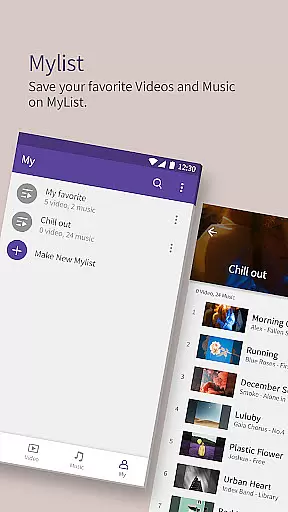
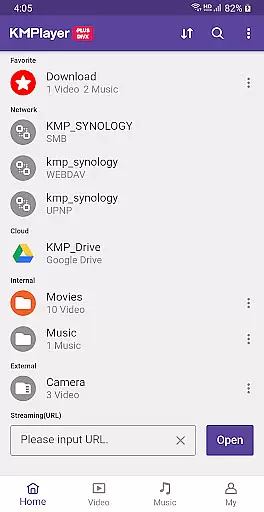
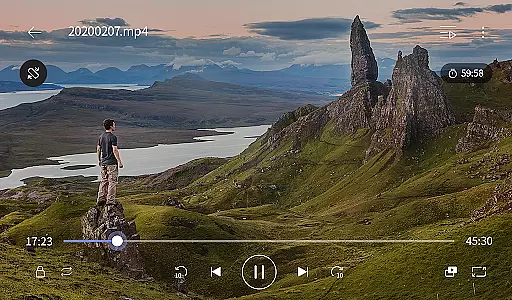
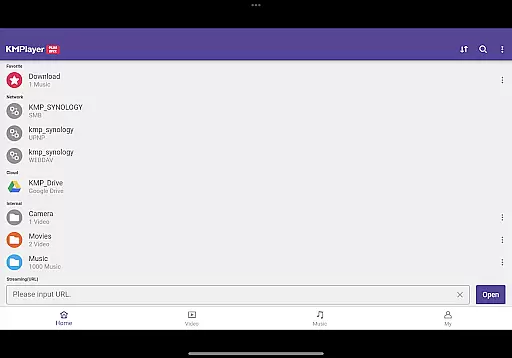
KMPlayer Plus (Divx Codec) is a versatile video player that supports Divx codec, making it ideal for users who need to play various video formats. The app ensures smooth playback of high-definition videos including HD, 4K, and 8K resolutions.
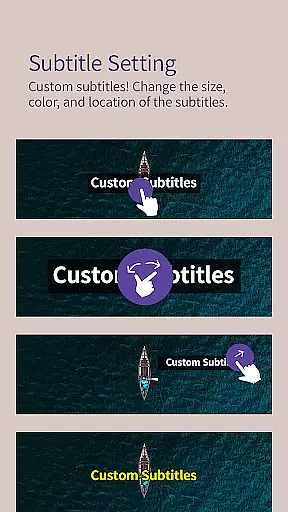
With advanced features like color adjustment, zoom functionality, and section repeat, KMPlayer Plus enhances the viewing experience. It also offers subtitle support in multiple formats, allowing users to customize subtitle appearance according to their preferences.
This application is suitable for individuals who require reliable media playback with additional functionalities such as equalizer settings, speed control, and network streaming capabilities. Its user-friendly interface and powerful tools make it an excellent choice for both casual viewers and tech-savvy users.
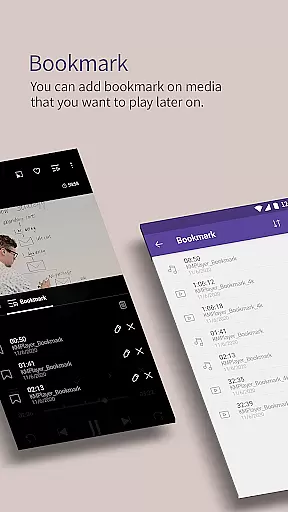
KMPlayer Plus boasts an array of features designed to improve media consumption. One notable feature is its bookmarking capability, which allows users to save specific positions in their videos for later viewing. Additionally, the app provides high-definition video playback options, ensuring crisp and clear visuals.
The player includes robust customization options such as brightness, contrast, hue, saturation, and gamma adjustments. Users can also zoom into videos and move them around the screen. For those interested in audio quality, the built-in equalizer lets you fine-tune sound settings while watching videos or listening to music.
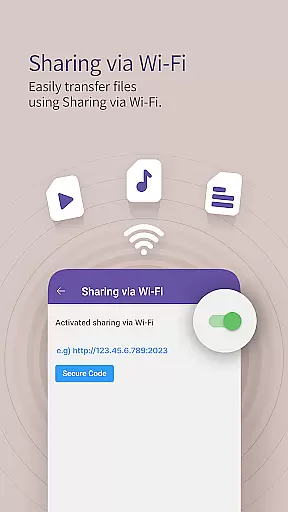
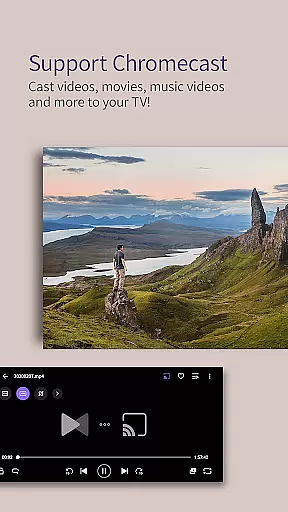
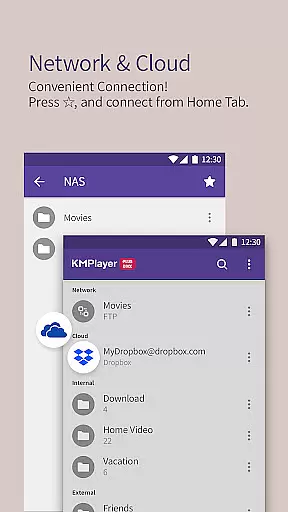
Other standout features include popup play for multitasking, speed control for flexible playback rates, and comprehensive subtitle settings. With support for cloud services like Dropbox and OneDrive, along with network protocols such as FTP and SMB, KMPlayer Plus offers extensive connectivity options for seamless media access.
Video format compatibility is a crucial feature for any video player, ensuring that users can enjoy a wide range of media files without restrictions. KMPlayer Plus (Divx Codec) excels in this area by supporting an extensive list of codecs and file types.
The application officially supports Divx codec, catering to Avi and MKV files with specific codecs like DXMF, DX50, DIVX, DIV4, DIV3, and MP4V. This ensures that users can play most standard video files effortlessly. Additionally, it provides clarity on unsupported codecs such as DTS, EAC3, and TrueHD, helping users manage their expectations.
For subtitle support, KMPlayer Plus offers an impressive array of formats including DVD, DVB, SSA/ASS Subtitle Track, SubStation Alpha (.ssa/.ass), SAMI (.smi), SubRip (.srt), MicroDVD (.sub/.txt), VobSub (.sub/.idx), SubViewer2.0 (.sub), MPL2 (.mpl/.txt), TMPlayer (.txt), Teletext, PJS (.pjs), and WebVTT (.vtt). This extensive compatibility enhances the viewing experience by allowing users to choose their preferred language and style.
By covering such a broad spectrum of video and subtitle formats, KMPlayer Plus ensures that users can enjoy their media collections without worrying about format limitations, making it a versatile choice for video playback.
AI-powered editing features are transforming how users interact with media players by offering advanced tools that simplify complex tasks. KMPlayer Plus (Divx Codec) incorporates several intelligent functionalities that enhance user experience beyond basic playback.
Among its standout features is the ability to crop videos and audio. Users can select their desired sections and edit them seamlessly, which is particularly useful for creating highlights or trimming unnecessary parts. The MP3 Converter tool allows users to extract and convert audio from video files quickly and easily, providing flexibility in managing multimedia content.
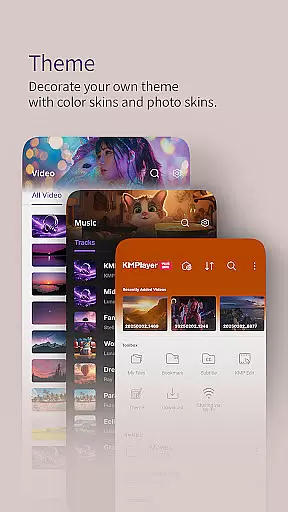
The GIF toast feature lets users create dynamic GIFs from their favorite videos, enabling creative expression and easy sharing. Additionally, the VIP theme customization option allows users to personalize their interface using photos from their smart devices, adding a unique touch to their viewing experience.
These AI-driven capabilities not only streamline media management but also empower users to explore creative possibilities, setting KMPlayer Plus apart as a comprehensive solution for both playback and editing needs.
User-friendly interface
High-definition playback
Comprehensive codec support
Advanced customization options
Cloud integration
Limited free trial period
Some features require subscription
Occasional ads in free version
Complex settings for beginners
Requires storage permission

HD video & music player - All format support with floating & PIP mode!
 3.80
3.80
Your media, on your terms.
4.10
Video Trimmer, Video to MP3 Converter. Extract music from video, Easy & Fast.
4.80
Fast video downloader & private browser. Save HD clips to watch offline.
4.40
Play ALL formats in 4K & HD. Video downloader, MP3 player, Chromecast & more.
4.80
Seamlessly connect and control your smart devices, anytime, anywhere with ease.
4.60
Download website videos fast&privacy
4.40
The essential companion to your Blue Iris PC software
2.50
Web Browser for LG TV to stream webvideos, online movies and livestreams in HD
4.20
A Simple app to download Video & Music from the Internet.
4.70
Video Player - Unlimited features, 30 days money back guarantee.
4.60
AirMirror Receiver - Screen mirroring/cast web videos to Android TV by AirPlay.
4.40
Movie maker & video editing app with AI effects and green screen
4.30
Turn your phone into a wireless camera!
4.20
LumaFusion: The Ultimate Storytelling Experience for Video Editing
4.10
AI Video Editor:AI Music, Text to Video,Text to Speech,Auto Caption,Video Effect
4.00
Online Videos Player
3.90
Manage your IPTV live channels and VOD playlists (no playlist included)
3.80
Stream high quality video from your camera over NDI protocol
4.4


User Reviews