
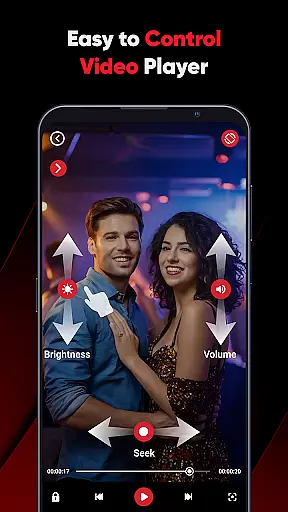
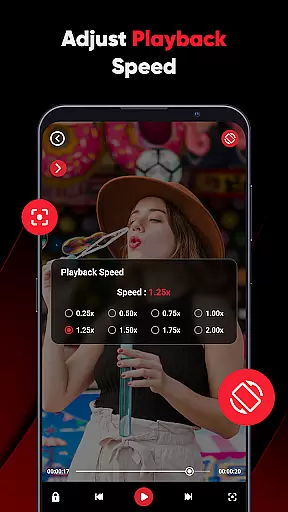
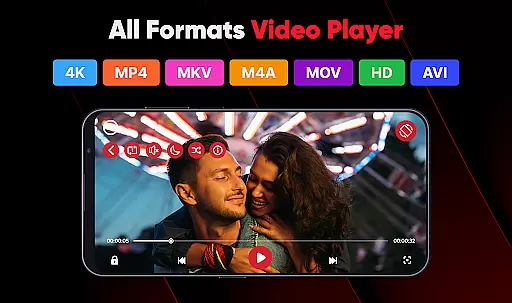
ViPlayer is a versatile video player and downloader designed to enhance your video-watching experience. This app supports all major video formats including MP4, MKV, AVI, and MOV, allowing users to play HD videos directly from their device with ease. Its advanced gesture controls provide an intuitive way to adjust volume, brightness, and playback.
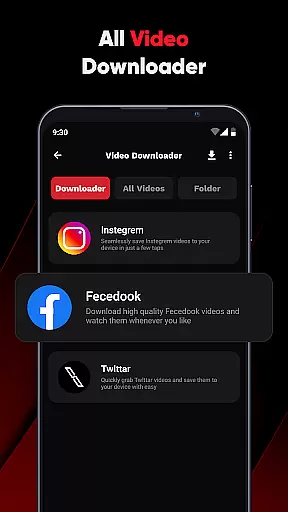
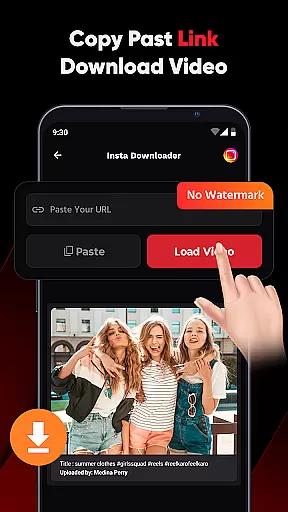
In addition to its robust playing capabilities, ViPlayer enables users to download videos from various social media platforms by simply pasting the URL. The one-click downloader ensures that you can save videos for offline viewing quickly and securely without needing to log in. Whether you're watching personal content or streaming online, ViPlayer offers speed, simplicity, and style in one package.
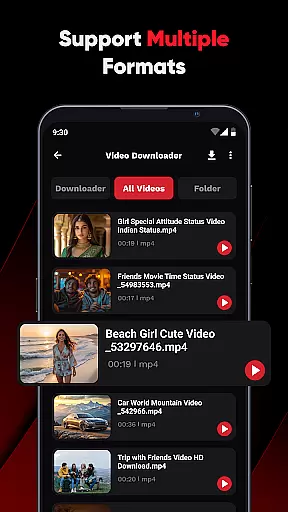
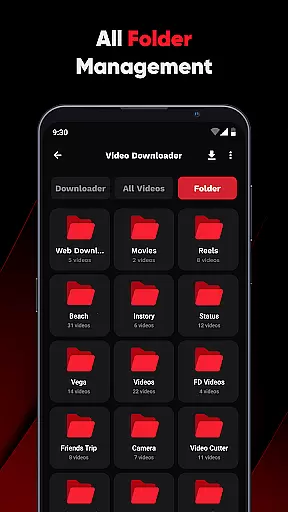
ViPlayer stands out with its comprehensive feature set tailored for video enthusiasts. One of the key highlights is its support for all popular video formats, making it a universal solution for your video playback needs. The app automatically detects videos stored on both internal and external storage, organizing them efficiently by folder for easy access.
Another remarkable feature is the swipe controls which allow users to effortlessly adjust volume, brightness, and playback using simple gestures. For those who wish to download videos, ViPlayer provides a seamless experience by supporting links from platforms like Fb and Insta. With just a few taps, you can preview and save content directly to your gallery. The clean, lightweight UI ensures fast performance while maintaining an intuitive user interface.
ViPlayer stands out as a versatile video player due to its extensive video format compatibility. The app supports all major video formats including MP4, MKV, AVI, and MOV. This ensures that users can play virtually any video file without the need for conversion or additional codecs.
The comprehensive format support is crucial for users who deal with various types of video content from different sources. Whether it's personal recordings, downloaded movies, or professional video files, ViPlayer handles them all seamlessly. This flexibility makes it an ideal choice for both casual viewers and professionals alike.
By incorporating advanced detection features, ViPlayer automatically organizes videos by folder from internal and external storage. This not only simplifies navigation but also enhances the overall user experience. Users can easily locate and play their desired content without hassle.
Moreover, the app's ability to smoothly stream or play saved videos directly from the device showcases its optimized performance. With ViPlayer, you can enjoy high-quality playback regardless of the video format, making it a reliable tool for all your video viewing needs.
While primarily known for its playback capabilities, ViPlayer also incorporates AI-powered editing features that enhance the user experience. These intelligent tools allow users to make quick adjustments and improvements to their video content effortlessly.
One notable feature is the automatic video organization system that uses AI to categorize files based on content type and source. This smart sorting mechanism saves time and helps maintain an organized media library. Additionally, the app's gesture controls are enhanced by AI algorithms, providing more precise volume, brightness, and playback adjustments.
Although ViPlayer doesn't position itself as a full-fledged video editor, its AI-driven enhancements contribute significantly to its functionality. The app's ability to detect and process video content quickly demonstrates its technological sophistication. These features work together to create a more intuitive and responsive user interface.
Furthermore, the integration of AI technology ensures that the app remains lightweight while delivering powerful performance. Users can enjoy smooth playback and efficient file management without compromising device resources. This combination of AI-powered features makes ViPlayer a compelling choice for those seeking both playback and basic editing capabilities in a single application.
User-friendly interface
Supports multiple formats
Advanced gesture controls
Fast video downloading
Offline playback capability
Limited social platform integration
No cloud syncing option
Occasional ads in free version
Basic editing features
Requires manual updates

Connect 2 UVC devices for recording and broadcast video/audio stream
 3.90
3.90
KineMaster, Your Ultimate Video Editor!
4.40
All format media Player, no need video converter any more!
4.00
Capture images & record videos for USB Camera, Webcam, Microscopes, Endoscopes
3.80
Live TV, anywhere in your home
3.80
Browser for Sony TV to stream web videos, online movies and live tv
3.20
Find, download, and play torrents with the official BitTorrent® Pro app
4.70
Cast movies, tv shows and live streams to Chromecast, Roku, DLNA, Fire TV & more
4.60
convenient, safe and fast at Video Downloader & Player
4.60
Screen recorder with audio to take live videos & Screenshot in high quality!
4.70
Video Player - Unlimited features, 30 days money back guarantee.
4.60
Cast Videos from Web Browser, IPTV to Roku, Chromecast, DLNA, Smart TV +more
4.60
Video Downloader, Multiple Resolution Options, Video Player
4.50
Your media, on your terms.
4.10
LumaFusion: The Ultimate Storytelling Experience for Video Editing
4.10
Make your own Animations, Video and Photo Edits, Visual Effects, and more!
4.00
Online Videos Player
3.90
Video player with powerful streaming playback and various convenient features.
2.10
Stream high quality video from your camera over NDI protocol
4.0


User Reviews