
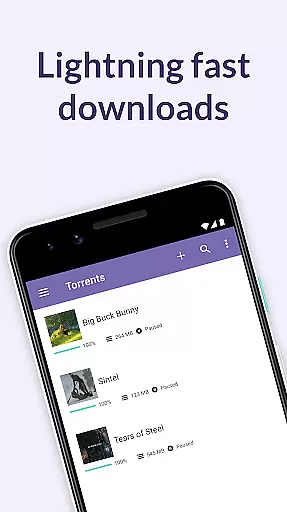
BitTorrent Pro is a premium torrent client designed specifically for Android devices, offering an AD-FREE experience with advanced features like battery saving and auto-shutdown capabilities. As the official app from the creators of the BitTorrent protocol, it provides users with the ability to find and download torrents directly to their mobile devices without being tethered to a desktop.
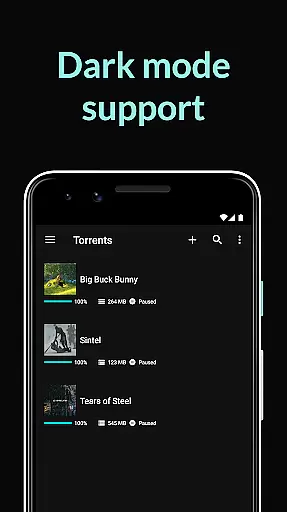
The application stands out with its user-friendly design and essential functionalities that cater to both casual downloaders and power users. It includes a beautifully light interface, integrated media libraries for music and video playback, and smart download management options. The Pro version offers additional benefits such as no banner ads, predefined battery levels to suspend downloads, and automatic shutdown when downloads complete and the app runs in the background.
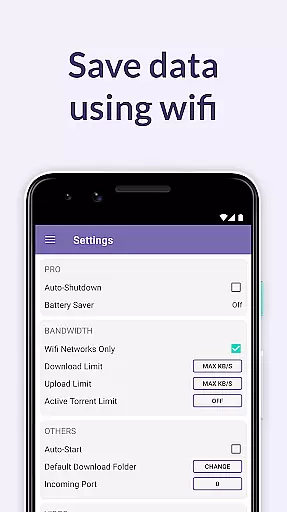
Whether you're downloading licensed content from BitTorrent's partners or managing large torrent files, BitTorrent Pro ensures a seamless experience. Its cutting-edge core torrenting technology delivers optimal performance while supporting various helpful features like Wi-Fi only mode, magnet link handling, and playlist creation for multiple media files within a single torrent.
BitTorrent Pro boasts an array of features that enhance the overall torrenting experience on Android. One standout feature is its Battery Saver, which intelligently suspends torrent activities when the device's battery drops below a set threshold, ensuring your phone remains functional throughout the day. Additionally, the Auto-shutdown function conserves both battery life and data usage by halting torrent operations once downloads are complete and the app is running in the background.
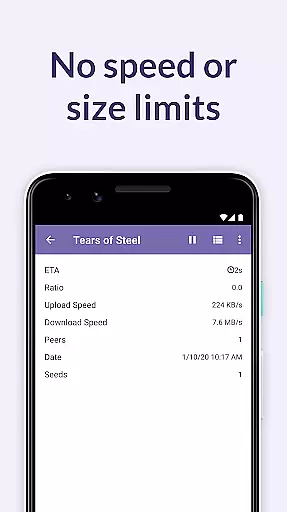
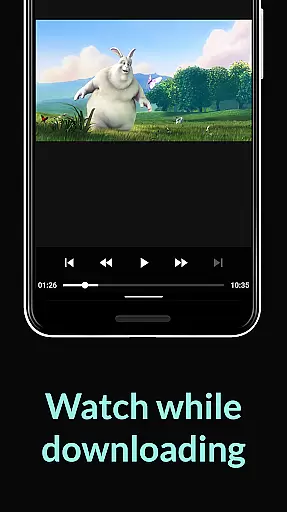
The app also excels in customization and control over downloads. Users can select specific files within a torrent to minimize storage usage, choose download locations, and manage torrents and magnet links efficiently. With no speed or size limits imposed, BitTorrent Pro allows unrestricted access to media content. Integrated music and video players further enrich the user experience by enabling smooth playback directly from downloaded files.
Bonus features include translations in multiple languages, continuous updates to core torrenting technology, and improved download performance through innovations like Canonical Peer Priority. These enhancements not only boost stability but also reduce connection times between peers, making BitTorrent Pro one of the most reliable torrent clients available today.
BitTorrent Pro stands out in video format compatibility, ensuring users can download and play a wide range of video files without hassle. The app supports various torrent contents, including licensed music and videos from BitTorrent's partners.
The integrated music and video libraries allow easy access to media, enhancing the user experience by simplifying how you interact with downloaded content. This feature ensures that regardless of the file type, your media is easily accessible and ready for playback.
Moreover, BitTorrent Pro includes advanced torrenting technology, continuously updated for maximum performance. This means improved download performance and stability, allowing users to efficiently manage their media downloads.
With this level of compatibility and support, users can enjoy an uninterrupted media experience, playing videos and music directly from the app without worrying about format issues.
While BitTorrent Pro focuses primarily on downloading and managing torrents, it incorporates features that enhance user interaction with media akin to AI-powered editing. The app allows users to select specific files within a torrent for download, optimizing storage use and indirectly supporting efficient media management.
Integrated music and video players offer a refined listening and viewing experience, similar to how AI-powered tools might enhance media interaction through smart playback options. This selective downloading capability ensures a personalized media library tailored to individual preferences.
Additionally, BitTorrent Pro offers playlist functionality for music files, automatically grouping related tracks for seamless playback. Though not traditional AI editing, these features streamline media handling, making it more intuitive and engaging for users.
By focusing on user-driven media selection and optimized playback, BitTorrent Pro delivers a sophisticated media handling experience, aligning with the benefits provided by dedicated AI-powered editing tools.
AD-FREE experience
Battery Saver feature
Auto-shutdown functionality
No speed or size limits
Integrated media players
Paid subscription required
Limited free content
Occasional connectivity issues
Advanced settings may overwhelm beginners
Requires significant storage space

HD Video player all format, HD Videos, Cast & Subtitle. No annoying ads.
 4.60
4.60
?100% FREE! Download & save videos? safely in this app. All formats supported.
4.60
Snaptubè Video Downloader app allows to download videos and music in Snaptube. .
4.60
Create photo video with music & template. AI video maker for stunning slideshow.
4.60
Video player with powerful streaming playback and various convenient features.
2.10
KMPlayer Plus (Divx Codec) officially support Divx codec.
4.30
Turn your phone into a wireless camera!
4.20
Powerful video player with advanced hardware acceleration and subtitle supports
4.20
Make videos you’re proud to share with Edits, a video editor for creators.
4.70
Video Trimmer, Video to MP3 Converter. Extract music from video, Easy & Fast.
4.80
VLC Remote lets you control your VLC Media Player on Mac, PC or Linux.
4.60
Watch IPTV on your Android device
4.60
HD video maker with no watermark, no ads & vlog maker with music, PIP, text
4.50
AirMirror Receiver - Screen mirroring/cast web videos to Android TV by AirPlay.
4.40
Viddo: Generate Action Figure, AI Anime, AI kiss, AI hug Video from image & text
4.40
Video player, file manager for all formats, 4K/HD media player supports subtitle
4.30
Video Downloader is an utility that can save videos and music from web sites
4.20
AI Video Editor:AI Music, Text to Video,Text to Speech,Auto Caption,Video Effect
4.00
A full editing room to accompany your Insta360 cameras and handheld gimbals.
3.30


User Reviews