
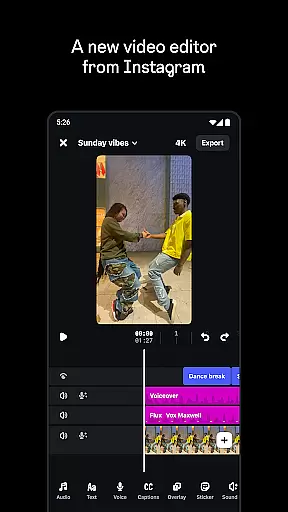
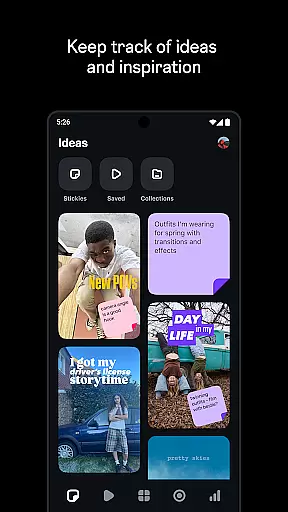
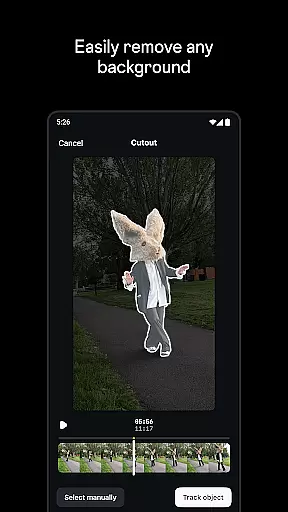
Edits is a powerful mobile video editor designed specifically for content creators who want to produce high-quality videos directly on their smartphones. The app offers an all-in-one solution for video creation, providing tools for editing, enhancing, and exporting professional-grade videos.
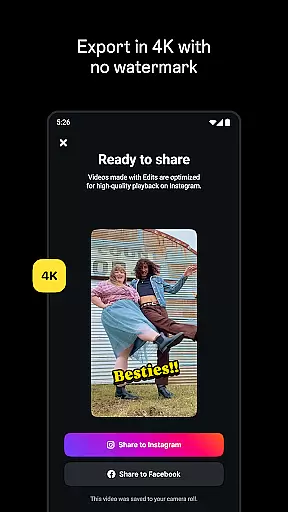
One of the standout features of Edits is its ability to export videos in 4K resolution without watermarks, ensuring your content looks polished and professional when shared across various platforms. Additionally, the app simplifies the creative process by allowing users to capture high-quality clips, store drafts, and edit with precision, all within a single interface.
Whether you're a social media influencer or a casual creator, Edits provides everything you need to bring your ideas to life. From AI-powered animations to advanced audio enhancement features, this app empowers users to create engaging video content that stands out.
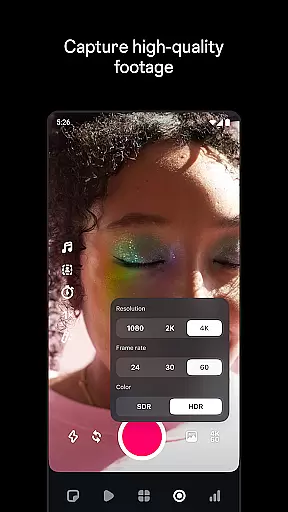
Edits offers a comprehensive suite of video editing tools that cater to both beginners and experienced creators. One of its key features is the ability to edit videos with single-frame precision, giving users complete control over their edits. The app also includes advanced camera settings, allowing you to adjust resolution, frame rate, and dynamic range to achieve the desired look for your videos.
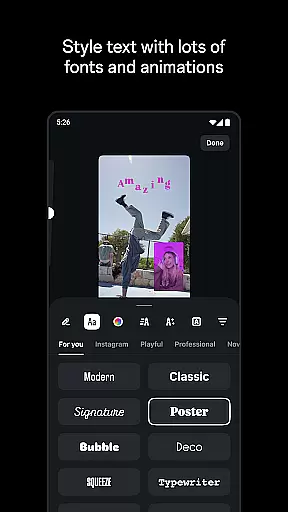
In addition to its core editing capabilities, Edits provides creative options such as green screen effects, video overlays, and AI animations. These features enable users to experiment with different styles and formats, making it easy to produce visually stunning content. The app also includes a variety of fonts, sound effects, filters, and stickers, offering endless possibilities for customization.
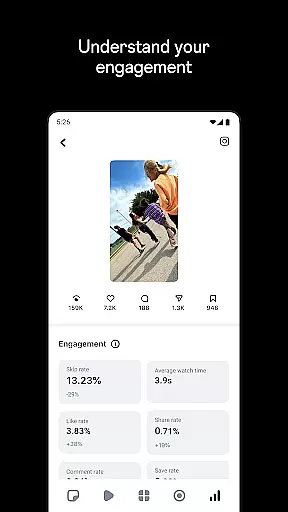
Beyond editing, Edits helps inform your creative decisions by offering tools like a live insights dashboard, which tracks how your videos are performing. This feature is particularly useful for creators who want to understand what drives engagement and refine their content strategy accordingly.
Video format compatibility is crucial for any video editor, and Edits, an Instagram App, excels in this area. The app supports a wide range of video formats, allowing creators to import and export videos without worrying about compatibility issues.
With the capability to export videos in 4K resolution without watermarks, Edits ensures that your creations retain their quality across different platforms. This feature is particularly beneficial for content creators who wish to maintain a professional appearance on social media or other digital spaces.
Moreover, Edits provides tools for capturing high-quality clips directly within the app. Users can record up to 10 minutes of footage and immediately start editing, streamlining the creative process. This seamless integration between recording and editing empowers users to focus more on their content rather than technical limitations.
The app's support for various resolutions, frame rates, and dynamic ranges further enhances its video format compatibility. Creators can adjust camera settings to achieve the desired look, ensuring that their final product aligns with their artistic vision.
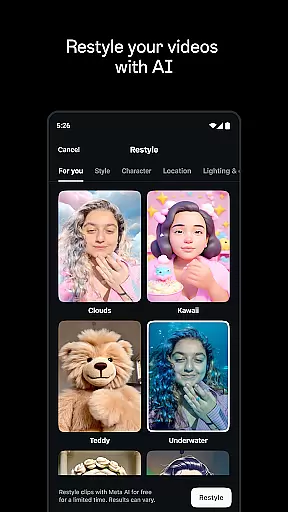
AI-powered editing features are at the heart of Edits, an Instagram App, revolutionizing how creators approach video production. These advanced tools leverage artificial intelligence to simplify complex editing tasks, making professional-quality edits accessible to everyone.
One standout feature is AI animation, which brings static images to life. By applying intelligent algorithms, Edits can animate photos in ways that mimic natural movements, adding depth and interest to otherwise flat visuals. This capability opens new avenues for creativity and storytelling.
Additionally, Edits offers automatic caption generation, a boon for accessibility and viewer engagement. The AI accurately transcribes spoken words and allows users to customize the appearance of captions, enhancing both clarity and aesthetic appeal. This feature not only saves time but also ensures that videos reach wider audiences, including those who rely on subtitles.
Audio enhancement is another area where AI shines in Edits. The app can isolate voices, reduce background noise, and improve overall sound quality. Such functionalities ensure that dialogue remains crisp and clear, elevating the viewing experience and keeping audiences engaged.
User-friendly interface
Advanced editing tools
4K video export
AI-powered features
Comprehensive audio controls
Limited to mobile devices
Requires learning curve
No desktop version
Premium features may cost extra
Internet connection needed for some features

Kodi media center, a free and open source cross-platform entertainment hub
 3.60
3.60
Watch full episodes of your favorite Cartoon Network and Cartoonito shows!
3.50
An easy-to-use and all-round screen recorder with audio
4.80
All in one HD video downloader & player for multiple formats with full privacy
4.70
Cast to Smart TV, Fire TV. Cast video, photo - Fast & Stable!
3.90
Video Downloader, Multiple Resolution Options, Video Player
4.50
Download videos and play them offline
4.70
LumaFusion: The Ultimate Storytelling Experience for Video Editing
4.10
Cast movies, tv shows and live streams to Chromecast, Roku, DLNA, Fire TV & more
4.60
Seamlessly connect and control your smart devices, anytime, anywhere with ease.
4.60
IPTV Loader, loads your own Playlist. DOES NOT CONTAIN ANY LIST OR CHANNELS
4.60
Add date and time watermark to photos and videos
4.50
Full HD Video mp3 Player, MP4 player play 1080p, File manager, Video Downloader
4.40
Create & edit videos with AI
4.30
Powerful Video Editor & Photo Editing App —— Quick Edits & Stunning Effects!
4.30
HD video & music player - All format support with floating & PIP mode!
3.80
Connect EasyCap or UVC devices for recording and broadcast video/audio stream
3.60
Download videos easily & play them all in one smart, powerful video manager.
3.40
Client application for NextPVR software
3.00


User Reviews