
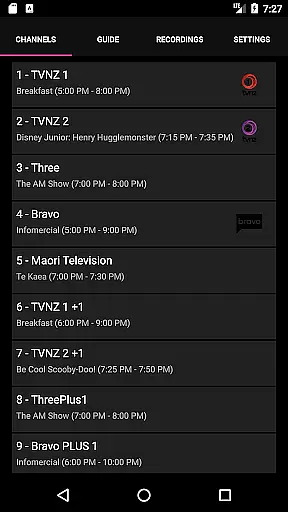
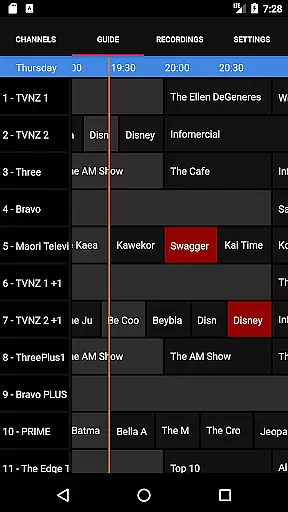
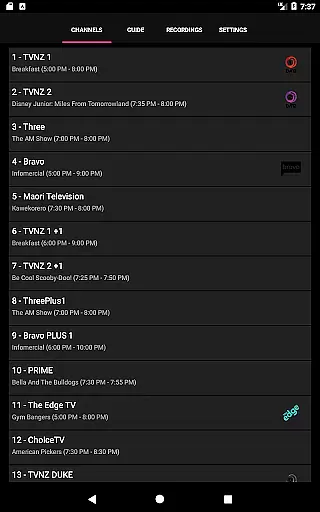
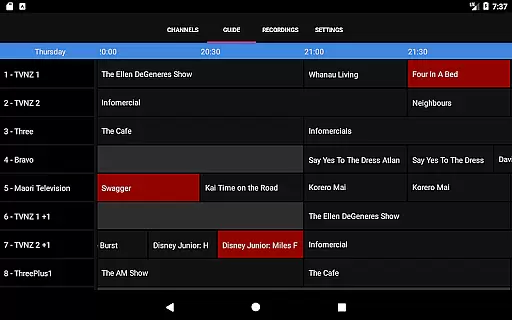
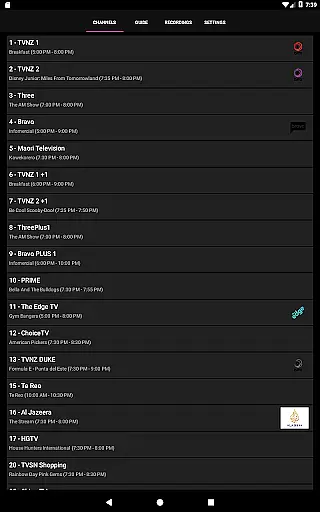
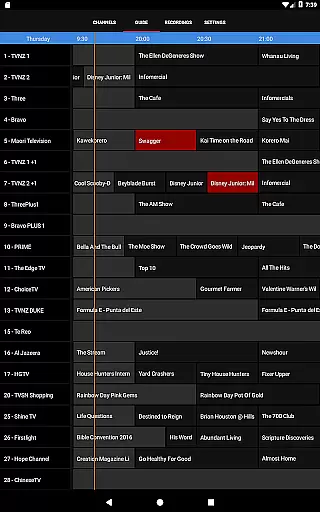
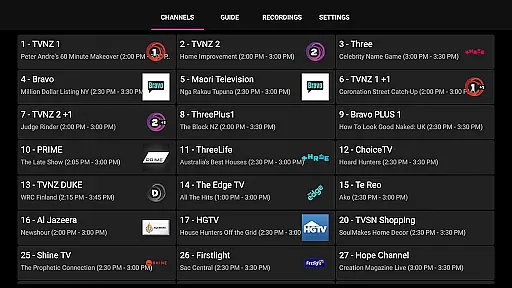
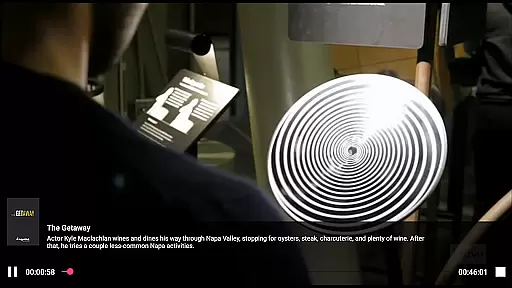
NextPVR is a versatile client application designed to enhance your TV viewing experience through its integration with NextPVR software. This app allows users to stream live TV, access an intuitive TV guide, manage recording schedules, and watch recorded content directly from their mobile devices.
With the requirement of having NextPVR 4.1.0 or above installed on a Windows PC within the same network, this app leverages existing TV tuners and video capture sources to deliver seamless media streaming. Whether you're at home or on the go, NextPVR ensures that you never miss your favorite shows and can easily control your media center remotely.
The true value of NextPVR lies in its ability to centralize your TV entertainment options, making it easier than ever to enjoy live and recorded content without being tied to your television screen.
NextPVR offers a comprehensive set of features tailored for managing and enjoying multimedia content. Users can browse an interactive TV guide that provides detailed program information and enables quick navigation through available channels.
In addition to live TV streaming, the app supports advanced scheduling options for recording programs. You can set up single or series recordings with ease, ensuring that all your favorite shows are captured automatically. The app also allows playback of previously recorded content, giving you full control over when and where you watch.
Another standout feature is the remote management capability, which lets users adjust settings, view system status, and control recordings from their mobile device. This functionality makes NextPVR an indispensable tool for anyone looking to streamline their TV viewing experience.
Video format compatibility is a crucial feature for any video player, ensuring that users can enjoy content in various formats without technical hindrances. NextPVR stands out by supporting a wide range of video formats, including popular ones like MP4, AVI, and MKV, as well as less common codecs.
This app leverages the robust capabilities of the NextPVR software, which is designed to handle diverse video capture sources such as ATSC, DVB, and Analog TV tuners. By integrating seamlessly with NextPVR installed on a Windows PC, this app ensures that all recorded content, regardless of its original format, is accessible on your mobile device.
For users, this means unparalleled flexibility in viewing preferences. Whether you're watching live TV, managing your recording schedule, or enjoying past recordings, you won't be limited by format restrictions. This extensive compatibility enhances user experience by providing smooth playback and eliminating the need for additional conversion software.
AI-powered editing features represent the cutting-edge evolution of video editing, enabling users to enhance their videos with minimal effort. While NextPVR primarily focuses on live TV and recording functionalities, it incorporates intelligent tools that simplify video management and improve overall quality.
The app benefits from the advanced processing capabilities of the NextPVR software, which includes automated scene detection, smart tagging, and efficient file organization. These features are powered by AI algorithms that learn from user behavior, thus offering personalized suggestions and edits tailored to individual preferences.
For viewers, this translates into an enriched media experience where searching for specific moments or organizing vast libraries becomes effortless. The AI enhancements not only save time but also ensure that users can easily find and enjoy their favorite shows or recorded events, making NextPVR a comprehensive solution for modern media consumption needs.
User-friendly interface
Comprehensive TV guide
Remote DVR management
Seamless live TV streaming
Free to use
Requires separate software
Windows PC dependency
Limited to home network
No standalone functionality
Dependent on tuner hardware

KMPlayer Plus (Divx Codec) officially support Divx codec.
 4.30
4.30
Fast & easy HD video downloader for all formats, support 4K playback & download.
4.60
Movie maker & video editing app with AI effects and green screen
4.30
All in one HD video downloader & player for multiple formats with full privacy
4.70
The essential companion to your Blue Iris PC software
2.50
Connect EasyCap or UVC devices for recording and broadcast video/audio stream
3.60
Watch IPTV on your Android device
4.60
Browser for Samsung TV to stream webvideos, online movies and livestreams in HD
4.10
Download Hub, easy and private way to download and enjoy your videos offline
4.80
An easy-to-use and all-round screen recorder with audio
4.80
Full HD Video mp3 Player, MP4 player play 1080p, File manager, Video Downloader
4.40
AirMirror Receiver - Screen mirroring/cast web videos to Android TV by AirPlay.
4.40
Browser for Fire TV to stream webvideos, online movies, livestreams in HD
4.40
Powerful Video Editor & Photo Editing App —— Quick Edits & Stunning Effects!
4.30
VLC for Android is the best open source video and music player, fast and easy!
4.10
1)AirPlay/DLNA Mirroring/Streaming, up to 4 connections; 2)Samba/NAS/DMS Player.
4.00
Connect 2 UVC devices for recording and broadcast video/audio stream
3.90
Cast to Smart TV, Fire TV. Cast video, photo - Fast & Stable!
3.90
This app is an emulator of some specific IPTV boxes
3.50


User Reviews