
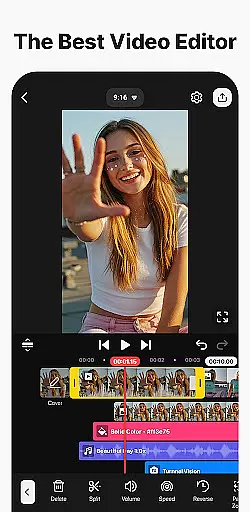
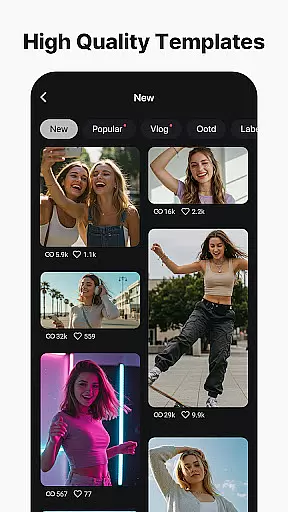
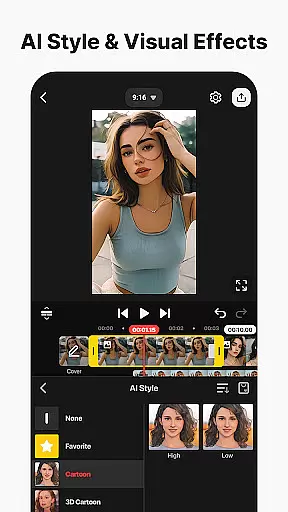
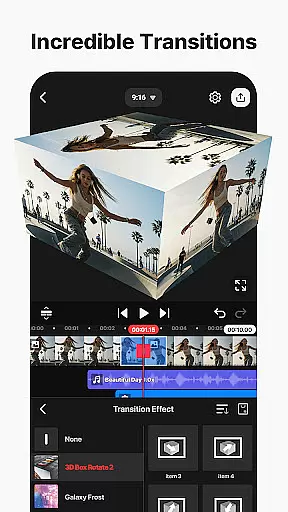
KineMaster is a comprehensive video editing application designed for both amateur and professional content creators. This app allows users to edit movies, vlogs, Reels, and Shorts with ease, offering a wide array of AI tools that simplify the video creation process. With features like AI Auto Captions, AI Text-to-Speech, and AI Magic Removal, KineMaster makes complex video editing tasks quick and straightforward.
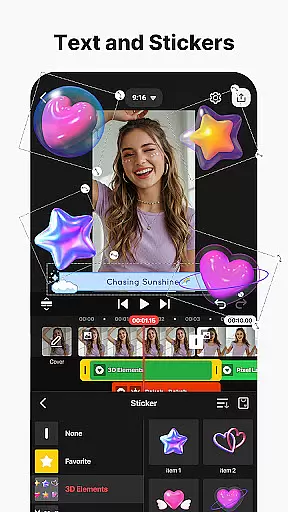
One of the standout aspects of KineMaster is its ability to cater to various skill levels. Whether you're looking to add artistic effects using AI Style or perform advanced edits such as Chroma Key (Green Screen) and Speed Control, this app provides the necessary tools. Additionally, it offers thousands of templates and assets including stickers, music, and visual effects, ensuring your videos stand out on platforms like YouTube, TikTok, and Instagram.
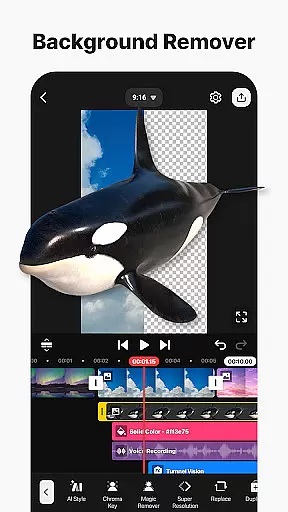
KineMaster boasts an impressive suite of features tailored for professional video editing. The app includes keyframe animation capabilities, allowing users to adjust the size, position, and rotation of every layer within their projects. Chroma Key functionality enables background removal and seamless video compositing, while speed control options let editors reverse, slow down, or create time-lapse effects effortlessly.
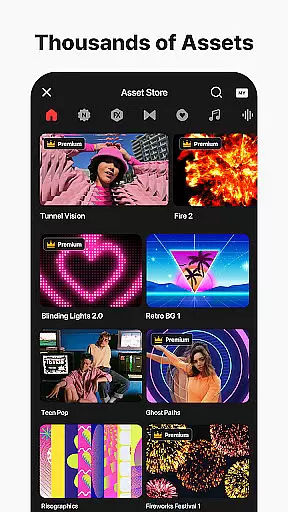
Beyond these core functionalities, KineMaster supports creative processes through innovative AI tools. Users can leverage AI Vocal Separator to split songs into vocals and music tracks, apply AI Upscaling to enhance low-resolution media, and utilize AI Noise Removal to eliminate distracting sounds. Furthermore, the app's asset store provides access to tens of thousands of resources—effects, transitions, stock videos, images, and fonts—ensuring that each project is unique and visually captivating.
Video format compatibility is a crucial feature for any video editing application, ensuring that users can work with a wide range of file types. KineMaster excels in this area by supporting an extensive array of video formats, allowing creators to import and export projects without worrying about conversion issues.
The app's advanced codec support enables seamless integration of various media elements, including high-resolution 4K videos at 60 frames per second. This versatility ensures that content creators can maintain their preferred workflow while working with different source materials, regardless of their original format or resolution.
Furthermore, KineMaster's optimized export settings cater to different social media platforms, automatically adjusting parameters to meet specific requirements. Users can produce videos ready for immediate upload to YouTube, TikTok, Instagram, and other popular services without additional processing.
This comprehensive format support not only enhances user convenience but also preserves the quality of original footage throughout the editing process. The ability to handle transparent background videos further expands creative possibilities, making KineMaster suitable for professional compositing work across multiple devices and operating systems.
AI-powered editing features have revolutionized video production by automating complex tasks and enhancing creative capabilities. KineMaster incorporates an impressive suite of artificial intelligence tools that significantly streamline the editing process while maintaining professional-grade results.
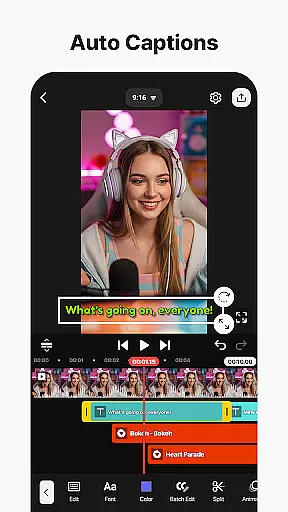
The application's AI toolkit includes automatic caption generation from audio tracks, intelligent voice synthesis from text, and sophisticated noise removal algorithms. These features enable content creators to produce polished videos more efficiently, eliminating time-consuming manual processes while ensuring consistent quality across their projects.
Advanced AI functionalities extend to visual effects as well, with automated background removal, object tracking, and artistic style transfer capabilities. The AI Vocal Separator allows users to split audio tracks into distinct components, while the AI Upscaling feature enhances low-resolution media without compromising quality.
These intelligent tools democratize professional video editing techniques, making them accessible to both novice and experienced editors. By integrating these AI-powered features, KineMaster empowers creators to focus on their artistic vision while the software handles technical complexities, resulting in higher productivity and more sophisticated final products.
User-friendly interface
Extensive AI toolset
Versatile editing options
Rich asset library
High-quality output settings
Subscription model required
Watermark on free version
Advanced tools may overwhelm beginners
Limited offline functionality
Resource-intensive on older devices

Video player, file manager for all formats, 4K/HD media player supports subtitle
 4.30
4.30
Watch full episodes of your favorite Cartoon Network and Cartoonito shows!
3.50
Full HD Video mp3 Player, MP4 player play 1080p, File manager, Video Downloader
4.40
Movie maker & video editing app with AI effects and green screen
4.30
IPTV Player - Watch live TV from m3m & m3u8 playlist, stream IPTV on mobile
3.30
Browser for Fire TV to stream webvideos, online movies, livestreams in HD
4.40
Screen recorder with audio to take live videos & Screenshot in high quality!
4.70
Photo editor & video maker with music and slideshows.
4.10
Make videos you’re proud to share with Edits, a video editor for creators.
4.70
An easy-to-use and all-round screen recorder with audio
4.80
Fast, private downloading, video saving, social media
4.50
Video Downloader, Multiple Resolution Options, Video Player
4.50
Viddo: Generate Action Figure, AI Anime, AI kiss, AI hug Video from image & text
4.40
Web Browser for LG TV to stream webvideos, online movies and livestreams in HD
4.20
Your media, on your terms.
4.10
LumaFusion: The Ultimate Storytelling Experience for Video Editing
4.10
Live TV, anywhere in your home
3.80
Download videos easily & play them all in one smart, powerful video manager.
3.40
The essential companion to your Blue Iris PC software
2.50


User Reviews