
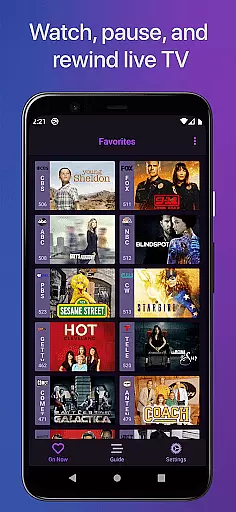
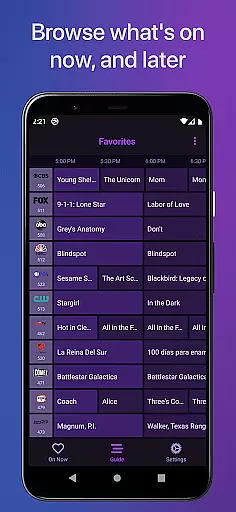
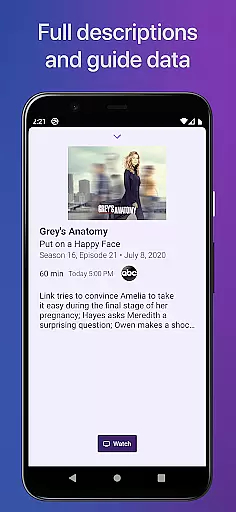
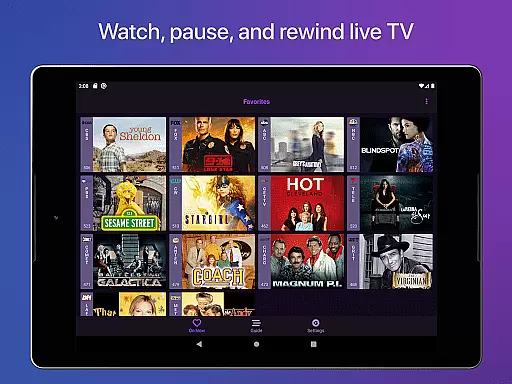
Channels for HDHomeRun is a revolutionary app that brings live TV viewing to Android devices. With the help of an HDHomeRun networked TV tuner, users can enjoy seamless live TV streaming directly on their smartphones or tablets. The app supports both local and cable TV sources, making it versatile for various user needs.
The app offers advanced features such as pausing, rewinding, and fast-forwarding live TV, which enhances the traditional TV experience. It also provides full HD streaming, 5.1 surround sound, closed captioning, and channel favoriting. These features make Channels a comprehensive solution for modern TV viewers who want flexibility and high-quality streaming.
One of the standout use cases for Channels is its ability to integrate live TV into the digital ecosystem. Users can watch sports, news, and award shows without switching inputs, alongside other streaming apps like Netflix and Hulu. This makes it ideal for households looking to streamline their entertainment options while saving money by eliminating the need for multiple cable boxes.
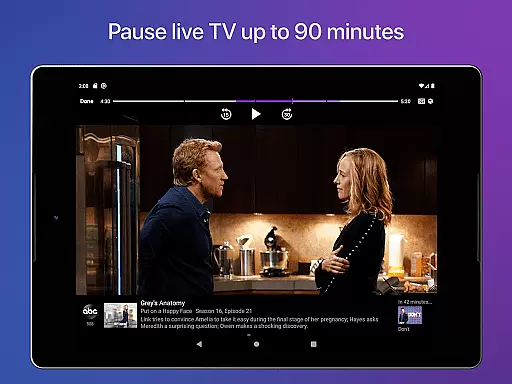
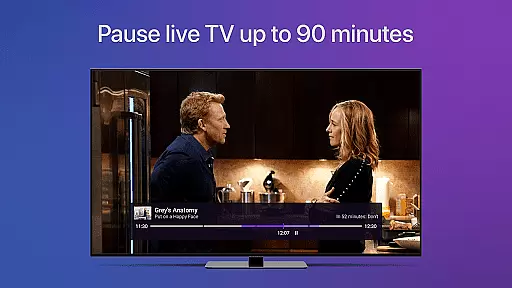
Channels for HDHomeRun stands out with its rich feature set tailored for live TV enthusiasts. One of its core functionalities is the live TV buffer, which allows users to pause and rewind live broadcasts for up to 90 minutes. This feature transforms the way users interact with live content, offering unprecedented control over their viewing experience.
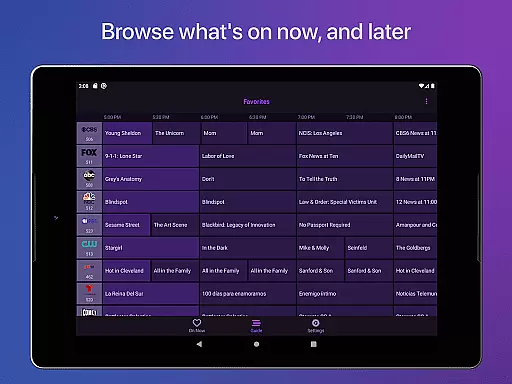
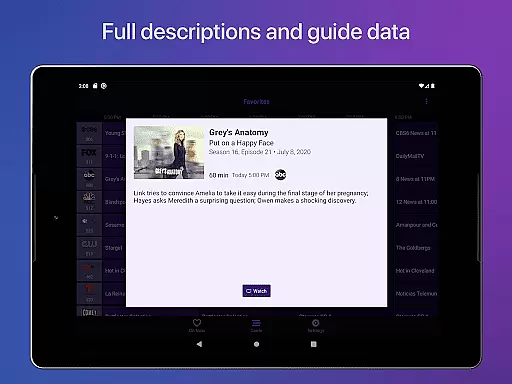
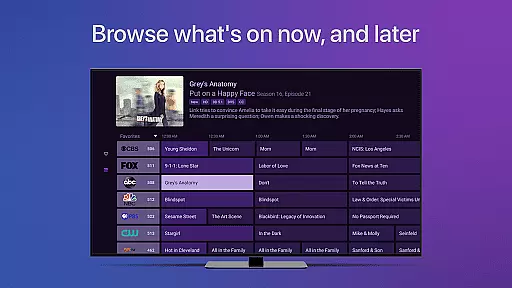
In addition to its robust streaming capabilities, Channels includes a full grid guide and guide data, enabling users to browse and plan their viewing schedules effortlessly. The app also supports advanced navigation features such as quick channel switching, closed captioning adjustments, and audio language preferences, all accessible through an intuitive interface.
Another key advantage of Channels is its compatibility with a wide range of HDHomeRun devices, ensuring broad device support. Whether using an HDHomeRun PRIME or CONNECT QUATRO, users can rely on Channels to deliver consistent performance. This versatility, combined with its user-friendly design, positions Channels as a top choice for integrating live TV into the modern smart home.
One of the key strengths of Channels for HDHomeRun is its ability to support a wide range of video formats, ensuring users can enjoy their favorite content without worrying about compatibility issues. The app leverages advanced streaming technology that adapts to various video codecs and resolutions, from standard definition to full HD, depending on your network's bandwidth.
This flexibility in video format compatibility allows users to stream live TV directly to their Android devices with minimal buffering or interruptions. Whether you're watching local news, sports events, or primetime television, Channels ensures that the video quality remains consistently high across different types of content.
Moreover, the app supports 5.1 Surround Sound and closed captioning, enhancing the overall viewing experience. These features make it possible for users to enjoy an immersive audio-visual experience, similar to what they would expect from a traditional cable setup, but with the added convenience of mobility and ease of access.
By prioritizing comprehensive video format support, Channels for HDHomeRun not only meets but exceeds user expectations, providing a seamless transition from conventional TV watching to a modern, flexible streaming solution.
While Channels for HDHomeRun primarily focuses on live TV streaming, it also incorporates AI-powered features that enhance the user experience beyond simple playback. One notable feature is the live TV buffer, which uses intelligent algorithms to manage storage efficiently, allowing users to pause, rewind, and fast forward through live broadcasts for up to 90 minutes, depending on device storage availability.
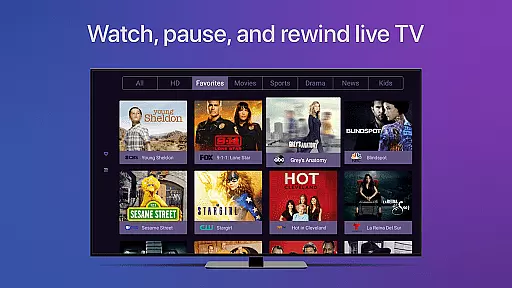
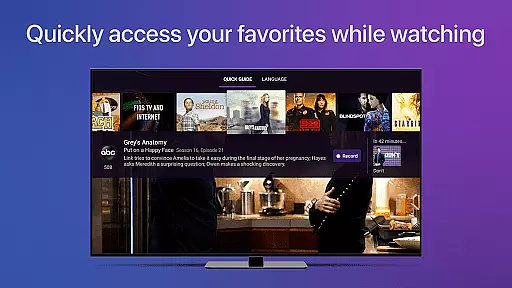
The app employs AI to optimize channel discovery and favoriting processes. Users can easily pick their favorite channels in the Settings tab, and the app intelligently suggests content based on these preferences. This personalized approach ensures that viewers spend less time browsing and more time enjoying their preferred shows and events.
Additionally, Channels utilizes AI to improve accessibility features such as VoiceOver support and closed captioning adjustments. These enhancements ensure that all users, regardless of their specific needs, can fully engage with the content. The app's ability to detect key presses on certain types of remotes using Accessibility APIs further demonstrates its commitment to inclusive design.
Through these AI-driven functionalities, Channels for HDHomeRun not only simplifies live TV consumption but also sets a new standard for user-centric media applications, making it a versatile tool for modern entertainment needs.
User-friendly interface
High-quality streaming
Live TV controls
Wide device support
Integrated guide
Requires HDHomeRun tuner
No DRM stream support
Home network only
Limited accessibility
Subscription needed

Create & edit videos with AI
 4.30
4.30
Create photo video with music & template. AI video maker for stunning slideshow.
4.60
Explore the largest library of free GIFs, Stickers & Memes - or create your own!
3.90
#1 Torrent App on Android ** No Ads Ever + Battery Saver **
4.80
Browser + Remote for Roku to stream webvideos, online movies and livestreams
4.60
Web Browser for LG TV to stream webvideos, online movies and livestreams in HD
4.20
AI Video Editor with Music, Filter, Slideshow, Effect, Merge & Trim Video.
4.80
Screen recorder with audio to take live videos & Screenshot in high quality!
4.70
Create, Publish & Maximize
4.70
All in one HD video downloader & player for multiple formats with full privacy
4.70
Watch IPTV on your Android device
4.60
HD video maker with no watermark, no ads & vlog maker with music, PIP, text
4.50
Fast & Private HD Video Downloader with Built-in Proxy Browser and Video Player.
4.50
KineMaster, Your Ultimate Video Editor!
4.40
KMPlayer Plus (Divx Codec) officially support Divx codec.
4.30
Your media, on your terms.
4.10
LumaFusion: The Ultimate Storytelling Experience for Video Editing
4.10
All format media Player, no need video converter any more!
4.00
Manage your IPTV live channels and VOD playlists (no playlist included)
3.80


User Reviews