


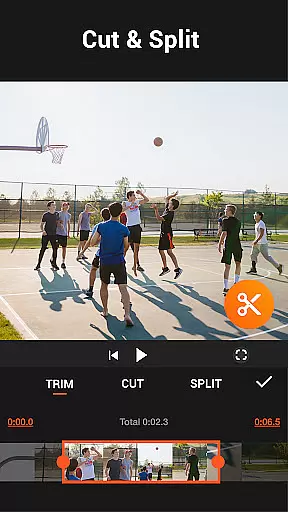

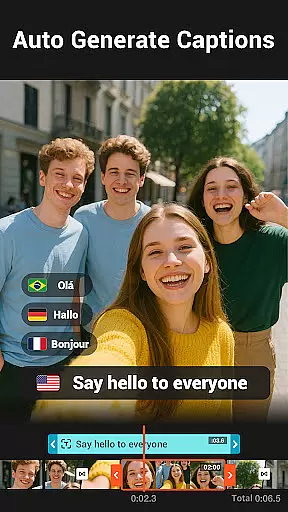
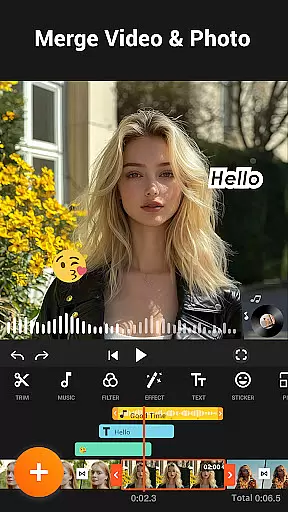
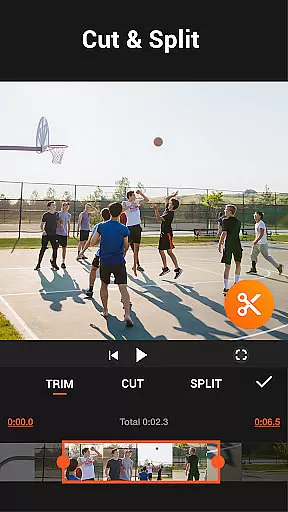
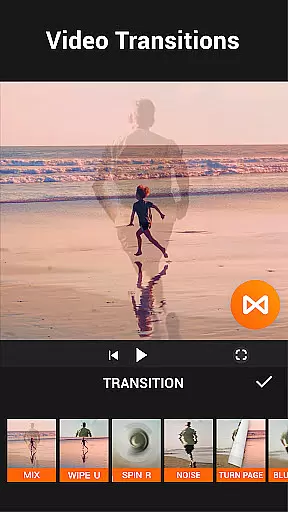


YouCut is a versatile video editing app designed for both casual users and professional content creators. It offers a comprehensive suite of tools including AI-powered features like auto captions and background removal, alongside traditional editing capabilities such as trimming, merging, and slicing videos. The app stands out with its no-watermark policy and absence of intrusive ads, ensuring a seamless editing experience.
With YouCut, users can enhance their videos through speed control, filters, color adjustments, and aspect ratio changes. Its intuitive interface allows effortless creation of photo slideshows and professional-quality edits, making it ideal for social media content creation. Whether you're crafting YouTube videos or Instagram stories, YouCut provides the necessary tools to produce polished, high-quality results.
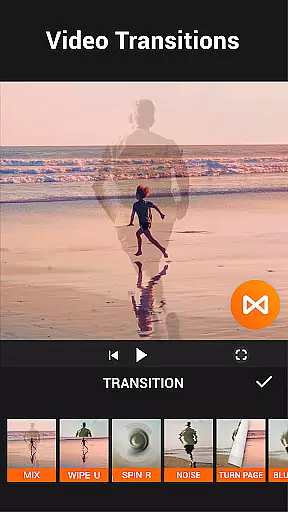
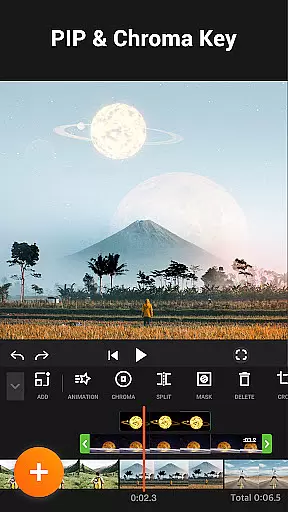
YouCut distinguishes itself through an array of powerful features tailored for diverse editing needs. The AI Video Boost functionality automates tasks like caption generation and background removal, streamlining the editing process. Users can leverage advanced options such as chroma key effects, multi-layer timelines, and smooth slow-motion transitions to create cinematic masterpieces.
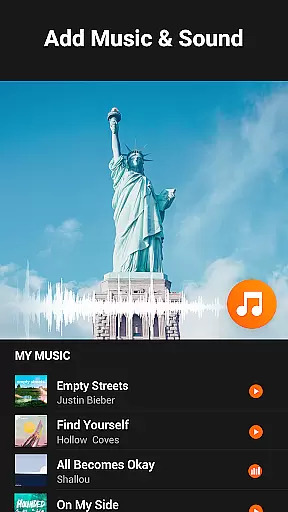
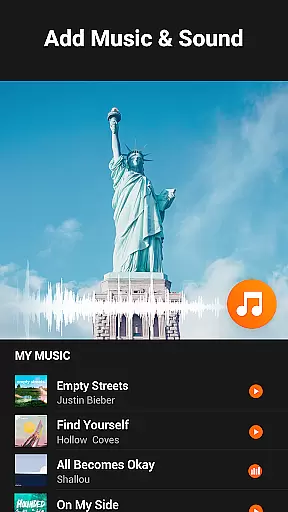
The app also excels in practical utilities, offering video compression without significant quality loss, precise speed adjustments from 0.2× to 100×, and customizable video filters. Additionally, YouCut's ability to merge videos, add music tracks, and adjust volumes ensures that every project meets professional standards. These robust features collectively empower users to unleash their creativity while maintaining full control over their edits.
Video format compatibility is a crucial feature for any video editing application, ensuring that users can work with a wide range of video file types. YouCut excels in this area by supporting various formats, allowing creators to import and export videos without worrying about compatibility issues.
The app's ability to handle high-resolution files up to 4K demonstrates its commitment to quality and modern standards. This ensures that whether you're creating content for YouTube, Instagram, or other platforms, the final output will meet the necessary requirements and look professional.
YouCut also provides tools for compressing videos while retaining quality, which is essential for sharing on social media where file size limitations may exist. By reducing file sizes by more than 90% without significant loss of quality, users can efficiently manage storage space and upload times.
Overall, YouCut's comprehensive support for different video formats empowers users to focus on their creative process rather than technical limitations, making it an ideal choice for both amateur and professional video editors looking to produce high-quality content across multiple platforms.
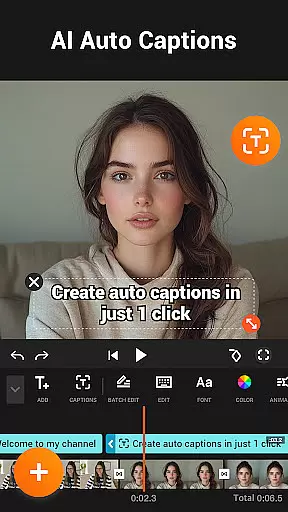
AI-powered editing features are revolutionizing the way we create and edit videos, offering advanced tools that simplify complex tasks. YouCut incorporates several AI-driven functionalities, such as auto captions, background removal, and video enhancement, which significantly streamline the editing process.
The auto captions feature uses speech-to-text technology to generate accurate subtitles for talking videos, making content more accessible and engaging for viewers. This tool not only saves time but also enhances the overall viewer experience by providing clear and synchronized text overlays.
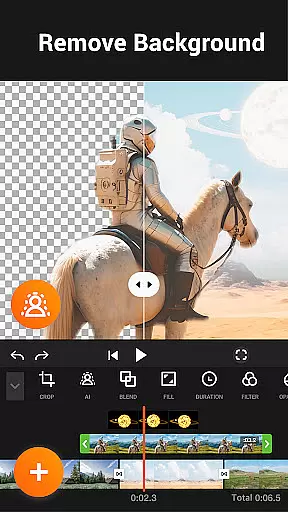
Another standout AI capability is the background removal tool, which allows users to instantly erase video backgrounds. This feature is particularly useful for creating professional-looking presentations or green screen effects without needing specialized equipment or skills.
Additionally, YouCut's AI enhancements improve video and photo quality with just a tap, ensuring that every project looks polished and visually appealing. These intelligent features collectively enable creators to produce stunning videos effortlessly, setting YouCut apart from traditional video editing apps.
User-friendly interface
Extensive editing tools
No watermark on exports
AI-powered enhancements
Ad-free workspace
Limited advanced features
Occasional performance lag
Fewer tutorials available
Basic color grading
Device compatibility issues

Watch a large amount of high-definition short drama content
 4.60
4.60
Tik & Story Saver-Download ALL social media videos, photos & reels no watermark.
4.80
Powerful HD video player with support for all formats & subtitles.
4.3
All format media Player, no need video converter any more!
4.00
Turn your phone into a wireless camera!
4.20
Movie maker & video editing app with AI effects and green screen
4.30
Play and download HD videos from all sources — fast, simple, and all-in-one.
4.5
Browser for Sony TV to stream web videos, online movies and live tv
3.20
Fast private browser with secure, seamless access & supported video downloads!
4.00
High-Quality USB Camera Viewer & HDMI Display
4.70
Cast Videos from Web Browser, IPTV to Roku, Chromecast, DLNA, Smart TV +more
4.60
IPTV Loader, loads your own Playlist. DOES NOT CONTAIN ANY LIST OR CHANNELS
4.60
Watch IPTV on your Android device
4.60
Video player, file manager for all formats, 4K/HD media player supports subtitle
4.30
1)AirPlay/DLNA Mirroring/Streaming, up to 4 connections; 2)Samba/NAS/DMS Player.
4.00
Connect EasyCap or UVC devices for recording and broadcast video/audio stream
3.60
IPTV Player - Watch live TV from m3m & m3u8 playlist, stream IPTV on mobile
3.30
Client application for NextPVR software
3.00
Video player with powerful streaming playback and various convenient features.
2.10


User Reviews