
IPTV Smart Player Pro is a premium video player app designed for seamless streaming and playback of user-added IPTV content. This ad-free version enhances your entertainment experience by offering advanced features such as support for multiple video formats, including SD, HD, 4K, and resolutions like 1080p and 720p.
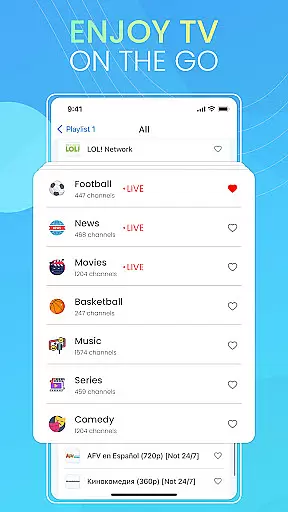
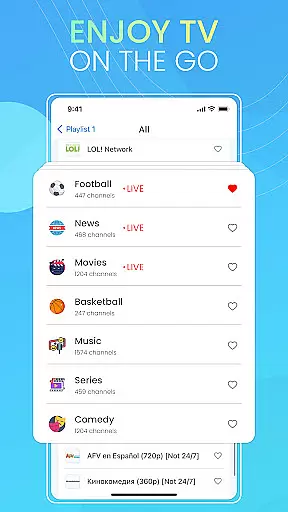
With its intuitive interface, the app allows users to organize their favorite channels, playlists, and videos into a personalized library. Its powerful compatibility extends to various file extensions, ensuring smooth playback of both local media and live IPTV streams. Whether you're at home or traveling, IPTV Smart Player Pro ensures your content is accessible anytime, anywhere.
The IPTV Smart Player Pro stands out with its extensive format support, including popular extensions like MP4, AVI, MKV, and even specialized formats like M3U and PLS. This versatility makes it an ideal choice for users seeking flexibility in video playback.
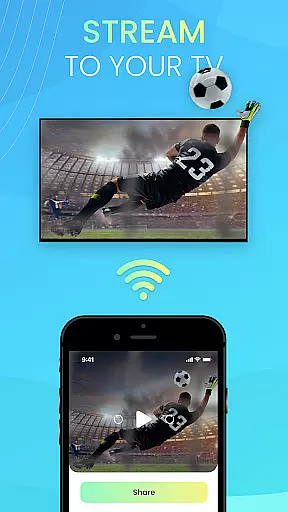
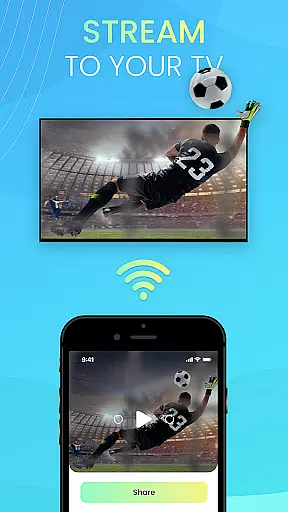
One of the app's key highlights is its ability to deliver high-quality streaming experiences, supporting resolutions up to 4K. Additionally, its user-friendly design simplifies navigation, while filtering options allow quick access to specific content. The app also supports Chromecast, enabling users to stream their favorite shows on larger screens effortlessly.
Designed for convenience, IPTV Smart Player Pro ensures portability and ease of use without compromising performance. It is important to note that the app does not provide pre-loaded content but serves as a robust platform for users to manage their legally owned playlists and media libraries.
Video format compatibility is a crucial feature for any video player application, ensuring users can enjoy content in various formats without technical limitations. IPTV Smart Player Pro excels in this area by supporting an extensive range of video formats.
This app supports popular formats such as MP4, AVI, and MOV, while also accommodating less common extensions like M4R, XHE, and AAX. Whether you're watching standard definition videos or high-resolution 4K content, the app ensures smooth playback across different resolutions including 1080p and 720p.
Users benefit from this wide compatibility as they can seamlessly play their personal media collections without worrying about format restrictions. The app's ability to handle live stream IPTV adds another layer of versatility, making it suitable for diverse entertainment needs.
The comprehensive format support enhances user experience by providing flexibility and convenience. With IPTV Smart Player Pro, viewers can focus on enjoying their favorite shows rather than dealing with playback issues, thus elevating overall satisfaction with the app.
AI-powered editing features represent the cutting-edge integration of artificial intelligence into video editing, offering users advanced tools to enhance their content creation process. While IPTV Smart Player Pro primarily focuses on video playback, its intelligent organizational capabilities provide some editing-related benefits.
The app allows users to create personalized libraries by organizing channels, playlists, and videos efficiently. Although not traditional editing features, these organizational tools utilize smart algorithms to categorize and filter content based on user preferences and viewing habits.
This intelligent system benefits users by saving time when searching for specific content. The filtering options help quickly locate desired videos or channels, streamlining the content management process. Such features are particularly useful for users managing extensive media collections or multiple playlists.
While IPTV Smart Player Pro may not offer conventional AI-based video editing tools like color correction or automated scene detection, its smart organizational features significantly improve content accessibility and management efficiency. This approach to intelligent media handling demonstrates how AI can enhance user experience beyond traditional editing functions.
Ad-free experience
Wide format compatibility
High-quality streaming
User-friendly interface
Portable entertainment
No pre-loaded content
Requires manual setup
Premium pricing
Limited beginner guidance
Dependent on user input

?100% FREE! Download & save videos? safely in this app. All formats supported.
 4.60
4.60
Create & edit videos with AI
4.30
High-Quality USB Camera Viewer & HDMI Display
4.70
Pro video editor app for Instagram, edit video with song, AI, effect & slowmo.
4.80
GENRAL PRO - General Pro is the best video player that fully supports all formats.
4.70
Play and download HD videos from all sources — fast, simple, and all-in-one.
4.1
IPTV Loader, loads your own Playlist. DOES NOT CONTAIN ANY LIST OR CHANNELS
4.60
Watch IPTV on your Android device
4.60
#1 Torrent App on Android ** No Ads Ever + Battery Saver **
4.80
Download Hub, easy and private way to download and enjoy your videos offline
4.80
Browser + Remote for Roku to stream webvideos, online movies and livestreams
4.60
Video Downloader, Multiple Resolution Options, Video Player
4.50
AirMirror Receiver - Screen mirroring/cast web videos to Android TV by AirPlay.
4.40
Video Downloader is an utility that can save videos and music from web sites
4.20
Web Browser for LG TV to stream webvideos, online movies and livestreams in HD
4.20
Powerful, professional, versatile teleprompter. Developed by an active film crew
4.00
HD video & music player - All format support with floating & PIP mode!
3.80
Manage your IPTV live channels and VOD playlists (no playlist included)
3.80
The essential companion to your Blue Iris PC software
2.50


User Reviews