
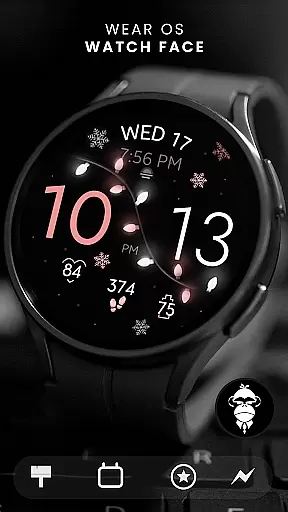
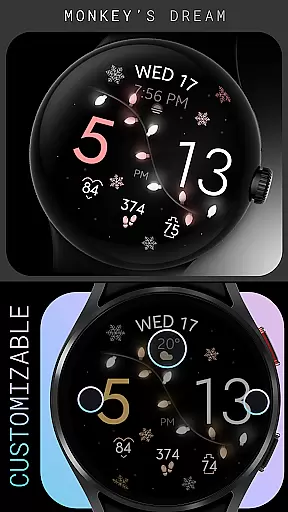
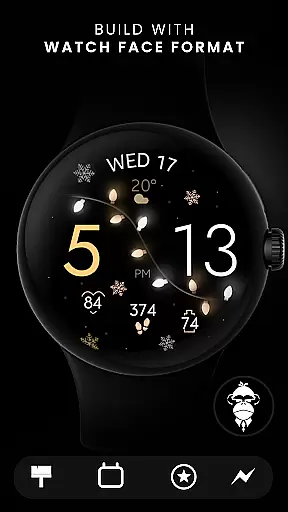
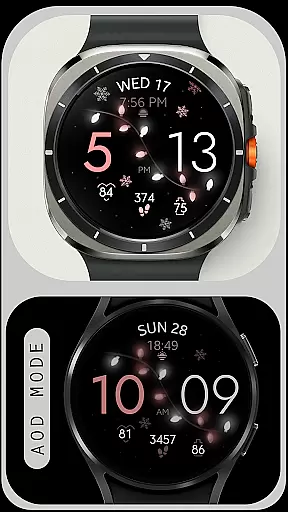
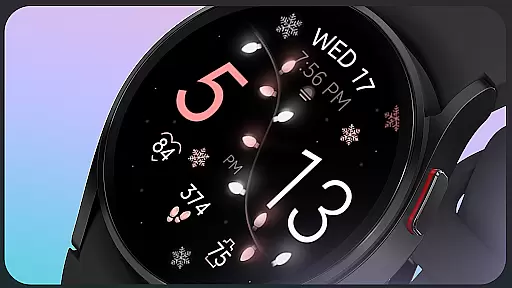
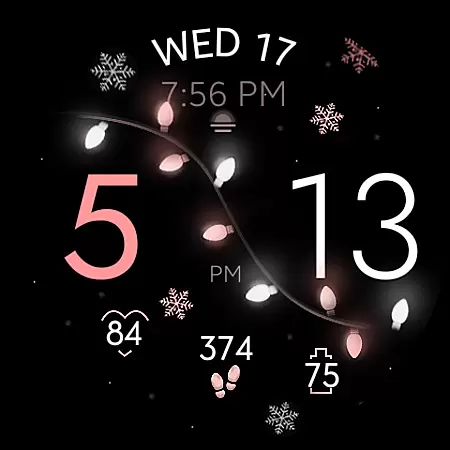
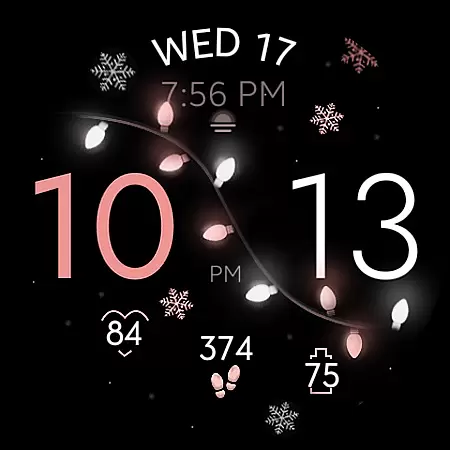
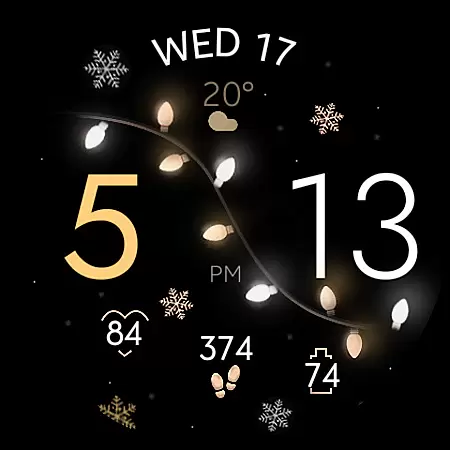
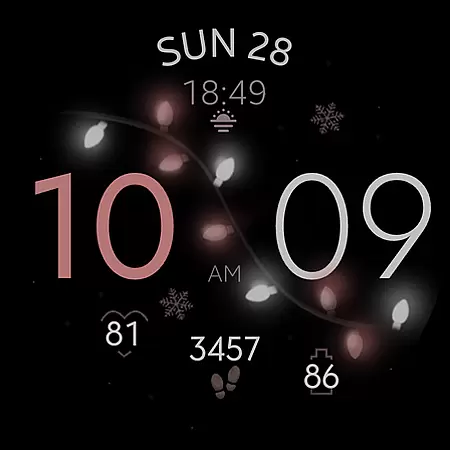
Christmas Lights is a festive watch face designed for Wear OS devices, bringing holiday cheer directly to your wrist. This elegant design combines a rose gold color scheme with delicate snowflake accents against a dark background, illuminated by soft glowing Christmas lights.
The watch face offers dynamic animations through its GYRO effect, where wrist movements create an interactive experience with animated snowflakes and varying light intensity. It also displays essential information such as day, date, steps, heart rate, and battery level, while supporting customizable colors and complications.
Ideal for users who want to celebrate the holiday season with a functional yet stylish smartwatch display, this watch face works seamlessly on all Wear OS devices running API 33+ including Google Pixel Watch and Samsung Galaxy Watches.
Christmas Lights stands out with its unique combination of aesthetics and functionality tailored for the holiday season. The GYRO effect adds life to the watch face by animating snowflakes and adjusting light intensity based on wrist movements, creating an immersive experience.
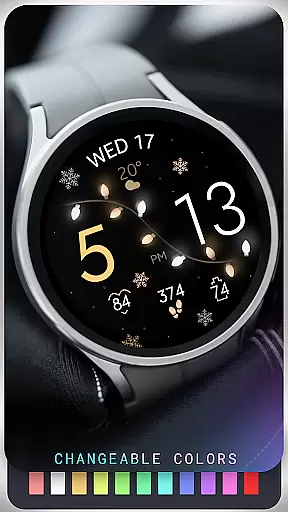
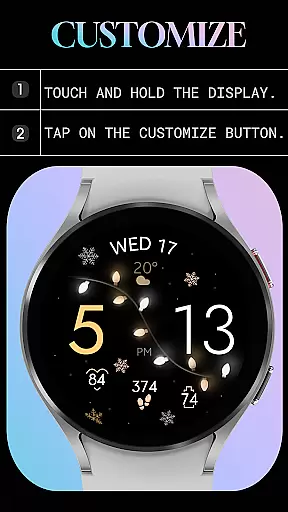
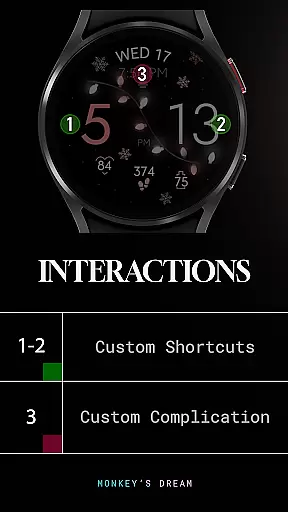
Users can customize their experience further with changeable color options, app shortcuts, and complications. Key features include displaying daily metrics like steps, heart rate, and battery status alongside traditional timekeeping elements such as day and date.
Additionally, it supports Always-On Display (AOD) mode, ensuring that vital information remains accessible at a glance without needing to wake the device fully. Compatible across various Wear OS devices, this watch face ensures broad usability while maintaining visual appeal during the festive period.
For the Christmas Lights watch face, seamless companion app integration is essential for a unified user experience. This feature ensures that users can easily customize and manage their watch face settings directly from their smartphone.
The companion app provides an intuitive interface where users can adjust color options, set up custom complications, and configure app shortcuts. These settings are then synchronized in real-time with the watch face, allowing for a personalized and dynamic display.
By leveraging the capabilities of Wear OS, the Christmas Lights watch face offers a cohesive ecosystem where changes made on the companion app reflect instantly on the wearable device. This synchronization enhances user convenience and ensures that the festive spirit is always alive on your wrist.
Compatibility with a wide range of Wear OS devices is a hallmark of the Christmas Lights watch face. Designed to work seamlessly with all Wear OS devices running API 33 and above, it ensures broad accessibility for users with different smartwatches.
This watch face supports popular models such as the Google Pixel Watch and Samsung Galaxy Watch series, providing a consistent and visually appealing experience across devices. However, it's important to note that this design is not suitable for rectangular watches, focusing instead on round and square form factors.
Ensuring optimal performance and visual fidelity, the Christmas Lights watch face takes full advantage of the hardware capabilities offered by compatible devices. Users can enjoy features like step tracking, heart rate monitoring, and battery status, all while basking in the glow of soft, festive lights.
Holiday-themed design
Interactive GYRO effects
Customizable colors
Displays health metrics
Wide device compatibility
No rectangular support
Limited year-round appeal
Requires permissions
Basic complications only
Battery-intensive animations

Christmas watch face. For Wear OS devices.
 4.30
4.30
Deck out your Wear OS Watch face with a beautifully decorated pine wreath!
4.50
A modern premium sporty hybrid watch face for Wear OS by Ballozi
4.70
Digital watch face. For Wear OS devices.
4.40
To-Do List: daily schedule planner, task organizer, to do reminder app, calendar
4.60
The #1 source of faces for your smartwatch!
4.00
Real-time results, stats, schedules and player profiles for all leagues
4.60
Viewer for Wyze/Yi/Eufy/Arlo/ONVIF/RTSP/P2P IP cams w/ adv. features & DIY DVR
4.00
Hybrid watch face for Wear OS with customizable complications by Matteo Dini MD
4.70
Fast and smart typing with Emojis, GIFs, and more
4.50
The ultimate destination for kids ages 3-8 to explore the Marvel Universe!
4.30
A customizable Christmas watch face for Wear OS with a countdown.
4.20
Animated video-game inspired “secret agent” simulation, right on your wrist!
4.20
"PER27 Galaxy Digital" is a digital Wear OS watch face designed by PERSONA
4.10
Embrace the festive spirit with our Christmas Countdown watchface for Wear OS
4.10
Watch face designed for Thanksgiving Day. 7 Background Styles included.
3.20
Wear Os Watch Face - Animated Snow Effect & Christmas Lights
4.3
Fitness interactive virtual pet super fighter boy watch face
4.0
Minimalistic design modern digital watch face.
4.5


User Reviews