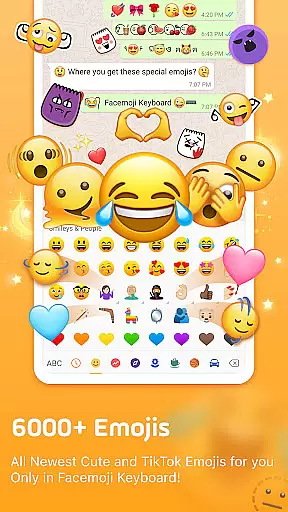
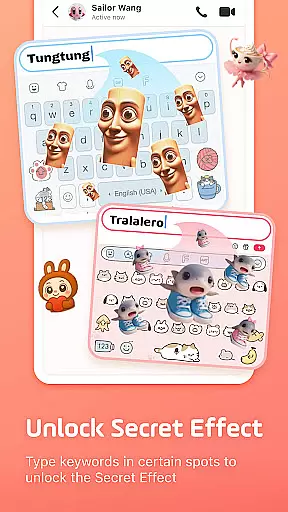
Facemoji AI Emoji Keyboard is a versatile personalization tool that transforms your mobile typing experience. This AI-powered keyboard offers over 6000 emojis, custom emoji creation, and unique features like the Genmoji-style Emoji Maker. It stands out with its extensive customization options including 1500+ themes, cool fonts, and personalized keyboard wallpapers.
The app's core strength lies in its ability to create personalized emojis and stickers based on user input. Whether you're looking to design custom avatars or generate unique symbols for social media, Facemoji provides the tools to express yourself creatively. Its compatibility with popular apps like WhatsApp, TikTok, and Facebook makes it an ideal choice for enhancing digital communication.
Users can benefit from smart typing features including emoji predictions, autocorrect, and swipe typing. The keyboard supports 100+ languages with a built-in translator, making it suitable for global communication. With regular updates and new content additions, Facemoji maintains its position as a leading personalization keyboard in 2025.
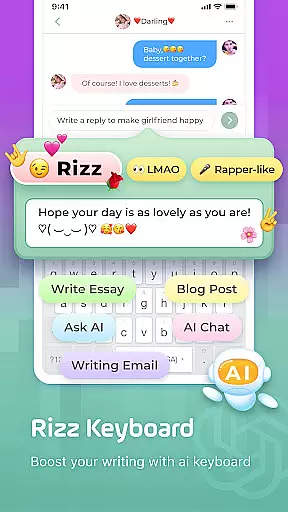
Facemoji distinguishes itself through innovative features that cater to modern communication needs. The Genmoji AI Generator allows users to create custom emoji characters and animated GIFs, offering more personalization than standard emoji keyboards. The DIY Avatar Sticker feature lets you generate unique stickers based on text input, perfect for sharing across social platforms.
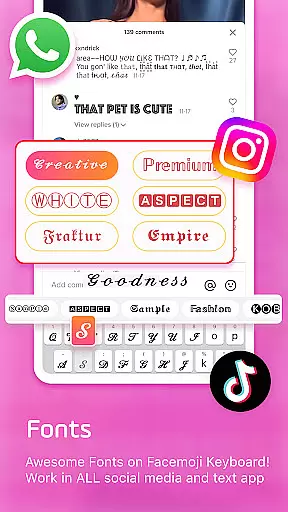
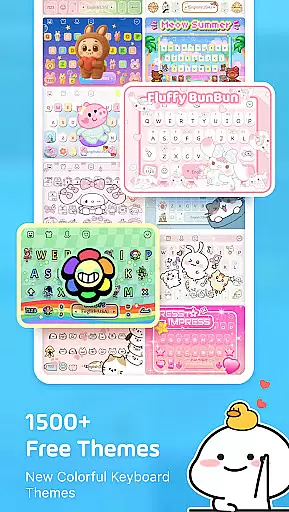
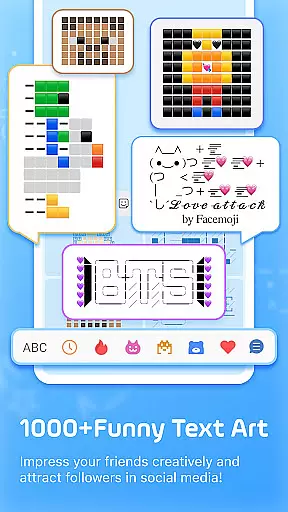
The keyboard's customization capabilities are extensive, featuring 1500+ themes ranging from K-Pop idols to cute animals. Users can modify button layouts, colors, fonts, and even add special effects like BTS lightsticks. The inclusion of cool fonts and unicode symbols enhances creative expression, particularly useful for social media bios and posts.
Practical features include smart suggestions, sticker predictions, and fast typing through gesture recognition. The Auto Paste keyboard and Clipboard functionality streamline repetitive messaging tasks. Additionally, the app's game mode supports popular titles like Among Us and Roblox, while maintaining strong privacy standards by not collecting personal information without explicit permission.
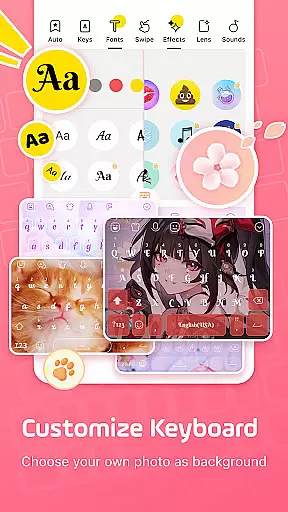
Facemoji AI Emoji Keyboard offers an extensive range of customization options that allow users to personalize their typing experience like never before. With over 1500 stylish themes, including designs inspired by Japanese anime, Neon, LED, RGB, K-Pop idols, cute animals, and more, users can select a theme that resonates with their personality or current mood.
Beyond just visual aesthetics, Facemoji provides the tools for users to create their own keyboard wallpapers using favorite photos, customize buttons, colors, fonts, tapping effects such as BTS lightsticks, and even tapping sounds like piano notes or guitar strums. This level of personalization ensures that every aspect of the keyboard is tailored to the user's preference, making each keystroke a delight.
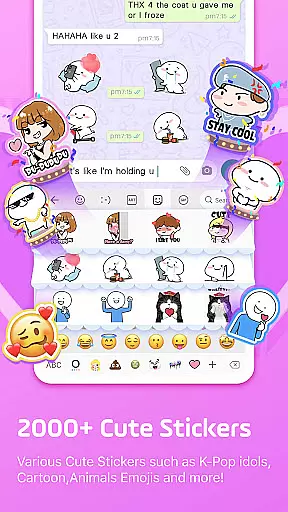
The inclusion of a DIY Avatar Sticker feature adds another layer of individuality, enabling users to generate stickers based on their input and share them across social platforms. Whether it's crafting unique emoji characters or animated GIFs, Facemoji empowers users to inject their personal flair into digital conversations.
Sharing these customizations with friends further enhances the communal aspect of personalized keyboards, allowing users to influence their peers' typing experiences. By offering such a diverse array of customization possibilities, Facemoji AI Emoji Keyboard stands out in the realm of personalized mobile accessories.
Theme compatibility is a crucial aspect of any personalized keyboard application, and Facemoji AI Emoji Keyboard excels in this domain. The app boasts over 1500 FREE stylish themes that are not only visually appealing but also fully compatible with the keyboardu2019s functionality. This ensures that while users express their style through unique themes like Boba milk tea, Avocado, Ironman, Unicorn, and others, they do not compromise on the app's performance or usability.
Facemoji takes pride in regularly updating its theme selection, adding new themes weekly to keep the content fresh and engaging for its users. This commitment to constant improvement means that whether you're a fan of K-Pop or favor cute animal designs, there's always something new to match your evolving tastes without sacrificing quality or speed.
Moreover, the app guarantees seamless integration between its varied themes and core features such as smart autocorrect, swipe typing, and emoji predictions. Users can switch between different thematic expressions without experiencing any lag or loss in feature availability, ensuring a consistently smooth typing experience regardless of the chosen aesthetic.
By prioritizing both form and function, Facemoji AI Emoji Keyboard delivers a product where theme compatibility enhances rather than hinders the user experience, setting a benchmark for other personalization apps within the category.
Extensive emoji library
Customizable themes
AI-powered features
Multilingual support
Regular content updates
Feature overload possible
Occasional bugs
High memory usage
Limited offline functions
Ads in free version

Ninja Turtles Cowabunga SE watch face for Wear OS
 4.50
4.50
Unique Android Launcher
4.60
Bring adorable pets to life on your screen. Playful, interactive and full of fun
4.60
Turn your lock screen into fun with smile live wallpapers & animated wallpapers!
2.50
Ultimate widget creator. Design custom widgets for a truly unique home screen!
3.90
Customize glowing edges, wallpapers, and caller screen with EdgeAura.
3.50
Vibrant Adaptive Icons with Material You and Enhanced Monet Colors.
4.50
300+ widgets inspired by Material You and Material 3 expressive design.
4.60
350+ widgets with a premium glass-style finish, perfect for home & lock screens.
4.70
A launcher for Samsung Good Lock and Good Guardians modules without ads
4.70
Personalize your phone with stunning HD and 4K wallpapers!
4.70
Make your phone look simple & luxury, like iDevice
4.60
Stylish Pink Cute Hippo keyboard with 10000+ customized keyboard themes!
4.60 4.50
4.50
Launcher OS™ Pro without ads help make your phone simple and pretty
4.30
Your home screen, just the way you like it.
4.30
Adult video chat, dating, making friends, random matching
4.20
Customizable flower power digital watch face for Wear OS watches.
4.00
Adaptive Dot Style IconPack with Light & Dark Theme.
3.70


User Reviews