
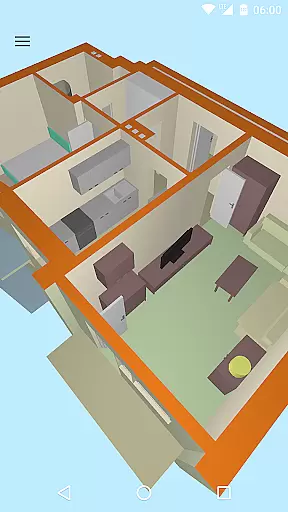
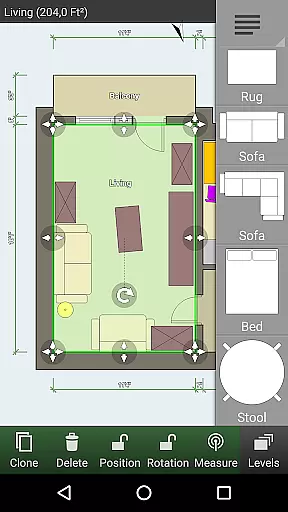
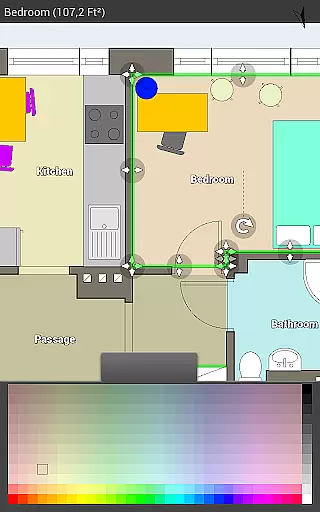
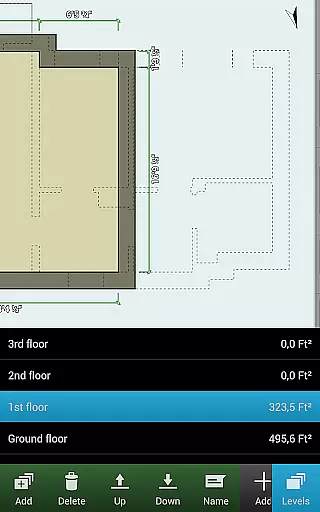
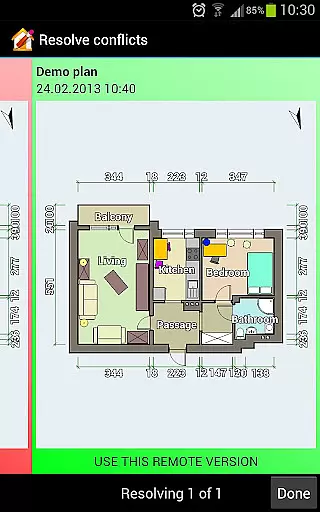
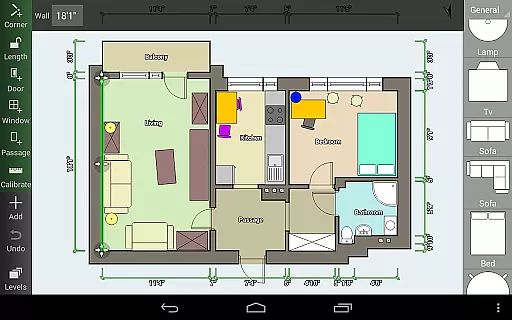
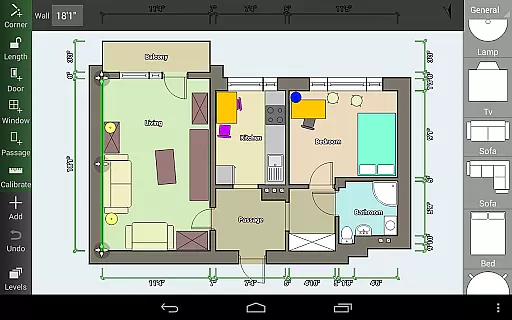
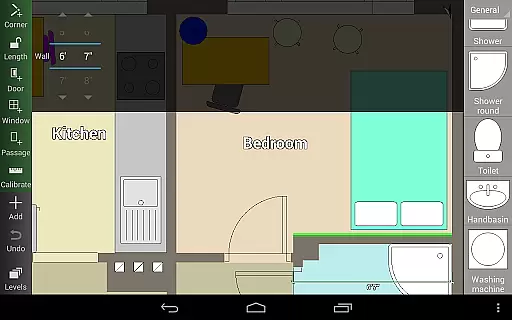
Floor Plan Creator is a comprehensive design tool that allows users to create detailed and precise floor plans directly on their mobile devices. The app supports projects with multiple floors, automatic calculations of room dimensions, and includes a rich library of symbols for doors, windows, and furniture.
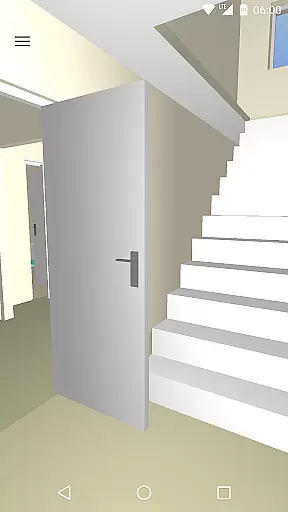
One standout feature is the 3D tour mode, which lets users visualize their designs in three dimensions. Whether you're an interior designer or a homeowner planning renovations, this app provides all the necessary tools to draft, adjust, and view your floor plans efficiently.
The app's cloud synchronization ensures your projects are always backed up and accessible across devices, making it perfect for both personal and professional use. With support for metric and imperial units, Floor Plan Creator caters to a global audience.
Floor Plan Creator offers an impressive range of features tailored for both amateur designers and professionals. Users can create complex floor plans with multiple levels and custom room shapes, while the app automatically calculates essential metrics like area and perimeter.
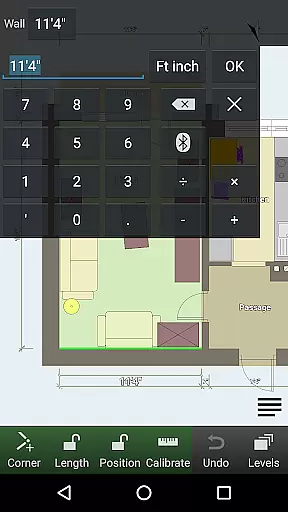
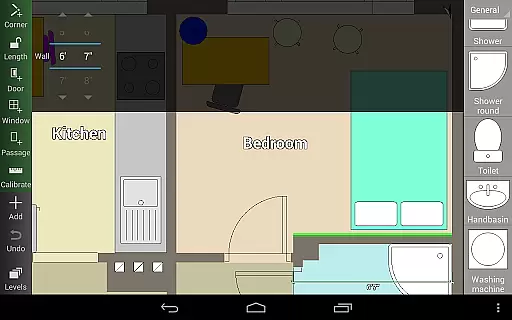
The app includes advanced functionalities such as S-Pen and mouse support, user-defined dimension lines, and compatibility with various Bluetooth laser meters for precise measurements. These tools ensure maximum accuracy and ease of use during the design process.
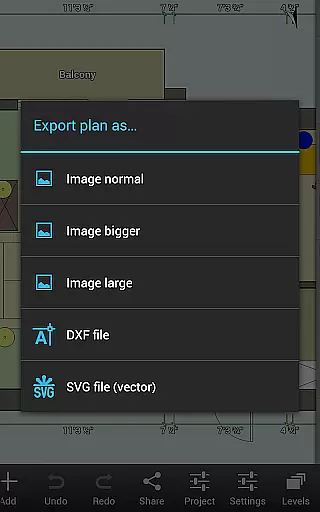
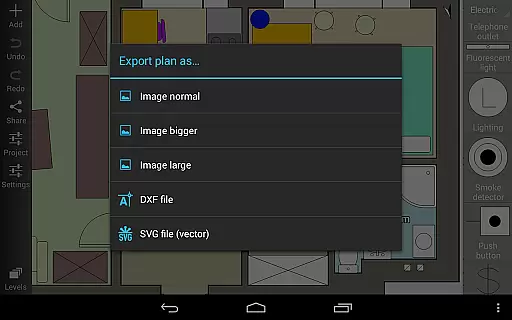
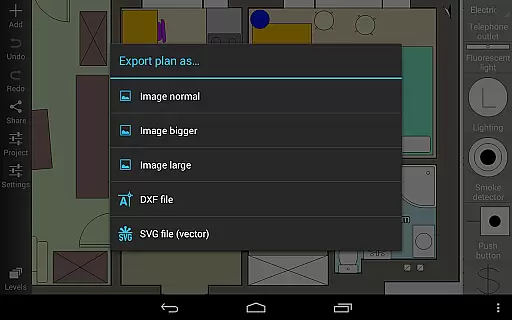
Additionally, the app provides export options for sharing your work as images, PDFs, DXF, or SVG files. The ability to edit uploaded plans on the web interface adds another layer of convenience, allowing seamless collaboration and access from any device.
Creative tools are essential for any design application, and Floor Plan Creator excels in this area. The app provides a comprehensive suite of features that cater to both amateur designers and professionals. With support for multiple floors and rooms of various shapes, users can create detailed and precise floor plans tailored to their specific needs.
The inclusion of an extensive symbol library enhances the design process, allowing users to incorporate elements such as doors, windows, furniture, and electrical components seamlessly. This ensures that every detail of the interior design is captured accurately, making it easier to visualize the final outcome. Additionally, user-defined dimension lines offer flexibility in showing and modifying distances and sizes, providing precision control over the design aspects.
For those who require advanced functionalities, Floor Plan Creator offers cloud synchronization, enabling automatic backups and sharing of plans across devices. This feature not only enhances productivity but also ensures that users can access their projects from any location, whether on a mobile device or a computer. Such robust creative tools empower users to bring their design ideas to life with confidence and ease.
Flexibility in canvas and format options is crucial for accommodating diverse design requirements, and Floor Plan Creator stands out in this regard. The app supports both metric and imperial units, catering to a global audience with varying measurement preferences. This adaptability ensures that users can work within their familiar unit systems, enhancing the overall user experience.
In addition to unit flexibility, Floor Plan Creator offers multiple export options, including image, PDF, DXF, and SVG formats. This versatility allows users to utilize their floor plans in various contexts, whether for printing to scale or integrating with other design software. The ability to export in different formats ensures that the final designs can be shared and utilized across different platforms and purposes.
Furthermore, the app's compatibility with a range of Bluetooth laser meters adds another layer of flexibility. By supporting devices from Bosch, Hersch, Hilti, Leica, Stabila, Suaoki, and CEM, Floor Plan Creator enables precise measurements that can be directly integrated into the floor plans. This seamless integration of hardware and software provides users with a comprehensive design solution that adapts to their unique project needs.
User-friendly interface
Comprehensive symbol library
Automatic calculations
Cloud synchronization
3D visualization
Paid features necessary
Complex for beginners
Limited free exports
Requires learning curve
Advanced tools costly

Pose and morph realistic male and female models! 3D poser app
 3.00
3.00
Apply cartoon, caricature, and portrait effects to make your photos stand out!
3.60
Digital illustration drawing & painting pad app to paint Anime and Manga art
4.50
Create neon drawing with magic doodle and fun doodle art effects!
4.50
Convert image to JPG PNG HEIC PDF, support almost all kinds of image formats
4.70
800+ Drawing, Painting Lessons App to Practice, Sketch & Paint Art.
4.30
Retouch photos. Create or edit images. Endless capabilities.
2.70
Kling AI is an image and video generation and editing studio powered by AI.
4.50
All-in-One art, logo & collage maker. Design photos and edit video backgrounds
4.80
Create stunning art with AI.
4.80
Learn how to draw with step-by-step tutorials, fun lessons & multiplayer drawing
4.70
Create color palette from Image, RGB & RYB Color wheel harmonies, Color Scheme
4.50
The perfect place to start sketching! Use Sketchbook to draw and paint sketches.
4.50
Stylish letters, Stylish Keyboard, Symbols, Emojis, Cool nickname
4.40
Everything you need to create hand drawn animation, anywhere you go!
4.40
Draw, make movies & animate cartoons easily with our 2D animation maker app
4.40
Remove Background, Magic Eraser, Photo Enhancer, Story Templates, Collage Maker
4.30
OneUI 8.5 icons ✨ Smooth, modern & based on the latest Play Store design ??
4.10
Create stunning video, photo & magic from text with FlixAI GPT video generator.
3.10


User Reviews