
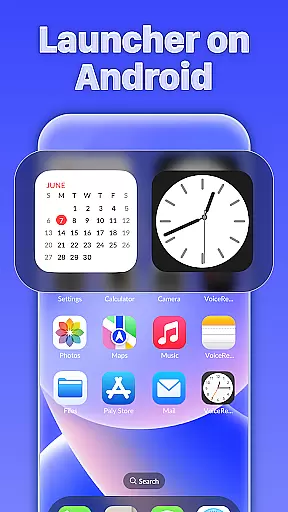
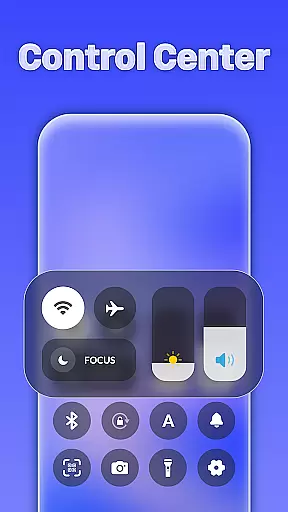
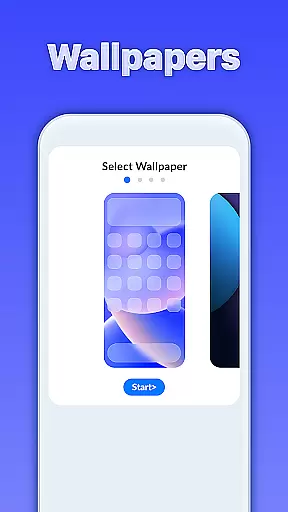
iLauncher OS redefines the Android experience by offering a feature-rich launcher that mirrors real operating system functionalities. Designed for users seeking both aesthetics and functionality, this personalization app transforms your mobile interface into a more beautiful and luxurious space.
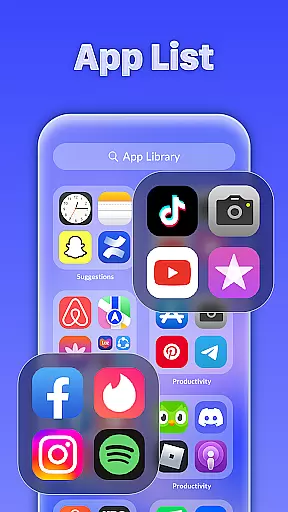
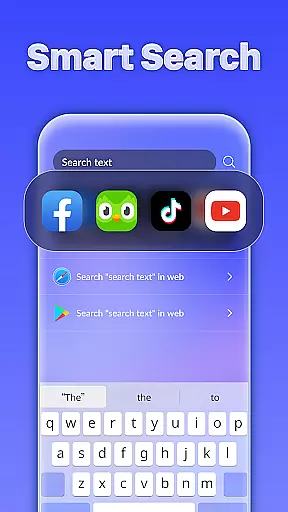
At its core, iLauncher OS provides an App Library to organize apps like real OS devices, a Smart Search feature accessible from the home screen, and OS-style folders for better app management. These features make it ideal for users who want an intuitive, stylish, and highly functional mobile experience.
iLauncher OS stands out with its innovative features tailored for Android users. The App Library offers a unique way to categorize and access apps, mimicking the organization of advanced operating systems. This ensures your home screen remains clutter-free while maintaining easy navigation.
The Smart Search function allows users to swipe down anywhere on the home screen to quickly find apps or files. Additionally, the Style Folder feature lets you drag and drop apps to create organized folders effortlessly. With added functionalities like weather forecasts, iLauncher OS combines practicality with elegance, enhancing both usability and visual appeal.
Customization is at the heart of iLauncher OS, providing users with a versatile and dynamic experience. This launcher allows you to tailor your Android device's interface in numerous ways, ensuring it reflects your personal style and meets your functional needs.
The App Library feature revolutionizes app organization by mimicking real operating system devices. You can categorize and manage your apps efficiently, making navigation intuitive and hassle-free. With this level of customization, finding and launching apps becomes a seamless process.
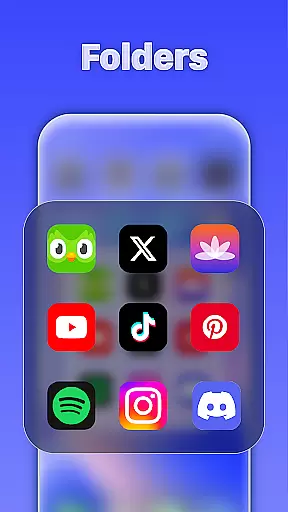
Style Folder adds another layer of personal touch. By enabling drag-and-drop functionality to create folders, you can group similar apps together. This not only declutters your home screen but also streamlines access to your most-used applications.
Overall, iLauncher OS empowers users with extensive customization options that enhance both aesthetics and usability. Whether you're looking to beautify your phone or optimize its functionality, iLauncher OS offers the tools to make your device truly yours.
Theme compatibility is a standout feature of iLauncher OS, ensuring that your device maintains a cohesive and visually appealing look. The launcher supports various themes, allowing you to choose one that best suits your taste and complements your device's design.
With Smart Search, theme selection and application become effortless. By simply swiping down on the home screen, you can search for and apply themes quickly. This intelligent search capability ensures that you spend less time configuring and more time enjoying your personalized interface.
In addition to aesthetic enhancements, iLauncher OS integrates practical features like weather forecasts. These widgets blend seamlessly with your chosen theme, maintaining visual harmony while providing essential information at a glance.
Ultimately, iLauncher OS delivers robust theme compatibility that enhances user satisfaction. By combining beautiful design with functional elements, it transforms your Android experience into something luxurious and uniquely personal.
User-friendly interface
Highly customizable design
Efficient app organization
Smart search functionality
Stylish folder management
May consume more resources
Occasional performance lags
Limited widget support
Requires learning curve
Premium features locked behind paywall

Stunningly Different look with Line Icons and Neon Colors
 4.60
4.60
Vertically oriented rectangular icons
4.70
3D, live, and moving wallpapers & themes in 4K and HD for your device.
4.50
Make your phone look simple & luxury, like iDevice
4.60 4.10
4.10
Embrace the Night. Unleash the power of darkness with Raven Dark Icon Pack
4.60
Choose your keyboard with RGB colors effect, themes, fonts, emojis.
4.60
Amazing letter fonts in your messages and social statuses
4.70
Cool custom fonts & keyboard themes! Symbols & font changer for Instagram
4.50
Customizable Glass widgets. Over 360+ stunning widgets and more!
4.70
Shimeji adds cute animated characters to your screen, lively and fun.
4.70
300+ Stunning and well-designed widgets inspired by NOTHING.
4.70
Ultimate Gallery Lock App - Hide Pictures, Videos and Lock Apps Instantly!
4.60
300+ Beautifully crafted widgets inspired by OneUI.
4.60
300+ widgets inspired by Material You and Material 3 expressive design.
4.60
Magic fluids wallpaper 4D: Relax with stunning fluid simulation wallpaper app
4.20
Crystal-clear, square icon provides a sleek and sophisticated visual upgrade
4.00
Turn your lock screen into fun with smile live wallpapers & animated wallpapers!
2.50
⭐ OneUI inspired Fluffy Icon Pack – Soft. Stylish. Standout. ⭐
4.5


User Reviews