
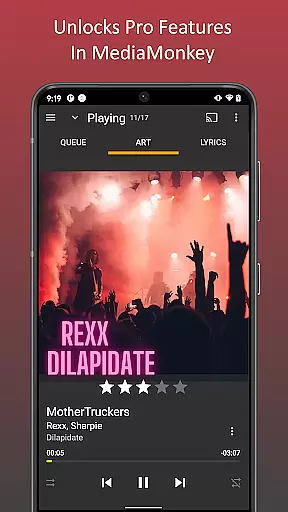
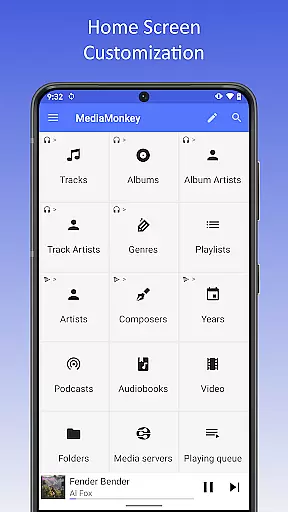
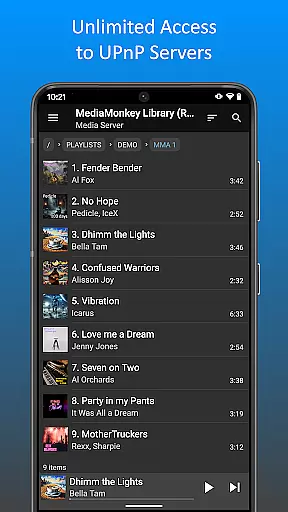
MediaMonkey Pro is a premium music management application designed for serious music collectors who require advanced features to organize and enjoy their extensive audio libraries. This app serves as an unlock key for the free version of MediaMonkey, providing users access to exclusive functionalities such as Wi-Fi Sync, UPnP/DLNA support, folder browsing, and a configurable home screen.
The app's standout feature is its ability to wirelessly synchronize your device's music library with a Windows PC, including metadata like ratings and play history. Additionally, it allows users to stream or download content from UPnP/DLNA servers, making it an ideal tool for managing large music collections across multiple devices. Whether you're at home or on the go, MediaMonkey Pro ensures a seamless and customizable music experience tailored to audiophiles.
MediaMonkey Pro offers a robust set of features that cater to the needs of advanced music enthusiasts. One of its primary capabilities is Wi-Fi Sync, which enables users to effortlessly sync their music library, including metadata such as ratings, play counts, and volume levels, between their mobile device and a Windows PC without the need for cables.
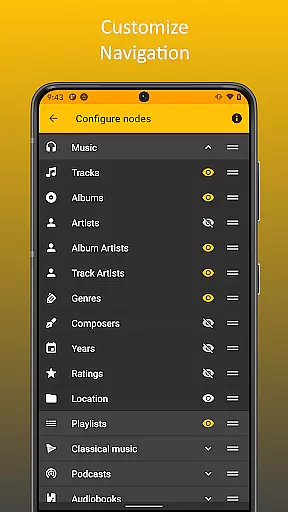
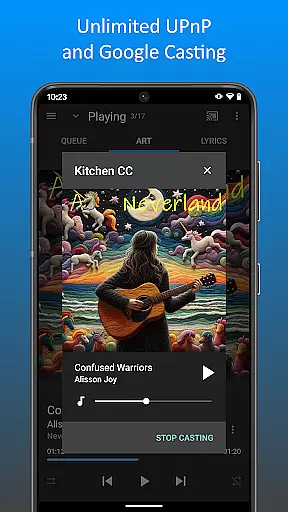
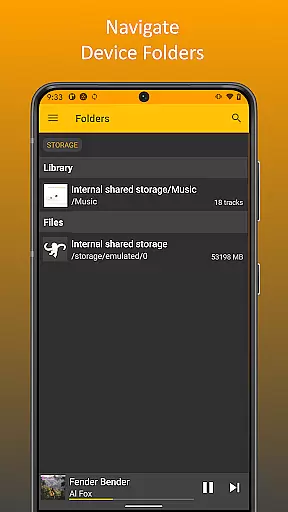
In addition to synchronization, the app supports UPnP/DLNA, allowing users to stream or download audio content from compatible servers on their local network. Folder browsing provides another layer of control by enabling navigation through the physical file structure of your device. The configurable home screen further enhances user experience by letting individuals tailor what content is displayed, ensuring quick access to frequently used features. These tools collectively make MediaMonkey Pro a versatile solution for managing complex music libraries.
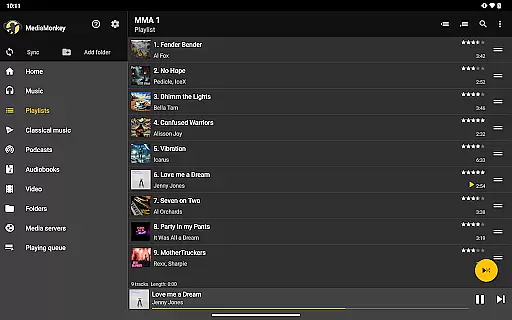
MediaMonkey Pro offers an extensive music library management system that caters to serious music collectors. The application allows users to manage large collections, ensuring that all content is properly organized and categorized.
The app supports advanced features such as Wi-Fi Sync, which enables wireless synchronization of your device's library with a Windows PC. This includes ratings, play history, and volume levels, ensuring that the user's data is always up-to-date across devices.
In addition to its robust library management capabilities, MediaMonkey Pro places a strong emphasis on copyright authenticity. Users can be confident that their music collections are managed in compliance with legal standards, thanks to the app's meticulous organization and tracking features.
By unlocking extras like UPnP/DLNA support, MediaMonkey Pro ensures that users have access to a wide variety of content sources while maintaining the integrity and authenticity of their music library.
One of the standout features of MediaMonkey Pro is its ability to provide high-quality audio options for discerning listeners. The app supports various audio formats, allowing users to enjoy their music in the best possible quality.
With the inclusion of advanced playback features, such as volume leveling and customizable equalizer settings, MediaMonkey Pro ensures that every track sounds as good as it can. These tools help to enhance the listening experience by providing clear, balanced audio output.
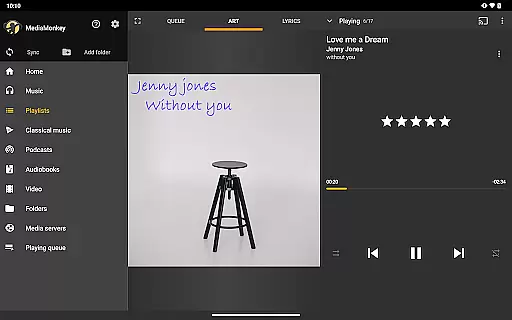
Furthermore, the app's support for configurable home screen options means that users can prioritize their most-used audio quality settings for quick access. This level of customization empowers users to tailor their listening experience to their specific preferences.
Overall, MediaMonkey Pro delivers a superior audio experience by combining versatile format support with powerful playback controls, making it an excellent choice for audiophiles who demand the best sound quality from their music library.
Advanced sync options
UPnP/DLNA support
Customizable interface
Wireless convenience
Ideal for large libraries
Requires free version
No standalone use
Windows-only sync
Premium cost
Complex for beginners

The Cubase remote control app
 3.60
3.60
Full-featured, High-Quality Groovebox Workstation, perfect for Live Performance!
4.80
Advanced 10-Band Audio Graphic Equalizer Sound Booster Pro
4.30
Recording studio w/ 10k beats, pro vocal FX and a network of 20M rappers & fans!
4.60
Unleash your creativity! Turn simple prompts into full fledged songs.
4.70
Enjoy singing any song, no matter how high or low it is
4.30
Help you quickly get started with Shokz headphones
4.40
Ringtone Maker is free app create ringtone from music files or your recording.
4.40
Be a true music maker: create beats, mix and make music like a real DJ!
4.30
Offline Music Player & MP3 Player.Powerful equalizer, Lyrics, Themes, Tag Editor
4.80
Brian Eno and Peter Chilvers’ acclaimed music app Bloom, radically reinvented.
4.80
Gorgeous UI, Powerful music Search and Equalizer, the great choice for you!
4.70
Simple & Intuitive Metronome
4.70
The best music and audio player, with beautiful UI, music search and equalizer.
4.60
Formerly known as Spotistats! View your top tracks, artists, albums and more!
4.40
Time Guru will strengthen your internal sense of musical time via random muting.
4.30
PowerAudio is a powerful offline music player.
4.20
The ultimate media player for Android devices
3.90
Make music anywhere. Turn your device into an instrument.
4.2


User Reviews