
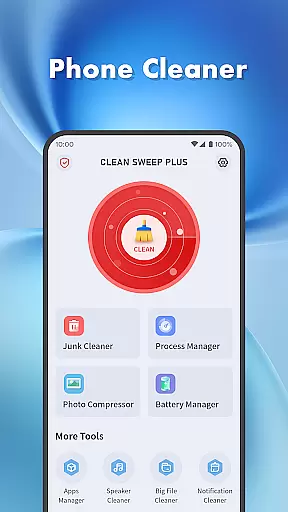
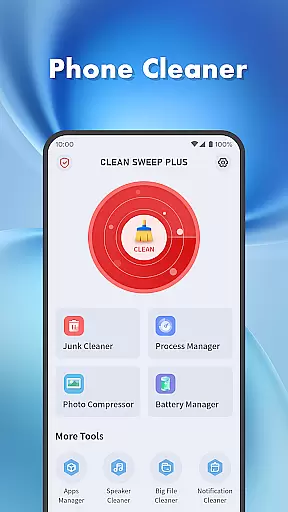
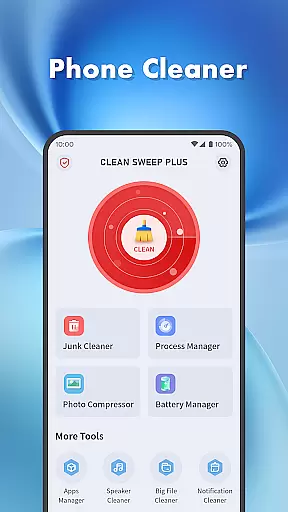
Clean Sweep Plus is a comprehensive phone management tool designed to help users optimize their devices. The app offers a range of features including junk file cleaning, large file management, and photo compression to save storage space. It also provides essential battery information and management tools to monitor power usage.
Additionally, Clean Sweep Plus includes an intuitive app manager for easy uninstallation of unused applications and a process manager to control background processes. With practical tools like a speaker cleaner and notification bar management, this app ensures smooth daily operation of your device while maintaining an organized and efficient system.
Whether you need to free up space, manage apps, or check battery health, Clean Sweep Plus delivers a simple and refreshing user experience that meets the basic needs of phone maintenance.
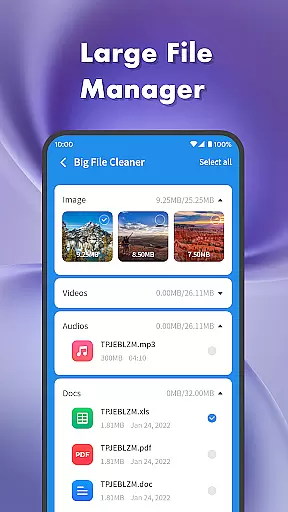
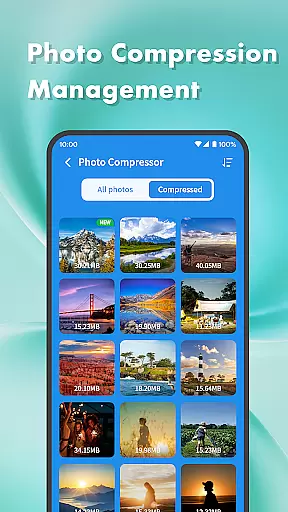
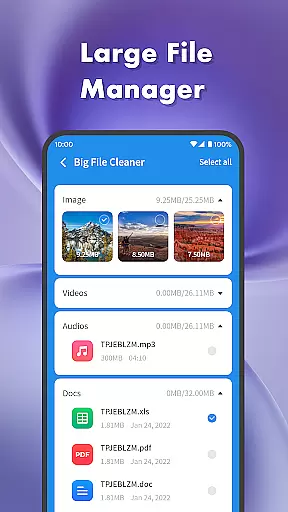
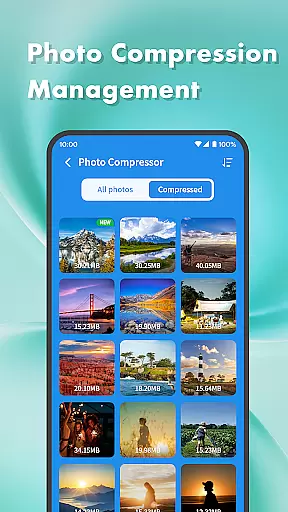
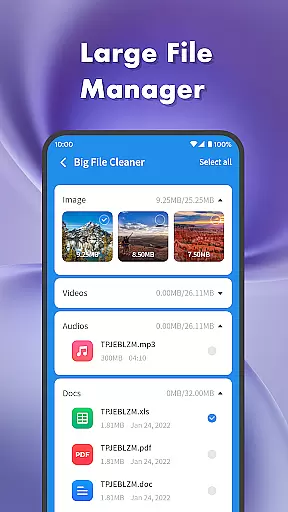
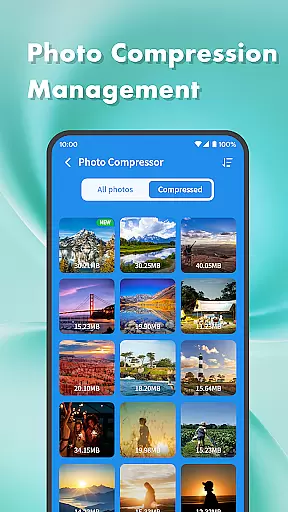
Clean Sweep Plus stands out with its diverse set of tools tailored for everyday phone management tasks. The junk cleaner efficiently locates and removes unnecessary files, while the large file manager helps identify space-consuming media such as images, videos, and audio files. Users can compress photos to reduce their size without losing quality, ensuring more storage availability.
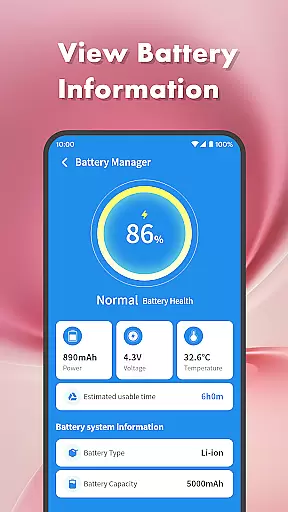
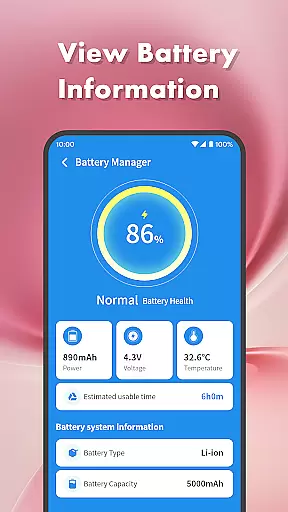
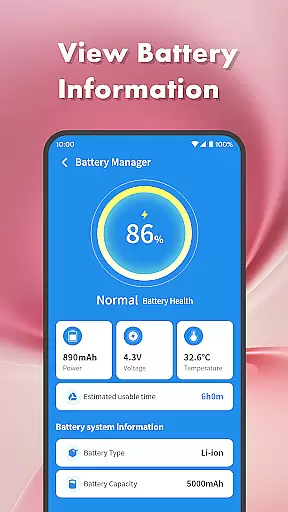
The app manager displays all installed applications, making it easy to uninstall those that are rarely used. The process manager allows users to view and stop background app processes, enhancing device performance. Additionally, the battery management center provides detailed insights into battery life, estimated usage time, and essential system information.
Other notable features include a notification cleaner for decluttering the notification bar and a speaker cleaner that uses vibration technology to clean the speaker. These practical functions are presented in an intuitive interface with clear navigation, allowing users to quickly access the tools they need for effective phone management.
When it comes to device management tools, the accuracy and effectiveness of core functions are paramount. Clean Sweep Plus excels in this area by offering a comprehensive suite of features that address various aspects of phone maintenance.
The app's Junk Cleaner precisely identifies unnecessary files, while the Large File Manager helps users locate space-consuming media. Its Photo Compression tool reduces file sizes without compromising quality, and the Notification Cleaner efficiently clears unwanted alerts. Each tool is designed with precision to ensure optimal performance.
For app management, the App Manager provides accurate information about installed applications, making uninstallation straightforward. Meanwhile, the Process Manager gives users control over background processes, enhancing device responsiveness. These features work together seamlessly to deliver reliable device optimization.
Users benefit from these well-implemented tools through improved device performance, increased storage space, and better control over their mobile environment. The combination of precise functionality and practical features makes Clean Sweep Plus a valuable asset for maintaining an efficient smartphone.
A user-friendly interface is essential for productivity tools, and Clean Sweep Plus demonstrates exceptional design in this aspect. The application presents its features through an intuitive layout that makes navigation effortless for users of all technical levels.
Each tool is clearly categorized under distinct sections such as 'Basic Device Management' and 'App and Process Management.' This logical organization helps users quickly locate the specific function they need. The Battery Management Center, for instance, provides easy access to crucial power information without requiring multiple steps.
The interface maintains consistency across different features, ensuring that once users learn one tool, they can easily operate others. Visual indicators and straightforward labels enhance the overall user experience, eliminating the need for extensive learning.
This thoughtful design approach enables both novice and experienced users to maximize their device's potential without frustration. By prioritizing simplicity and clarity, Clean Sweep Plus ensures that its powerful features remain accessible to everyone.
User-friendly interface
Comprehensive cleaning tools
Effective battery monitoring
Easy app uninstallation
Practical additional utilities
Limited advanced features
No cloud backup option
Basic photo compression
Occasional ads in free version
Interface could be more modern

Quickly switch to an encrypted DNS server on Android TV
 4.50
4.50
A powerful, easy-to-use flight computer on your phone or tablet!
3.80
Just swipe the edge to do something!
4.40
Extremely fast, secure, and protects your privacy
4.80
Save any video in HD - paste the link, download fast and watch offline.
4.5
Forza Tuning Calculator App for Forza Horizon 5, Motorsport and Earlier Titles
4.40
Support Fossify apps with a warm thank you!
5.00
Remote Play with FSR upscaling, low latency & full controller support
4.80
Your personal health butler
3.60
Change your GPS location instantly. Simulate routes anywhere in the world.
4.90
Bedrock Together: Join any bedrock server on Xbox/PS
4.80
FV File Manager Pro, Fast and powerful file manager for Android
4.60 4.50
4.50
Use your phone as a webcam on your computer over WiFi or USB.
4.40
Universal TV remote control all TVs, Roku, LG, Samsung, Fire, Vizio, Sony, TCL.
4.40
pdf merge, word to pdf, jpg to pdf, edit pdf, convert to pdf and much more!
4.20
View detailed information about your Nissan Leaf the dealer never shows you.
4.10
A simple app to back up and restore SMS & MMS messages and call logs.
4.10
A convenient photo, video, and file recovery tool.
4.00


User Reviews