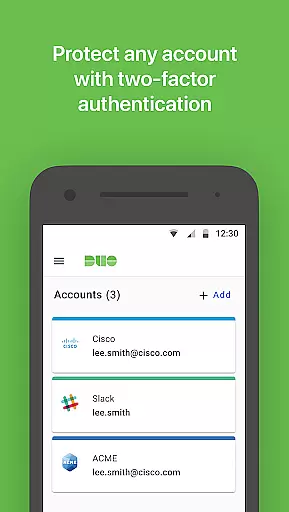
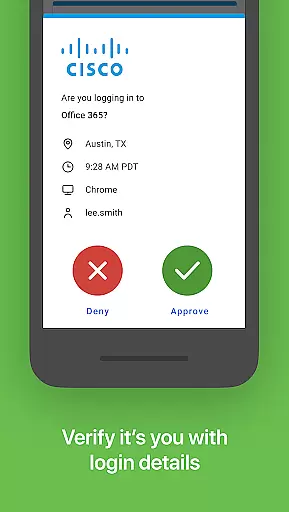
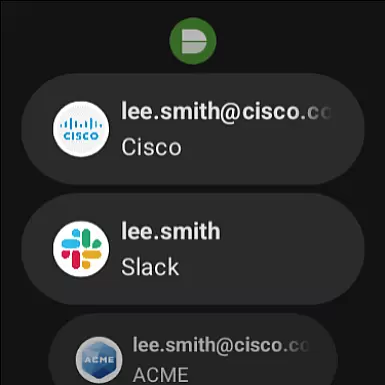
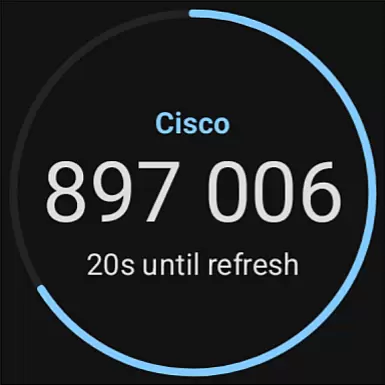
Duo Mobile is a two-factor authentication app that enhances login security by generating passcodes and providing push notifications for easy, one-tap authentication. It works seamlessly with Duo Security's service and can also manage two-factor authentication for other applications and web services.
With its companion app for Wear OS, Duo Wear, users can conveniently authenticate on their smartwatches. The app requires activation through an enrollment process before use and offers QR code scanning for account setup. Duo Mobile ensures secure access to accounts while maintaining ease of use.
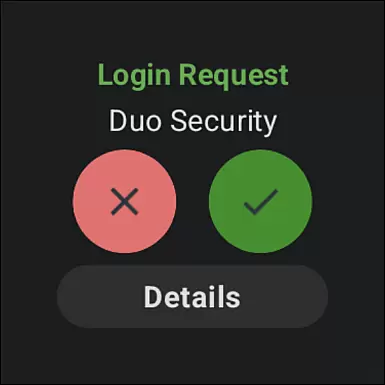
Duo Mobile generates time-based passcodes for secure logins and supports push notifications, allowing users to approve login requests with a single tap. This feature streamlines the authentication process without compromising security.
The app integrates with third-party services, enabling users to manage two-factor authentication across various platforms. With the Duo Wear companion app, users can authenticate directly from their smartwatches, adding another layer of convenience to the secure login process.
Companion app integration is a crucial feature for applications that extend their functionality to wearable devices. Duo Mobile offers seamless integration with its Wear OS companion app, Duo Wear, ensuring that users can authenticate securely and conveniently from their smartwatches.
The integration process between Duo Mobile and Duo Wear is designed to be straightforward and user-friendly. Once the mobile application is activated and linked to your account, it automatically syncs with the wearable app. This allows users to receive push notifications directly on their smartwatch, providing an additional layer of convenience for two-factor authentication.
By extending its capabilities to Wear OS devices, Duo Mobile ensures that users have a consistent and reliable authentication experience across all their devices. This not only enhances security but also improves accessibility, allowing users to authenticate quickly, even when their phone is not immediately accessible.
Device compatibility is essential for any application targeting wearable technology. Duo Mobile has been optimized to work seamlessly with Wear OS devices, ensuring broad compatibility across various smartwatches. This compatibility guarantees that users can take full advantage of the app's features without worrying about device-specific limitations.
Duo Mobile undergoes rigorous testing to ensure that its performance remains consistent across different Wear OS devices. The development team pays close attention to system updates and changes in the Wear OS ecosystem to maintain optimal functionality. This dedication to compatibility means that whether you're using a new model or an older version, Duo Mobile will function reliably.
In addition to supporting a wide range of devices, Duo Mobile also ensures that its interface is intuitive and easy to navigate on smaller screens. By focusing on usability and performance, the app delivers a superior user experience on Wear OS devices, making secure authentication both convenient and efficient.
Enhanced Security
User-Friendly Interface
One-Tap Authentication
Wide Compatibility
Wear OS Support
Requires Activation
QR Code Dependency
Limited Offline Use
No Biometric Login
Third-Party Integration Limits

Walking app for weight loss: walk & step tracker, pedometer, indoor treadmill
 4.60
4.60
Christmas - Festive - Christmas Village - Winter - Christmas lights
5.00
Snowflake Rose Gold Watch Face - Digital, modern, & sleek with GYRO effect.
4.10
Watch face for Wear OS.
4.20
To-Do List: daily schedule planner, task organizer, to do reminder app, calendar
4.60
The most customizable hybrid watch face. For Wear OS 5.0, API 34+ and later
4.70
Premium hybrid watch face with many customizations for Wear OS devices.
4.40
Track your active life in one place and share the journey with friends.
4.40
Back up your contacts & access them anywhere
4.30
Beautiful, colorful and practical watch face. For Wear OS devices.
5.00
MyNISSAN® lets you remotely control your car from your phone.*
4.50
Deck out your Wear OS Watch face with a beautifully decorated pine wreath!
4.50
Ideal for surviving in the wasteland left after nuclear fallout
4.50
Embrace the holiday spirit with this magical animated watch face!
4.40
Animated video-game inspired “secret agent” simulation, right on your wrist!
4.20
Connect, create, and collaborate with Gmail, part of Google Workspace.
4.10
Hyper-Realistic Airplane Dashboard Watch Face With 10 Skins and Custom AOD
4.00
Watch the sharpness of the sky on your wrist..
3.70
Wear Os Watch Face - Animated Snow Effect & Christmas Lights
4.3


User Reviews