
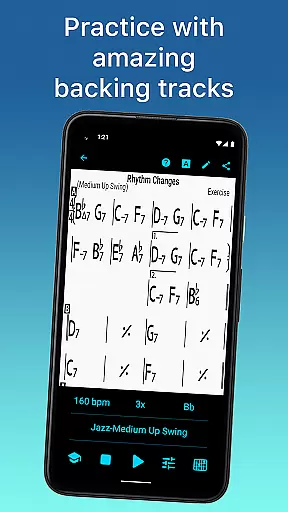
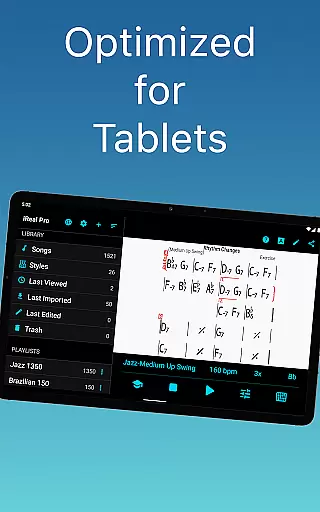
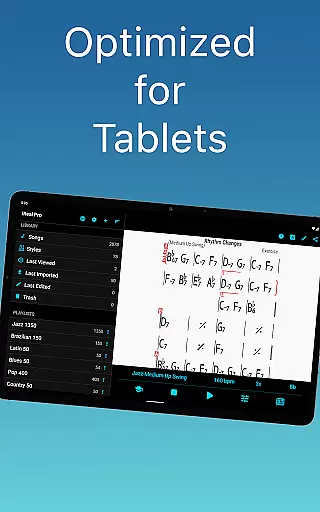
iReal Pro is a comprehensive music practice tool designed to help musicians of all levels improve their skills. The app simulates a realistic band accompaniment, allowing users to practice with high-quality piano, guitar, bass, and drum sounds across 51 different music styles. It also features chord chart creation and collection tools, making it an essential resource for both practice and performance.
One of Time Magazine's 50 Best Inventions of 2010, iReal Pro is widely used by music students, teachers, and top institutions like Berklee College of Music. Whether you're a beginner or a professional, the app provides a customizable practice experience with advanced features such as tempo adjustments, key transpositions, and scale recommendations for improvisation.
The app's versatility makes it ideal for musicians who need reliable accompaniment and reference materials. With its ability to export charts and audio files, iReal Pro ensures that your music is always accessible, whether for personal use or sharing with others.
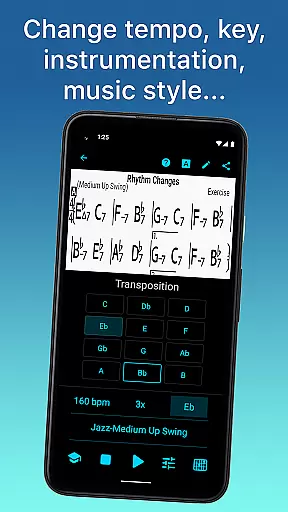
iReal Pro offers a robust set of features tailored to enhance musical practice. Users can choose from 51 included accompaniment styles, including Swing, Ballad, Gypsy Jazz, and more, with additional styles available via in-app purchases. Each style can be personalized with various instrument sounds, such as acoustic and electric guitars, pianos, vibraphones, and organs, providing a rich and authentic practice experience.
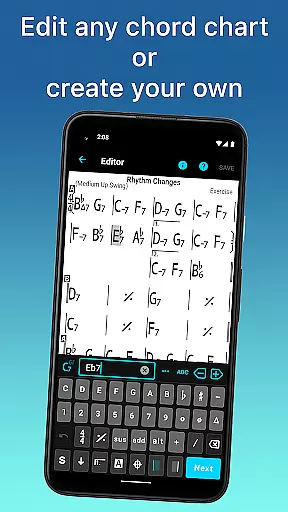
The app includes powerful editing tools, enabling users to create, edit, and download thousands of songs directly from its forums. The built-in editor allows musicians to modify existing charts or compose new ones, while the player supports playback of any user-created content. Advanced practice settings include automatic tempo increases, key transpositions, and looped sections for focused practice.
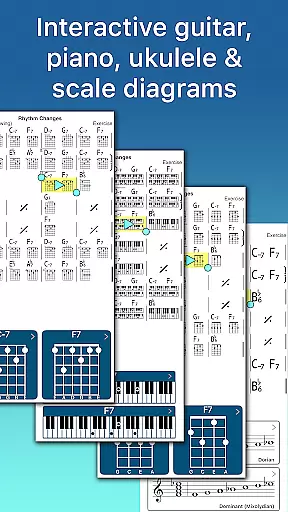
Additional features include chord diagrams for guitar, ukulele, and piano, along with scale recommendations for improvisation. Sharing and exporting options allow users to send charts and playlists to fellow musicians or export them as PDFs, MusicXML, WAV, AAC, or MIDI files, ensuring seamless integration into any workflow.
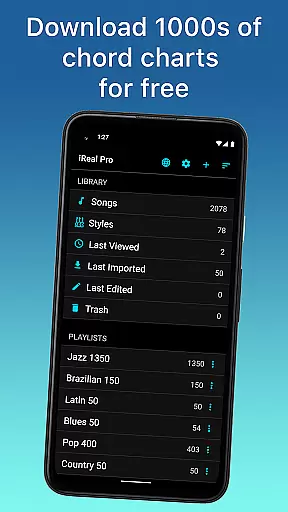
Having a comprehensive music library is essential for any musician looking to practice and improve their skills. iReal Pro offers access to thousands of songs that can be downloaded directly from the forums, providing users with an extensive repertoire to choose from.
The app ensures copyright authenticity by allowing users to create, edit, and collect chord charts of their favorite songs. This feature not only supports musicians in their practice sessions but also respects the intellectual property rights of songwriters and composers.
With the ability to print, share, and export these charts as PDF or MusicXML files, iReal Pro makes it easy for musicians to have their music library at their fingertips while practicing or performing. The convenience of having legal and organized sheet music enhances the overall experience for both amateur and professional musicians alike.
Audio quality is paramount when it comes to musical accompaniment applications. iReal Pro simulates a real-sounding band with accompaniments featuring piano, bass, drums, and more, ensuring that each sound is produced with clarity and depth.
Musicians can personalize the audio output by choosing from various sounds including Fender Rhodes, acoustic and electric guitars, vibraphone, organ, and others. This personalization allows for an immersive practice experience tailored to individual preferences.
In addition to high-quality audio playback, iReal Pro also lets users record themselves playing or singing along with the accompaniment. Recordings can be exported as WAV, AAC, and MIDI files, giving musicians flexibility in how they wish to use and share their performances while maintaining excellent audio fidelity throughout.
User-friendly interface
High-quality sound library
Versatile accompaniment styles
Comprehensive editing tools
Export and sharing capabilities
Some styles require in-app purchases
Advanced features may overwhelm beginners
Occasional syncing issues reported
Limited free song downloads
Subscription model for full access

Over 100 million tracks available for high quality streaming and download
 4.60
4.60
A synth that really lets you shape your sounds!
4.50
Walkout Song DJ is the most intuitive app to manage your sports music.
4.70
Super Sound Editor, Song Maker & Mixer, Vocal Remover, Voice Recorder & Changer!
4.60
Make songs with AI! Any genre, custom lyric, song generator for music creation!
4.80
Turn your Android phone into a professional audio analyser with up to 120 bands.
4.00
PowerAudio is a powerful offline music player.
4.20
Sheet music reader, piano & music note player. Play music score & learn to read.
3.90
Master Salsa Rhythm quickly and with a lot of fun!
4.30
Offline Music Player & MP3 Player.Powerful equalizer, Lyrics, Themes, Tag Editor
4.80
Bass Booster & Volume Equalizer Pro improves your music and video sound quality
4.60
Visualize the guitar fretboard, master scales & play through changes like a pro!
4.50
Formerly known as Spotistats! View your top tracks, artists, albums and more!
4.40
DJ Music Mixer - DJ Remix: remix songs, make beat music & record mix of DJ.
4.40
Ringtone Maker is free app create ringtone from music files or your recording.
4.40
A High-Precision Audio Spectrum Analysis App
4.20
No wifi music app. Mp3 offline. Tuner radio, young radio music. Music downloader
4.20
Permanently backup Now Playing. Maps, filters & listening stats.
4.00
Control your MIDI USB or Bluetooth devices in app and avoid some trampling
3.30


User Reviews