
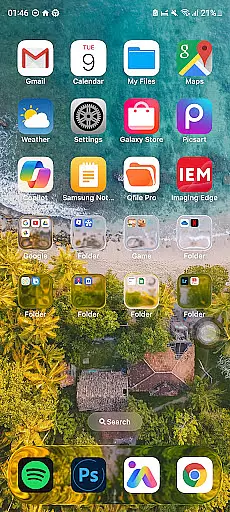
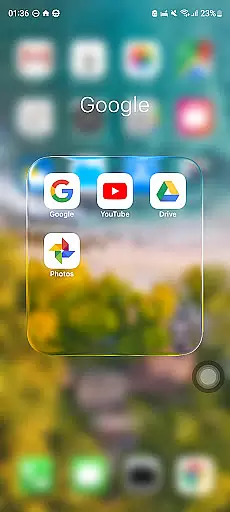
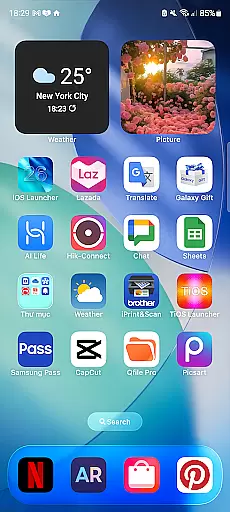
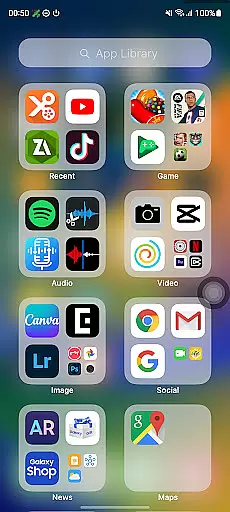
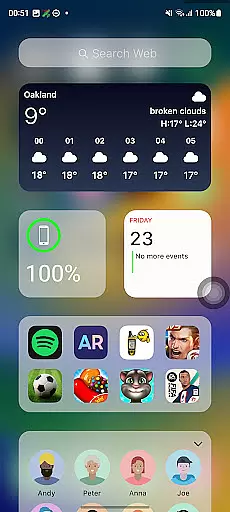
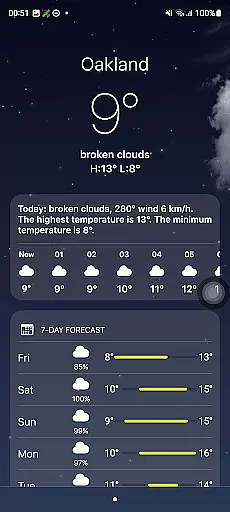
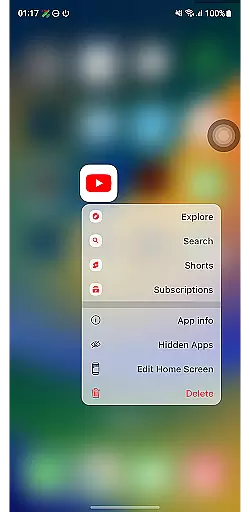
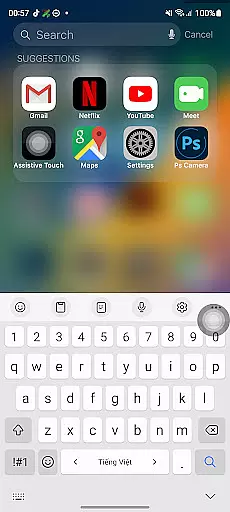
Launcher iOS 26 brings the familiar iPhone experience to Android devices. This personalization app transforms your phone's interface with a sleek design inspired by iOS, offering users an authentic Apple-like experience while retaining Android's functionality. Key features include a Control Center for quick access to essential functions and customizable wallpapers that allow for a personalized touch.
The launcher simplifies navigation and enhances user experience by incorporating functionalities similar to iPhone's AssistiveTouch. It is ideal for those who prefer iOS aesthetics on their Android device or wish to enjoy the best of both operating systems. Launcher iOS 26 caters to users seeking intuitive design combined with practical utility, making daily smartphone interactions more efficient and visually appealing.
Launcher iOS 26 offers a range of features designed to enhance your Android device with iOS-inspired functionalities. The app provides an authentic iOS look and feel, immersing users in a polished design that mirrors the iPhone interface. Its enhanced functionality includes a convenient Control Center, enabling quick access to essential functions through simple swipe gestures.
Personalization is at the core of Launcher iOS 26, allowing users to customize their home screens with unique wallpapers akin to those on an actual iPhone. Additionally, it supports quick access shortcuts to favorite apps and actions, streamlining user interaction. These features collectively create a seamless blend of aesthetic appeal and practical usability, setting Launcher iOS 26 apart as a premier choice for Android users desiring an iPhone-like experience.
Launcher iOS 26 offers a wide array of customization options that allow users to tailor their Android devices to closely resemble the iPhone experience. This includes not only aesthetic elements but also functional features inspired by iOS.
The launcher provides an authentic iOS look and feel, with customizable wallpapers akin to those on an actual iPhone. Users can choose from a selection of wallpapers or set their own, offering a personalized touch to their home screens.
Beyond visual customization, Launcher iOS 26 enhances functionality with features such as the Control Center, which is accessible with a simple swipe, mirroring the convenience found in iPhones. This allows for quick adjustments to device settings without navigating through menus.
Quick Access is another feature adapted from iPhone's AssistiveTouch, providing shortcuts to favorite apps and actions. These diverse customization options empower users to create an intuitive and personalized smartphone experience that aligns with their preferences while maintaining the familiarity of iOS design cues.
Theme compatibility is a crucial aspect of Launcher iOS 26, ensuring that the themes applied are consistent and visually coherent across the user interface. The launcher supports a theme system that mirrors the polished design language of iOS, delivering a seamless visual experience.
Users will find that Launcher iOS 26 maintains high standards of theme integration, allowing for a uniform appearance that complements the overall aesthetic inspired by iPhoneu2019s design principles. This attention to detail extends to icon packs, widgets, and other UI elements that adhere to the iOS-inspired theme.
In addition to native theme support, this launcher ensures that third-party themes can be incorporated smoothly, enhancing personalization possibilities without compromising on visual consistency or performance stability.
By prioritizing theme compatibility, Launcher iOS 26 guarantees that whether you're adjusting your control center or setting up quick access shortcuts, every element remains harmonious with the chosen iOS-style theme, thus elevating your Android deviceu2019s usability and appeal.
User-friendly interface
Highly customizable
Intuitive controls
Regular updates
Free to use
Limited widget support
Occasional bugs
Ads present
Drains battery
Not fully optimized

Vertically oriented rectangular icons
 4.70
4.70
The definitive Icon pack maker and editor
4.30
Run multiple accounts of the same app on a single device
4.10
Aesthetic Widgets, HD Wallpapers, Themes in Mico Widget for Home and Lock Screen
4.50
Adaptive Dot Style IconPack with Light & Dark Theme.
3.70
Color phone with cool effects for call screen, flash alert & ringtones music
4.50
Choose your keyboard with RGB colors effect, themes, fonts, emojis.
4.60
Crystal-clear, square icon provides a sleek and sophisticated visual upgrade
4.00
Magic fluids wallpaper 4D: Relax with stunning fluid simulation wallpaper app
4.20
100+ Stylish Fonts, Emojis, Symbols keyboard for Instagram & TikTok!
4.80
A launcher for Samsung Good Lock and Good Guardians modules without ads
4.70
400+ Beautifully crafted widgets inspired by NOTHING.
4.70
Glass style colourful icons with a One UI look and feel
4.60
Beautiful realistic hybrid watch face with numerous customization options.
4.50
Customizable screen pets that play, climb, and keep you company.
4.50
AI-powered Copilot. Personalized keyboard with gifs, stickers & themes
4.40
Transform your device in a game console
4.40
Your home screen, just the way you like it.
4.30
Ultimate widget creator. Design custom widgets for a truly unique home screen!
3.90


User Reviews