
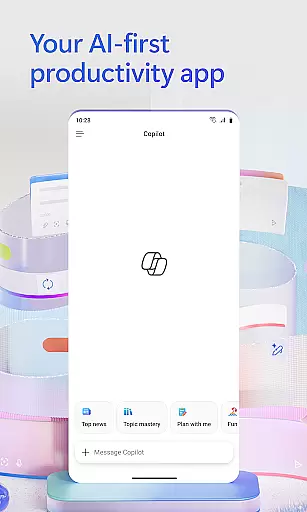
Microsoft 365 Copilot is an AI-powered productivity application designed to streamline tasks both at work and home. The app integrates multiple functionalities into a single platform, allowing users to interact with an AI assistant, create and edit various types of content, scan documents, manage projects, and locate files efficiently. This unified solution helps users accomplish more without increasing their workload.
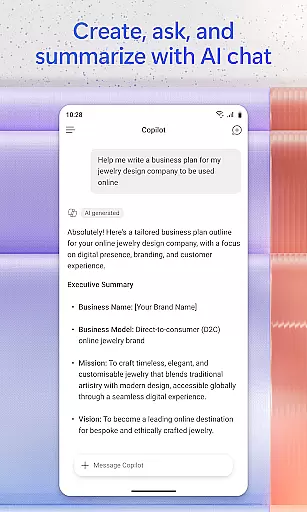
The AI assistant within Microsoft 365 Copilot can summarize documents, draft emails, analyze spreadsheets, and even engage in voice interactions for hands-free operation. It also supports advanced features like expert insights through specialized AI agents, accelerated learning tools, and polished content creation using intuitive templates. These capabilities make it suitable for professionals who need quick access to information and efficient document handling on the go.
With seamless integration across Word, Excel, PowerPoint, and PDFs, Microsoft 365 Copilot provides a comprehensive toolset that enhances productivity. Whether preparing presentations, scanning important documents, or managing complex projects, this app offers significant value by consolidating essential office functions into one accessible mobile application.
Microsoft 365 Copilot stands out due to its rich feature set tailored for productivity enhancement. One of its key aspects is the AI assistant, which allows natural language processing to perform tasks such as summarizing documents stored in the cloud, drafting emails, and analyzing spreadsheets. This functionality not only saves time but also simplifies complex operations, making it accessible for users of all skill levels.
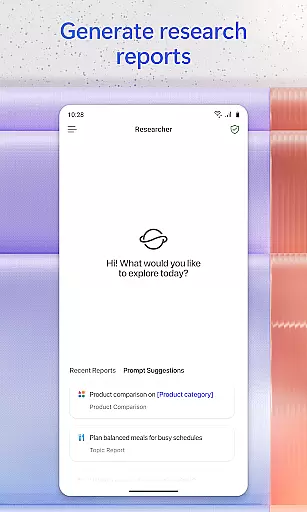
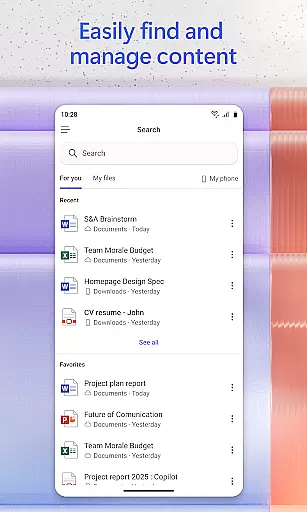
In addition to text-based interactions, the app supports voice commands, enabling hands-free assistance for daily planning, answering queries, and brainstorming sessions. Users can quickly find specific files, whether they were recently edited or buried deep within their archives, thanks to the intelligent search feature. Moreover, built-in AI agents like Researcher and Analyst provide expert insights by generating research reports and analyzing datasets, thus empowering users with data-driven decisions.
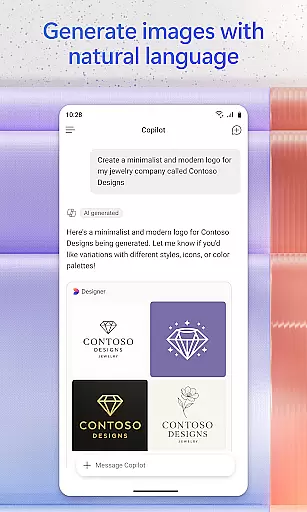
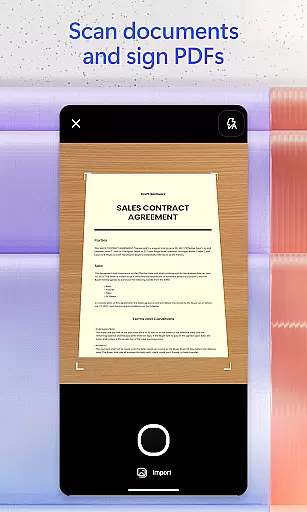
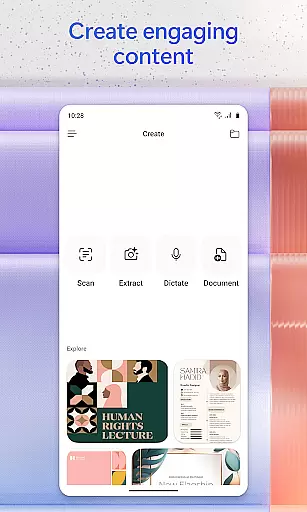
Content creation is another strong suit of Microsoft 365 Copilot. With easy-to-use templates, users can produce high-quality images, posters, banners, videos, and surveys effortlessly. The document scanning feature further extends its utility by digitizing physical notes and documents. Lastly, project management becomes streamlined with Copilot Notebooks, which organize ideas, documents, and links while providing summaries and connections between different elements, enhancing overall workflow efficiency.
Task management is a cornerstone of productivity applications, and Microsoft 365 Copilot excels in this area by providing users with an AI-first approach to organizing their work and personal projects. The app consolidates various elements such as documents, emails, and files into one accessible location.
With features like Copilot Notebooks, the application allows users to bring together ideas, links, and documents while offering AI assistance to summarize content and connect information dots. This ensures that managing complex projects becomes more streamlined and intuitive.
Users benefit from accelerated workflows as they can easily upload Word, Excel, or PDF files directly from their mobile device storage for instant access and editing within the app. Additionally, saving newly created content back to their phone is seamless.
This comprehensive task management system empowers users by simplifying how they interact with different types of digital assets across multiple platforms, making it easier than ever to stay productive on-the-go.
Cross-device synchronization is vital for maintaining workflow continuity in today's multi-device world. Microsoft 365 Copilot addresses this need by ensuring reliable syncing of user data across all devices where the app is used.
Whether you're working on a document saved to the cloud via OneDrive or SharePoint, or accessing files stored locally on your phone, Microsoft 365 Copilot provides consistent access no matter which device you are using at any given time.
The ability to quickly find past work such as strategy decks from a month ago or family reunion photos demonstrates its robust search functionality that works uniformly across devices. Moreover, scanned documents through the mobile app are instantly available elsewhere.
By signing in with a work, school, or personal Microsoft account, users experience uninterrupted service that keeps them connected and up-to-date regardless of their choice of hardwareu2014be it smartphone, tablet, or desktop computer.
User-friendly interface
Comprehensive AI tools
Voice command support
Efficient file management
Integrated office suite
Limited free features
Requires specific licenses
Potential privacy concerns
Dependent on internet connectivity
Learning curve for new users

A customizable calendar for your Wear OS watch
 4.20
4.20
Experience Reading - Night Mode for Documents
4.40
Mega cloud explorer plugin for Solid Explorer
3.80
Direct Chat without saving contacts & Dual WA Account on Single Device
4.70
PDF scanner & converter for files, photos, lottery, QR codes. One swipe away!
4.50
The AI assistant that thinks with you - write, code, and solve complex tasks
4.60
A simple Whisper AI keyboard for reliable speech transcription and rewording
4.60
QuickEdit is a fast, stable and full featured text and code editor.
4.20
2026 USPS Alpha/Color coded calendar Sunday/Rotating day off schedules
4.1
Mind Map and brainstorm, note taking and idea collection
4.80
Secure, fast, open-source, Remote Desktop Client for Windows and Linux with SSH
4.60
Enjoy classic gameplay with customizable features and retro-style graphics.
4.30
Access, manage and transfer files on Android, PC, Mac, NAS and cloud storages.
4.30
Font maker keyboard with your own handwriting
4.10
Activate Two Factor Authentication (2FA or Multi OTP), Password manager and more
4.10
Unlock AutoNotification
4.00
ID.me Authenticator is a simple and free Two Factor Authentication solution
3.50
Simple and reliable communication between inmates, friends and family
3.20
Ads Free App! Editor, Hide File, Copy, Move, Delete and Rename.. all facility av
1.70


User Reviews