
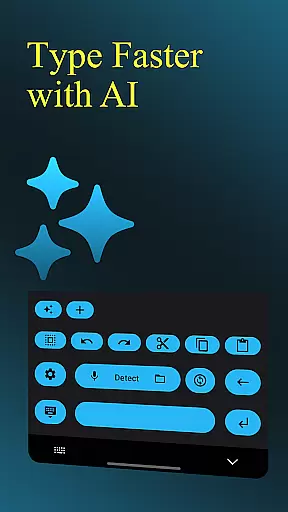
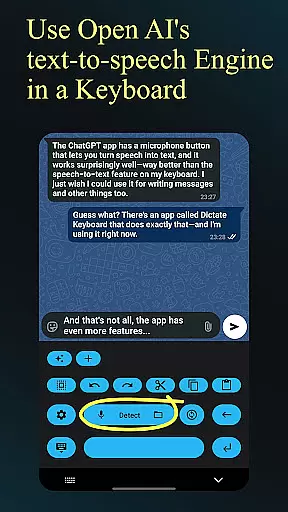
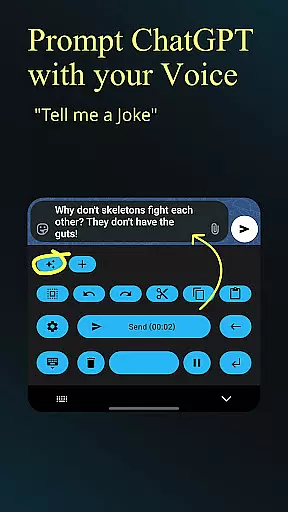
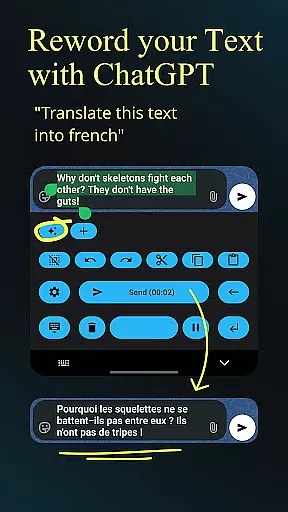
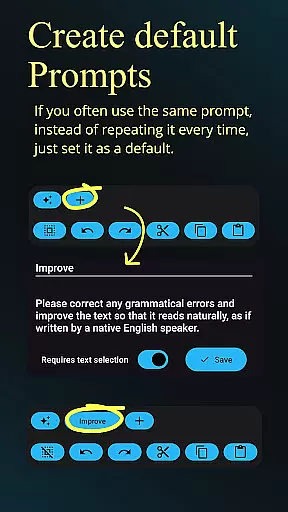
Dictate Keyboard is a revolutionary productivity tool that transforms spoken language into text with remarkable accuracy. Powered by advanced speech recognition AI, it supports all major languages and even adds punctuation automatically. The app goes beyond basic transcription by offering features like custom rewording using GPT-5, auto-formatting of spoken commands, and support for multiple transcription models.
What sets Dictate apart is its comprehensive feature set that includes voice-to-text conversion, audio file transcription, and seamless integration with various API providers. Users can switch between different transcription models, record through phone or Bluetooth microphones, and customize their experience through system prompts and theme settings. Its open-source nature and GitHub availability make it a transparent and flexible solution for productivity enthusiasts.
This keyboard is particularly valuable for professionals who need hands-free documentation, content creators requiring efficient transcription services, and anyone seeking to enhance their typing efficiency through voice commands. The application's ability to handle complex formatting and specialized instructions makes it an indispensable tool for modern workflows.
Dictate Keyboard distinguishes itself through its sophisticated feature set that enhances productivity. The core functionality revolves around its powerful speech recognition engine that not only transcribes accurately but also understands context-specific commands like 'new paragraph' and 'first, second,' making document creation seamless. The integration with multiple AI models including GPT-5 enables advanced text processing capabilities such as translation, summarization, and style modification.
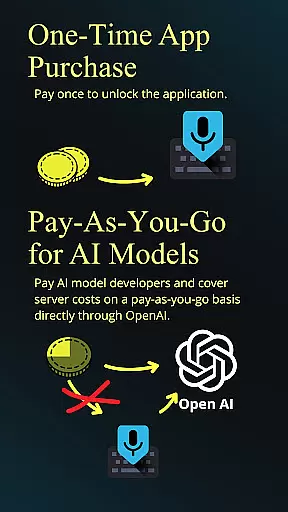
The application provides users with unprecedented flexibility through its model-switching feature, allowing them to choose between different transcription providers like OpenAI and Groq. Additional productivity-enhancing features include direct input without typing animation, quick switching to standard keyboards, and haptic feedback for tactile response. The inclusion of dark-mode, light-mode, and custom theme settings ensures comfortable usage in any environment.
Advanced users will appreciate the ability to set up custom API servers and proxies, while the straightforward setup process makes it accessible to less technical users. The combination of professional-grade features with user-friendly implementation creates a powerful tool that adapts to various productivity needs while maintaining ease of use.
Dictate Keyboard revolutionizes core task management by integrating advanced speech recognition technology into a user-friendly keyboard interface. This innovative approach allows users to convert spoken language into text with remarkable accuracy.
The app supports all common national languages, making it an ideal tool for multitasking professionals and multilingual users. Its AI-powered engine not only transcribes words but also intelligently adds punctuation, eliminating the need for manual corrections.
What sets Dictate apart is its ability to handle complex transcription tasks while maintaining simplicity in operation. Users can switch between different transcription models and providers, including OpenAI and Groq, ensuring optimal performance based on their specific needs.
This functionality significantly enhances productivity by enabling hands-free text input, automatic formatting of spoken commands, and seamless integration with various applications, making it an invaluable tool for efficient task management.
Cross-device synchronization is where Dictate Keyboard truly shines, offering unparalleled reliability across multiple platforms. The application maintains consistent performance whether you're using it on your primary device or switching between devices throughout the day.
Through its support for custom API servers and proxy configurations, Dictate ensures that your transcription preferences and settings remain synchronized regardless of which device you're using. This includes maintaining your chosen transcription models, system prompts, and custom themes across all your devices.
The app's robust architecture allows for real-time updates of user preferences, including rewording instructions, formatting rules, and model selections. These settings are securely stored and instantly accessible on any authorized device.
This reliable synchronization capability enables users to maintain consistent productivity levels across their entire digital ecosystem, from mobile devices to desktop computers, without missing a beat in their workflow.
Highly accurate transcription
Multi-language support
Customizable text processing
Flexible API integration
User-friendly interface
Requires API subscription
Internet connection needed
Learning curve for features
Occasional transcription errors
Limited offline functionality

Take control of your clipboard with Clipper!
 3.90
3.90
Unlock AutoNotification
4.00
Direct Chat without saving contacts & Dual WA Account on Single Device
4.70
All document reader, all in one file viewer read PDF, DOCX, XLS, PPT, TXT files.
4.60
To do list widget with a notebook organizer, checklist, simple shopping list
4.60
Experience and share your SolidWorks designs on your Android® phone and tablet.
2.50
Access your phone's notifications, calls, apps, photos & texts on your PC
3.90
AI Chatbot and AI writing assistant powered by ChatGPT.
4.60
Note taking, handwriting, record audio, PDF annotation, planner & journal
4.20
Scientific calculator for Android - looks and operates like the real thing!
4.90
Mind Map and brainstorm, note taking and idea collection
4.80
QuickBooks Workforce lets teams view pay info and track time in one place.
4.70
App Lock with fingerprint, password: Lock apps & hide photos with lock screens
4.60
Share files & memories safely. Keep your photos and videos secure.
4.40
Automates browsing any website and notifies you of important changes or events
4.30
Professional calendar app for Google Calendar, MS Outlook & Exchange
4.20
Todo reminder
4.10
⏰ Finally a timer app which can run multiple timers simultaneously on your watch
3.90
AI Video AI Image Private LLM AI Browser Llama Gemma Ollama Connect LLM Studio
4.1


User Reviews