
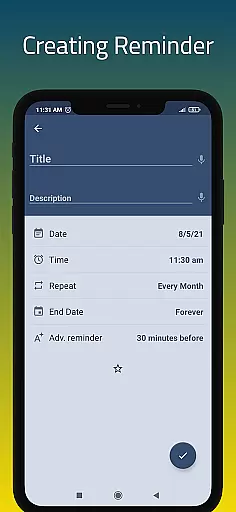
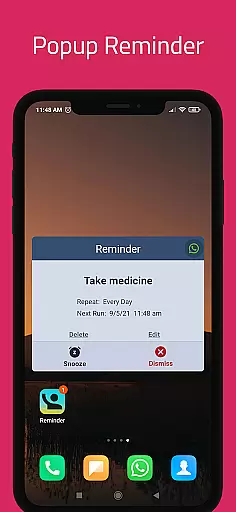
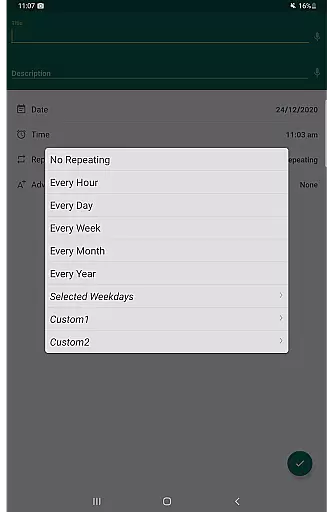
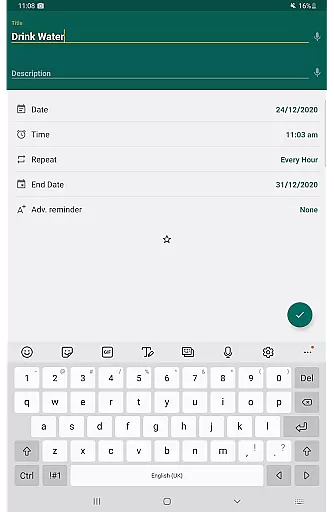
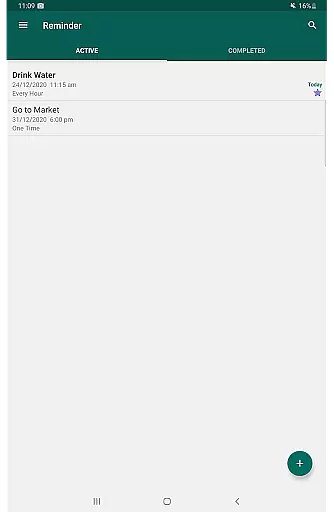
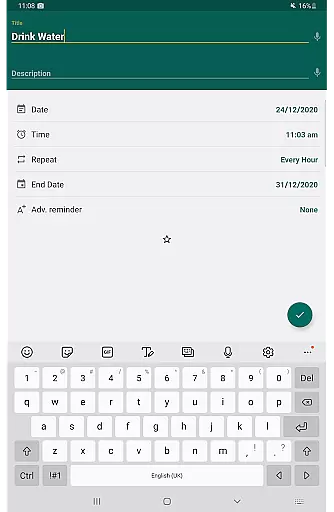
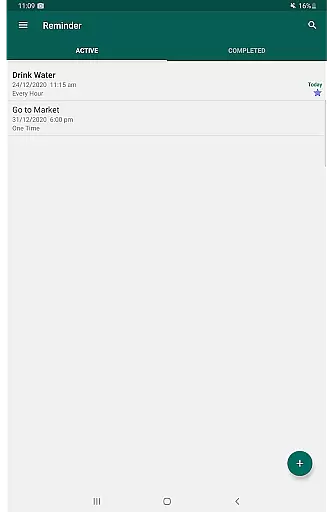
Reminder Pro is a versatile productivity tool designed to help users organize their daily lives through customizable reminders. This app allows you to set notifications for one-time and recurring tasks, ensuring you never miss an important deadline or event. With features like pop-up notifications, snooze options, and quiet hours settings, Reminder Pro offers a comprehensive solution for managing your schedule.
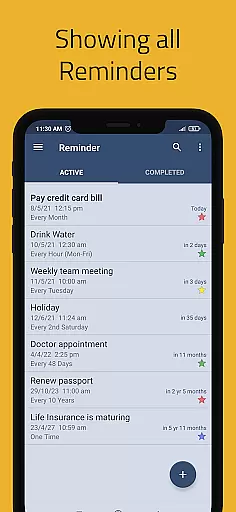
The app supports various use cases including medication reminders, meeting alerts, and task management. Its intuitive interface and multiple view options make it easy to keep track of your to-do list. Whether you need a pill reminder, appointment alert, or a simple task manager, Reminder Pro provides the tools to streamline your day and enhance productivity.
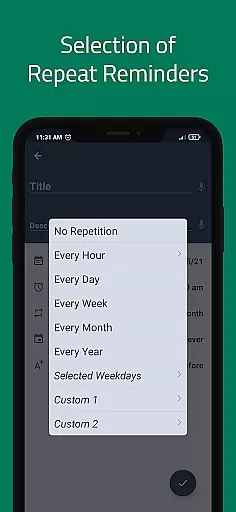
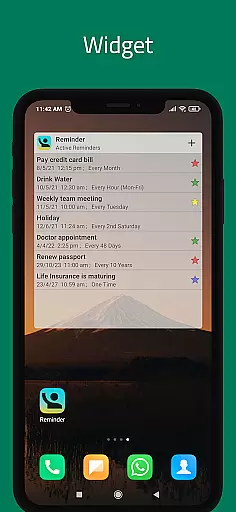
Reminder Pro stands out with its rich feature set tailored for productivity enthusiasts. The app offers custom recurring reminders that can be set for specific times and intervals, allowing users to automate their routine tasks. Advanced functionalities such as popup notifications and widget support ensure that important reminders are always visible and accessible.
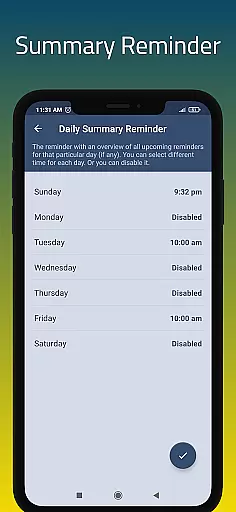
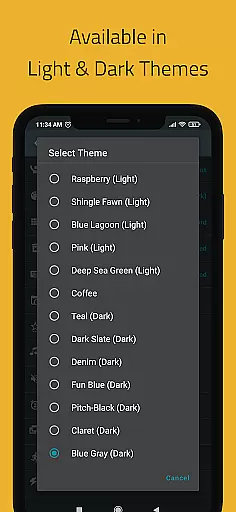
One of the key highlights is the ability to categorize reminders with different colors and settings, making organization visually intuitive. Users can also benefit from additional features like a daily summary, advance reminders, and multiple themes. These capabilities, combined with backup options and search functionality, create a robust platform for managing all aspects of your personal and professional life.
Task management is at the heart of productivity applications, and Reminder Pro excels in this area. The app allows users to create both one-time and recurring reminders for a variety of tasks, ensuring that nothing important slips through the cracks. Whether it's deadlines, meetings, or daily chores, users can rely on Reminder Pro to keep them on track.
The application offers versatile features such as custom recurring reminders, quiet hours settings, and multiple view options for task lists. These include standard, compact, and monthly grouping views, which cater to different user preferences and needs. With these capabilities, organizing and prioritizing tasks becomes an intuitive process.
Users benefit from the app's straightforward approach to task management. Setting reminders takes only seconds, and the interface is free from unnecessary complications. This simplicity helps users focus on what truly matters - completing their tasks efficiently and effectively without distraction.
Cross-device synchronization is crucial for users who operate across multiple devices. Reminder Pro ensures that all reminders and notifications are reliably synced, allowing seamless transitions between smartphones, tablets, and other gadgets. This feature guarantees that users have access to their reminders wherever they go, maintaining consistency and reliability.
The app supports auto backup and manual backup options, safeguarding data against loss and ensuring that all devices reflect the latest updates. Categories with different colors and settings further enhance organization, making it easy to distinguish between various types of reminders. Such meticulous attention to detail enhances user experience significantly.
By providing dependable cross-device functionality, Reminder Pro empowers users to manage their schedules with confidence. Knowing that their reminders are always up-to-date and accessible from any device gives users peace of mind and boosts overall productivity.
User-friendly interface
Customizable reminders
Multiple view options
Quiet hours setting
Auto backup feature
Limited free version
No voice assistant integration
Premium subscription required
Occasional bugs reported
Heavy on battery

Secure, fast, open-source, VNC and SSH Remote Desktop for Windows, Linux and Mac
 4.70
4.70
Seamlessly integrate data and reports to build your presentation to impress
4.80
The Pro Version of Android's tiniest Notepad app. Just 0.3MB but feature-packed!
4.60
Make apps & sites with natural language prompts
4.10
Quickly and easily keep track of your work shifts
4.70
Secure your apps with lock screens, use custom themes and different features.
4.40
Scan paperwork into PDF/JPG, generate your own e-signature and send fax or email
4.70
Okta MFA
4.70
Daily processing of PDF documents.
4.40
Great calculator for Android named one of USA TODAY's "25 Essential Apps".
4.90
App lock - lock apps with fingerprint, password, pin or pattern, protect privacy
4.70
Secure, fast, open-source, Remote Desktop Client for Windows and Linux with SSH
4.60
Share files & memories safely. Keep your photos and videos secure.
4.40
When you Focus, so will your Bean in this cozy focus timer
4.30
Secure, open-source, SPICE and SSH Remote Desktop for QEMU KVM virtual machines
4.00
Mega cloud explorer plugin for Solid Explorer
3.80
Smart PDF reader & editor to view, organize and manage PDF documents easily.
3.70
ID.me Authenticator is a simple and free Two Factor Authentication solution
3.50
A simple, portable logger for POTA, SOTA, Field Day, and more
4.1


User Reviews