

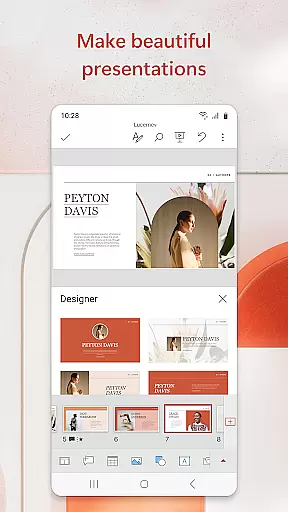

Microsoft PowerPoint is the quintessential presentation app that empowers users to create, edit, and view slideshows on the go. With its mobile platform support, it brings the full-fledged desktop experience to your fingertips. Whether you're crafting quarterly reports or preparing for a big presentation, PowerPoint's templated slides and seamless cross-device syncing ensure your work is always up-to-date and polished.
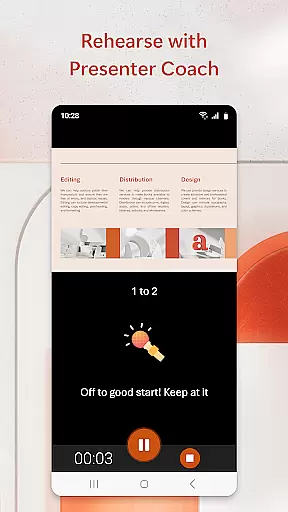
The app stands out with features like Presenter Coach, an AI-driven tool that helps refine public speaking skills by providing real-time feedback during practice sessions. Users can also expect to find all the familiar functionalities such as adding music, graphics, charts, photos, and videos into their presentations. This makes it not only a slideshow creator but also a comprehensive tool for impactful storytelling.
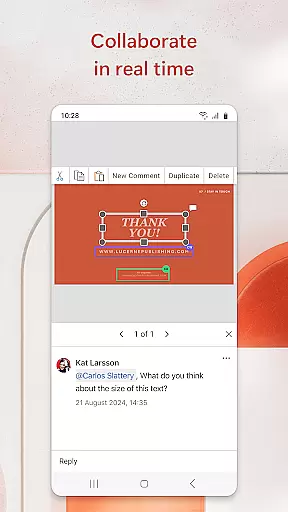
PowerPoint's collaboration capabilities allow teams to work together in real time, making it easy to share, comment, and edit presentations from any location. The app caters to both individuals looking to make a lasting impression with their presentations and businesses seeking efficient ways to collaborate on projects. With Microsoft 365 integration, users can unlock even more potential while enjoying a cohesive ecosystem of productivity tools.
Microsoft PowerPoint offers an extensive array of features designed to enhance productivity and creativity. At its core, the app allows users to build professional presentations using customizable templates, themes, and design elements. It supports multimedia integration, enabling the inclusion of music, images, videos, and interactive charts to create dynamic and engaging content.
One standout feature is Presenter Coach, which leverages AI technology to provide personalized training for public speaking. As users practice their presentations, they receive real-time suggestions on pacing, language usage, and delivery techniques. This ensures that when it's time to present, speakers are confident and well-prepared. Additionally, advanced tools like presentation timers help manage speaking duration effectively.
Collaboration is another cornerstone of PowerPoint's functionality. Users can seamlessly work together on presentations, regardless of their physical location. Integrated commenting systems facilitate clear communication among team members, while permissions management keeps track of who is editing which part of the document. These collaborative tools make PowerPoint ideal for group projects and corporate environments where teamwork is essential.
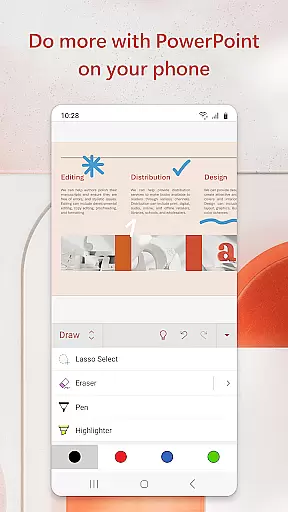
Microsoft PowerPoint offers a comprehensive suite of tools for creating, editing, and presenting slideshows. This core functionality allows users to manage their presentation tasks efficiently, whether crafting quarterly reports or preparing yearly summaries.
The app provides an intuitive interface where users can easily add music, graphics, charts, photos, and videos to their presentations. With customizable templates, users can quickly start from scratch or refine existing slides, ensuring that each presentation is both professional and impactful.
One standout feature is the Presenter Coach, an AI-driven tool designed to enhance public speaking skills. It offers real-time feedback on pacing, language usage, and delivery, helping users present with confidence. The built-in presentation timer further refines delivery by ensuring concise and well-timed presentations.
Ultimately, PowerPoint's task management capabilities empower users to create compelling presentations that leave a lasting impression. Its seamless integration across devices ensures that work started on one device can be effortlessly continued on another, providing flexibility and reliability in today's fast-paced world.
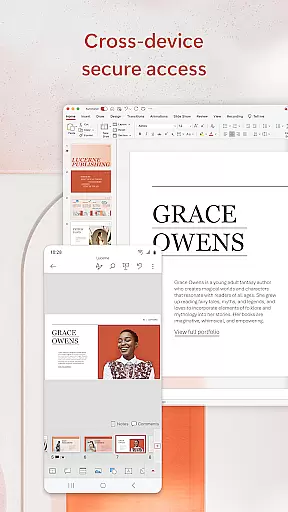
Cross-device synchronization is a cornerstone of Microsoft PowerPoint's productivity features. Users can seamlessly access and edit their presentations across multiple devices without worrying about version control issues. This ensures that all changes are updated in real time, maintaining consistency and accuracy.
PowerPoint's cloud-based system syncs files automatically, allowing users to pick up right where they left off, whether on a phone, tablet, or PC. This reliable synchronization means that teams collaborating on a presentation can work simultaneously, seeing updates instantly and avoiding the confusion of multiple file versions.
In addition to syncing capabilities, PowerPoint offers robust collaboration tools. Integrated comments and permissions settings enable team members to provide feedback directly within the app, streamlining the review process and keeping everyone aligned. These features ensure that every team member stays informed about who is working on which part of the presentation.
By prioritizing cross-device synchronization reliability, Microsoft PowerPoint enhances productivity and fosters efficient teamwork. Users can trust that their data is secure and accessible, no matter where they are or what device they use, making it an indispensable tool for modern professionals.
User-friendly interface
Extensive template library
Real-time collaboration
AI-powered Presenter Coach
Cross-device synchronization
Requires subscription for full features
Limited offline functionality
Occasional sync issues
Advanced tools need learning
Resource-intensive on older devices

Mega cloud explorer plugin for Solid Explorer
 3.80
3.80
Professional calendar app for Google Calendar, MS Outlook & Exchange
4.20
Smart PDF reader & editor to view, organize and manage PDF documents easily.
3.70
Mind Map and brainstorm, note taking and idea collection
4.80
Device's storage information in a simple and clear graphical form (infographics)
4.10
Remotely view listen control and record cameras.
3.70
A beautiful digital clock with autostart and many other functions
4.70
Secure your apps with lock screens, use custom themes and different features.
4.40
QuickEdit is a fast, stable and full featured text and code editor.
4.20
Protect and view your important info on your phone and tablet with eWallet®
4.80
The AI assistant that thinks with you - write, code, and solve complex tasks
4.60
Subscribe to Webcal & .ics calendars and keep them up-to-date!
4.50
Docker, Kubernetes management over Portainer Mobile
4.40
Share files & memories safely. Keep your photos and videos secure.
4.40
A customizable calendar for your Wear OS watch
4.20
Unlock AutoNotification
4.00
Wake up & get tasks done! Add alarms & reminders on the Clock Launcher.
4.00
Access your phone's notifications, calls, apps, photos & texts on your PC
3.90
Code on-the-go with VScode for Android. Edit,debug and collaborate from mobile!!
3.10


User Reviews