
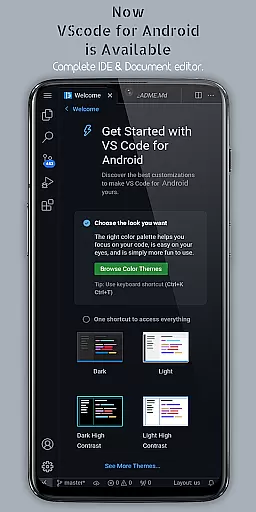
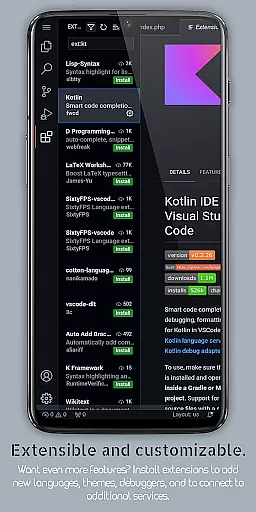
VScode for Android brings the powerful functionality of Visual Studio Code to mobile devices, allowing developers to write, edit, and debug code on-the-go. With support for a wide range of programming languages and file types, this app is designed to cater to both professional developers and coding enthusiasts who need flexibility in their workflow.
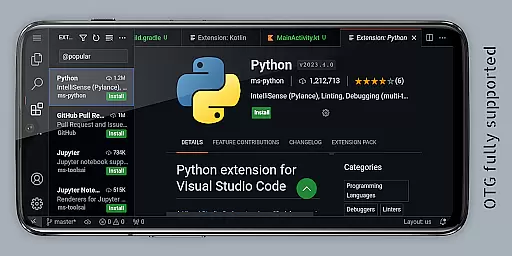
The app offers customizable themes, extensions, IntelliSense, debugging tools, and built-in Git support, making it a comprehensive coding environment on Android. Its immersive fullscreen mode and remote access capabilities via a web browser enhance productivity, enabling users to focus on their projects without interruptions.
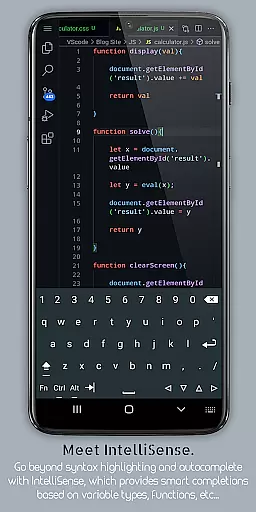
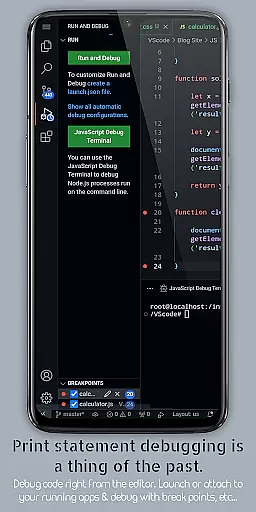
VScode for Android stands out with its robust feature set tailored for developers. The app includes an intelligent code completion system (IntelliSense), syntax highlighting for multiple programming languages, and debugging tools that simplify error detection and resolution. These features ensure efficient and accurate coding directly from a mobile device.
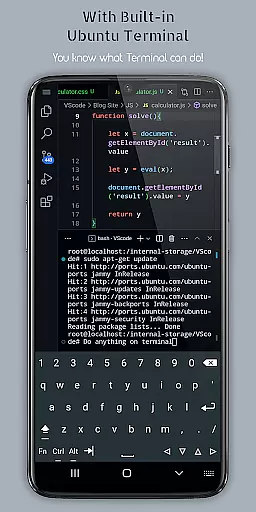
Additionally, the app supports multi-cursor editing, split view for handling multiple files simultaneously, and an integrated terminal for command-line operations. Built-in Git integration and language-specific settings further enhance its utility, while the ability to remotely access the editor through a web browser adds unparalleled convenience for developers working across different locations.
Task management is a cornerstone of productivity applications, and VScode for Android excels in this area by offering integrated tools that streamline coding workflows. The app provides an integrated task runner that allows users to automate common tasks, ensuring efficiency and consistency across projects.
With features like split view editing, developers can work on multiple files simultaneously, enhancing multitasking capabilities. This functionality is crucial for coders who need to reference or edit several documents at once without losing context or focus.
The built-in terminal further augments task management by providing direct access to the command line within the editor. Users can execute commands, manage version control operations, and interact with their development environment seamlessly, all from their mobile device.
Moreover, workspace management features enable easy organization and switching between different projects and workspaces. This ensures that users can maintain a structured workflow, even when working on diverse coding projects, thus maximizing productivity on the go.
Cross-device synchronization is vital for users who operate across multiple devices, and VScode for Android addresses this need effectively. By allowing remote access through a web browser using the phone's IP address and port 8080, it ensures that users can connect to their coding environment from anywhere in the world.
This feature not only enhances accessibility but also supports real-time updates, ensuring that changes made on one device are immediately reflected across all others. Such reliability is essential for developers collaborating with teams or those who switch between desktop and mobile environments frequently.
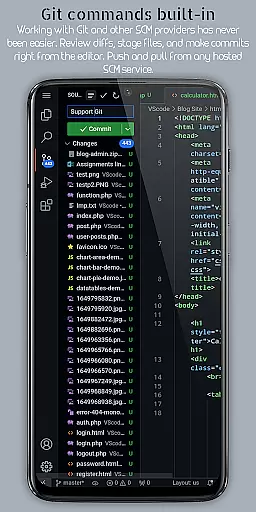
Additionally, the app's support for Git and other version control systems facilitates seamless collaboration. Developers can perform common version control operations directly from the editor, ensuring that codebases remain consistent and up-to-date across devices.
By integrating these robust synchronization capabilities, VScode for Android empowers users to maintain a cohesive and efficient workflow, regardless of their physical location or the device they are using.
Powerful code editor
Wide language support
Customizable interface
Built-in Git integration
Remote access capability
Complex for beginners
Requires learning curve
Limited screen space
Dependent on internet
Potential performance issues

Seamlessly integrate data and reports to build your presentation to impress
 4.80
4.80
Auto-shutoff Alarm with Sunrise, Sunset & Fixed Options.
3.50
⏰ Finally a timer app which can run multiple timers simultaneously on your watch
3.90
CalenGoo is a very flexible and feature-rich calendar app
4.40
Activate Two Factor Authentication (2FA or Multi OTP), Password manager and more
4.10
Create and edit presentations with Google Slides, part of Google Workspace.
4.00
The ultimate file manager for rooted devices. The original and still the best.
4.00
Access your phone's notifications, calls, apps, photos & texts on your PC
3.90
Discover Acode - a sleek, powerful IDE and code editor for Android.
4.30
Native client for Forgejo and Gitea
5.00
App lock - lock apps with fingerprint, password, pin or pattern, protect privacy
4.70
A simple Whisper AI keyboard for reliable speech transcription and rewording
4.60
Planet Free VPN - The best Fast Unlimited and Secure VPN Without Logs
4.50
Send files, sync SMS, notifications & clipboard across devices via local network
4.40
All in one sketching tool. Technical and General drawing. Online Maps support.
3.70
Smart PDF reader & editor to view, organize and manage PDF documents easily.
3.70
ID.me Authenticator is a simple and free Two Factor Authentication solution
3.50
Easiest event planning, volunteer signups & parent teacher conference scheduling
2.20
A simple, portable logger for POTA, SOTA, Field Day, and more
4.3


User Reviews