
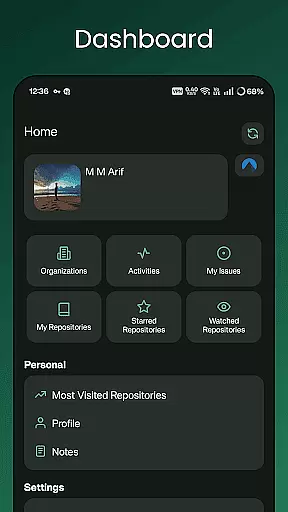
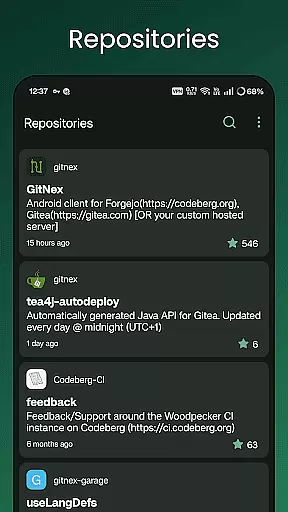
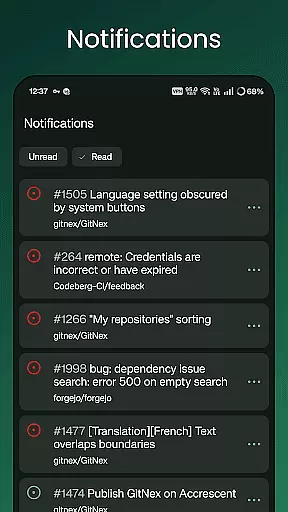
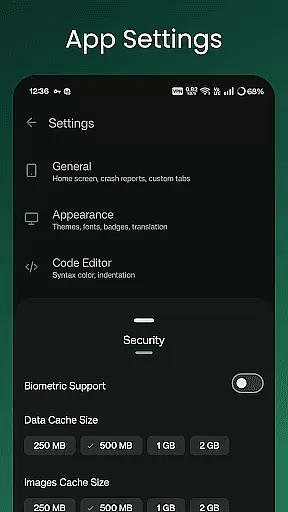
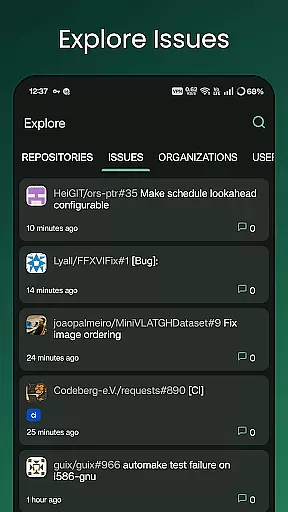
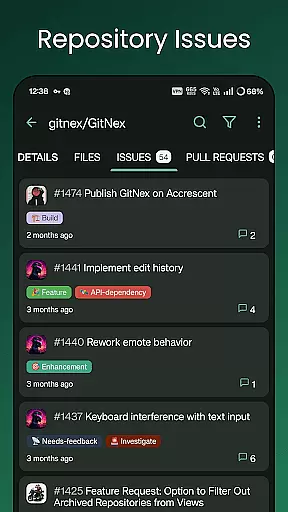
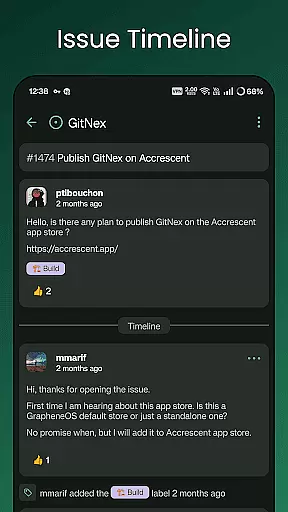
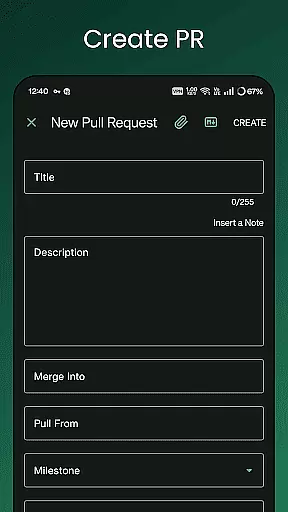
GitNex is a powerful open-source Android client designed specifically for managing Git repositories on Forgejo and Gitea platforms. This productivity-focused app allows developers and teams to efficiently handle their version control tasks directly from their mobile devices.
The app supports multiple accounts, enabling users to manage different profiles seamlessly. With features like file and directory browsing, repository exploration, issue tracking, and pull request management, GitNex provides a comprehensive set of tools for effective project management. Its markdown support and extensive settings make it suitable for both personal and professional use.
Whether you're working on personal projects or collaborating with a team, GitNex helps streamline your workflow by providing instant access to repositories, issues, and notifications while maintaining security through self-signed certificate support.
GitNex offers an impressive array of features that cater to various aspects of repository management. The app's multiple account support allows users to switch between different profiles effortlessly, making it ideal for developers who work across several organizations or personal projects.
One of the standout capabilities is its comprehensive file and directory browser, which enables users to navigate through repository structures with ease. The built-in file viewer supports markdown rendering and emoji display, ensuring that documentation and comments are presented accurately. Users can create new files, issues, pull requests, wiki pages, milestones, releases, and labels directly from their mobile devices.
Additional features include repository commit tracking, theme customization, and notification management. The app also provides specialized lists for pull requests, repositories, organizations, issues, labels, milestones, and releases, giving users complete control over their project management tasks.
Task management is a critical aspect of productivity applications, especially for tools designed to handle complex workflows like GitNex. This app provides an extensive suite of features that streamline repository management tasks.
With support for multiple accounts, users can efficiently manage various repositories across different profiles. The ability to create files, issues, pull requests, wiki pages, milestones, releases, and labels directly from the mobile interface significantly enhances workflow efficiency.
The application's comprehensive task management system includes dedicated sections for pull requests, issues, labels, milestones, and releases. These features ensure that users can maintain complete control over their project management activities while on the go.
By integrating these capabilities into a mobile environment, GitNex enables developers and project managers to stay productive regardless of their location, making it an invaluable tool for remote work and distributed teams.
In today's interconnected world, reliable cross-device synchronization is essential for productivity applications. GitNex excels in this area by providing seamless integration between mobile devices and Git repository management systems.
The application maintains real-time updates across all supported features, including repositories, organizations, and user profiles. This ensures that any changes made through the mobile interface are immediately reflected in the web-based management tools.
GitNex supports self-signed certificates, enhancing security while maintaining synchronization reliability. The app's notification system keeps users informed about important updates and changes across their repositories.
With its robust synchronization capabilities, GitNex guarantees that users have access to the most current information about their projects, regardless of which device they're using, ensuring consistent productivity across different work environments.
User-friendly interface
Multiple account support
Comprehensive feature set
Open-source development
Active community support
Steep learning curve
Limited iOS availability
Occasional bugs
No desktop version
Complex setup process

AI Video AI Image Private LLM AI Browser Llama Gemma Ollama Connect LLM Studio
 4.3
4.3
Remotely view listen control and record cameras.
3.70
App Lock with fingerprint, password: Lock apps & hide photos with lock screens
4.60
Find and delete junk files & block unwanted notifications & manage files
3.70
* block pre-roll ads, pop-up and forced redirect ads * Samsung certification app
4.00
Great calculator for Android named one of USA TODAY's "25 Essential Apps".
4.90
A simple Whisper AI keyboard for reliable speech transcription and rewording
4.60
Quickly and easily keep track of your work shifts
4.70
Use powerful, industry-leading AI tools to generate visual charts from any data
4.80
We're working to become the best machining app on the market! www.cncdirt.com
4.80
A beautiful digital clock with autostart and many other functions
4.70
Secure, fast, open-source, Remote Desktop Client for Windows and Linux with SSH
4.60
All document reader, all in one file viewer read PDF, DOCX, XLS, PPT, TXT files.
4.60
Calendar 2023 widget for Android. Appointment scheduler, planner, and reminder
4.60
Translate text/voice/photos in 150+ languages. Offline & fast translator app.
4.50
Cloud storage, automatic phone backup, and more.
4.10
Intelligent AI Assistant
4.10
Wake up & get tasks done! Add alarms & reminders on the Clock Launcher.
4.00
Take control of your clipboard with Clipper!
3.90


User Reviews