
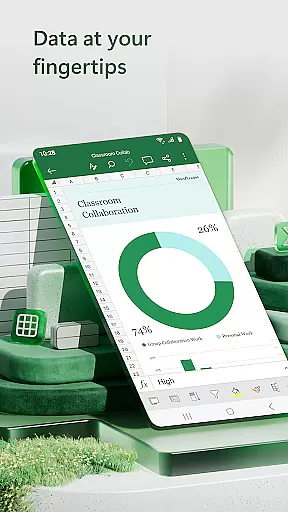

Microsoft Excel is the go-to productivity app for creating, editing, and sharing spreadsheets. It offers powerful tools for budgeting, chart creation, and data analytics. With its robust features, users can manage finances, track expenses, and compile charts with ease. The app operates seamlessly across devices, ensuring consistent performance whether on mobile or desktop.
This versatile application provides an all-in-one solution for expense management, financial planning, and data visualization. Its intuitive interface allows users to build customized spreadsheets tailored to specific needs, making it ideal for both personal and professional use. Excel's ability to facilitate collaboration ensures teams can work efficiently from anywhere.
Excel stands out with its comprehensive set of features designed to enhance productivity. Users can create detailed charts, budgets, and task lists using modern templates. The app supports complex calculations through familiar formulas and functions, while workbook sheets are enriched with formatting options that improve readability.
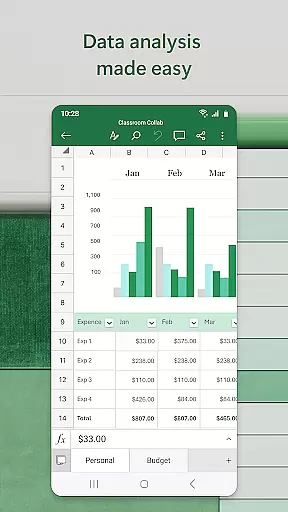
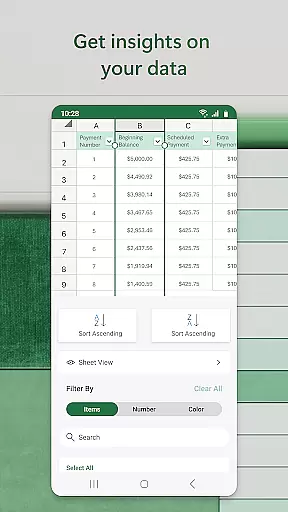
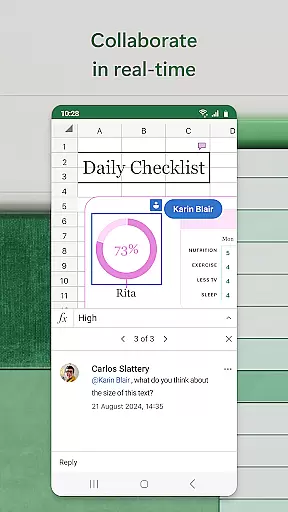
Data analysis is made simple with pivot tables, chart makers, and annotation tools. The budget planner and tracker help users drill down into financial needs and monitor expenses effectively. Additionally, collaboration features allow multiple users to edit and comment on documents in real-time, streamlining teamwork and project management.
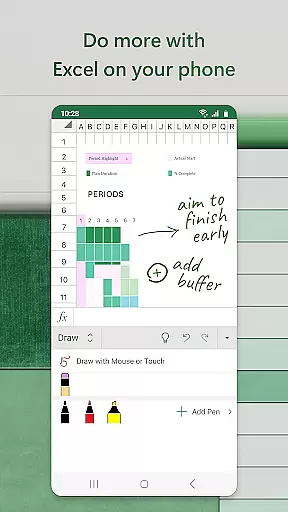
Task management is a cornerstone of productivity applications, and Microsoft Excel excels in this area by offering users the ability to create, organize, and track tasks efficiently. With built-in templates for task lists and project timelines, Excel provides an intuitive platform for managing workloads and deadlines.
The app's familiar interface allows users to apply formulas and data analysis tools to monitor progress and prioritize tasks dynamically. Conditional formatting and data visualization features further enhance task tracking, enabling users to generate clear, actionable insights from their workload data.
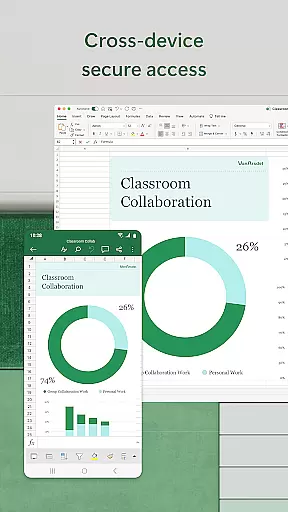
Excel's cross-device functionality ensures that task management remains consistent across different platforms. Whether on mobile or desktop, users can access their task lists and make real-time updates, maintaining productivity regardless of their location or device.
By integrating seamlessly with other Microsoft 365 apps, Excel extends its task management capabilities to support team collaboration. Shared workbooks and simultaneous editing features allow multiple users to contribute to task lists and project plans, making it an ideal solution for both individual and team-based productivity needs.
Cross-device synchronization is essential for maintaining workflow continuity in today's mobile-first world. Microsoft Excel delivers reliable synchronization across devices, ensuring that spreadsheets, charts, and data remain accessible and up-to-date regardless of where they were last edited.
The application automatically saves changes to the cloud, using OneDrive or SharePoint as its backbone. This ensures that users always have access to the most recent version of their files, whether working on a smartphone, tablet, or desktop computer. The synchronization process is seamless and operates in the background, eliminating manual save or transfer steps.
Excel's synchronization reliability extends to collaborative work scenarios. When multiple users edit the same document simultaneously, changes are merged and updated in real time, preventing version conflicts and data loss. This feature is particularly valuable for teams working across different locations and time zones.
For users with Microsoft 365 subscriptions, the synchronization experience is further enhanced with additional features like offline editing and automatic re-sync when devices reconnect to the internet. These capabilities ensure that productivity never suffers, even in environments with intermittent connectivity.
Powerful data analysis tools
Seamless cross-device functionality
Robust collaboration features
Wide array of templates
User-friendly interface
Requires subscription for full access
Complexity may overwhelm new users
High system requirements
Limited offline capabilities
Occasional sync issues

Secure, fast, open-source, VNC and SSH Remote Desktop for Windows, Linux and Mac
 4.70
4.70
Unlock AutoNotification
4.00
Send files, sync SMS, notifications & clipboard across devices via local network
4.40
Stay on top of your to-dos with Google Tasks, part of Google Workspace.
4.60
Cloud storage, automatic phone backup, and more.
4.10
All document reader, all in one file viewer read PDF, DOCX, XLS, PPT, TXT files.
4.60
Subscribe to Webcal & .ics calendars and keep them up-to-date!
4.50
Daily processing of PDF documents.
4.40
Seamlessly read, manage, and organize all your PDF files solution in one place
4.40
Scientific calculator for Android - looks and operates like the real thing!
4.90
Okta MFA
4.70
Functional QR scanner and barcode reader that requires little storage space.
4.60
A Pixel Art watchface inspired by other iconic 90s designs for Wear OS devices!
4.40
Access, manage and transfer files on Android, PC, Mac, NAS and cloud storages.
4.30
Professional calendar app for Google Calendar, MS Outlook & Exchange
4.20
Device's storage information in a simple and clear graphical form (infographics)
4.10
Intelligent AI Assistant
4.10
The ultimate file manager for rooted devices. The original and still the best.
4.00
A Revolutionary All-in-One Artificial Intelligence Tools
3.80


User Reviews