
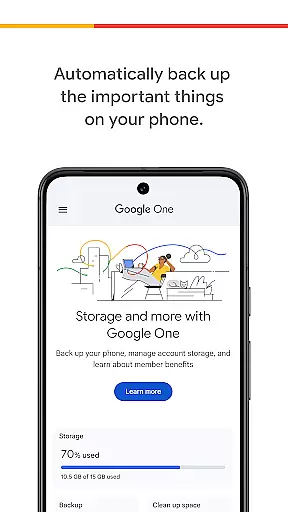
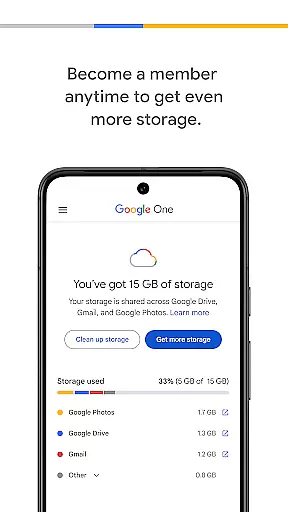
Google One is a productivity app designed to help users manage their digital storage and protect their important data. The app provides automatic backup functionality for Android devices, ensuring that photos, contacts, and messages are securely stored in Google's cloud storage. With 15 GB of free storage included with every Google account, users can easily restore their data when switching to a new device.
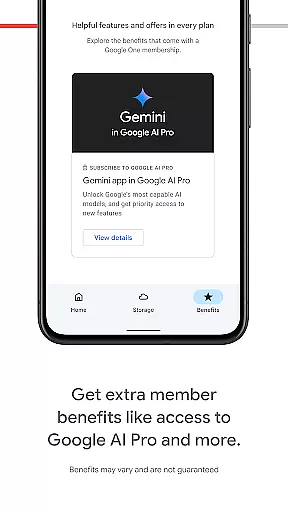
In addition to basic backup features, Google One offers membership plans that provide expanded storage options. Users can upgrade their accounts to accommodate larger files and more data across Google Drive, Gmail, and Google Photos. This makes the app an essential tool for individuals and families who need reliable and scalable cloud storage solutions.
Google One stands out with its comprehensive set of features tailored for efficient digital storage management. The app's automatic backup system ensures that critical data such as photos, contacts, and messages are regularly saved to the cloud without requiring manual intervention. This feature is particularly valuable for users who want peace of mind knowing their data is protected against device loss or damage.
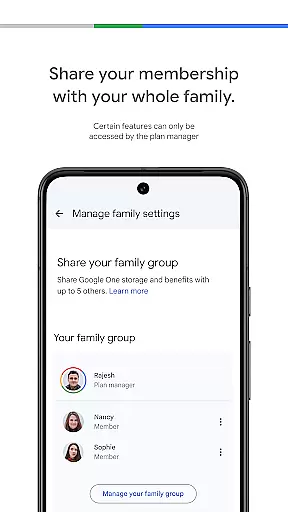
Beyond basic storage capabilities, Google One offers flexible membership plans that cater to different storage needs. Users can choose from various pricing tiers to get the exact amount of storage they require. The app also includes advanced features such as family sharing, allowing multiple accounts to share storage space while maintaining individual privacy settings. These features make Google One a versatile solution for both personal and professional use cases.
Task management is a crucial aspect of productivity applications, and Google One excels in this area by offering users the ability to manage their digital assets effectively. The app provides automatic backup solutions for essential data such as photos, contacts, and messages, ensuring that users can easily restore their information when switching devices or after an unforeseen loss.
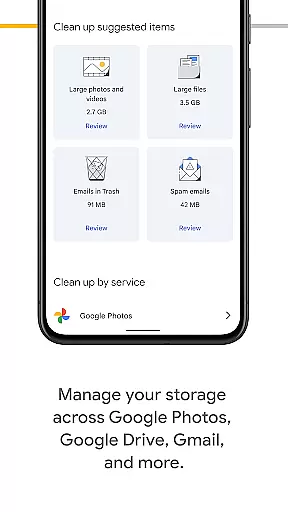
Google One's functionality extends beyond simple backups; it allows users to oversee their entire Google account storage, including Google Drive, Gmail, and Google Photos. This comprehensive management tool ensures that users have a clear overview of their storage usage and needs, allowing them to make informed decisions about their digital resources.
The benefit to users is significant, as they gain peace of mind knowing their important files are securely stored and easily retrievable. Additionally, the app's seamless integration with other Google services enhances the overall user experience, making it a reliable choice for managing one's digital life efficiently.
Cross-device synchronization is a pivotal feature for modern productivity apps, and Google One offers robust capabilities in this domain. By leveraging Googleu2019s infrastructure, the app ensures that all your backed-up data is consistently synchronized across multiple devices, providing real-time access to your files regardless of the device you're using.
This synchronization process is not only reliable but also highly efficient. Users can upgrade their memberships to access more storage space, which further enhances the ability to keep larger files synchronized without delays or interruptions. The app's design prioritizes speed and accuracy, ensuring that every piece of data is up-to-date and accessible whenever needed.
For users, this means unparalleled convenience and flexibility. Whether you're switching from an old phone to a new one or accessing documents on different devices throughout the day, Google One guarantees that your data remains consistent and available, thus streamlining workflows and personal organization tasks.
Automatic backup
Free 15GB storage
Flexible membership
Family sharing
Cross-platform sync
Limited free storage
Paid membership
Android-focused
No offline access
Occasional bugs

Send files, sync SMS, notifications & clipboard across devices via local network
 4.40
4.40
⏰ Finally a timer app which can run multiple timers simultaneously on your watch
3.90
Easiest event planning, volunteer signups & parent teacher conference scheduling
2.20
App Lock with fingerprint, password: Lock apps & hide photos with lock screens
4.60
Activate Two Factor Authentication (2FA or Multi OTP), Password manager and more
4.10
The AI assistant that thinks with you - write, code, and solve complex tasks
4.60
Enjoy classic gameplay with customizable features and retro-style graphics.
4.30
Translate text/voice/photos in 150+ languages. Offline & fast translator app.
4.50
Ultimate Virtual AI Character for immersive Roleplay Chat. Perfect Companion
3.90
Planet Free VPN - The best Fast Unlimited and Secure VPN Without Logs
4.50
Pwnagotchi companion app
4.20
Easily read and manage all your PDF files
4.10
Make apps & sites with natural language prompts
4.10
Experience real multitasking on your Android!
4.00
* block pre-roll ads, pop-up and forced redirect ads * Samsung certification app
4.00
Take control of your clipboard with Clipper!
3.90
A Revolutionary All-in-One Artificial Intelligence Tools
3.80
Remotely view listen control and record cameras.
3.70
Simple and reliable communication between inmates, friends and family
3.20


User Reviews