

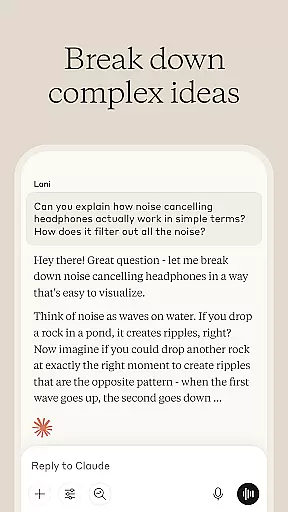
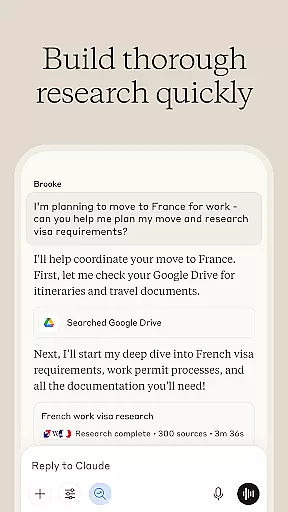
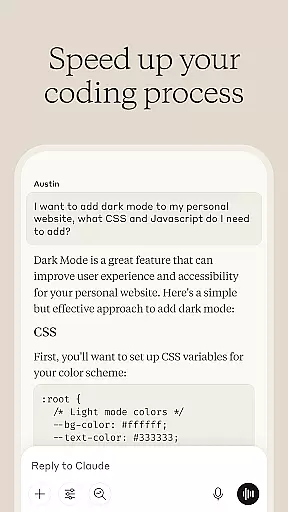
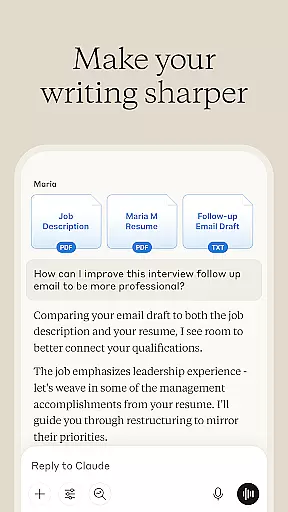

Claude by Anthropic is an advanced AI productivity tool designed to enhance your problem-solving capabilities. This versatile application serves as both a thinking partner and a practical assistant, helping users write, research, code, and tackle complex challenges with precision. Available on mobile platforms, Claude expands what you're capable of by providing depth and accuracy across various tasks.
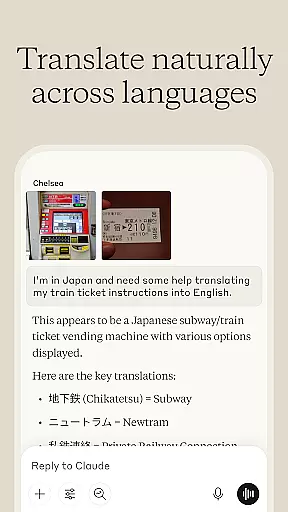
The app excels in multiple areas including writing assistance, research support, coding help, and visual analysis. Whether you need to refine content, analyze data, debug code, or interpret visual materials, Claude offers collaborative solutions that adapt to your needs. Its ability to handle voice dictation and process multiple languages makes it an invaluable tool for professionals and learners alike.
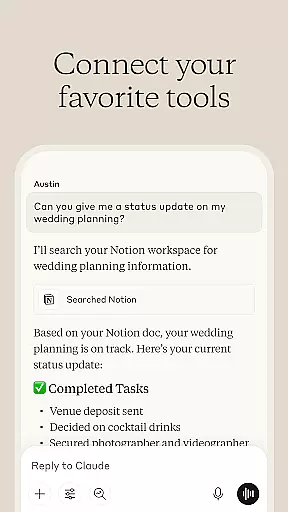
For those working on intricate projects or exploring new domains, Claude provides reliable support that pushes past traditional limitations. The application's integration with tools like Google Drive and its capability to translate over 100 languages make it suitable for international teams and diverse work environments. With Claude, you can elevate your productivity and achieve more than ever before.
Claude stands out with its comprehensive feature set tailored for productivity enthusiasts. One of its core strengths is the AI writing assistant, which helps transform rough ideas into polished content through iterative refinement. Users can develop various types of written materials, from social media posts to detailed reports, ensuring clarity and proper tone.
In addition to writing, Claude provides robust research and coding support. The app assists in exploring research angles, compiling findings, and analyzing data with accurate citations. For developers, Claude acts as a coding companion that reviews code, debugs issues, and explains programming concepts across multiple languages. This dual capability makes it a valuable asset for both academic and technical projects.
Visual analysis is another key feature where Claude excels. By uploading images or documents, users can extract text, interpret charts, and evaluate technical diagrams. The app also supports voice dictation in multiple languages, allowing hands-free operation. These features, combined with its reliability and advanced reasoning capabilities, make Claude a comprehensive tool for modern productivity needs.
Task management is a cornerstone of productivity applications, and Claude excels in this area by offering users an AI-driven approach to organizing their work. The app provides tools for developing content, analyzing data, coding assistance, and visual analysis, all while maintaining a focus on collaboration with the user.
Claude's core task management features are designed to help you refine rough ideas into clear outcomes. Whether it's writing professional emails or coding in various programming languages, the app works alongside you to ensure that every task is approached with depth and precision.
The benefit to users is immense; they can tackle projects beyond their current expertise and expand what they're capable of. With Claude, complex challenges become manageable as it surfaces key insights from meeting notes or helps build reports iteratively.
This functionality adds real value by not just managing tasks but enhancing them through AI partnership, making sure each project reaches its full potential while keeping the useru2019s voice intact throughout the process.
In today's fast-paced world, having reliable cross-device synchronization is crucial for maintaining workflow continuity. Claude ensures that your work is seamlessly synced across all devices, allowing you to start a task on one device and continue on another without missing a beat.
The app leverages advanced cloud technologies to provide real-time updates, ensuring that whether you're dictating notes via voice assistant at a cafu00e9 or refining code from your desktop at home, your progress is saved and accessible anywhere.
Users gain peace of mind knowing their data is secure yet available whenever needed, which enhances productivity. This feature supports multitasking professionals who switch between devices frequently throughout their day.
By prioritizing synchronization reliability, Claude empowers users to focus on their tasks rather than worrying about technical hiccups, thus streamlining workflows and boosting overall efficiency.
Advanced AI capabilities
Versatile writing assistant
Comprehensive research tools
Robust coding support
Multi-language voice dictation
Limited offline functionality
Requires learning curve
Premium features may cost extra
Occasional processing delays
Dependent on internet connection

Unlock AutoNotification
 4.00
4.00
Android Wallet Password Manager
4.80
Smart PDF reader & editor to view, organize and manage PDF documents easily.
3.70
⏰ Finally a timer app which can run multiple timers simultaneously on your watch
3.90
Cloud storage, automatic phone backup, and more.
4.10
ID.me Authenticator is a simple and free Two Factor Authentication solution
3.50
Tally and goal counter for Wear OS & mobile
4.50
Intelligent AI Assistant
4.10
Set up, print, and get support—in one place
4.20
Absolutely the best CNC machinist speed and feed calculator around. fswizard.com
4.60
A simple Whisper AI keyboard for reliable speech transcription and rewording
4.60
To do list widget with a notebook organizer, checklist, simple shopping list
4.60
Subscribe to Webcal & .ics calendars and keep them up-to-date!
4.50
Experience Reading - Night Mode for Documents
4.40
Share files & memories safely. Keep your photos and videos secure.
4.40
Automates browsing any website and notifies you of important changes or events
4.30
Customizable calendar widget for seamless event sync, planning & scheduling.
4.00
All in one sketching tool. Technical and General drawing. Online Maps support.
3.70
IP Camera Viewer - Android TV : RTSP Surveillance camera viewer for Android TV
4.0


User Reviews