
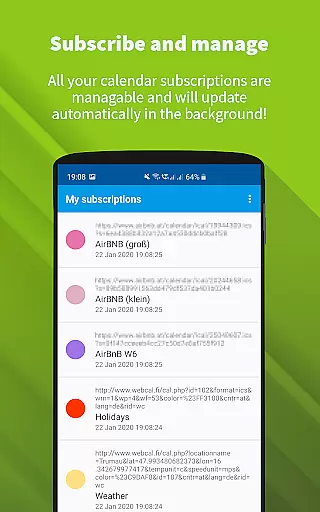
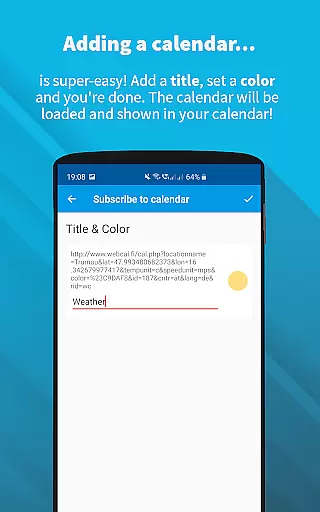
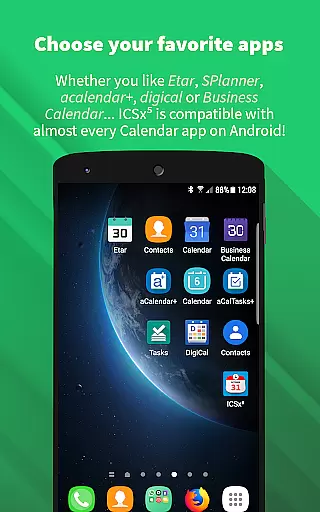
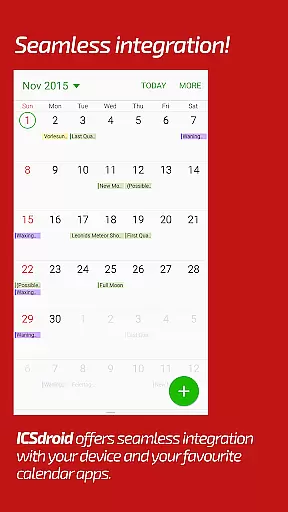
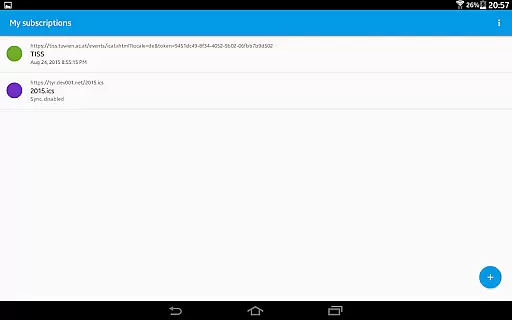
ICSx⁵ is a productivity app designed to help Android users manage external calendar files efficiently. This tool allows you to subscribe and add Webcal iCalendar/.ics files directly to your device, ensuring seamless integration with your preferred calendar application. With one-way synchronization capabilities, the app keeps all your subscribed calendars up-to-date without any manual intervention.
Whether it's high days, holidays, sports events, or academic schedules, ICSx⁵ imports these events and displays them in your calendar app. The app supports modern synchronization technology, authentication, and HTTPS, making sure that your data remains secure and current. Additionally, its open-source nature ensures transparency and privacy, as no data is transferred to external servers without your consent.
For users who need to keep track of multiple schedules across different platforms, ICSx⁵ offers an intelligent update checker and flexible sync scheduling. This makes it an ideal solution for anyone looking to streamline their calendar management on Android devices.
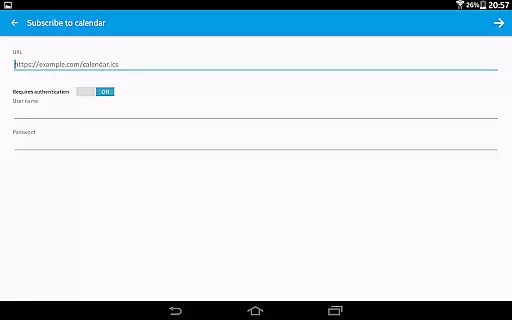
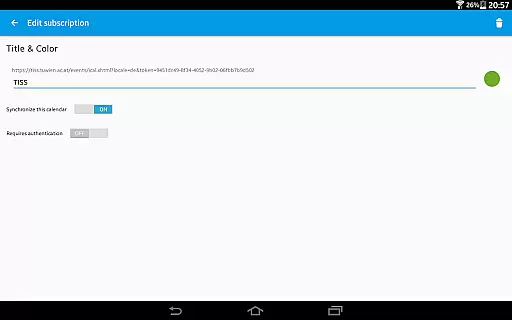
ICSx⁵ stands out with its robust feature set tailored for efficient calendar management. One of its key features is the ability to subscribe to Webcal feeds, allowing automatic synchronization at regular intervals. This means shared calendars from services like iCloud are always up-to-date on your device. Furthermore, the app lets you pick .ics files from your local storage, adding those events directly to your calendar.
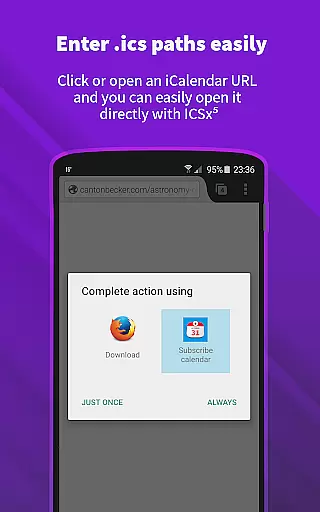
The app also supports webcal:// and webcals:// URLs within the Android web browser, enhancing its versatility. Its seamless integration with other calendar apps ensures a unified experience, while the option to set a sync schedule provides flexibility. An intelligent update checker helps conserve bandwidth by only syncing when necessary, and support for authentication and HTTPS guarantees secure data handling.
Developed by open-source enthusiasts, ICSx⁵ prioritizes user privacy and security. No personal or usage data is sent to external servers, and there's no requirement for a Google Calendar or account. This commitment to openness and security makes ICSx⁵ a reliable choice for managing your calendar needs on Android.
ICSxu2075 excels in core task management by enabling users to subscribe and manage external iCalendar/.ics files on their Android devices. This functionality allows for the seamless integration of various calendar events into the user's preferred calendar app.
The app supports one-way synchronization, ensuring that all subscribed calendars are up-to-date. Users can add a variety of event types, such as holidays, sports events, or academic schedules, directly enhancing productivity by centralizing information.
With features like intelligent update checking and support for authentication and HTTPS, ICSxu2075 ensures efficient and secure updates. This means users always have access to the latest information without compromising their data security.
Overall, ICSxu2075 provides a robust solution for managing multiple calendar sources, making it an invaluable tool for organizing and optimizing daily tasks.
Cross-device synchronization reliability is a cornerstone of ICSxu2075, ensuring that calendar data remains consistent across all user devices. By leveraging state-of-the-art synchronization technology, the app guarantees that users always have the most current version of their subscribed calendars.
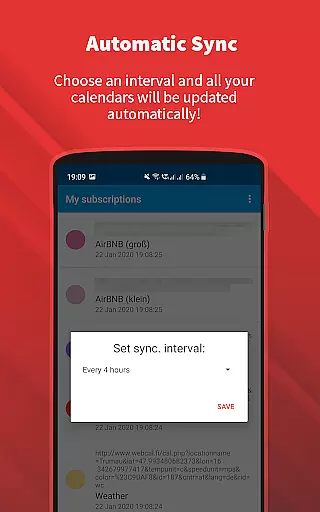
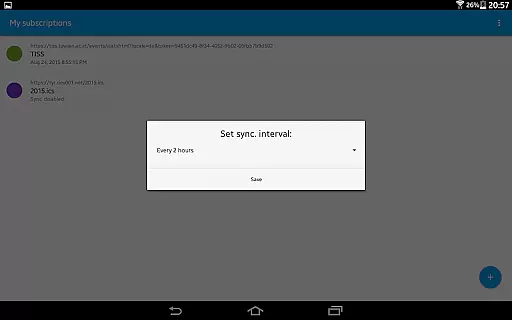
Users can set a sync schedule that automatically updates calendar feeds at regular intervals. This feature is particularly useful for those who rely on real-time calendar updates, such as professionals managing busy schedules or students tracking academic deadlines.
ICSxu2075 also supports webcal:// and webcals:// URLs, allowing for direct subscription to online calendar feeds. This flexibility enhances the reliability of cross-device updates, ensuring uninterrupted access to critical scheduling information.
By prioritizing user privacy and data security, ICSxu2075 delivers dependable cross-device synchronization without transferring data to external servers, thus maintaining high standards of privacy and reliability.
User-friendly interface
Seamless calendar integration
Regular auto-sync options
Strong focus on privacy
Open-source reliability
Limited to Android platform
No iOS compatibility
One-way sync only
Requires manual setup
Advanced features may overwhelm beginners

Professional calendar app for Google Calendar, MS Outlook & Exchange
 4.20
4.20
Device's storage information in a simple and clear graphical form (infographics)
4.10
Todo reminder
4.10
All in One PDF Reader: Manage, Read and Edit your Documents
4.20
Multilingual translator for text, voice, and image translation!
4.90
Share files & memories safely. Keep your photos and videos secure.
4.40
Seamlessly read, manage, and organize all your PDF files solution in one place
4.40
Note taking, handwriting, record audio, PDF annotation, planner & journal
4.20
2026 USPS Alpha/Color coded calendar Sunday/Rotating day off schedules
4.4
Mind Map and brainstorm, note taking and idea collection
4.80
Okta MFA
4.70
App Lock with fingerprint, password: Lock apps & hide photos with lock screens
4.60
Functional QR scanner and barcode reader that requires little storage space.
4.60
Enjoy classic gameplay with customizable features and retro-style graphics.
4.30
Font maker keyboard with your own handwriting
4.10
Experience real multitasking on your Android!
4.00
Create and edit presentations with Google Slides, part of Google Workspace.
4.00
Experience and share your SolidWorks designs on your Android® phone and tablet.
2.50
Easiest event planning, volunteer signups & parent teacher conference scheduling
2.20


User Reviews