
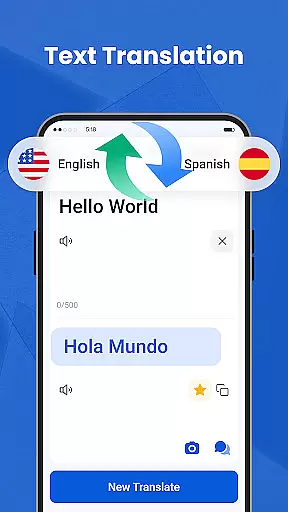
We Translate is a powerful productivity app designed to break language barriers and facilitate seamless global communication. With its robust suite of translation features, the app supports text, voice, image, and document translation across multiple languages.
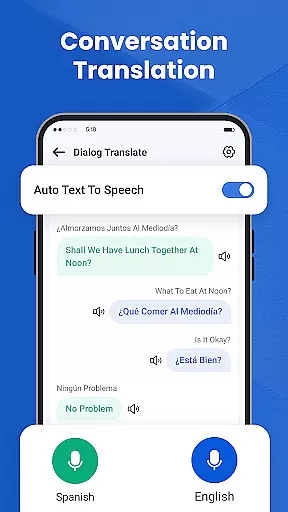
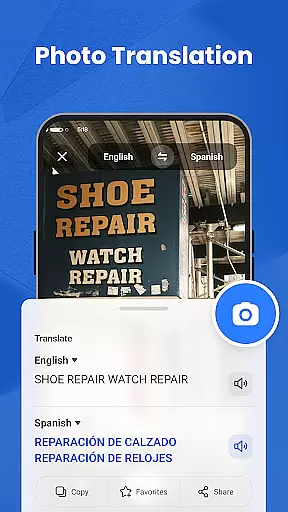
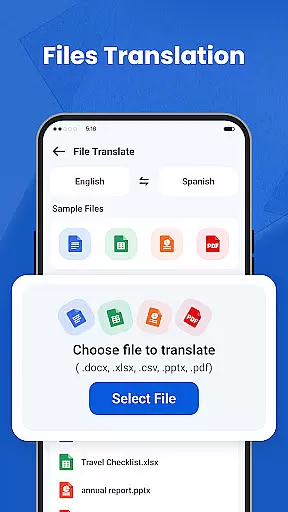
Key functionalities include real-time conversation translation, photo translation for signs and documents, and support for translating files like PDFs and Word documents. The app also offers personalized settings, history tracking, and favorites for enhanced user experience. Whether for personal, educational, or professional use, We Translate ensures effortless multilingual communication.
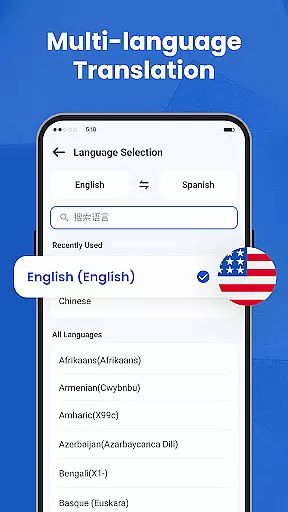
We Translate stands out with its comprehensive feature set tailored for diverse translation needs. The app provides instant text translation for over 100 languages, making it ideal for travel, study, and cross-border business communication.
Its standout feature is real-time conversation translation, which detects and translates spoken language automatically. Photo translation allows users to snap pictures of text and receive instant translations, while document translation supports various file formats. Additionally, the app includes history and favorites options, customizable settings for voice speed, and an intuitive interface that prioritizes user convenience and accuracy.
In the realm of productivity, managing tasks efficiently is paramount. We Translate excels in organizing and handling translation tasks with precision.
The app offers features like Multi-Language Text Translation, Conversation Translation, and Photo Translation, ensuring that every type of translation need is met seamlessly. These capabilities allow users to focus on their core activities without being hindered by language barriers.
Users benefit from an intuitive interface where they can easily input text or upload documents for translation. The app's ability to save translation history and mark favorites enhances workflow efficiency, making it simpler to retrieve past translations.
By integrating advanced translation services with user-friendly functionalities, We Translate empowers users to manage their linguistic tasks effectively, thus boosting overall productivity.
Cross-device synchronization is crucial for users who operate on multiple platforms. We Translate ensures reliable and consistent access to translations across different devices.
With cloud-based technology, users can start a translation task on one device and continue on another without any hitches. This seamless transition is supported by automatic syncing of translation histories and favorite entries.
The appu2019s robust infrastructure guarantees that all data is updated in real-time, providing users with accurate and up-to-date information regardless of the device they are using.
This level of synchronization not only enhances convenience but also ensures that users have a dependable tool for their translation needs, fostering a more connected and efficient multilingual communication experience.
Accurate translations
User-friendly interface
Multi-language support
Real-time voice translation
Photo and document translation
Limited free features
Requires internet
Premium subscription cost
Occasional ads
File size is large

A Revolutionary All-in-One Artificial Intelligence Tools
 3.80
3.80
Experience Reading - Night Mode for Documents
4.40
When you Focus, so will your Bean in this cozy focus timer
4.30
Unlock AutoNotification
4.00
aCalendar+ makes your day, week and month
4.70
Subscribe to Webcal & .ics calendars and keep them up-to-date!
4.50
Code on-the-go with VScode for Android. Edit,debug and collaborate from mobile!!
3.10
To do list widget with a notebook organizer, checklist, simple shopping list
4.60
Put a lock on your cloud: Take the security of your data into your own hands
3.70
Scientific calculator for Android - looks and operates like the real thing!
4.90
The long-awaited modern gallery app for your Nextcloud server
4.70
Okta MFA
4.70
Planet Free VPN - The best Fast Unlimited and Secure VPN Without Logs
4.50
A customizable calendar for your Wear OS watch
4.20
The ultimate file manager for rooted devices. The original and still the best.
4.00
Smart PDF reader & editor to view, organize and manage PDF documents easily.
3.70
Find and delete junk files & block unwanted notifications & manage files
3.70
Make your handwriting beautiful, even more than pen on paper.
3.60
A comprehensive suite of tools designed specifically for Lactation Consultants
4.5


User Reviews