
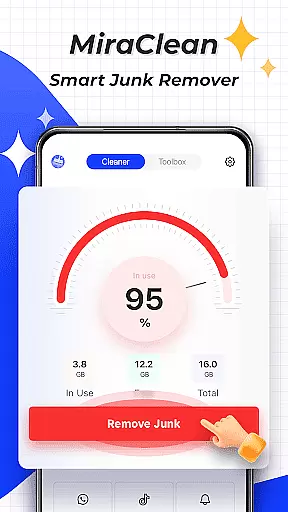
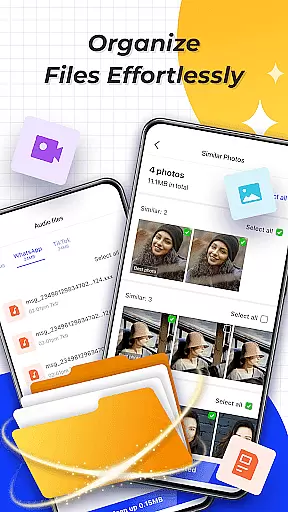
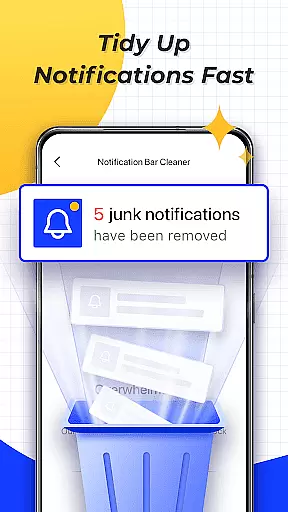
MiraClean is a productivity-focused app designed to help Android users efficiently manage their device's storage and performance. The app provides tools for scanning and deleting unnecessary junk files, such as temporary files, app caches, and residual data that can clutter your device. Additionally, it offers features like notification management, allowing you to clear unwanted notifications from your notification bar, and file organization by type and size, making it easier to clean up your device.
Another key aspect of MiraClean is its ability to monitor network data usage, providing insights into how much mobile or Wi-Fi data each app consumes. It also includes a network speed test feature to measure your current internet speeds. Lightweight and privacy-conscious, MiraClean is an excellent choice for users looking to maintain their phone’s performance without compromising personal data security.
MiraClean stands out with its comprehensive set of features tailored for device optimization. One of its primary functions is the junk file scanner, which intelligently identifies and removes temporary files and app caches, freeing up valuable storage space. This ensures your device runs smoothly and efficiently. The app also allows you to manage notifications by clearing unwanted alerts from the notification bar, helping you maintain a clutter-free interface.
In addition to storage management, MiraClean offers robust file management capabilities. You can sort and organize files by type and size, simplifying the cleanup process. The app also tracks network data usage, giving you detailed statistics on how your apps are consuming mobile or Wi-Fi data. Furthermore, the built-in network speed test tool measures your real-time download and upload speeds, ensuring you're always aware of your internet performance. These features collectively make MiraClean a versatile and essential tool for maintaining your Android device.
Core task management is a fundamental aspect of productivity applications like MiraClean. This feature allows users to efficiently handle various maintenance tasks on their Android devices.
MiraClean provides several tools for managing your device's storage and settings. It can scan and delete junk files, clear unwanted notifications, and organize files by type and size. These capabilities ensure that your device remains clutter-free and operates smoothly.
For users, this means an intuitive way to maintain their phoneu2019s performance without needing technical expertise. The app simplifies the process of freeing up space and managing system resources, which can significantly enhance the overall user experience.
Ultimately, MiraClean's core task management functionality empowers users to take control of their device's health, ensuring optimal performance and organization with minimal effort.
Cross-device synchronization reliability ensures that your data and settings are consistently updated across multiple devices, a crucial feature for modern productivity apps like MiraClean.
Although MiraClean focuses primarily on single-device management, its reliable performance implies that any cleanup or optimization done on one device will not disrupt the sync ecosystem if you use other cloud services or manual backups.
Users benefit from knowing that their actions within MiraClean contribute to a more organized digital environment, even if they switch between devices. This reliability in managing local resources can indirectly support smoother cross-device experiences.
In summary, while MiraClean may not directly offer cross-device sync features, its robust handling of device maintenance tasks supports a reliable and efficient user experience across different usage scenarios.
User-friendly interface
Effective junk cleaning
Lightweight design
Privacy-focused
Comprehensive file management
Limited advanced tools
No cloud backup
Basic speed test
Few customization options
Ads in free version

Mega cloud explorer plugin for Solid Explorer
 3.80
3.80
Protect and view your important info on your phone and tablet with eWallet®
4.80
We're working to become the best machining app on the market! www.cncdirt.com
4.80
Pwnagotchi companion app
4.20
Todo reminder
4.10
Tally and goal counter for Wear OS & mobile
4.50
A comprehensive suite of tools designed specifically for Lactation Consultants
4.4
Quickly and easily keep track of your work shifts
4.70
QuickEdit is a fast, stable and full featured text and code editor.
4.20
8 custom complications. Custom Time Fonts. Beautiful color schemes. A++ Design.
5.00
Scientific calculator for Android - looks and operates like the real thing!
4.90
Use powerful, industry-leading AI tools to generate visual charts from any data
4.80
Docker, Kubernetes management over Portainer Mobile
4.40
Make apps & sites with natural language prompts
4.10
Font maker keyboard with your own handwriting
4.10
Activate Two Factor Authentication (2FA or Multi OTP), Password manager and more
4.10
Wake up & get tasks done! Add alarms & reminders on the Clock Launcher.
4.00
Secure, open-source, SPICE and SSH Remote Desktop for QEMU KVM virtual machines
4.00
Make your handwriting beautiful, even more than pen on paper.
3.60


User Reviews