
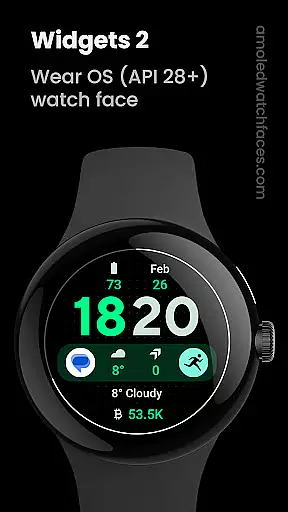
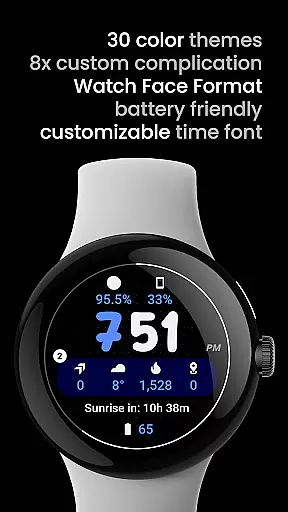
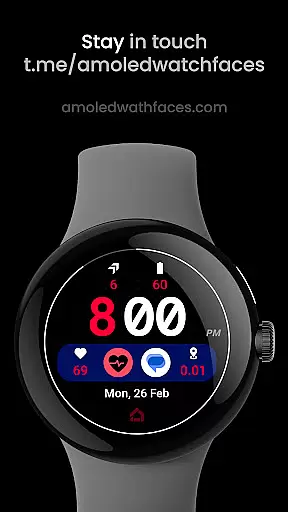
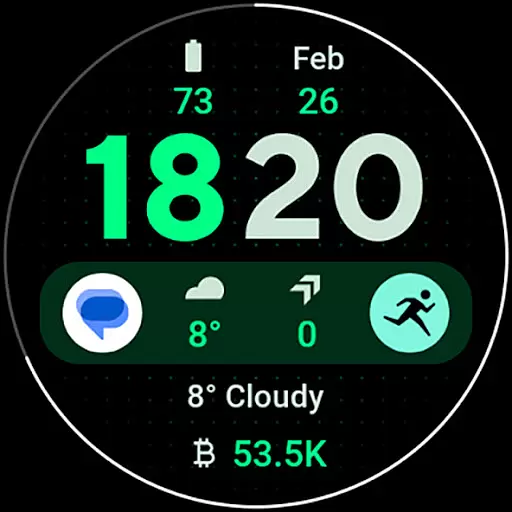
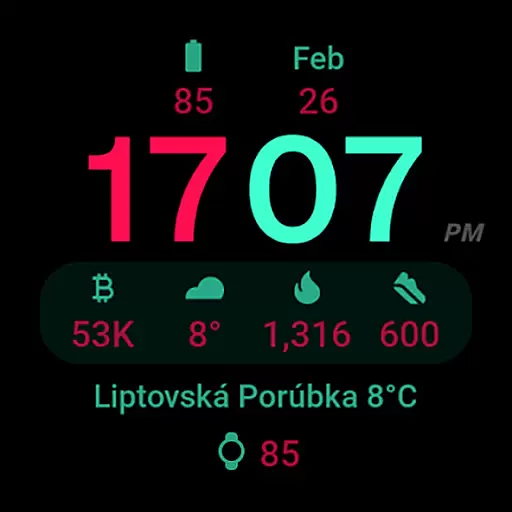
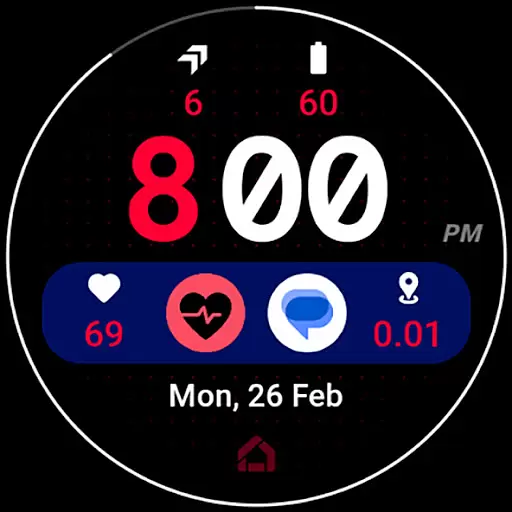
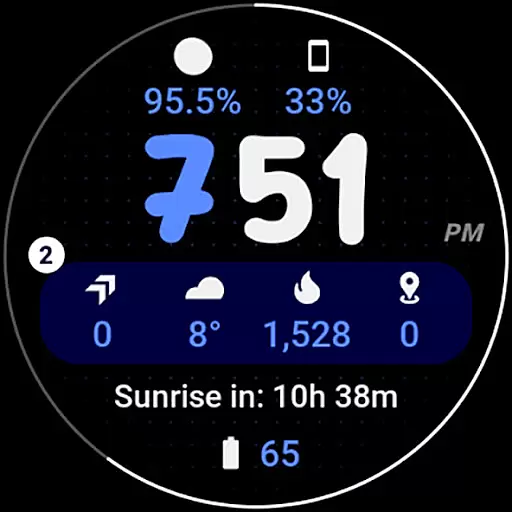
Widgets 2 is a feature-rich productivity app designed exclusively for Wear OS 4+ devices. This innovative application offers advanced watch face customization options, making it an ideal choice for users seeking to personalize their smartwatch experience. With support for true black backgrounds, high resolution displays, and unique color themes, Widgets 2 ensures optimal visual quality while maintaining battery efficiency.
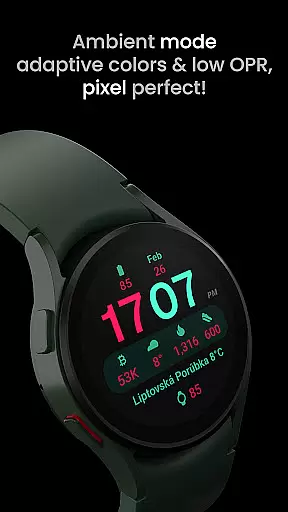
The app includes eight custom complication slots and supports phone notification complications, allowing users to access important information at a glance. Its unique ambient mode features low OPR and adaptive colors, providing both aesthetic appeal and practical functionality. The inclusion of burn-in protection and progress bar seconds indicator further enhances the user experience, making Widgets 2 a comprehensive solution for wearable device personalization.
Widgets 2 stands out with its comprehensive set of features tailored for power users. The application supports Watch Face Format 1 and offers full compatibility with the latest Wear OS devices. One of its key innovations is the unique ambient mode that combines low OPR with adaptive colors, ensuring both visual appeal and device longevity.
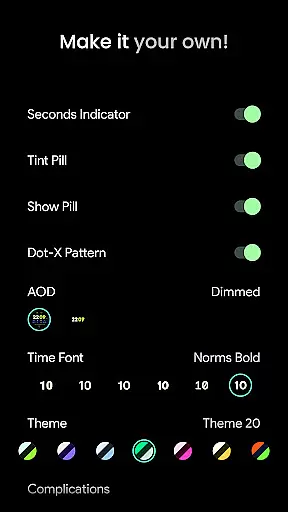
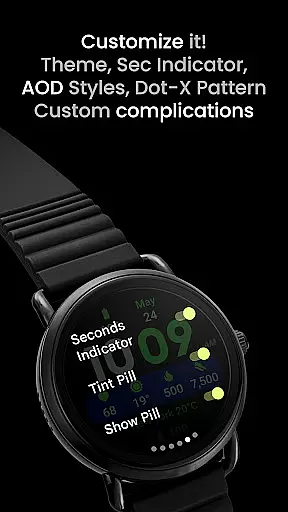
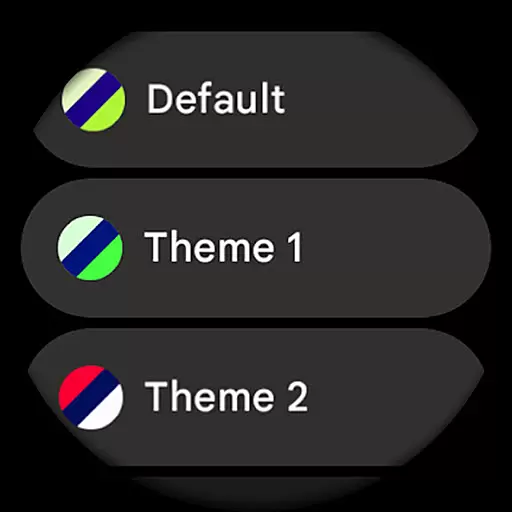
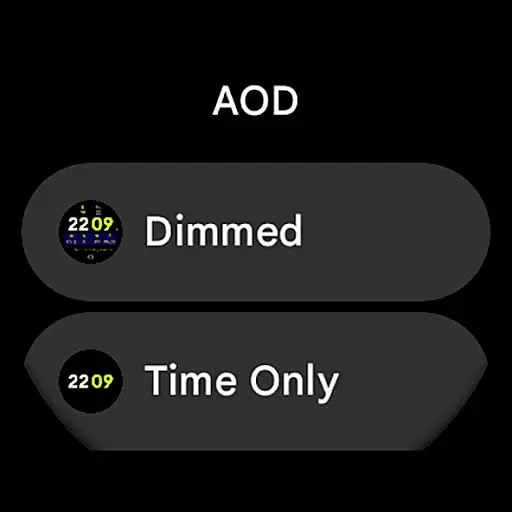
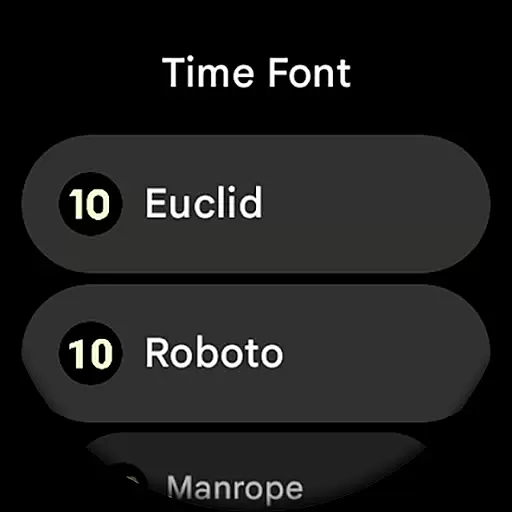
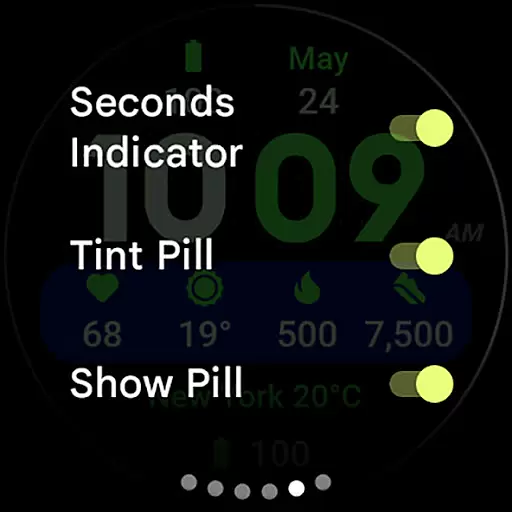
The app provides extensive customization options including 30 theme variations, seven time font choices, and multiple AOD styles. Users can toggle various display elements such as seconds indicators, tint pills, and dot-X patterns according to their preferences. With support for eight custom complication slots and phone notification complications, Widgets 2 enables users to create a truly personalized smartwatch interface that meets their specific needs.
Additional features include customizable time fonts, burn-in protection, and progress bar seconds indicators. The app also offers comprehensive user configuration options through its dedicated website, along with detailed installation guides and responsive customer support channels. These features collectively make Widgets 2 a versatile tool for enhancing wearable device productivity.
Task management is a critical component of productivity applications, serving as the backbone for organizing and tracking work. Widgets 2 excels in this area by providing users with a comprehensive suite of tools designed to streamline task handling on Wear OS devices. The app offers eight customizable complication slots, enabling users to prioritize and manage tasks effectively.
The application's strength lies in its seamless integration with the latest Wear OS features. With support for unique color themes and adaptive ambient modes, users can tailor their experience to suit personal preferences while maintaining optimal battery performance. This ensures that task management remains efficient without compromising device usability.
Users benefit from the app's high-resolution display and true black background, which enhance readability and reduce eye strain during task monitoring. Additionally, the progress bar seconds indicator and customizable time font contribute to a more intuitive task tracking experience. These features collectively empower users to stay organized and focused on their productivity goals.
Cross-device synchronization is essential for maintaining workflow continuity across multiple devices. Widgets 2 addresses this need by ensuring reliable data transfer between connected devices. Through its compatibility with the Watch Face Format and integration with custom complication apps, the application guarantees that user configurations remain consistent and up-to-date.
The app supports various user settings, including theme selection from a library of thirty options, seven time font styles, and two always-on-display styles. These configurations are reliably synced across devices, allowing users to maintain a uniform experience regardless of the device in use. Such consistency is vital for users who switch between their phone and Wear OS device throughout the day.
Furthermore, Widgets 2 provides dedicated support channels for troubleshooting synchronization issues. Users can access an installation guide, contact support via email, or join a Telegram group for live assistance. This robust support network ensures that any synchronization challenges are promptly addressed, maintaining uninterrupted productivity for the user.
Advanced customization
Unique ambient mode
Burn-in protection
High resolution support
Multiple themes
Wear OS 4+ only
No rectangular support
Separate app required
Complex setup
Premium pricing

Client for Nextcloud Deck
 4.60
4.60
Seamlessly integrate data and reports to build your presentation to impress
4.80
Ads Free App! Editor, Hide File, Copy, Move, Delete and Rename.. all facility av
1.70
Make your handwriting beautiful, even more than pen on paper.
3.60
Absolutely the best CNC machinist speed and feed calculator around. fswizard.com
4.60
All in One PDF Reader: Manage, Read and Edit your Documents
4.20
Stay on top of your to-dos with Google Tasks, part of Google Workspace.
4.60
A comprehensive suite of tools designed specifically for Lactation Consultants
4.3
A beautiful digital clock with autostart and many other functions
4.70
QuickBooks Workforce lets teams view pay info and track time in one place.
4.70
Direct Chat without saving contacts & Dual WA Account on Single Device
4.70
A simple Whisper AI keyboard for reliable speech transcription and rewording
4.60
AI Chatbot and AI writing assistant powered by ChatGPT.
4.60
Tally and goal counter for Wear OS & mobile
4.50
A lightweight JSON & XML files creator, editor and viewer (Premium Version)
4.40
Total remote control for your Android device, PC and cloud services (IFTTT)!
4.20
Ultimate Virtual AI Character for immersive Roleplay Chat. Perfect Companion
3.90
Code on-the-go with VScode for Android. Edit,debug and collaborate from mobile!!
3.10
Easiest event planning, volunteer signups & parent teacher conference scheduling
2.20


User Reviews