
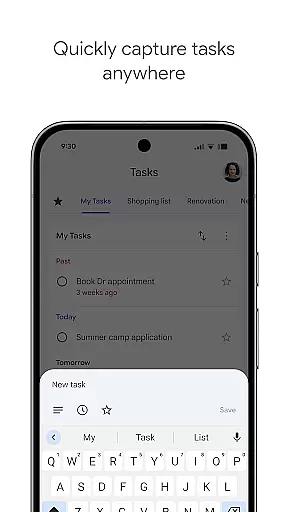
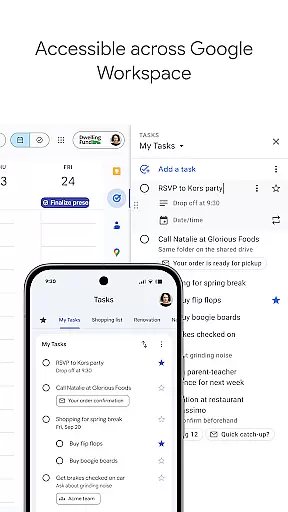
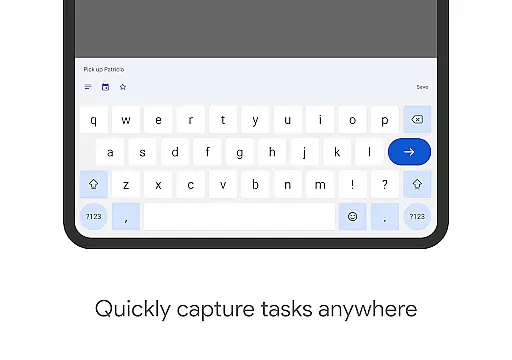
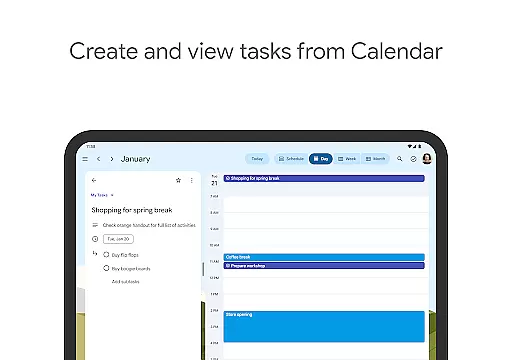
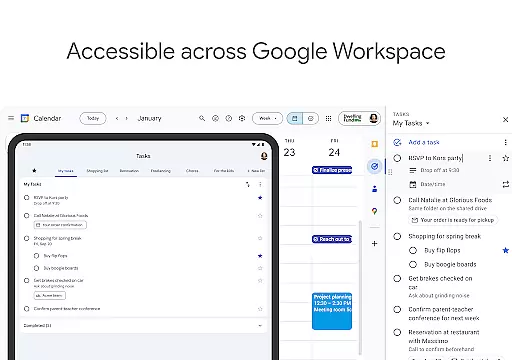
Google Tasks is a productivity app designed to help users manage their daily tasks efficiently. The app allows you to capture, organize, and prioritize your to-do lists from any location and at any time. With seamless synchronization across all devices, Google Tasks ensures that your lists are always up-to-date, whether you're using a phone, tablet, or computer.
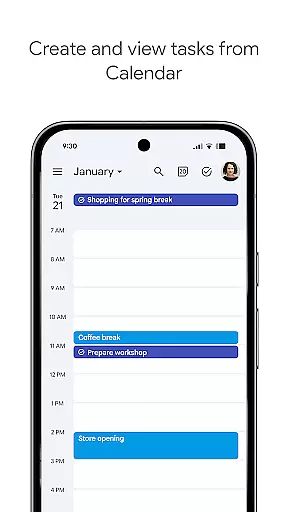
One of the standout features of Google Tasks is its deep integration with Gmail and Google Workspace. This allows users to create tasks directly from emails and access them alongside their other Google apps, streamlining workflows and boosting productivity. Whether you need reminders for important deadlines or want to break down complex projects into subtasks, Google Tasks provides an intuitive interface to keep you on track.
This app is particularly useful for professionals and students who rely on organized task management to meet deadlines and achieve goals. By offering tools like drag-and-drop prioritization, due date reminders, and multi-step task tracking, Google Tasks delivers practical value for anyone seeking to enhance their productivity.
Google Tasks offers a variety of features that make task management simple and efficient. One key feature is the ability to create multiple task lists, which helps users categorize their to-dos based on topics, priorities, or projects. This ensures better organization and reduces clutter when managing different responsibilities.
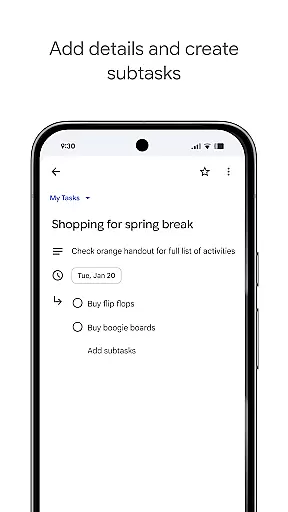
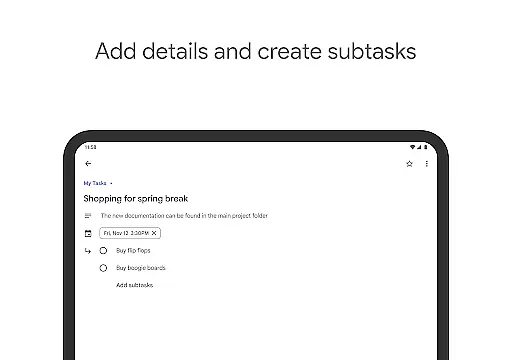
Another notable feature is the drag-and-drop functionality, which allows users to reorder tasks effortlessly. Additionally, users can mark important tasks with a star for quick identification. For more complex tasks, the app supports subtasks, enabling users to break larger objectives into smaller, manageable steps. Date settings and notifications further enhance usability by ensuring timely completion of tasks.
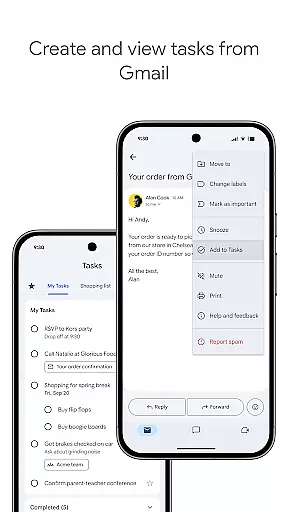
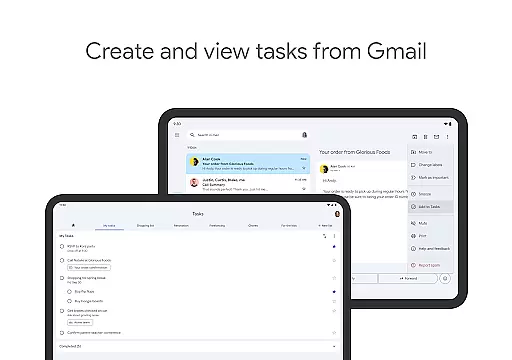
The app's integration with Gmail is another major advantage. Users can convert emails into tasks without leaving their inbox, while retaining links back to the original email for context. Combined with cross-device syncing, these features provide a cohesive experience that empowers users to stay productive regardless of where they are working from.
Task management is a critical feature for productivity apps, and Google Tasks excels in this area. The app allows users to view, create, edit, and manage tasks from their mobile devices with ease. This flexibility ensures that users can update their to-do lists on the go, keeping their tasks organized and up-to-date no matter where they are.
Google Tasks offers powerful organizational tools. Users can create multiple task lists based on different topics or priorities, helping them compartmentalize their workload effectively. Additionally, the drag-and-drop functionality enables users to reorder tasks effortlessly, while the ability to star important tasks ensures that critical items stand out. These features collectively enhance the user's capacity to prioritize effectively.
The app also supports multi-step tasks through subtasks, allowing users to break down complex projects into manageable components. This approach not only clarifies the steps needed to complete a task but also provides a sense of progress as users check off individual subtasks. With these capabilities, Google Tasks empowers users to tackle both simple and complex projects with greater efficiency.
Cross-device synchronization is essential for maintaining consistency across multiple platforms, and Google Tasks delivers reliable performance in this regard. The app ensures that all tasks sync seamlessly across the user's devices, providing real-time updates whether they're using a smartphone, tablet, or computer. This synchronization capability means users can start a task on one device and continue working on it from another without missing a beat.
Integration with other Google services enhances this experience further. For instance, users can create tasks directly from emails in Gmail, with each task conveniently linking back to the original message. This integration streamlines workflows by reducing the need to switch between applications, thus saving time and minimizing distractions. Such seamless connectivity underscores the app's commitment to boosting productivity.
Moreover, the reliability of Google Tasks' synchronization ensures that users never lose track of their responsibilities. Whether setting due dates, adding reminders, or updating task details, every change is immediately reflected across all linked devices. This dependable syncing fosters peace of mind, knowing that the latest version of oneu2019s task list is always accessible, regardless of the device in use.
User-friendly interface
Seamless cross-device sync
Deep Gmail integration
Supports task prioritization
Free to use
Limited advanced features
No team collaboration tools
Basic design aesthetics
Few customization options
Offline mode has limitations

Take control of your clipboard with Clipper!
 3.90
3.90
Unlock AutoNotification
4.00
Easiest event planning, volunteer signups & parent teacher conference scheduling
2.20
Cloud storage, automatic phone backup, and more.
4.10
Functional QR scanner and barcode reader that requires little storage space.
4.60
Secure, open-source, SPICE and SSH Remote Desktop for QEMU KVM virtual machines
4.00
This small app MUST BE INSTALLED after purchase, else license won't work
4.40
Secure your apps with lock screens, use custom themes and different features.
4.40
Understand anything with a personalized AI research assistant
4.80
We're working to become the best machining app on the market! www.cncdirt.com
4.80
Direct Chat without saving contacts & Dual WA Account on Single Device
4.70
Tally and goal counter for Wear OS & mobile
4.50
Share files & memories safely. Keep your photos and videos secure.
4.40
Enjoy classic gameplay with customizable features and retro-style graphics.
4.30
Make apps & sites with natural language prompts
4.10
Access your phone's notifications, calls, apps, photos & texts on your PC
3.90
Mega cloud explorer plugin for Solid Explorer
3.80
AI Video AI Image Private LLM AI Browser Llama Gemma Ollama Connect LLM Studio
4.4
A simple, portable logger for POTA, SOTA, Field Day, and more
4.2


User Reviews