
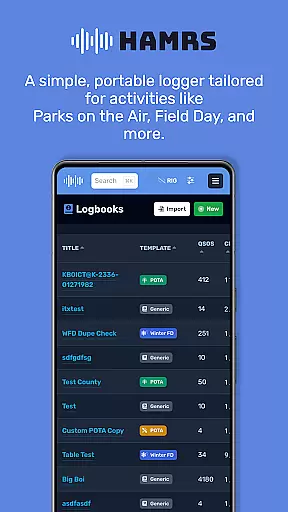
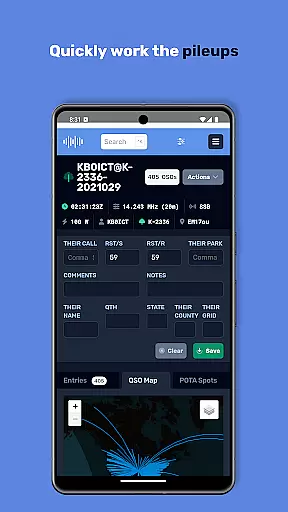
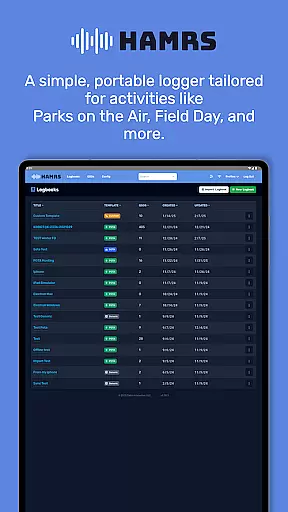
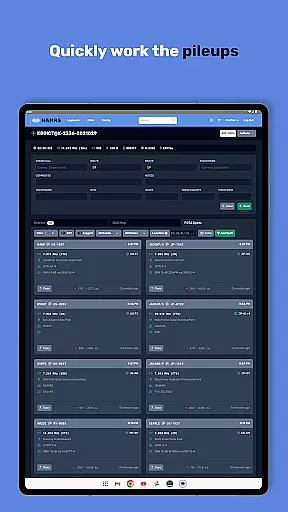
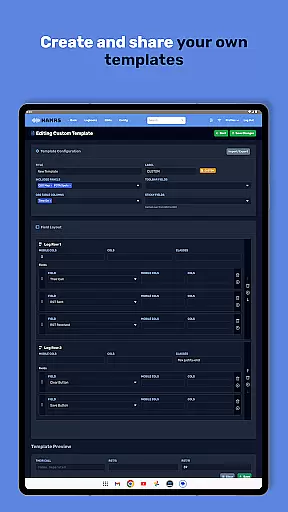
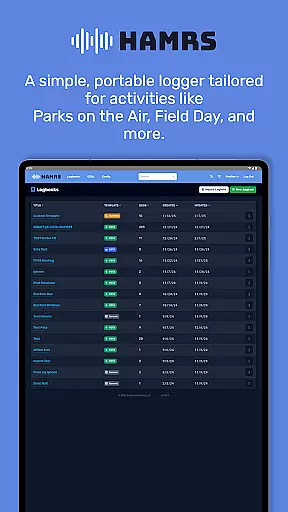
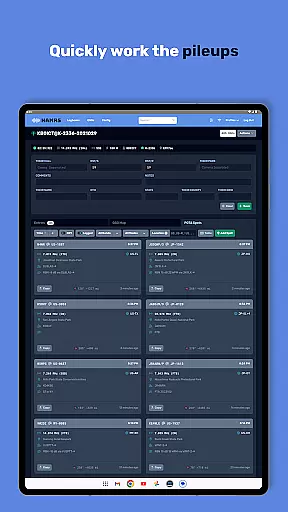
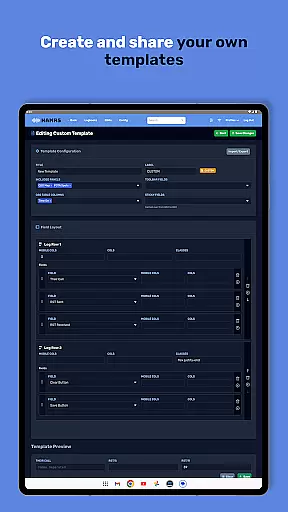
HAMRS Pro is a specialized logging tool designed for amateur radio enthusiasts, particularly those engaged in portable operations such as Parks on the Air and Field Day. The app has been completely rewritten to provide a streamlined experience.
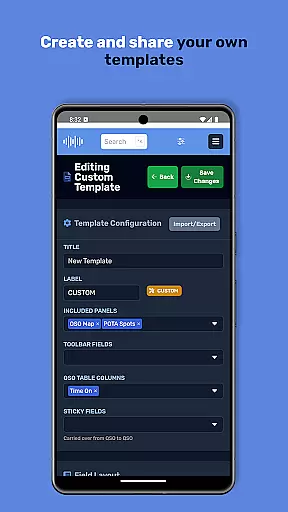
With HAMRS Pro, users can efficiently log contacts using customizable templates tailored to various amateur radio activities. It supports quick navigation through fields, real-time operator QTH information lookup when online, and seamless ADI file export for further use.
This application is ideal for amateur radio operators who need an efficient way to manage their logs while participating in outdoor or special events. Its intuitive design helps improve productivity by simplifying the logging process.
One of the standout features of HAMRS Pro is its ability to offer activity-specific logging templates, which are optimized for scenarios like Parks on the Air and Field Day. This ensures that users can log details quickly without unnecessary clutter.
The app also integrates with online services, allowing users to view operator QTH data during logging if they have an internet connection. Additionally, it provides direct QRZ uploads and easy ADI file exports, making post-activity reporting hassle-free.
These capabilities make HAMRS Pro not just a logging tool but a comprehensive solution for managing amateur radio activities efficiently, saving time, and enhancing accuracy in record-keeping.
Efficient task management is essential for amateur radio enthusiasts who need to log their activities seamlessly. HAMRS Pro offers a streamlined interface that allows users to quickly tab through fields while making contacts, ensuring no detail is missed.
The app has been completely rewritten to cater specifically to portable activities such as Parks on the Air and Field Day, providing tailored templates that simplify logging. This functionality ensures that users can focus more on their activities rather than getting bogged down by complex logging procedures.
With an internet connection, operators can view QTH information, adding another layer of detail and accuracy to their logs. This feature not only enhances the user experience but also improves the quality of the data being recorded.
Reliable cross-device synchronization is crucial for users who operate across multiple devices. HAMRS Pro ensures that all logged contacts and operator QTH information are consistently updated across devices, providing a seamless experience.
The ability to export ADI files easily further enhances synchronization capabilities, allowing users to back up their logs or transfer them between systems without hassle. This feature is particularly beneficial for those who participate in various amateur radio events and need to maintain accurate records.
Additionally, the app supports direct uploads to QRZ, ensuring that users can synchronize their achievements and updates effortlessly. This integration not only simplifies the workflow but also encourages users to keep their records up-to-date with minimal effort.
User-friendly interface
Quick field navigation
Customizable templates
Direct QRZ upload
Efficient ADI export
Requires internet for QTH
No voice logging
Limited free version
Premium costs extra
Android only

QuickBooks Workforce lets teams view pay info and track time in one place.
 4.70
4.70
Easily read and manage all your PDF files
4.10
Mind Map and brainstorm, note taking and idea collection
4.80
⏰ Finally a timer app which can run multiple timers simultaneously on your watch
3.90
Stay on top of your to-dos with Google Tasks, part of Google Workspace.
4.60
Secure your apps with lock screens, use custom themes and different features.
4.40
Lightweight PDF, Word, Excel reader.
4.60
AI Chatbot and AI writing assistant powered by ChatGPT.
4.60
Daily processing of PDF documents.
4.40
Multilingual translator for text, voice, and image translation!
4.90
Understand anything with a personalized AI research assistant
4.80
Simple notepad & memo. Take notes, to-do list, shopping list with reminders.
4.80
Scan paperwork into PDF/JPG, generate your own e-signature and send fax or email
4.70
Okta MFA
4.70
Planet Free VPN - The best Fast Unlimited and Secure VPN Without Logs
4.50
CalenGoo is a very flexible and feature-rich calendar app
4.40
Enjoy classic gameplay with customizable features and retro-style graphics.
4.30
Access, manage and transfer files on Android, PC, Mac, NAS and cloud storages.
4.30
Device's storage information in a simple and clear graphical form (infographics)
4.10


User Reviews