
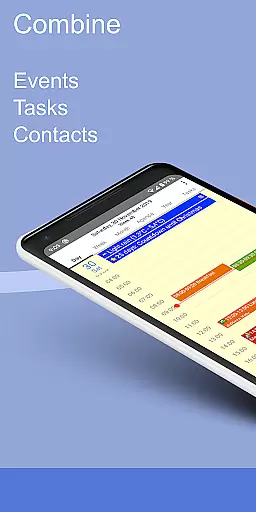
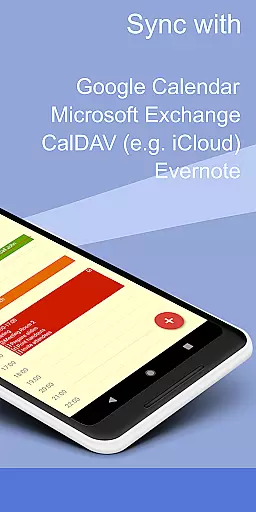
CalenGoo is a comprehensive productivity app designed to help users efficiently manage their events and tasks. The app offers extensive synchronization options, allowing seamless integration with Google Calendar, Exchange, CalDAV, and iCloud either directly or via the Android calendar. With features like attaching photos, files, and Evernote notes to events, it enhances event management by providing additional context.
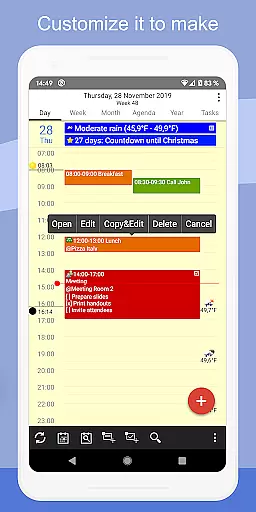
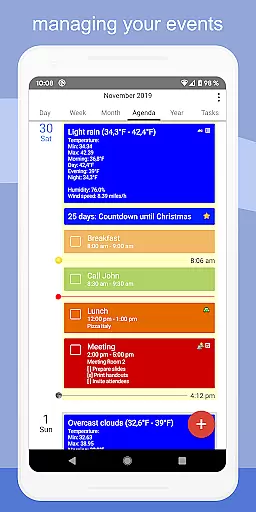
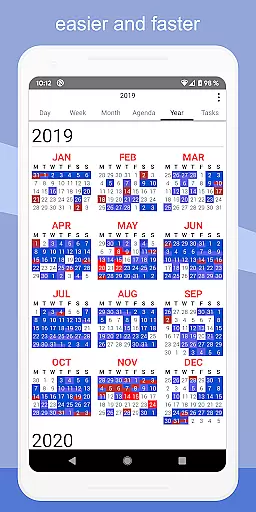
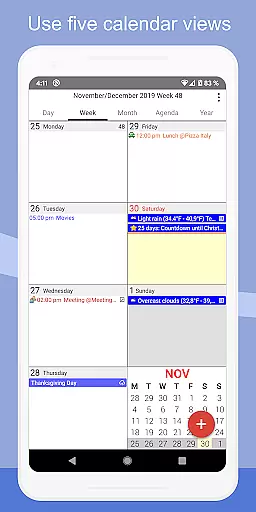
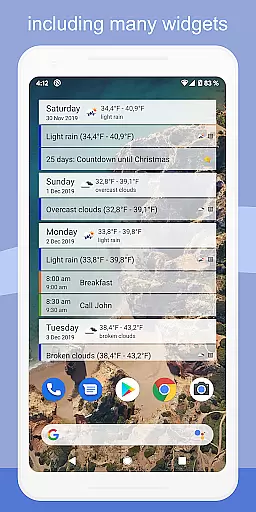
The app stands out with its customizable views including day, week, month, agenda, and year formats, along with four distinct agenda view styles. Users can take advantage of drag-and-drop functionality for organizing events, set up various reminders, and even print events to PDF. Its widgets bring convenience by displaying events right on the home screen, making CalenGoo an all-in-one solution for personal and professional scheduling needs.
CalenGoo boasts an array of powerful features tailored to maximize productivity. One of its key strengths is the ability to sync not only future but also past events across multiple platforms such as Google Calendar, Exchange, CalDAV, and iCloud. This ensures that users have a complete overview of their schedules at all times.
In addition to robust syncing capabilities, CalenGoo allows users to attach photos, files, and Evernote notes to events, offering enriched context for each entry. The app supports weather forecasts, event icons, and five different calendar views complemented by four agenda view styles. With functionalities like drag-and-drop event management, widgets for home screen access, and diverse reminder options, CalenGoo empowers users to tailor their experience precisely to their preferences.
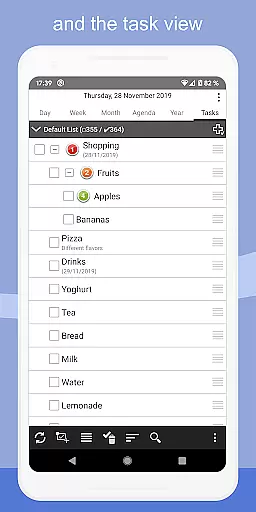
CalenGoo offers robust core task management features that allow users to efficiently organize and track their events and tasks. The app provides seamless synchronization with multiple calendar services such as Google Calendar, Exchange, CalDAV, and iCloud, ensuring all past and future events are up-to-date across devices.
Users can attach photos, files, and even Evernote notes to events, enhancing the detail and context of each entry. With options for various reminder functions including notifications, pop-up windows, and spoken reminders, staying on top of important tasks has never been easier.
The app also supports five types of calendar viewsu2014day, week, month, agenda, and yearu2014alongside four styles of agenda views, catering to different user preferences. Additionally, drag-and-drop functionality allows for easy event management, while widgets provide quick access to schedules directly from the home screen.
One of CalenGoo's standout features is its reliable cross-device synchronization, which ensures that your data remains consistent whether you're using a smartphone, tablet, or computer. By syncing directly with Google Calendar, Exchange, CalDAV, and iCloud, it guarantees real-time updates and accurate information at all times.
This synchronization extends beyond just calendar events; tasks too can be synced across platforms, maintaining coherence in both personal and professional environments. Users benefit from shared calendars, making collaboration straightforward and efficient.
Furthermore, the inclusion of weather forecasts and birthday reminders adds another layer of utility, keeping users informed about environmental conditions and social commitments alike. With extensive configuration options available under 'Settings', users can tailor the experience precisely to their needs, ensuring optimal performance and usability.
Extensive sync options
Customizable views
Rich event details
User-friendly interface
Versatile reminder system
Complex setup process
Feature overload for beginners
Limited free trial
No built-in email client
Premium cost for full access

Professional calendar app for Google Calendar, MS Outlook & Exchange
 4.20
4.20
The Pro Version of Android's tiniest Notepad app. Just 0.3MB but feature-packed!
4.60
Protect and view your important info on your phone and tablet with eWallet®
4.80
Secure, open-source, SPICE and SSH Remote Desktop for QEMU KVM virtual machines
4.00
Calendar 2023 widget for Android. Appointment scheduler, planner, and reminder
4.60
A simple Whisper AI keyboard for reliable speech transcription and rewording
4.60
The ultimate file manager for rooted devices. The original and still the best.
4.00
Experience and share your SolidWorks designs on your Android® phone and tablet.
2.50
Daily processing of PDF documents.
4.40
Scientific calculator for Android - looks and operates like the real thing!
4.90
Best Tool for the professionals Electrician, Electrical contractors, etc.
4.90
Understand anything with a personalized AI research assistant
4.80
Functional QR scanner and barcode reader that requires little storage space.
4.60
The AI assistant that thinks with you - write, code, and solve complex tasks
4.60
A Pixel Art watchface inspired by other iconic 90s designs for Wear OS devices!
4.40
This small app MUST BE INSTALLED after purchase, else license won't work
4.40
When you Focus, so will your Bean in this cozy focus timer
4.30
Take control of your clipboard with Clipper!
3.90
Simple and reliable communication between inmates, friends and family
3.20


User Reviews