
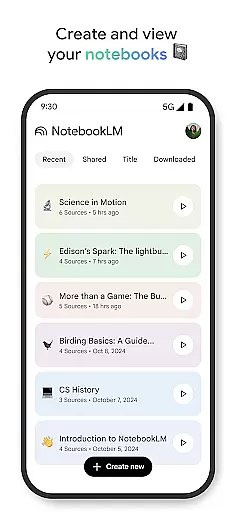
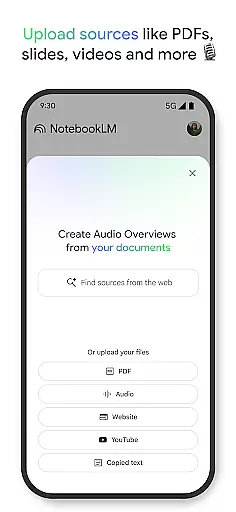
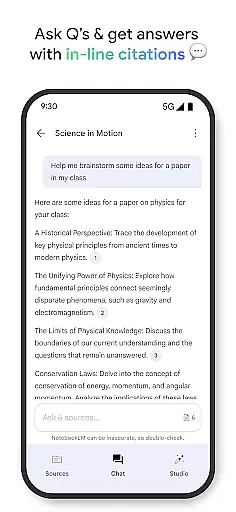
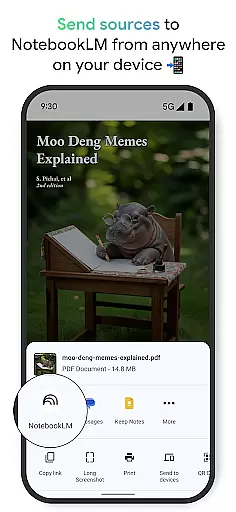
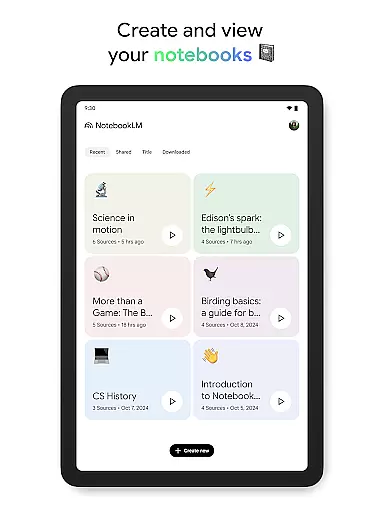
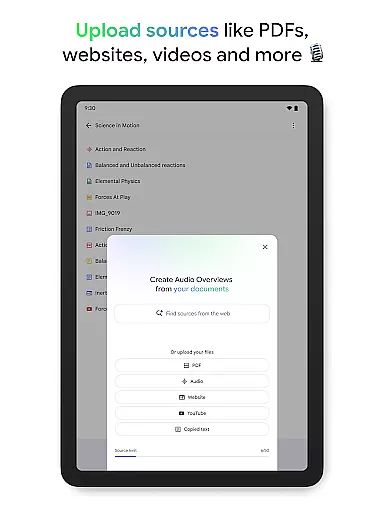
NotebookLM is a productivity tool designed to simplify complex information management. This AI-powered app allows users to upload various sources such as PDFs, websites, and videos, transforming them into easily digestible formats. Users can create notebooks, ask questions about the content, and receive trustworthy insights with cited sources.
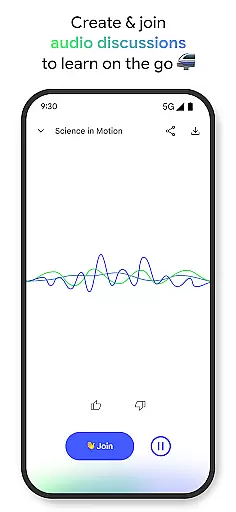
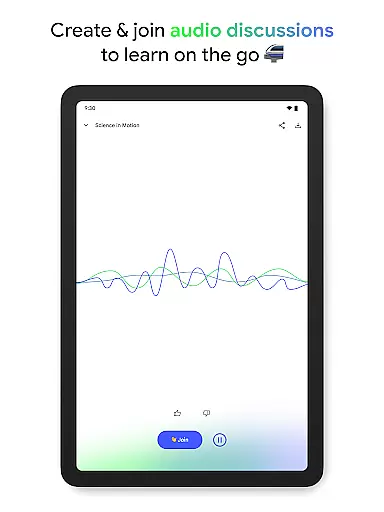
The app's standout feature is its ability to generate podcast-style Audio Overviews, enabling learning on the go with background playback and offline support. Whether you're a student, researcher, or professional, NotebookLM helps save time and enhances productivity by making information more accessible and adaptable to individual learning preferences.
NotebookLM offers several distinctive features that set it apart in the productivity category. The app's source uploading capability supports multiple formats including PDFs, websites, and YouTube videos, all consolidated within personalized notebooks. Its AI engine doesn't just store information but actively processes it, creating meaningful connections between different sources.
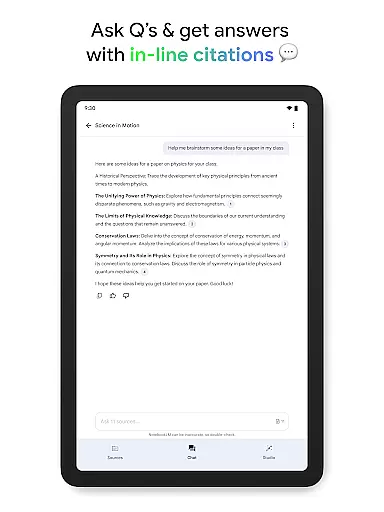
Users benefit from flexible learning options through Audio Overviews - an innovative podcast-style discussion feature hosted by two AI personalities. This functionality, combined with the ability to engage in interactive Q&A sessions, makes information processing more dynamic and personalized. The app maintains academic integrity by providing in-line citations, ensuring all generated insights are verifiable and reliable.
Effective task management is crucial for productivity, and Google NotebookLM excels in this area by transforming complex information into manageable insights. The app allows users to upload various sources such as PDFs, websites, and videos, turning them into organized notebooks.
Once the information is structured within notebooks, NotebookLM leverages AI to generate summaries and draw connections between different pieces of content. This functionality enables users to quickly grasp the essence of large volumes of data without getting lost in details.
Users benefit from the ability to ask questions about the content and receive trustworthy answers, thanks to the app's citation system that references original sources. This ensures accuracy and reliability, which are essential for professionals and students alike.
By integrating these features, Google NotebookLM not only simplifies task management but also enhances learning and research capabilities, making it an indispensable tool for anyone looking to efficiently handle information.
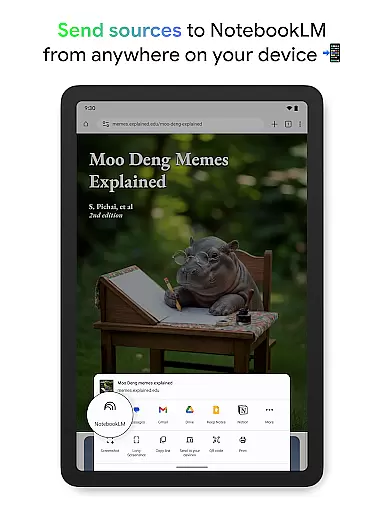
Cross-device synchronization is a key feature for modern productivity tools, allowing seamless transitions between devices. Google NotebookLM addresses this need by providing reliable access to notebooks across multiple platforms, ensuring users can continue their work wherever they left off.
The app supports background playback and offline access for Audio Overviews, which means users can listen to content even without an internet connection. This flexibility is particularly beneficial for individuals who are often on the move and require uninterrupted access to their materials.
Moreover, the synchronization process maintains the integrity of the uploaded sources and generated insights, so users do not have to worry about losing important information or updates. This reliability fosters confidence in using the app for critical tasks.
With its robust cross-device capabilities, Google NotebookLM empowers users to stay productive and engaged, regardless of their location or device, thus supporting a dynamic and flexible workflow.
User-friendly interface
Multi-format support
Offline functionality
AI-powered insights
Interactive learning
Limited free features
Occasional AI errors
Storage constraints
Premium subscription
Learning curve

A customizable calendar for your Wear OS watch
 4.20
4.20
QuickBooks Workforce lets teams view pay info and track time in one place.
4.70
The long-awaited modern gallery app for your Nextcloud server
4.70
Total remote control for your Android device, PC and cloud services (IFTTT)!
4.20
Customizable calendar widget for seamless event sync, planning & scheduling.
4.00
ID.me Authenticator is a simple and free Two Factor Authentication solution
3.50
Intelligent AI Assistant
4.10
Seamlessly read, manage, and organize all your PDF files solution in one place
4.40
Put a lock on your cloud: Take the security of your data into your own hands
3.70
Best Tool for the professionals Electrician, Electrical contractors, etc.
4.90
Android Wallet Password Manager
4.80
We're working to become the best machining app on the market! www.cncdirt.com
4.80
Simple notepad & memo. Take notes, to-do list, shopping list with reminders.
4.80
Client for Nextcloud Deck
4.60
Absolutely the best CNC machinist speed and feed calculator around. fswizard.com
4.60
A simple Whisper AI keyboard for reliable speech transcription and rewording
4.60
Easily read and manage all your PDF files
4.10
Secure, open-source, SPICE and SSH Remote Desktop for QEMU KVM virtual machines
4.00
Ultimate Virtual AI Character for immersive Roleplay Chat. Perfect Companion
3.90


User Reviews