
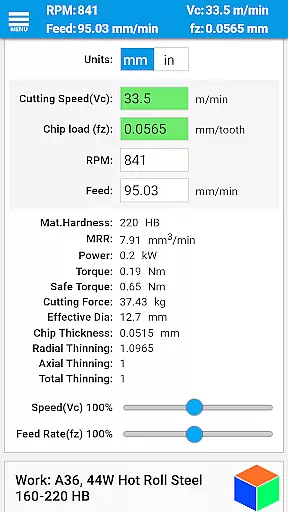
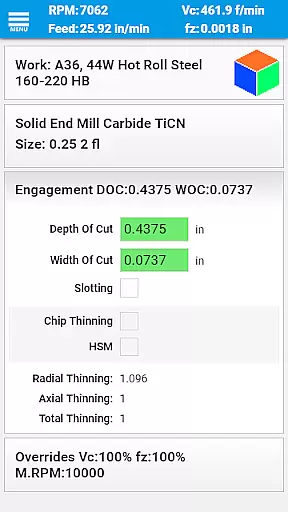

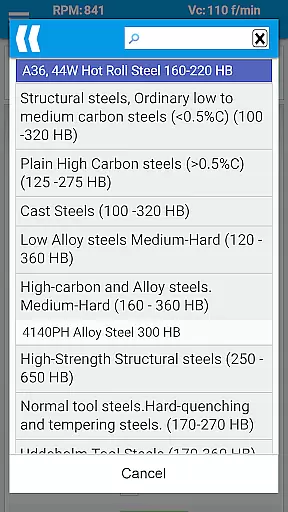
FSWizard Pro Machinist Calc is a premier CNC milling and turning speed and feed calculator designed for machinists by a machinist. This app simplifies the process of calculating speeds and feeds by only requiring the selection of work and tool materials, eliminating the need to memorize specific numbers. It supports a wide range of tools including indexed and solid endmills, drills, taps, and more.
The application not only calculates traditional speeds and feeds but also includes advanced features such as chip thinning and high-speed machining (HSM) calculations. FSWizard helps improve productivity and optimize cutter life, making it an essential tool for both novice and experienced CNC machinists.
FSWizard Pro stands out with its comprehensive feature set tailored specifically for CNC machining tasks. The app offers specialized calculators for milling, drilling, and tapping operations, including support for HSM and chip thinning. Users can calculate optimal depth and width of cuts, ensuring efficient material removal rates while maintaining tool longevity.
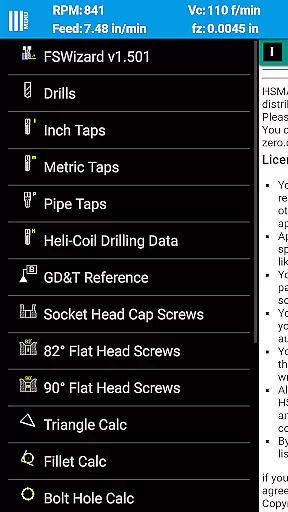
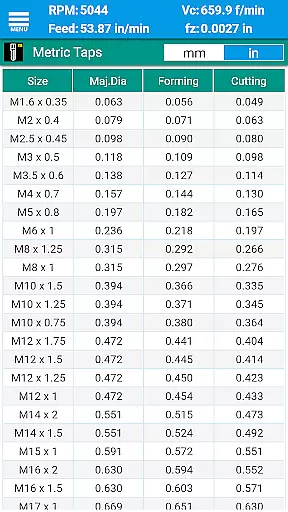
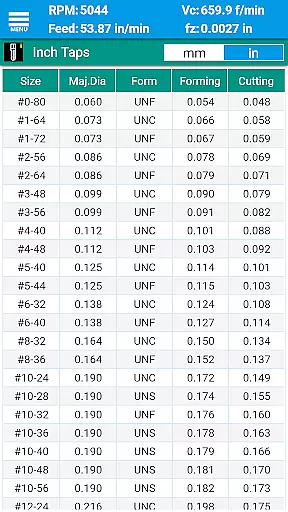
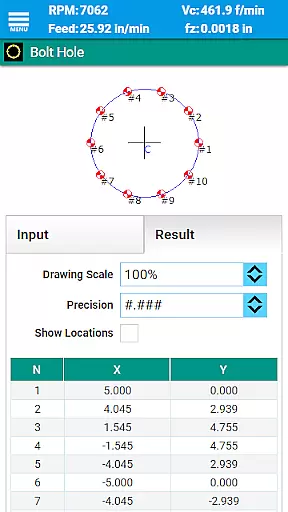
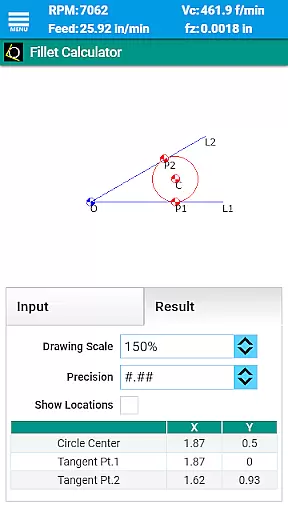
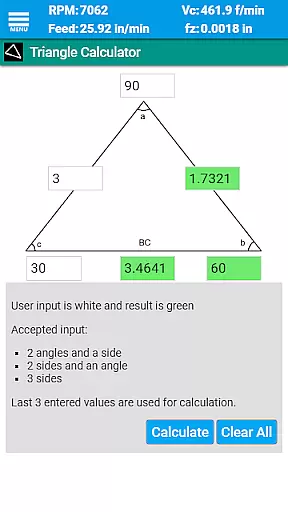
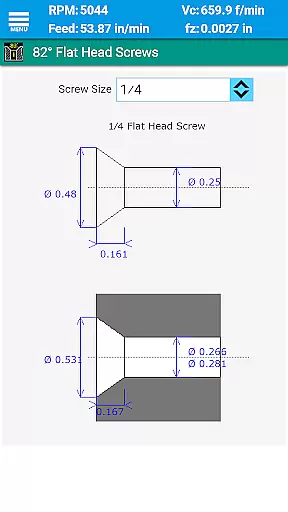
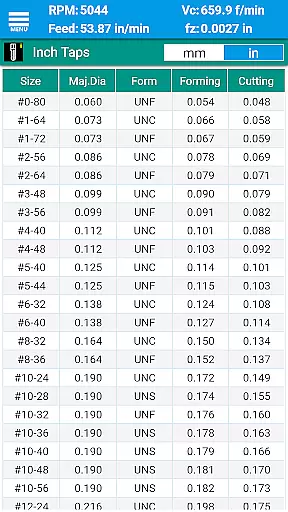
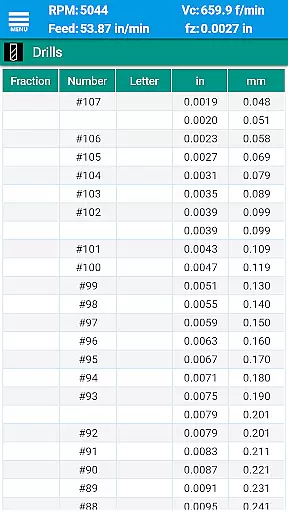
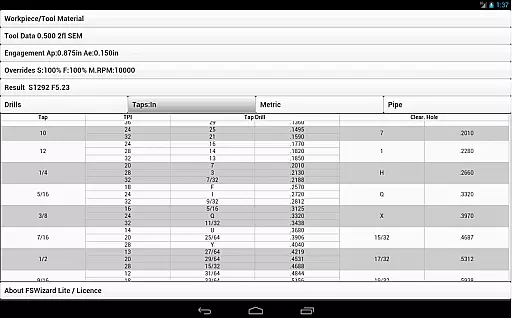
In addition to machining calculations, FSWizard Pro provides a rich set of reference materials and tools. These include drill charts, tap drill charts for various thread standards, helicoil threaded inserts information, and screw references in both imperial and metric systems. Interactive GD&T references, oblique triangle calculators, and scientific calculators further enhance the utility of this app for professional machinists.
For CNC machinists, core task management involves organizing and optimizing the calculations required for milling and turning operations. FSWizard Pro Machinist Calc excels in this domain by providing a comprehensive suite of tools tailored to these specific tasks.
The app simplifies complex machining calculations by allowing users to select their workpiece and tool materials without needing to memorize specific numbers. This intuitive approach streamlines the process of determining speeds and feeds, which are crucial for efficient machining.
FSWizard goes beyond basic calculations by incorporating advanced features like High-Speed Machining (HSM) and Chip Thinning analysis. These capabilities enable machinists to improve productivity while extending tool life through optimized cutting parameters.
By integrating various calculators and reference charts, the app ensures that machinists have all necessary information at their fingertips. From drill charts to GD&T references, FSWizard consolidates essential data, making it an indispensable tool for both novice and experienced CNC operators.
In today's fast-paced manufacturing environment, reliable cross-device synchronization is vital for machinists who need consistent access to their calculation tools. FSWizard Pro Machinist Calc addresses this need by offering a seamless experience across different devices.
The app maintains uniformity in its data presentation whether accessed on a smartphone or tablet, ensuring that users can switch devices without losing functionality or facing discrepancies in their calculations. This consistency is particularly important when working with precise machining parameters.
While FSWizard doesn't explicitly advertise cloud synchronization, its robust design guarantees that updates and improvements are consistently reflected across all installations. This means machinists can rely on having the most current material data and calculation methods regardless of their device.
The app's compatibility with both metric and imperial units further enhances its reliability across different regions and industries. This dual-system support, combined with its comprehensive feature set, makes FSWizard a trustworthy companion for CNC professionals worldwide.
User-friendly interface
Comprehensive tool library
Advanced calculation options
Wide range of reference materials
Supports both imperial and metric units
Premium version required for full access
Steep learning curve for beginners
Limited offline functionality
No video tutorials included
Occasional updates may cause temporary instability

Secure, fast, open-source, VNC and SSH Remote Desktop for Windows, Linux and Mac
 4.70
4.70
Native client for Forgejo and Gitea
5.00
All in one sketching tool. Technical and General drawing. Online Maps support.
3.70
Direct Chat without saving contacts & Dual WA Account on Single Device
4.70
Android Wallet Password Manager
4.80
Make apps & sites with natural language prompts
4.10
The AI assistant that thinks with you - write, code, and solve complex tasks
4.60
Secure, open-source, SPICE and SSH Remote Desktop for QEMU KVM virtual machines
4.00
Note taking, handwriting, record audio, PDF annotation, planner & journal
4.20
Best Tool for the professionals Electrician, Electrical contractors, etc.
4.90
Seamlessly integrate data and reports to build your presentation to impress
4.80
Mind Map and brainstorm, note taking and idea collection
4.80
QuickBooks Workforce lets teams view pay info and track time in one place.
4.70
Okta MFA
4.70
Stay on top of your to-dos with Google Tasks, part of Google Workspace.
4.60
A customizable calendar for your Wear OS watch
4.20
Todo reminder
4.10
Take control of your clipboard with Clipper!
3.90
Make your handwriting beautiful, even more than pen on paper.
3.60


User Reviews