
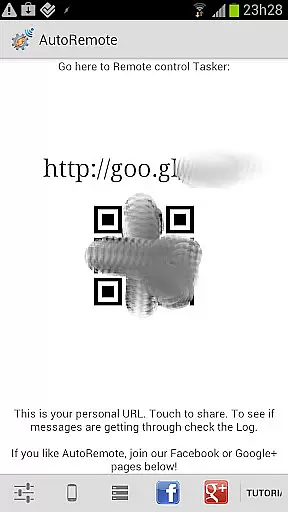
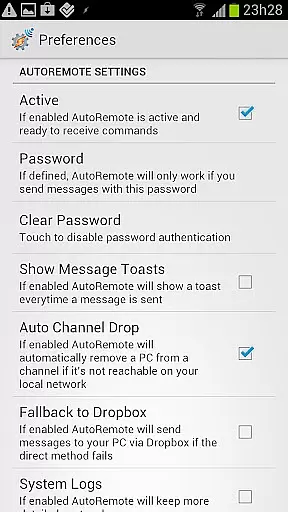
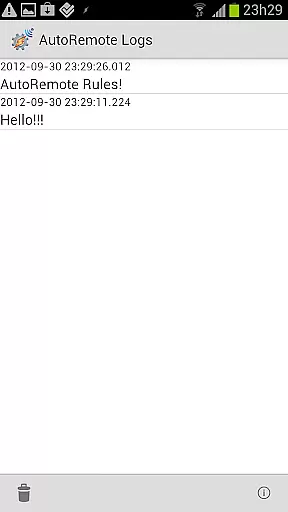
AutoRemote is a powerful productivity tool that allows users to remotely control their devices, including phones, PCs, and web services. With its seamless integration with Tasker and standalone apps, it enables users to send push notifications and react to them from anywhere. The app offers an unprecedented level of control, allowing users to manage their Android devices from hundreds of web services like Facebook or Twitter, or even control their Linux PC remotely.
The possibilities with AutoRemote are endless. Users can control their PC or Chrome browser from their Android device, trigger actions based on specific messages, and enjoy bi-directional messaging between devices. Whether it's requesting your phone's location to be displayed on a map on your tablet or sharing links directly from your phone to a larger tablet screen, AutoRemote provides a flexible command system and advanced matching options for fully customizable remote control.
AutoRemote stands out with its amazing flexibility and extensive feature set. The app supports device-to-device and PC-to-device messaging, enabling users to control one device from another or even from their PC. Its integration with Tasker allows users to create profiles that react to specific messages, providing limitless automation possibilities. Additionally, the app allows direct sharing of links or text via the Android Share menu, making it easy to transfer content between devices.
One of the key features of AutoRemote is its advanced matching options and flexible command system. Users can create custom commands for various tasks, such as locating a lost phone or receiving spoken reminders. The app also works seamlessly with web services like IFTTT, Zapier, and EventGhost, allowing users to trigger actions from virtually anywhere. With comprehensive guides and a Quickstart tutorial available, AutoRemote ensures users can maximize its potential for both personal and professional use.
Core task management is a fundamental feature for productivity applications like AutoRemote. This functionality allows users to organize, prioritize, and execute tasks efficiently across multiple devices.
AutoRemote achieves this by enabling seamless communication between devices through its innovative push notification system. Users can send commands from their PC or web browser, which are then processed by Tasker profiles on their Android device. This creates a robust remote control system that adapts to various use cases.
The practical benefits of this system are significant. For instance, users can trigger complex automation sequences from anywhere, ensuring their devices remain synchronized and responsive to their needs. Whether it's controlling smart home devices or retrieving important information, the task management capabilities are extensive.
This level of integration demonstrates how AutoRemote enhances productivity by bridging different platforms and devices. The ability to customize commands and reactions makes it an invaluable tool for power users seeking to optimize their digital workflows.
Cross-device synchronization reliability is crucial for applications that operate across multiple platforms. In the case of AutoRemote, this feature ensures consistent performance and data integrity between connected devices.
The application maintains synchronization through its sophisticated messaging system. By sending AutoRemote messages via URLs or the Share menu in Android, users can reliably transmit information between their phone, tablet, and PC. This process is supported by Tasker profiles that interpret and execute commands accurately.
Users benefit from this reliable synchronization in numerous ways. They can share links, text, or even request their phone's location to be displayed on another device. This seamless interaction enhances user experience by providing real-time access to critical information regardless of the device being used.
Ultimately, AutoRemote's synchronization capabilities exemplify how modern productivity tools should function. By ensuring that all devices remain interconnected and responsive, users can focus on their tasks without worrying about technical inconsistencies or data loss.
User-friendly interface
Extensive customization options
Seamless third-party integrations
Flexible command system
Bi-directional messaging support
Requires technical knowledge
Complex setup process
Limited built-in templates
Premium features locked behind paywall
Occasional connectivity issues

A customizable calendar for your Wear OS watch
 4.20
4.20
Absolutely the best CNC machinist speed and feed calculator around. fswizard.com
4.60
PDF scanner & converter for files, photos, lottery, QR codes. One swipe away!
4.50
Translate text/voice/photos in 150+ languages. Offline & fast translator app.
4.50
Create and edit presentations with Google Slides, part of Google Workspace.
4.00
Scientific calculator for Android - looks and operates like the real thing!
4.90
Use powerful, industry-leading AI tools to generate visual charts from any data
4.80
Okta MFA
4.70
Daily processing of PDF documents.
4.40
Understand anything with a personalized AI research assistant
4.80
QuickBooks Workforce lets teams view pay info and track time in one place.
4.70
Scan paperwork into PDF/JPG, generate your own e-signature and send fax or email
4.70
Stay on top of your to-dos with Google Tasks, part of Google Workspace.
4.60
Calendar 2023 widget for Android. Appointment scheduler, planner, and reminder
4.60
A Pixel Art watchface inspired by other iconic 90s designs for Wear OS devices!
4.40
Secure your apps with lock screens, use custom themes and different features.
4.40
Automates browsing any website and notifies you of important changes or events
4.30
Pwnagotchi companion app
4.20
Cloud storage, automatic phone backup, and more.
4.10


User Reviews