
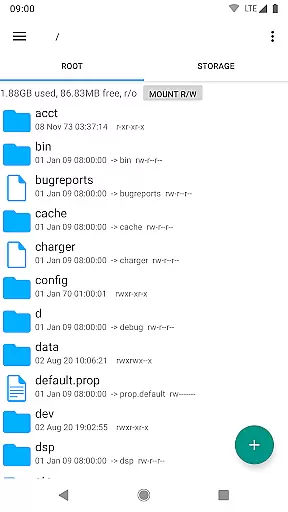
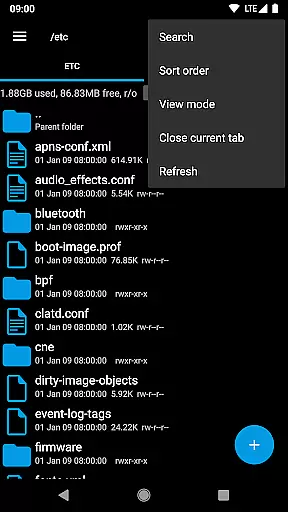
Root Explorer stands as a premier file management solution tailored for advanced Android users who require root access. This powerful app provides unrestricted access to the entire Android file system, including critical areas like the data folder that are typically inaccessible through standard means.
The application supports an extensive range of functionalities such as multi-tab navigation, cloud storage integration with Google Drive, Box, and Dropbox, and network support via SMB protocol. It also includes specialized tools like SQLite database viewer, text editor, and script execution capabilities. These features make it an indispensable tool for developers, power users, and IT professionals who need granular control over their device's file structure.
Whether you're managing complex file operations or performing system-level modifications, Root Explorer ensures efficiency and reliability. Its comprehensive feature set empowers users to handle any file management task with confidence, making it particularly valuable for those involved in Android development or device customization.
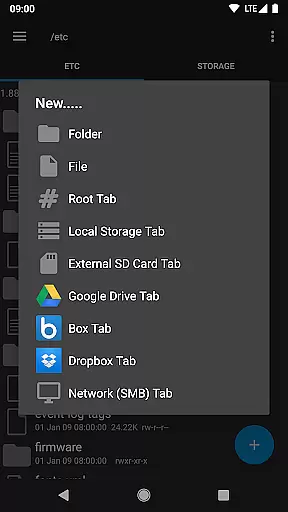
Root Explorer distinguishes itself through its rich feature set designed to meet the needs of tech-savvy users. The app offers multiple tabs for efficient navigation, allowing seamless switching between different directories and tasks. Integration with popular cloud services like Google Drive, Box, and Dropbox enables effortless file synchronization and backup across devices.
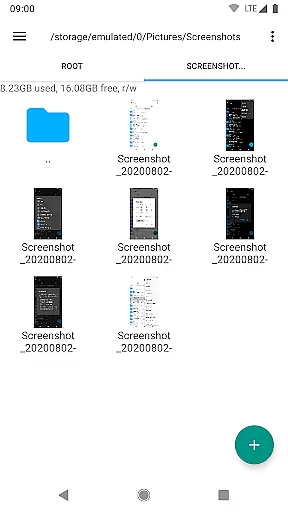
Advanced capabilities include a built-in SQLite database viewer and text editor, enabling direct modification of system files and databases. Users can create and extract various archive formats (ZIP, TAR, GZIP) and even unpack RAR files. The app supports executing shell scripts directly from the interface, streamlining automation tasks and system maintenance.
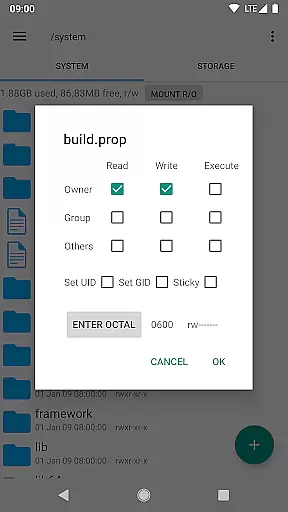
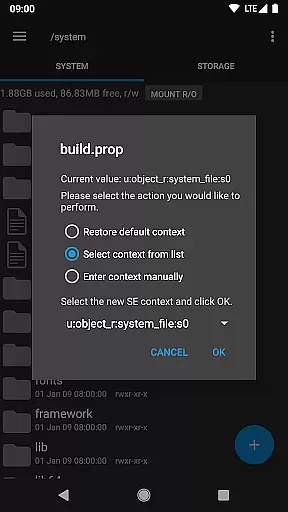
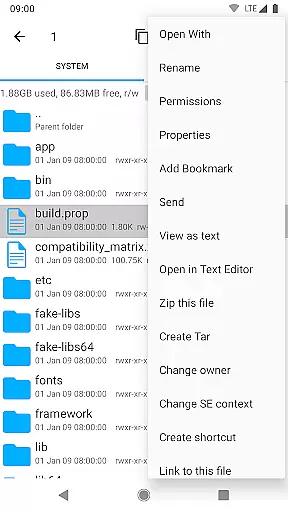
Additional features like MD5 checksum generation, symbolic link creation, and permission management provide complete control over file operations. With support for sending files via email or Bluetooth, image thumbnail previews, and APK binary XML viewing, Root Explorer delivers a comprehensive toolkit for managing Android devices at the deepest level.
Root Explorer excels in core task management by offering a comprehensive suite of tools for file handling. This includes multi-tab browsing, support for cloud services like Google Drive and Dropbox, and network (SMB) access.
The app allows users to perform complex operations such as creating and extracting zip or tar/gzip files, extracting rar archives, and executing scripts. These features ensure that users can efficiently manage their tasks without switching between multiple applications.
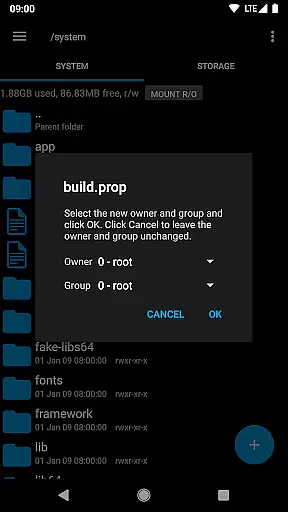
With functionalities like SQLite database viewer, APK binary XML viewer, and the ability to change file owner/group, Root Explorer provides advanced options that cater to power users who require detailed control over their file systems.
These robust task management capabilities make it an indispensable tool for users who need to handle intricate file operations on their Android devices, significantly enhancing productivity.
Cross-device synchronization is a critical feature of Root Explorer, ensuring that users can access their files across different platforms reliably. The app supports major cloud services including Google Drive, Box, and Dropbox, which facilitates seamless data transfer and backup.
By integrating with these cloud services, Root Explorer enables users to synchronize their important files automatically. This means that whether you're working from your phone, tablet, or computer, your files are always up-to-date and accessible wherever you go.
In addition to cloud support, the app also offers network (SMB) functionality, allowing users to connect to remote servers and share files within a local network. This enhances collaboration and ensures that teams can work together efficiently regardless of their physical location.
Overall, Root Explorer's reliable cross-device synchronization empowers users to maintain consistency and accessibility of their data, making it an essential tool for both personal and professional use.
Unrestricted file access
Multi-tab interface
Cloud storage integration
Advanced editing tools
Comprehensive archive support
Requires root access
Complex for beginners
No iOS version available
Premium price point
Occasional stability issues

Client for Nextcloud Deck
 4.60
4.60
Total remote control for your Android device, PC and cloud services (IFTTT)!
4.20
Easily read and manage all your PDF files
4.10
A lightweight JSON & XML files creator, editor and viewer (Premium Version)
4.40
Access, manage and transfer files on Android, PC, Mac, NAS and cloud storages.
4.30
Ultimate Virtual AI Character for immersive Roleplay Chat. Perfect Companion
3.90
Daily processing of PDF documents.
4.40
Set up, print, and get support—in one place
4.20
Put a lock on your cloud: Take the security of your data into your own hands
3.70
Seamlessly integrate data and reports to build your presentation to impress
4.80
Okta MFA
4.70
AI Chatbot and AI writing assistant powered by ChatGPT.
4.60
Planet Free VPN - The best Fast Unlimited and Secure VPN Without Logs
4.50
Automates browsing any website and notifies you of important changes or events
4.30
Device's storage information in a simple and clear graphical form (infographics)
4.10
Font maker keyboard with your own handwriting
4.10
Unlock AutoNotification
4.00
Create and edit presentations with Google Slides, part of Google Workspace.
4.00
ID.me Authenticator is a simple and free Two Factor Authentication solution
3.50


User Reviews