
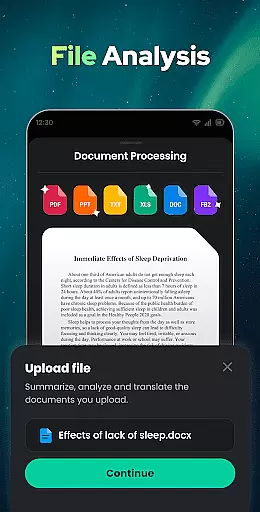
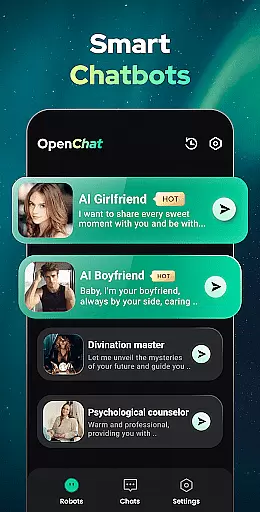
Open Chat is a cutting-edge AI chatbot application designed to revolutionize the way users interact with artificial intelligence. As the leading AI assistant app powered by ChatGPT, it leverages the latest advancements in AI technology to deliver human-like text responses across various topics and languages. Whether you need help with writing tasks, seek reliable advice, or simply want an engaging chat partner, Open Chat provides continuous and fluid conversations that adapt to your preferences over time.
This productivity tool stands out with its ability to answer questions in any field, assist with creative writing projects, and even act as a grammar checker. The app's multilingual support makes it an invaluable resource for language learners and international communication. With features like night mode, chat history, and a simple yet elegant UI, Open Chat creates a comfortable and efficient environment for all your conversational needs.
Users can benefit from this app in numerous scenarios, such as generating content for work or school, practicing language skills, or receiving helpful recommendations for entertainment activities. The app's versatility and adaptability make it an essential companion for anyone looking to enhance their productivity through intelligent conversation.
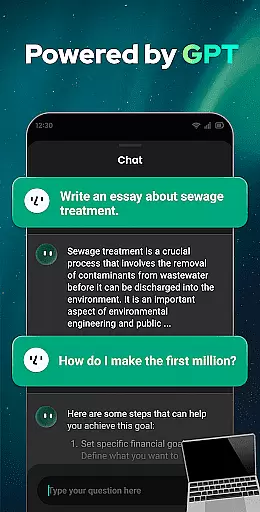
Open Chat distinguishes itself through a comprehensive set of features designed to maximize user productivity and engagement. One of its most notable capabilities is the integration of GPT-4 technology, which enables the app to provide sophisticated responses across various domains, from social matters to professional inquiries. This advanced AI foundation allows for continuous dialogue, where the chatbot remembers previous interactions and learns from them, creating increasingly personalized experiences.
The app's functionality extends beyond simple question-answer sessions. It serves as a powerful writing assistant, capable of helping users craft essays, stories, lyrics, and social media posts with ease. Its grammar checking feature ensures that all written content maintains high standards of accuracy and professionalism. Additionally, the multilingual support caters to global users, making it an excellent tool for translation and language practice.
What sets Open Chat apart from other productivity apps is its combination of practical utility and user-friendly design. The inclusion of night mode, automatic chat history saving, and role-playing capabilities demonstrates a commitment to both functionality and user comfort. These features collectively create an environment where users can focus on their tasks without distraction while enjoying seamless interaction with artificial intelligence.
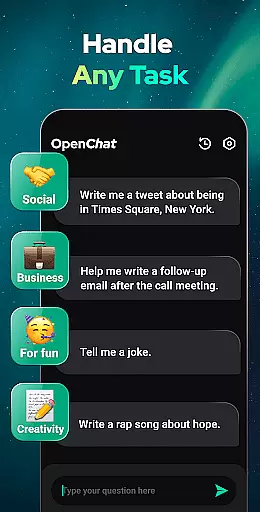
Effective task management is essential for productivity applications, serving as the backbone for organizing and executing tasks efficiently. Open Chat excels in this area by offering a versatile platform that handles any task thrown at it.
The app leverages cutting-edge ChatGPT technology to provide continuous dialogue and remembers chat history, allowing users to ask follow-up questions or continue previous conversations seamlessly. This feature ensures that task management is not only efficient but also personalized over time.
Users benefit from an AI chatbot that can answer questions in any field, assist with writing tasks, and even act as a reliable chat partner. Whether you need help with essays, social media posts, or creative writing, Open Chat adapts to your needs.
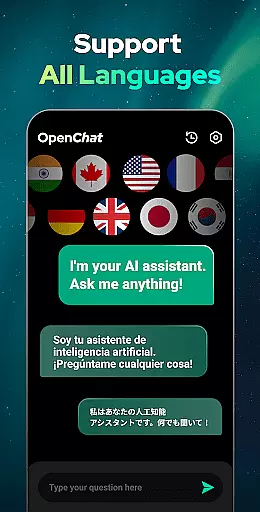
Moreover, the app's ability to support all languages adds another layer of utility, making it a powerful tool for multilingual task management. With Open Chat, users have a personal AI assistant for life, work, and study, ensuring they stay productive and organized.
Cross-device synchronization is crucial for users who operate across multiple devices and need their data to be consistently updated and accessible. Open Chat addresses this need by providing reliable synchronization features.
By automatically saving chat history, the app allows users to review past conversations and pick up where they left off on any device. This seamless transition between devices ensures that no information is lost and productivity remains uninterrupted.
The application's night mode and simple, elegant UI further enhance the user experience, making cross-device usage comfortable and visually consistent. These design choices reflect a commitment to usability and accessibility.
Open Chat's synchronization capabilities ensure that whether you're switching from a phone to a tablet or a computer, your AI chatbot is always ready to assist, creating a cohesive and reliable productivity ecosystem.
User-friendly interface
Multilingual support
Advanced AI technology
Continuous learning capability
Versatile writing assistance
Limited offline functionality
Occasional response latency
Subscription-based premium features
Privacy concerns with chat history
Dependence on internet connection

A Revolutionary All-in-One Artificial Intelligence Tools
 3.80
3.80
The long-awaited modern gallery app for your Nextcloud server
4.70
The Pro Version of Android's tiniest Notepad app. Just 0.3MB but feature-packed!
4.60
Remotely view listen control and record cameras.
3.70
Customizable calendar widget for seamless event sync, planning & scheduling.
4.00
Stay on top of your to-dos with Google Tasks, part of Google Workspace.
4.60
A comprehensive suite of tools designed specifically for Lactation Consultants
4.3
Best Tool for the professionals Electrician, Electrical contractors, etc.
4.90
Daily processing of PDF documents.
4.40
Functional QR scanner and barcode reader that requires little storage space.
4.60
PDF scanner & converter for files, photos, lottery, QR codes. One swipe away!
4.50
Tally and goal counter for Wear OS & mobile
4.50
A customizable calendar for your Wear OS watch
4.20
Easily read and manage all your PDF files
4.10
Activate Two Factor Authentication (2FA or Multi OTP), Password manager and more
4.10
Access your phone's notifications, calls, apps, photos & texts on your PC
3.90
Mega cloud explorer plugin for Solid Explorer
3.80
Code on-the-go with VScode for Android. Edit,debug and collaborate from mobile!!
3.10
Easiest event planning, volunteer signups & parent teacher conference scheduling
2.20


User Reviews