
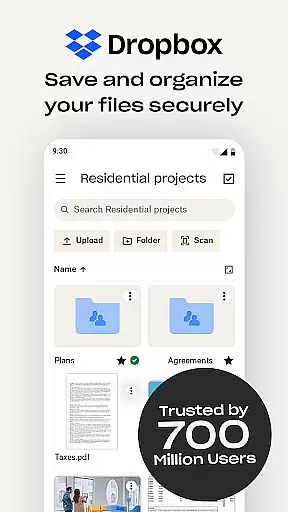
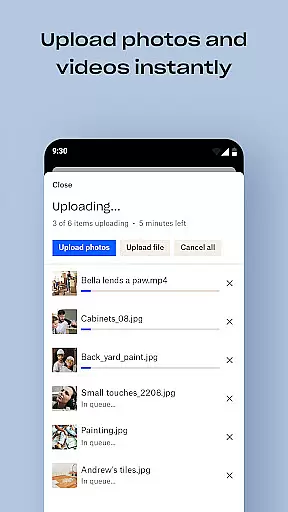
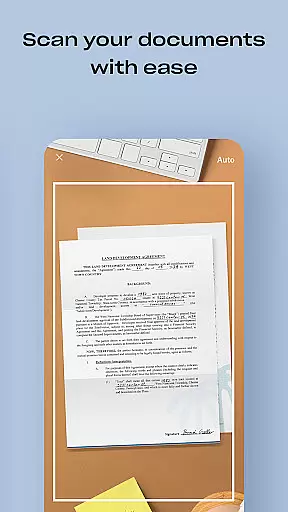
Dropbox is a leading cloud storage solution that allows users to securely backup, access, and manage essential files from any location. Trusted by over 700 million registered users, it offers reliable and private file management for individuals and teams alike. With features like automatic camera roll uploads, offline file access, and easy sharing of large files, Dropbox ensures seamless productivity.
The app also provides advanced functionalities such as document scanning, version history recovery, and secure file syncing across devices. Dropbox Plus enhances these capabilities with additional tools like Passwords, Vault, and Rewind, making it an all-in-one productivity suite for file storage, organization, and sharing.
Dropbox stands out with its robust feature set tailored for productivity. One of its key strengths is automatic photo uploads to cloud storage, enabling effortless photo sharing and management. Users can access over 175 file types without special software, ensuring compatibility across devices.
Advanced tools include document scanning, transforming images into high-quality PDFs, and Dropbox Rewind, which allows rolling back files or entire accounts up to 30 days. These features, combined with secure password syncing and sensitive document protection via Dropbox Vault, make it a versatile choice for both personal and professional use.
Dropbox excels in core task management by offering a comprehensive suite of tools designed to streamline file handling and organization. The app allows users to automatically upload photos, access files offline, and preview various file types without the need for special software.
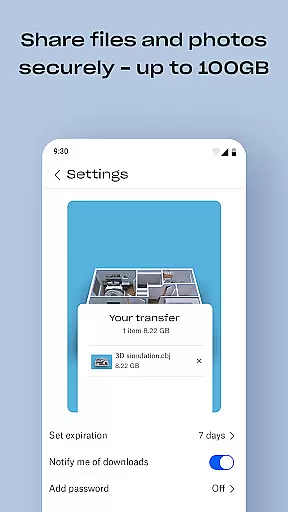
One of the standout features is the ability to easily send large files by sharing a link, even with those who do not have a Dropbox account. This functionality significantly enhances productivity by removing barriers associated with file size limitations and recipient restrictions.
Moreover, Dropbox's sync capabilities ensure that folders on your PC or Mac are consistently updated with the cloud, providing version history and file recovery options. This means users can recover older versions of their documents or restore deleted files, ensuring that their work remains intact and accessible.
The reliability and ease of use make Dropbox an essential tool for individuals and teams looking to manage their tasks efficiently. With secure access to private or shared files, Dropbox serves as a robust solution for all-in-one file storage, organization, transfer, and sharing needs.
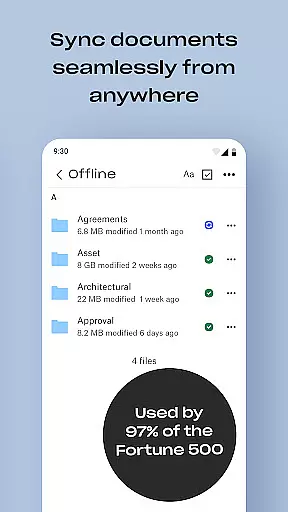
Cross-device synchronization is a cornerstone of Dropbox's service, ensuring that users have reliable and consistent access to their files across all devices. Whether you're using a PC, Mac, or mobile device, Dropbox maintains seamless integration and updates your files in real-time.
This synchronization extends beyond mere file storage; it includes advanced features like camera roll uploads to cloud photo storage, making it easy to share and manage photos from anywhere. Additionally, Dropbox offers document scanning capabilities, transforming your mobile device into a powerful tool for creating high-quality PDFs.
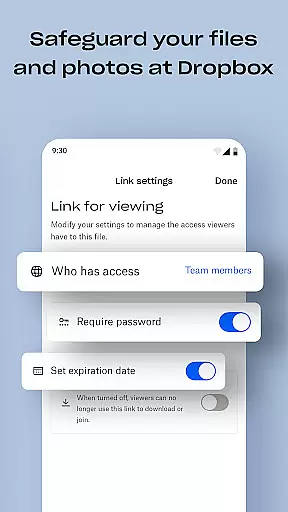
For users requiring extra security, Dropbox provides features such as Passwords, Vault, and Rewind. These tools allow users to store and sync passwords, secure sensitive documents, and roll back files or entire accounts for up to 30 days. Such functionalities underscore Dropbox's commitment to safeguarding user data while maintaining synchronization reliability.
Trusted by Fortune 500 companies and over 14 million paid users, Dropbox's dedication to security, privacy, and cross-device synchronization makes it a leader in the cloud storage industry. Users can confidently manage and share family albums, video albums, and more, knowing their data is protected and always available.
User-friendly interface
Secure file encryption
Offline file access
Easy file sharing
Cross-device syncing
Limited free storage
Paid subscription required
Occasional sync delays
No built-in editor
High cost for extra space

Take control of your clipboard with Clipper!
 3.90
3.90
Direct Chat without saving contacts & Dual WA Account on Single Device
4.70
A lightweight JSON & XML files creator, editor and viewer (Premium Version)
4.40
CalenGoo is a very flexible and feature-rich calendar app
4.40
Todo reminder
4.10
Stay on top of your to-dos with Google Tasks, part of Google Workspace.
4.60
Great calculator for Android named one of USA TODAY's "25 Essential Apps".
4.90
Intelligent AI Assistant
4.10
Set up, print, and get support—in one place
4.20
Seamlessly integrate data and reports to build your presentation to impress
4.80
Mind Map and brainstorm, note taking and idea collection
4.80
aCalendar+ makes your day, week and month
4.70
Quickly and easily keep track of your work shifts
4.70
App Lock with fingerprint, password: Lock apps & hide photos with lock screens
4.60
A simple Whisper AI keyboard for reliable speech transcription and rewording
4.60
Planet Free VPN - The best Fast Unlimited and Secure VPN Without Logs
4.50
Easily read and manage all your PDF files
4.10
Ultimate Virtual AI Character for immersive Roleplay Chat. Perfect Companion
3.90
A Revolutionary All-in-One Artificial Intelligence Tools
3.80


User Reviews