
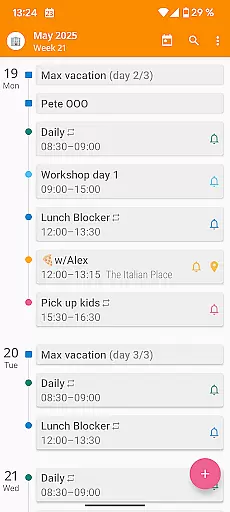

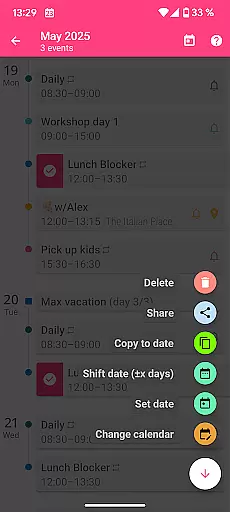
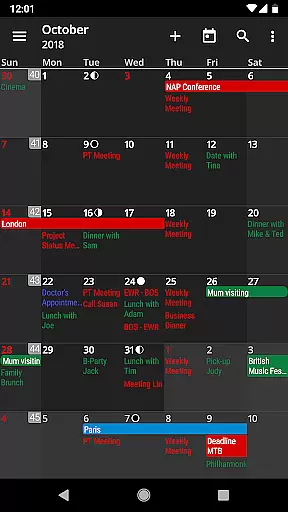
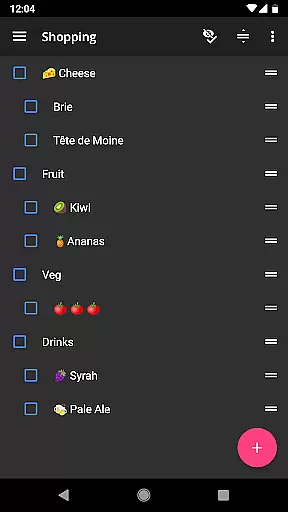
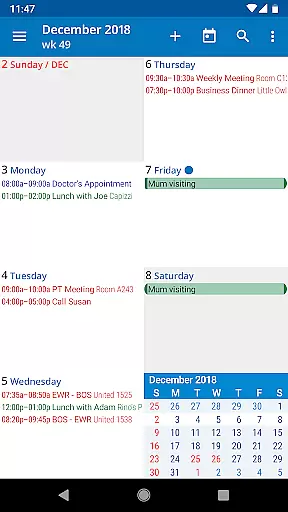
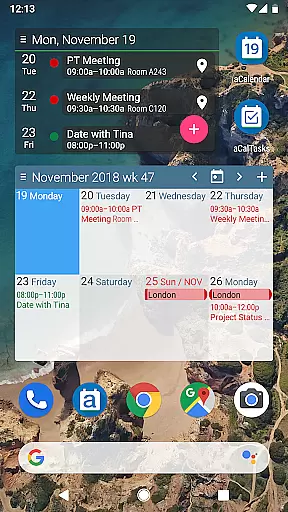
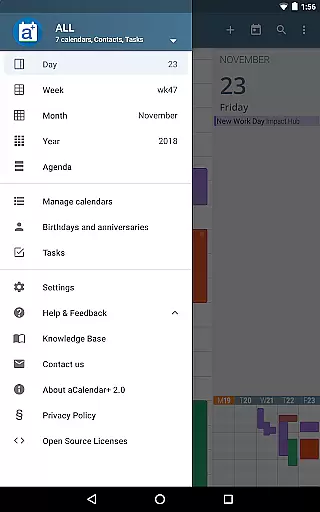
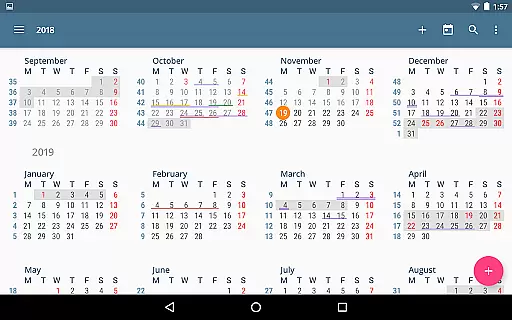
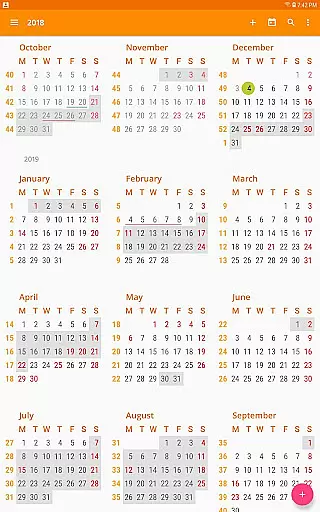
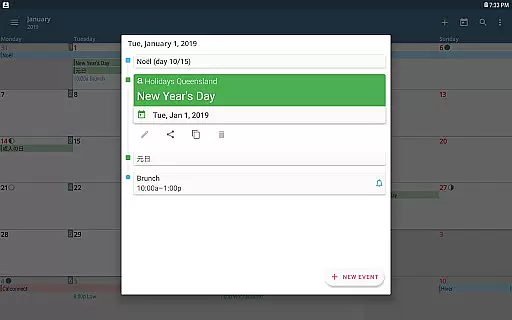
aCalendar+ is a premium productivity app designed to enhance your daily, weekly, and monthly planning. It offers an intuitive navigation experience with smooth transitions between day, week, month, and year views, ensuring you stay organized effortlessly.
One of the standout features of aCalendar+ is its extensive customization options. Users can choose from over 100 colors for calendar events, set custom event font sizes, and even manage tasks from Google Tasks or CalDAV/OpenTasks. These capabilities make it a versatile tool for both personal and business use.
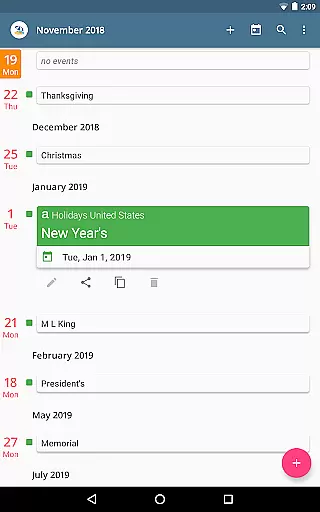
The app also supports public holidays and school holidays for various countries, making it easier to plan around important dates. With its fullscreen widgets and flexible recurrence options, aCalendar+ ensures that users never miss an important event or deadline.
aCalendar+ stands out in the productivity category due to its rich feature set tailored for efficiency and ease of use. The app provides advanced calendar functionalities such as managing public holidays, additional color themes, and business-oriented features like inviting attendees and sharing events as ICS files.
Task management is another core aspect of aCalendar+. Users can seamlessly handle Google Tasks or tasks from CalDAV/OpenTasks within the app. The ability to customize event colors and font sizes adds another layer of personalization, catering to individual preferences and enhancing usability.
Moreover, aCalendar+ respects user privacy by not sending private data anywhere unless explicitly configured by the user. With support for more than 30 languages and a commitment to rainforest conservation, this app combines functionality with social responsibility.
Effective task management is essential for productivity applications, and aCalendar+ excels in this area by offering comprehensive tools to manage your schedule efficiently. The app provides multiple views including day, week, month, and year, allowing users to organize their tasks with precision and clarity.
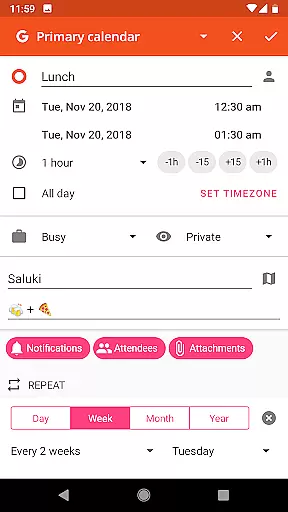
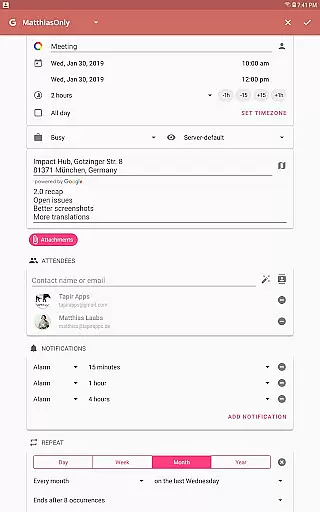
aCalendar+ goes beyond basic calendar functions by integrating advanced features such as flexible recurrence options for events, which can be set to repeat every few days, weeks, or specific weekdays. This ensures that users can customize their schedules down to the smallest detail, accommodating both regular routines and unique occurrences.
In addition to its versatile scheduling capabilities, aCalendar+ supports task management through Google Tasks and CalDAV/OpenTasks integration. Users can easily keep track of their to-do lists alongside their calendar events, streamlining their daily planning process. With over 100 color choices available for differentiating calendars and events, staying organized has never been more visually intuitive.
The user experience is further enhanced by intuitive navigation and interactive elements like Fullscreen widgets and configurable actions on various gestures. These features allow for seamless interaction with the calendar, making it simple to add, edit, or move events around as needed. By prioritizing usability and customization, aCalendar+ empowers users to take control of their time effectively.
In today's interconnected world, reliable cross-device synchronization is crucial for maintaining consistency across all your devices. aCalendar+ leverages Androidu2019s native calendar backend and synchronization protocols to ensure that your data remains up-to-date wherever you go. Whether you're switching between your phone, tablet, or computer, you can trust that your calendar will reflect the most current information.
The app also offers public holidays and school holidays for certain countries, which are configurable within the calendar list. This feature helps users plan their schedules while taking regional events into account, ensuring they never miss an important date due to lack of awareness about local observances.
Security and privacy are paramount concerns when dealing with personal data. aCalendar+ respects user privacy by only accessing data explicitly configured by the user themselves. There are no hidden permissions or unauthorized data transmissionsu2014everything operates transparently under the useru2019s control.
Furthermore, aCalendar+ includes business-oriented functionalities such as inviting attendees, linking contacts, managing free/busy statuses, setting private events, creating profiles, and sharing events as ICS files. These professional-grade tools enhance collaboration and communication among teams, making aCalendar+ not just a personal organizer but also a valuable asset in corporate environments.
User-friendly interface
Extensive customization
Advanced task management
Privacy-focused design
Supports multiple languages
Premium version only
No free version available
Limited to Android platform
Occasional sync issues
Some features need In-App-Purchase

QuickBooks Workforce lets teams view pay info and track time in one place.
 4.70
4.70
Customizable calendar widget for seamless event sync, planning & scheduling.
4.00
All in One PDF Reader: Manage, Read and Edit your Documents
4.20
Simple and reliable communication between inmates, friends and family
3.20
Multilingual translator for text, voice, and image translation!
4.90
A Pixel Art watchface inspired by other iconic 90s designs for Wear OS devices!
4.40
Scientific calculator for Android - looks and operates like the real thing!
4.90
Okta MFA
4.70
QuickEdit is a fast, stable and full featured text and code editor.
4.20
Seamlessly integrate data and reports to build your presentation to impress
4.80
Android Wallet Password Manager
4.80
The long-awaited modern gallery app for your Nextcloud server
4.70
App lock - lock apps with fingerprint, password, pin or pattern, protect privacy
4.70
The Pro Version of Android's tiniest Notepad app. Just 0.3MB but feature-packed!
4.60
Subscribe to Webcal & .ics calendars and keep them up-to-date!
4.50
A customizable calendar for your Wear OS watch
4.20
Make apps & sites with natural language prompts
4.10
Wake up & get tasks done! Add alarms & reminders on the Clock Launcher.
4.00
Access your phone's notifications, calls, apps, photos & texts on your PC
3.90


User Reviews