
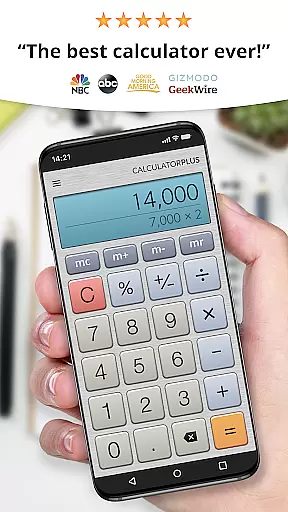
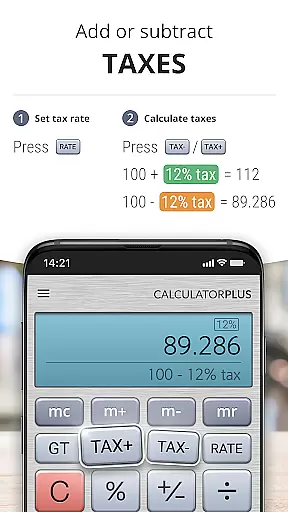
Calculator Plus stands out as an essential productivity tool designed to simplify and enhance everyday calculations. As a top-rated Android calculator app, it surpasses traditional handheld calculators with its elegant design and user-friendly interface. The app is perfect for various tasks, from shopping and homework to balancing checkbooks or assisting with tax calculations.
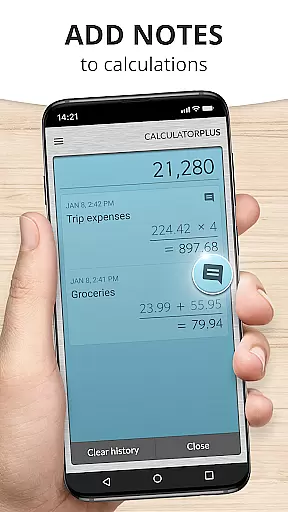
This calculator app offers advanced functionality while maintaining simplicity. It remembers all your calculations, allowing you to review them anytime and pick up where you left off. With clear, easy-to-read type, proper comma placement, and visible running totals, Calculator Plus ensures accuracy and efficiency in all your calculations. Its intuitive design makes it an indispensable tool for both casual and professional use.
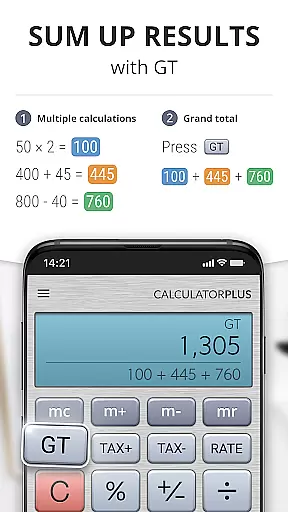
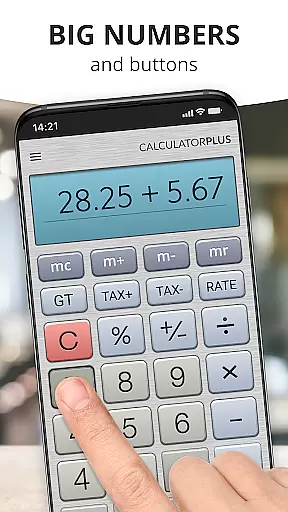
Calculator Plus boasts an array of features that make it the perfect calculation companion. The app displays calculations in elegant, easy-to-read typography with proper formatting, ensuring clarity during complex operations. Its memory function maintains running totals that are visible to users, eliminating guesswork in multi-step calculations.
The app's backspace feature allows users to correct mistakes without starting over, while swipe gestures reveal advanced mathematical functions when needed. Each percentage calculation is clearly displayed, removing confusion from financial computations. These thoughtful features combine to create an unparalleled calculating experience that maximizes productivity on both phones and tablets.
Calculator Plus excels in core task management by offering a seamless calculation experience that is both intuitive and efficient. The app allows users to perform everyday calculations with ease, ensuring that tasks such as budgeting, homework, and tax preparation are handled smoothly.
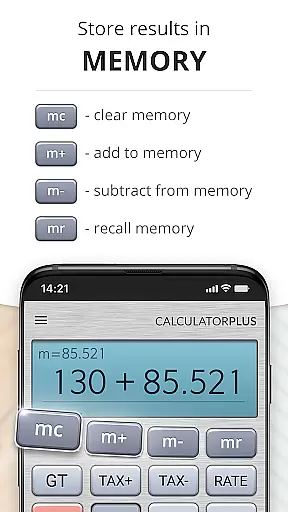
The calculator's memory functions enable users to maintain a running total, which is visually accessible, thus simplifying complex operations. This feature is particularly beneficial for those who need to keep track of financial transactions or any ongoing numerical data.
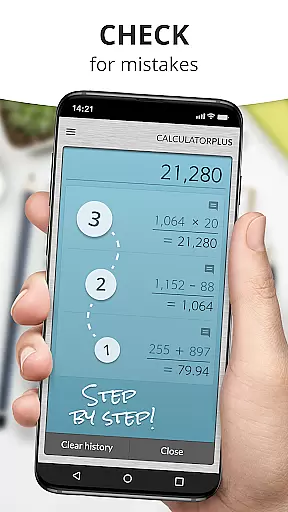
Moreover, the app's ability to save and review past calculations means that users can effortlessly pick up where they left off. This functionality not only saves time but also reduces the likelihood of errors that can occur when re-entering previous data.
With its clear, elegant type and logical layout, Calculator Plus ensures that users can focus on their calculations without distraction, making it an indispensable tool for anyone seeking productivity enhancement through accurate and swift computations.
While Calculator Plus does not explicitly advertise cross-device synchronization, it offers reliable accessibility across sessions on the same device, mimicking the benefits of cross-device functionality. Users can quit the app and return later to find their previous work waiting, providing a consistent experience akin to syncing data.
This consistency ensures that whether you're switching between apps on your Android device or returning after a break, your calculations are preserved. This pseudo-synchronization provides peace of mind, knowing that your data won't be lost if you need to attend to other matters.
Furthermore, the app's straightforward interface means there's no learning curve when accessing your calculations on the go, much like you would expect from a synchronized application. Its user-friendly design translates into immediate productivity, regardless of the context or timing of your return.
Although true cross-device syncing might appeal to some users, Calculator Plus's robust session management effectively bridges the gap, delivering a dependable and continuous calculation experience that supports productivity without the need for actual cloud-based synchronization.
User-friendly interface
Clear calculation display
Memory function with visible totals
Backspace correction capability
Advanced math functions accessible via swipe
Limited to basic calculator functions
No graphing capabilities
Requires manual input for all calculations
Interface may appear too simplistic for power users
Lacks specialized scientific functions

Android Wallet Password Manager
 4.80
4.80
Customizable calendar widget for seamless event sync, planning & scheduling.
4.00
Simple and reliable communication between inmates, friends and family
3.20
Enjoy classic gameplay with customizable features and retro-style graphics.
4.30
Access, manage and transfer files on Android, PC, Mac, NAS and cloud storages.
4.30
Best Tool for the professionals Electrician, Electrical contractors, etc.
4.90
A simple Whisper AI keyboard for reliable speech transcription and rewording
4.60
A Pixel Art watchface inspired by other iconic 90s designs for Wear OS devices!
4.40
Seamlessly read, manage, and organize all your PDF files solution in one place
4.40
Use powerful, industry-leading AI tools to generate visual charts from any data
4.80
Functional QR scanner and barcode reader that requires little storage space.
4.60
Experience Reading - Night Mode for Documents
4.40
Docker, Kubernetes management over Portainer Mobile
4.40
Activate Two Factor Authentication (2FA or Multi OTP), Password manager and more
4.10
Experience real multitasking on your Android!
4.00
Wake up & get tasks done! Add alarms & reminders on the Clock Launcher.
4.00
Create and edit presentations with Google Slides, part of Google Workspace.
4.00
A Revolutionary All-in-One Artificial Intelligence Tools
3.80
Make your handwriting beautiful, even more than pen on paper.
3.60


User Reviews