
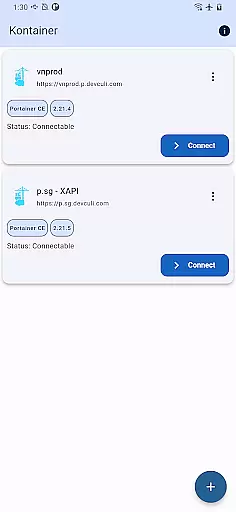
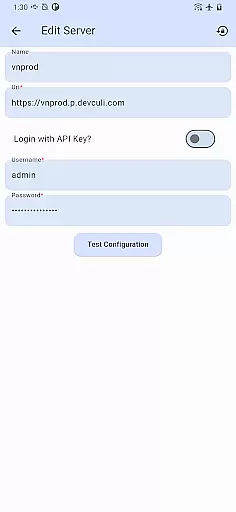
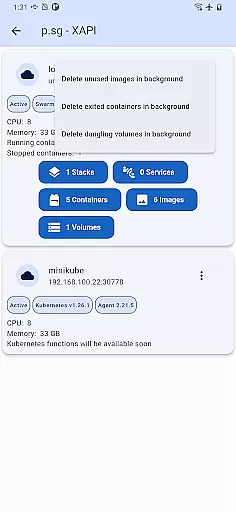
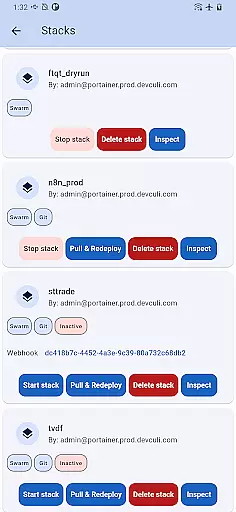
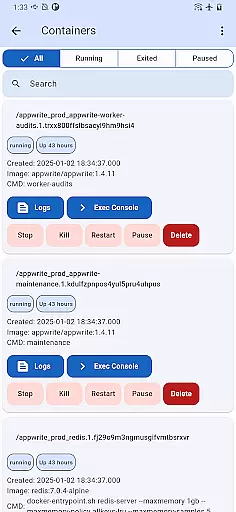
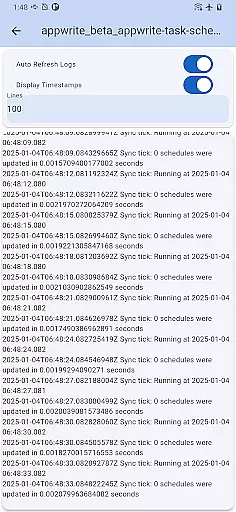
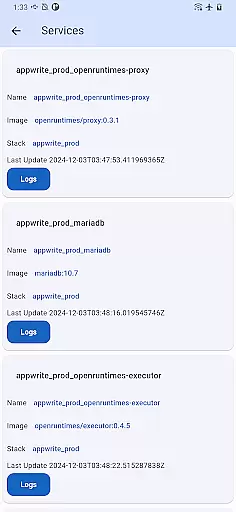
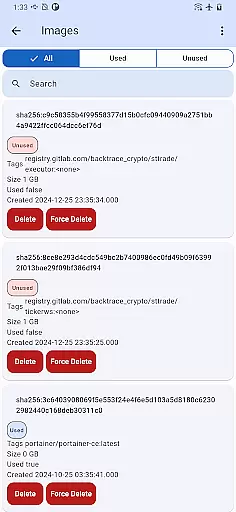
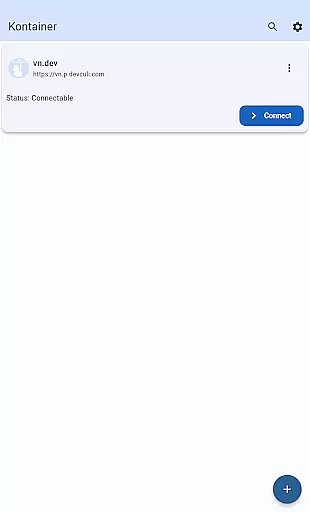
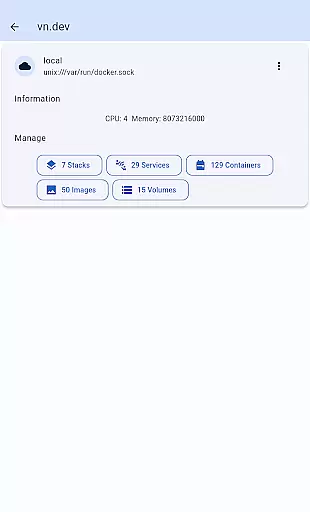
Portainer Mobile, also known as Kontainer, is a productivity-focused app designed to simplify container management for Docker and Kubernetes environments. It allows users to manage their deployments from anywhere, whether on developer laptops, in data centers, or across cloud and edge environments. The app's core functionality lies in its unified interface that supports multi-cluster and multi-device management, enabling seamless oversight of hybrid and multi-cloud setups.
Kontainer provides an efficient way to monitor, configure, and optimize container operations through a single view. This makes it ideal for IT professionals and DevOps teams who need real-time control over their infrastructure while on the go. By streamlining deployment processes and ensuring secure management, Portainer Mobile enhances operational efficiency and flexibility, empowering users with full control over their containerized environments directly from their mobile devices.
Portainer Mobile offers several standout features that make it a powerful tool for managing containerized environments. One key feature is its support for both Docker and Kubernetes endpoints, allowing users to oversee multiple environments within a unified dashboard. This eliminates the need to switch between different tools, saving time and reducing complexity.
Another notable feature is its multi-cluster and multi-device management capability. Users can manage various clusters and devices simultaneously, regardless of whether they are located on-premises or in the cloud. Additionally, the app ensures secure access to your infrastructure by providing role-based access controls and encrypted connections. These features collectively enhance productivity by simplifying complex workflows and offering a centralized solution for all container management needs.
Core task management is essential for overseeing containerized environments efficiently. Kontainer provides a unified interface that allows users to manage Docker and Kubernetes endpoints from a single view, streamlining the entire process.
The app supports multi-cluster and multi-device management, empowering users with full control over their deployments across hybrid and multi-cloud environments. This ensures that all tasks related to container operations can be monitored and configured effortlessly.
With Kontainer, users can optimize their container operations by simplifying deployment processes. This boosts efficiency and ensures secure management, all from the convenience of a mobile device.
By centralizing task management, Kontainer enables users to maintain high productivity levels while ensuring that their containerized applications run smoothly and efficiently.
Cross-device synchronization reliability ensures that your data remains consistent and up-to-date across all devices. Kontainer excels in this area by providing seamless integration between your mobile device and Portainer's container management platform.
Whether you're managing Docker or Kubernetes environments, Kontainer ensures that all changes made on one device are accurately reflected on others. This reliability is crucial for maintaining consistency in multi-cluster and multi-device setups.
The app's robust synchronization capabilities allow users to oversee their containerized deployments without worrying about data discrepancies. This feature is particularly beneficial for teams working in hybrid and multi-cloud environments.
With Kontainer, you can trust that your container operations will remain synchronized, enabling you to focus on optimizing performance and security without any interruptions.
User-friendly interface
Multi-cluster support
Unified dashboard
Secure access controls
Real-time monitoring
K8S functions pending
Limited offline use
Premium feature costs
Device compatibility
Learning curve

A Revolutionary All-in-One Artificial Intelligence Tools
 3.80
3.80
Take control of your clipboard with Clipper!
3.90
Total remote control for your Android device, PC and cloud services (IFTTT)!
4.20
Device's storage information in a simple and clear graphical form (infographics)
4.10
CalenGoo is a very flexible and feature-rich calendar app
4.40
App lock - lock apps with fingerprint, password, pin or pattern, protect privacy
4.70
Multilingual translator for text, voice, and image translation!
4.90
Subscribe to Webcal & .ics calendars and keep them up-to-date!
4.50
A simple Whisper AI keyboard for reliable speech transcription and rewording
4.60
Secure, fast, open-source, VNC and SSH Remote Desktop for Windows, Linux and Mac
4.70
Direct Chat without saving contacts & Dual WA Account on Single Device
4.70
A beautiful digital clock with autostart and many other functions
4.70
Okta MFA
4.70
Stay on top of your to-dos with Google Tasks, part of Google Workspace.
4.60
To do list widget with a notebook organizer, checklist, simple shopping list
4.60
A Pixel Art watchface inspired by other iconic 90s designs for Wear OS devices!
4.40
Create and edit presentations with Google Slides, part of Google Workspace.
4.00
Secure, open-source, SPICE and SSH Remote Desktop for QEMU KVM virtual machines
4.00
Simple and reliable communication between inmates, friends and family
3.20


User Reviews