

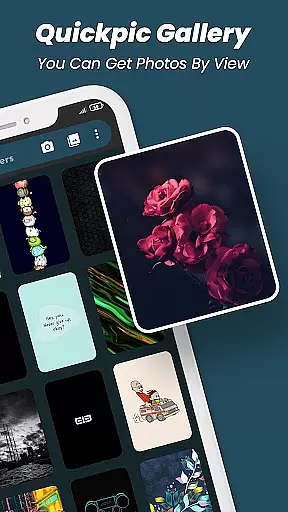
Quickpic Gallery Pro is a premium gallery app designed to help users efficiently manage and organize their photos and videos. The app offers an ad-free experience, ensuring uninterrupted usage while providing powerful tools for media management. With support for a wide range of file formats including JPEG, PNG, MP4, and RAW, it ensures full flexibility in handling various types of multimedia files.
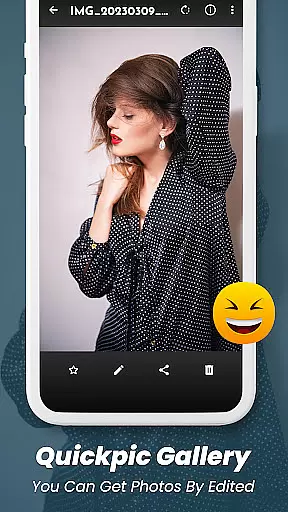
One of the standout features of Quickpic Gallery Pro is its advanced photo editor, which allows users to crop, rotate, and apply stylish filters with ease. Additionally, the app provides robust security options such as PIN, pattern, and fingerprint protection, safeguarding private media. Its user-friendly interface and customizable design make it a top choice for Android users seeking a reliable and versatile gallery solution.
Quickpic Gallery Pro boasts a comprehensive set of features that cater to both casual and power users. The app supports an extensive variety of file types, from common formats like JPEG and MP4 to more specialized ones like RAW and SVG. This versatility ensures that users can manage all their media files within a single platform. Furthermore, the app's intuitive timeline view and dark mode enhance the overall user experience by offering both aesthetic appeal and practical functionality.
Security and recovery are also prioritized in Quickpic Gallery Pro. Users can protect their private photos and videos using advanced security features such as PIN, pattern, or fingerprint locks. In case of accidental deletion, the app includes a recycle bin feature that allows for quick recovery of lost files. With additional capabilities like photo editing, dedicated video playback, and seamless sharing options, Quickpic Gallery Pro stands out as a complete productivity tool for managing digital media.
At the heart of Quickpic Gallery Pro lies its robust core task management system, designed to streamline how users interact with their multimedia files. This productivity app allows for seamless organization and handling of images and videos, ensuring that every file is easily accessible and manageable.
The app's functionality extends beyond simple viewing; it enables users to copy, move, rename, hide, and delete files with ease. With dedicated options for creating new folders and organizing media into specific categories, Quickpic Gallery Pro transforms a typically mundane task into an efficient workflow.
Users benefit from advanced features such as photo editing capabilities, which include cropping, flipping, rotating, resizing pictures, and applying stylish filters. These tools not only enhance productivity but also empower users to refine their content creatively without leaving the app.
By integrating these comprehensive management tasks within a user-friendly interface, Quickpic Gallery Pro ensures that whether you're sorting through personal memories or managing professional portfolios, your experience remains smooth and intuitive.
Quickpic Gallery Pro excels in providing reliable cross-device synchronization, a feature that is essential for users who manage their media across multiple devices. This ensures that all photos and videos are consistently updated and accessible, regardless of where they were added or modified.
The app supports various file types including JPEG, PNG, MP4, MKV, RAW, SVG, GIF, panoramic photos, and videos. Such versatility guarantees that no matter the format, your files will be synchronized accurately and efficiently across your devices.
Security is paramount when dealing with personal data. Quickpic Gallery Pro addresses this by offering superior protection features like PIN, pattern, or fingerprint scanning to safeguard private content. Even if your device falls into the wrong hands, your precious memories remain secure.
With its ability to recover accidentally deleted files and maintain privacy while synchronizing, Quickpic Gallery Pro stands out as a dependable solution for those seeking a seamless blend of convenience and security in their digital life.
User-friendly interface
Extensive file support
Advanced security features
Powerful photo editing tools
Recycle bin for file recovery
Premium version only
No cloud backup option
Limited social integration
Occasional performance lags
Offline use only

A Revolutionary All-in-One Artificial Intelligence Tools
 3.80
3.80
Professional calendar app for Google Calendar, MS Outlook & Exchange
4.20
Send files, sync SMS, notifications & clipboard across devices via local network
4.40
Pwnagotchi companion app
4.20
Multilingual translator for text, voice, and image translation!
4.90
* block pre-roll ads, pop-up and forced redirect ads * Samsung certification app
4.00
A Pixel Art watchface inspired by other iconic 90s designs for Wear OS devices!
4.40
Share files & memories safely. Keep your photos and videos secure.
4.40
Scan paperwork into PDF/JPG, generate your own e-signature and send fax or email
4.70
8 custom complications. Custom Time Fonts. Beautiful color schemes. A++ Design.
5.00
Mind Map and brainstorm, note taking and idea collection
4.80
Secure, fast, open-source, VNC and SSH Remote Desktop for Windows, Linux and Mac
4.70
Client for Nextcloud Deck
4.60
Absolutely the best CNC machinist speed and feed calculator around. fswizard.com
4.60
Planet Free VPN - The best Fast Unlimited and Secure VPN Without Logs
4.50
CalenGoo is a very flexible and feature-rich calendar app
4.40
Secure your apps with lock screens, use custom themes and different features.
4.40
Customizable calendar widget for seamless event sync, planning & scheduling.
4.00
Experience and share your SolidWorks designs on your Android® phone and tablet.
2.50


User Reviews