
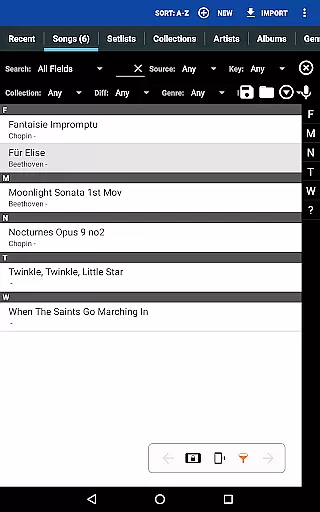
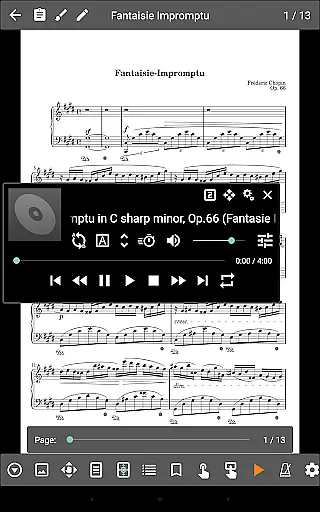
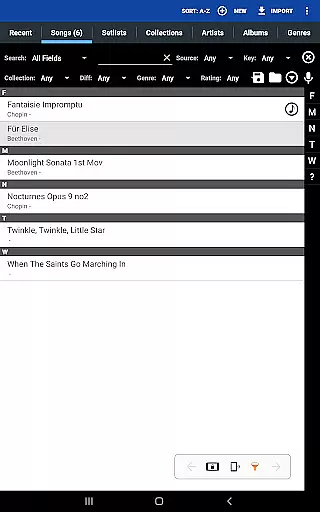
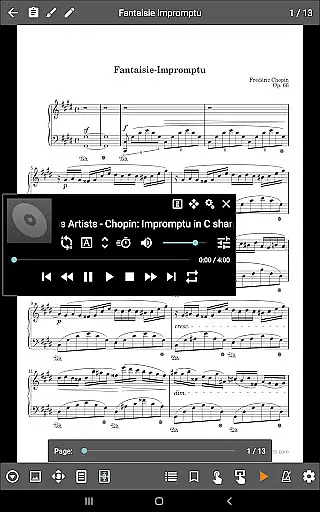
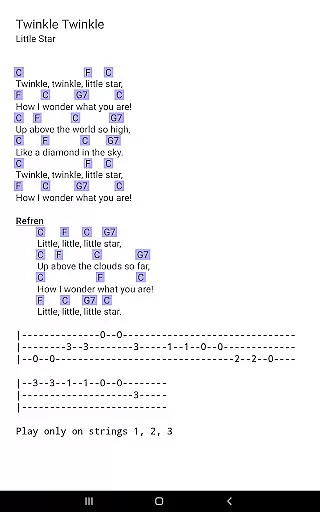
MobileSheets is a premier sheet music viewer designed specifically for Android tablets, offering musicians an efficient and versatile solution to manage and access their entire music library. The app eliminates the need for physical sheet music by providing instant access to any score directly on your device. With support for multiple file types including PDFs, images, and chord pro files, MobileSheets ensures compatibility with various formats while delivering powerful features tailored for musicians.
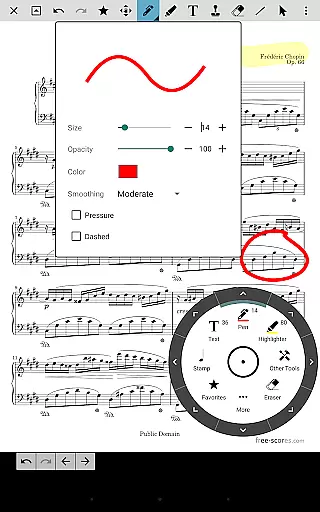
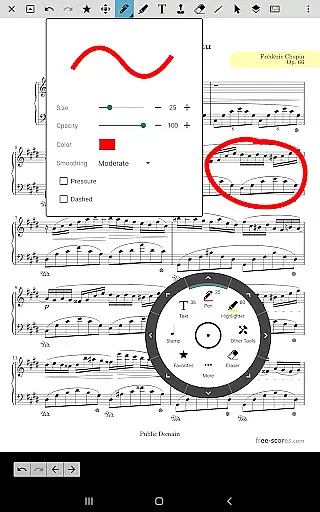
One of the standout capabilities of MobileSheets is its hands-free page-turning functionality, which can be operated via Bluetooth or USB devices, automatic scrolling, or even facial gestures like smiling. Additionally, it offers advanced tools such as annotations, custom audio playback with A-B looping, metronome functions, bookmarks, and smart buttons that trigger configurable actions. These features make practice sessions more productive and performances smoother, enhancing both preparation and execution for musicians.
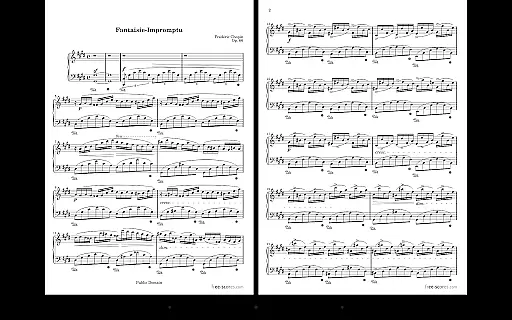
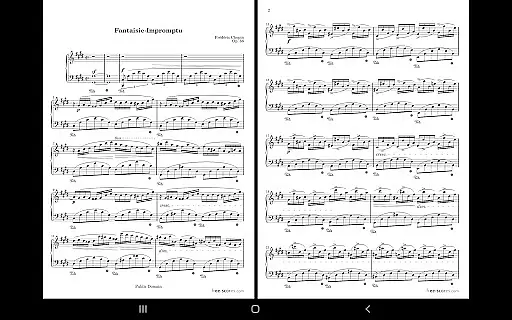
MobileSheets boasts an extensive array of features designed to meet the diverse needs of musicians. One key feature is its multiple modes of operation, allowing users to view two pages side-by-side, utilize half-page turns, or scroll vertically through scores. This flexibility caters to different performance styles and preferences. Furthermore, the app supports MIDI communication over USB, enabling seamless integration with external devices to load songs or trigger specific actions during performances.
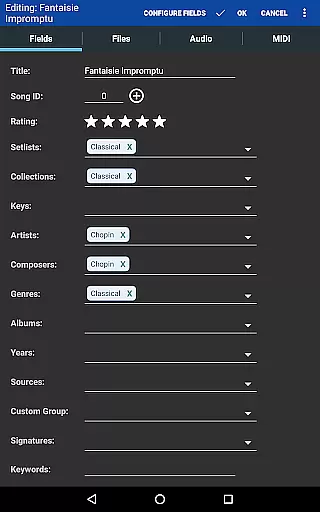
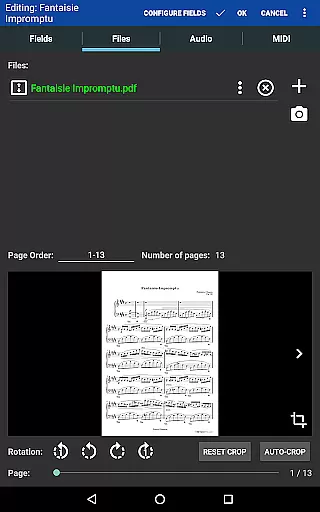
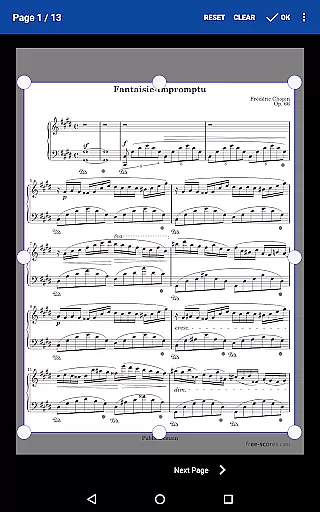
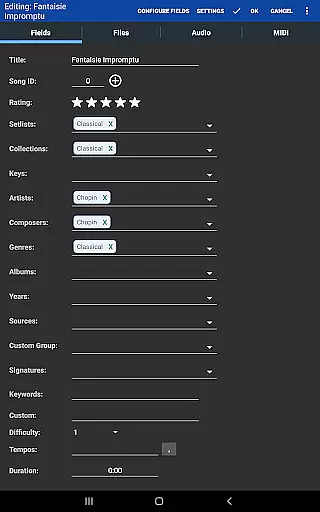
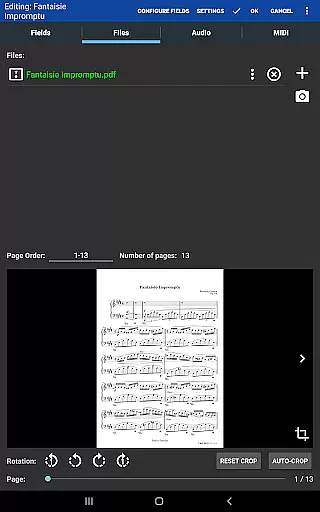
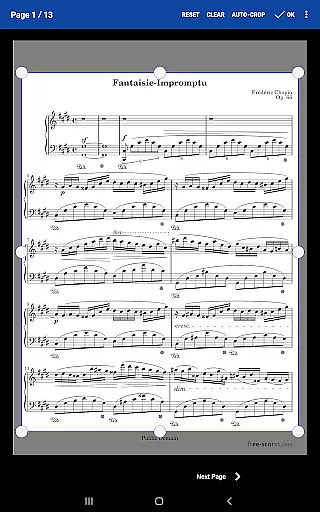
The app also includes robust library management functionalities, complete with customizable metadata fields that give users full control over how their music library is organized. Another notable feature is the ability to create setlists and collections, making it easy to group songs for efficient playback. Additionally, MobileSheets provides manual and automatic cropping options to remove unnecessary margins from sheet music, ensuring a clean and focused viewing experience. With these comprehensive features, MobileSheets empowers musicians to streamline their workflow and focus on what truly matters—their music.
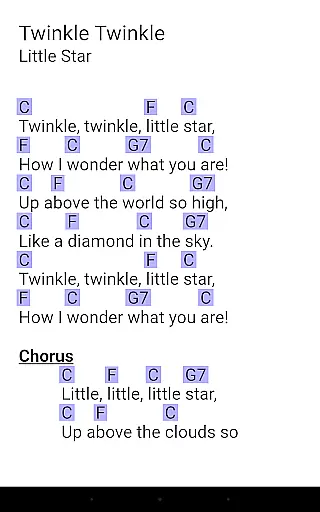
MobileSheets offers an extensive music library management system that supports a wide range of file types including PDFs, images, text files, and chord pro files. This versatility allows musicians to upload and access a vast array of sheet music and audio tracks directly on their Android tablets.
The application ensures copyright authenticity by enabling users to manage their legally acquired sheet music. It does not provide or distribute any copyrighted material itself but instead focuses on giving musicians the tools they need to organize and use their own collections efficiently.
With MobileSheets, musicians can create detailed metadata for each entry in their library, ensuring accurate cataloging and easy retrieval. This meticulous organization enhances the overall experience of navigating through one's personal collection.
Furthermore, the app supports importing CSV index files to break up large PDF songbooks, making it easier to handle extensive libraries while maintaining the integrity and authenticity of every piece of music stored within the app.
MobileSheets includes a custom audio player designed specifically for musicians who need high-quality playback options. The player supports various audio formats and provides features such as A-B looping, which is essential for practice and performance preparation.
Musicians can adjust the playback speed without affecting pitch, allowing them to slow down difficult passages or speed up sections as needed. This flexibility ensures that users can tailor the audio output to suit their specific needs and preferences.
In addition to playback controls, MobileSheets offers multiple display sizes for the audio player interface, ensuring optimal visibility and ease of use during performances or practice sessions. These customization options contribute to a seamless user experience.
Overall, MobileSheets' focus on delivering robust audio quality options underscores its commitment to providing musicians with a comprehensive toolset for managing both sheet music and accompanying audio tracks effectively.
User-friendly interface
Hands-free page turning
Customizable library
Powerful annotation tools
Versatile file support
No built-in playback for PDFs
Requires manual setup
Limited free features
Large file loading times
Not ideal for small screens

Formerly known as Spotistats! View your top tracks, artists, albums and more!
 4.40
4.40
Walkout Song DJ is the most intuitive app to manage your sports music.
4.70
Brian Eno and Peter Chilvers’ acclaimed music app Bloom, radically reinvented.
4.80
The ultimate media player for Android devices
3.90
Next generation modular control surface
4.10
USB audio recording and playback finally possible on Android 3.1 or higher!
3.90
The original SP-1200 experience on your iPad
4.20
PowerAudio is a powerful offline music player.
4.20
Reverse your voice & songs instantly! Fun singing challenge with cool effects.
4.60
Most Advanced AI Song Generator and Music Creator. Rap, Pop, Rock, Gospel & more
4.70
Offline Music Player&MP3 Player with themes, equalizer, lyrics, music play mode
4.60
Learn the notes on the guitar fretboard fast with this easy and fun app
4.60
Enhance the sound quality of your devices, listen to what you want
4.50
Guzheng Master supports many playing techniques as an acoustic Guzheng
4.50
Full featured mp3 and audio player with Chromecast and Android Auto support.
4.40
Offline and always ad-free - stream in the highest quality available.
4.10
The official Sonos app
4.10
Learn to play the piano using falling notes!
3.80
Make music anywhere. Turn your device into an instrument.
4.2


User Reviews