
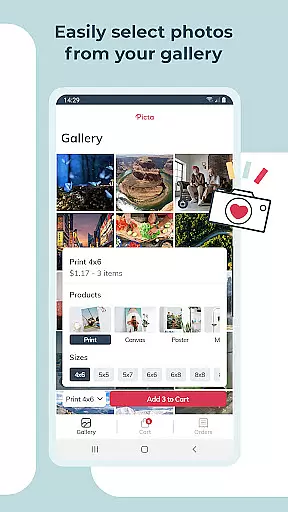
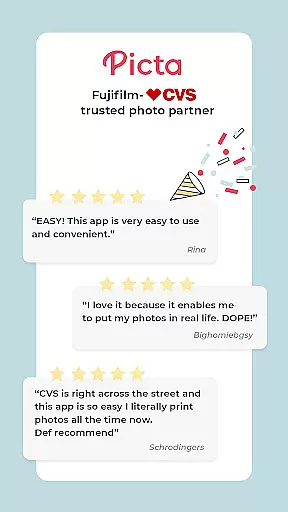
Picta x CVS Photo Print is a photography app that simplifies the process of printing photos directly from your mobile device. With this app, users can effortlessly select their favorite photos, choose print sizes ranging from 4x6 to 8x10, and even create custom products like magnets or greeting cards. The app's intuitive interface allows for easy cropping and zooming, ensuring each photo meets personal preferences before sending it off for printing.
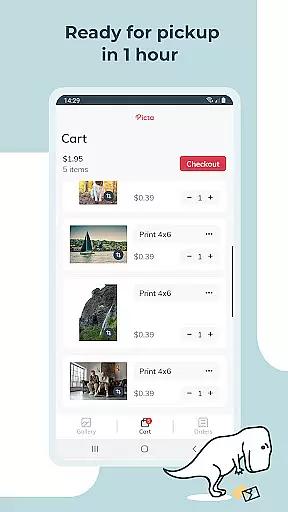
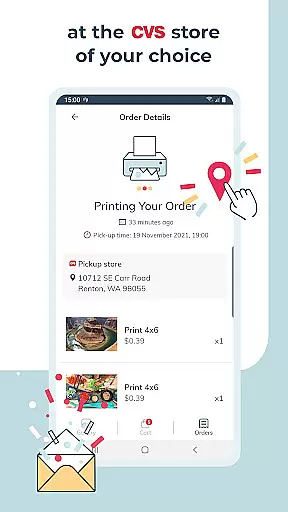
One of the standout features of Picta x CVS Photo Print is its seamless integration with CVS stores, enabling customers to place orders through the app and pick them up within an hour at their nearest location. This service not only saves time but also enhances convenience by eliminating the need to wait in line at the store. Whether you're looking to preserve cherished memories or create personalized gifts, this app offers a fast, reliable solution for all your photo printing needs.
The Picta x CVS Photo Print app boasts a range of features designed to enhance user experience and streamline the photo printing process. Firstly, it provides professional-quality photo printing services using glossy photo paper available in multiple sizes including 4x6, 5x7, and 8x10 prints, as well as square formats perfect for social media images. Additionally, the app supports the creation of personalized gifts such as magnets, greeting cards, and invitations, making it ideal for special occasions.
Another notable feature is the app's efficient photo transfer system, which ensures that your images are sent quickly and securely to the selected CVS store. Users also benefit from a built-in gallery that organizes photos by date taken, facilitating easy selection. Furthermore, real-time order tracking allows customers to monitor the status of their prints and plan their store visits accordingly. All products are manufactured in the United States, guaranteeing high standards of quality and reliability.
Real-time capture and preview functionality is essential for ensuring that users can accurately select and edit their photos before printing. With Picta x CVS Photo Print, the app provides an intuitive interface that allows users to choose their preferred photos with precision.
The app enables users to crop and zoom each picture easily within the app, ensuring that every photo meets their expectations before it is sent for printing. This real-time editing capability ensures that users have full control over the final appearance of their prints.
By offering a seamless experience from selection to print, users can expect high-quality results every time they use the app. The ability to preview edits in real time significantly enhances user satisfaction by reducing the likelihood of receiving unsatisfactory prints.
This feature not only saves time but also improves the overall user experience by providing confidence in the quality of the printed photos. Users can trust that their cherished memories will be transformed into professional-quality prints.
AI beauty and enhancement features are increasingly important in photo printing apps, allowing users to enhance their photos while maintaining a natural look. Picta x CVS Photo Print incorporates advanced AI technology to ensure that all enhancements preserve the authenticity of the original images.
The app offers tools that automatically adjust lighting, contrast, and color balance, making sure that every photo looks its best without appearing overly processed. These enhancements help bring out the true essence of each moment captured.
Users benefit from these AI-driven enhancements as they can achieve professional-looking results without needing extensive editing skills. The app's focus on naturalness ensures that enhanced photos remain true to life, preserving the emotional impact of the original shots.
With Picta x CVS Photo Print, users can confidently create personalized gifts such as magnets and greeting cards, knowing that their photos will look vibrant and lifelike. This commitment to quality enhances the overall appeal of the app for both casual and discerning photographers.
User-friendly interface
Wide range of print sizes
Fast in-store pickup
Secure photo transfer
High-quality prints
Limited to CVS stores
No direct payment option
Occasional delays
Few customization options
Notification opt-in required

All-in-One Editor & AI Photo Enhancer, Beautify & Retouch, Collage, Cartoonify
 4.20
4.20
Safe & smart flight with Go Fly drone controller for 40+ drone camera, zone map
4.50
Light-weight Media Gallery app for Android made with Jetpack Compose
4.60
The #1 app for B&W film developing featuring an advanced darkroom timer.
4.10
Photo editor & gallery. Crop pictures & edit photos offline, no wifi!
4.50
A reflected light meter with spot metering and incident light metering.
4.40
Luminar: Photo Editor - easy picture editing with AI
4.20
Pro version: AR sun/moon tracker for any date. Tool for photographers & planners
4.90
live datamoshing
4.00
Photo prints, cards, & gifts at Walgreens. Easy ordering & fast local pickup !
4.80
Unblur, enhance & restore photos with powerful AI photo enhancer tools.
4.60
AI photo editor with hair editor, retouch tools, hair color changer & filters!
4.50
AI photo enhancer with Sora 2! Enhance, descratch, and colorize your old photos.
4.50
Edit like a pro with Hypic. Apply filters, AI effects, & magic touch.
4.40
Natural Beauty, Selfie Retouch
4.30
Create AI Photos, Improve and restore quality of blurry, old or damaged pics.
4.20
Professional quality photo edits with the new Snapseed.
4.00
Hair color changer, AI haircut app, fun hair editor and buzz cut filter for all!
3.80
Perfect photos with body shaping, BG changer and object remover.
3.70


User Reviews