
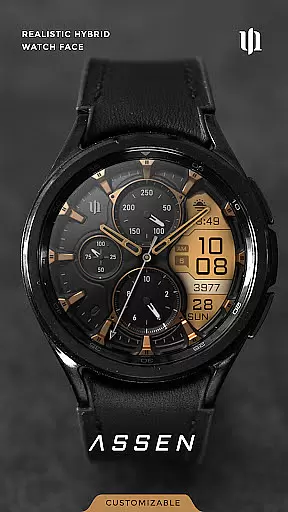
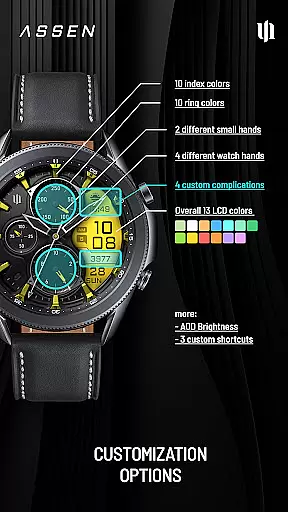
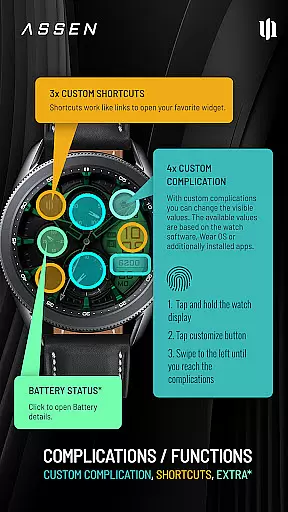
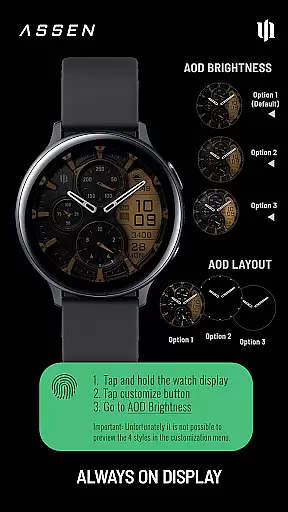
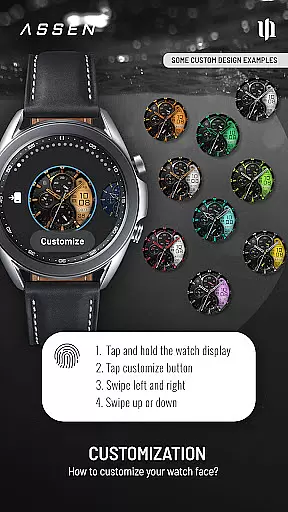
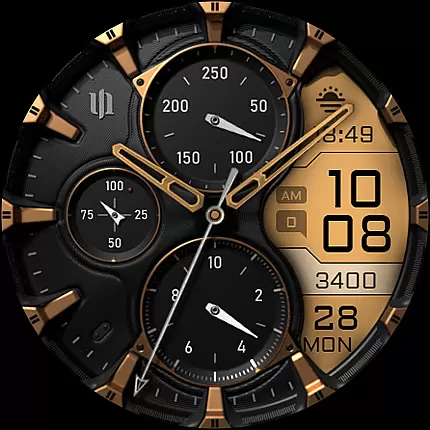
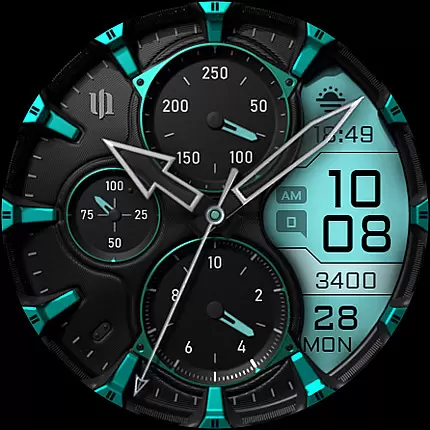
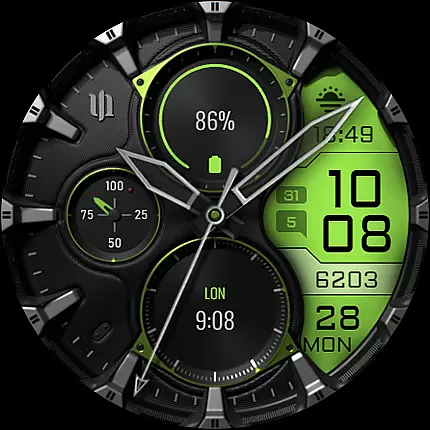
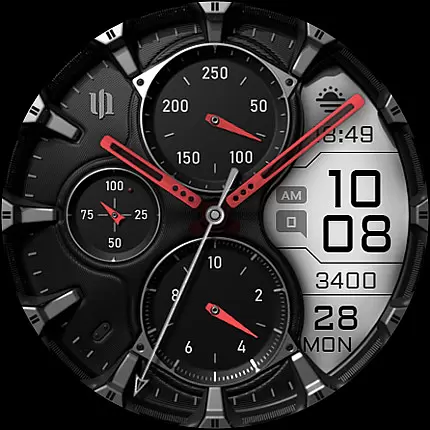
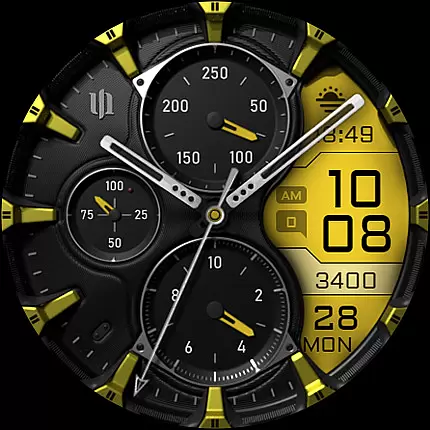
S4U Assen is a premium Wear OS watch face that combines realistic analog design with practical digital features. It offers users an enhanced hybrid experience by integrating an LCD display for essential information alongside classic analog elements.
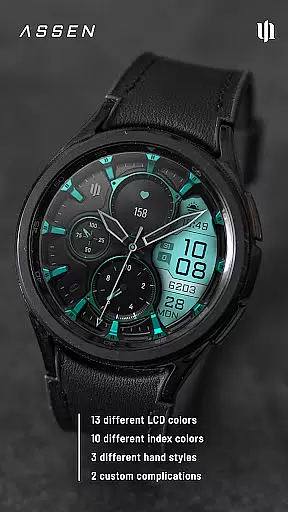
With extensive customization options, including 13 LCD colors and multiple hand styles, users can personalize their watch face to match their preferences. The app supports Wear OS 4 and above, making it compatible with Samsung Galaxy Watches and Google Pixel Watches.
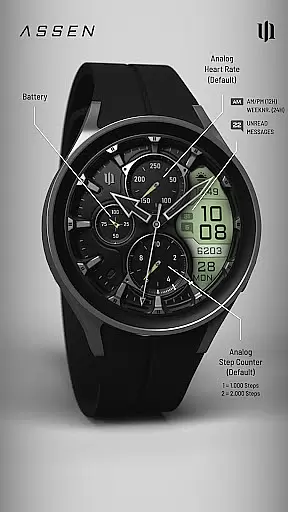
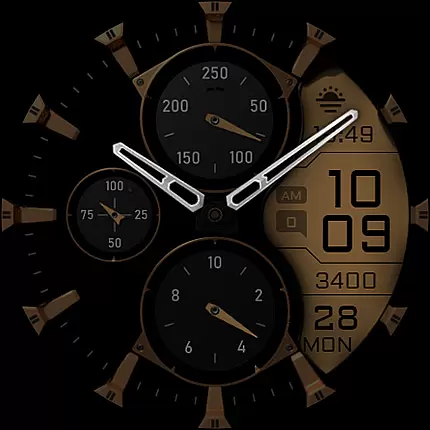
This watch face displays crucial data such as time, steps, heart rate, and calendar information while offering advanced features like Always-On Display (AOD) with adjustable brightness levels and minimal layout options.
The S4U Assen watch face stands out with its comprehensive feature set designed for Wear OS users. The hybrid dial combines traditional analog elements with modern digital components, creating a unique visual experience.
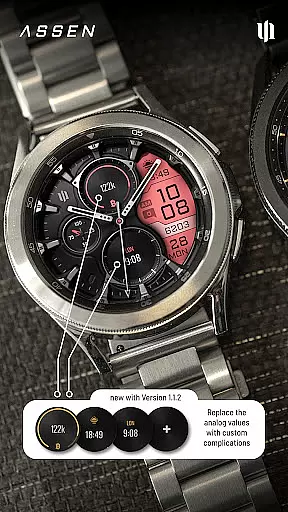
Users can customize their watch face through various options: 4 clock hands styles, 2 small hand designs, and 10 index/ring color choices. The app includes 4 customizable complications and 3 app shortcuts for quick access to favorite widgets.
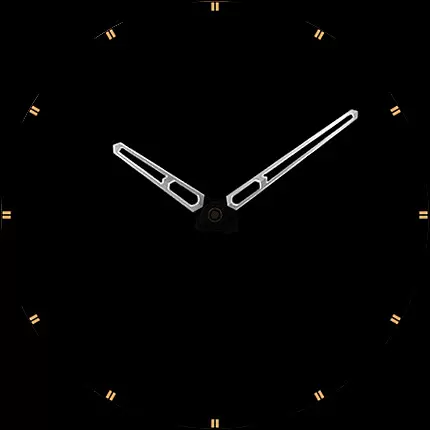
Advanced functionality includes an innovative Always-On Display with 3 brightness levels and optional minimal layout. Users can tap the battery indicator for detailed information and customize everything directly from their smartwatch display.
Companion app integration is essential for Wear OS applications like S4U Assen. This feature ensures seamless synchronization between the smartwatch and its companion app on your mobile device.
The S4U Assen watch face provides a dedicated companion app that simplifies the installation process and resolves potential issues. Through this companion app, users can access the Install/Issues section, which offers step-by-step guidance for proper setup and troubleshooting.
This integration allows users to customize their watch face with ease. By accessing the companion app, users can modify various settings such as color schemes, hands style, and complications. This ensures that your watch face operates exactly as you desire.
Moreover, if users encounter any problems, they can reach out for support directly through the companion app. This streamlined support system enhances user experience by providing timely assistance and updates.
Device compatibility is crucial for Wear OS applications, ensuring they function correctly across supported devices. S4U Assen is designed to work seamlessly with Wear OS 4 or higher, catering to a wide range of smartwatches.
This watch face supports popular models including Samsung Galaxy Watch series (4, 5, 6, 7, 7 Ultra) and Google Pixel Watch series (1-3). Such broad compatibility ensures that users with different devices can enjoy the realistic analog design and additional LCD functionalities.
It's important to note that some features, like Always-On Display (AOD), may behave differently based on the smartwatch model and settings. For instance, AOD can reduce battery life and might be affected by ambient light conditions on certain devices.
By confirming device compatibility, users can take full advantage of customizable options, complications, and shortcuts. This maximizes both functionality and personalization, delivering an optimal user experience tailored to individual preferences.
Highly customizable
Realistic analog design
Extensive complication options
Always-On Display functionality
Wide device compatibility
Wear OS 4+ required
Battery consumption high
Complex setup process
Limited free features
Not for all smartwatches

Christmas watch face. For Wear OS devices.
 4.30
4.30
Current temperature, weather hourly, weather radar by the weather forecast app
4.40
Contemporary digital watch face with five complications
4.2
3 Complications. All shadow on/off. 30 Themes color palette...
4.2
Structured watch face with seven complications and modular UI elements
3.90
Monitor health with the stress test and pulse checker in the heart rate app.
4.60
Daily Weather forecast with 15 weather images for Day & Night plus Big Bold time
4.10
Track your active life in one place and share the journey with friends.
4.40
Spam call blocker and caller ID for automatic call protection!
4.40
Hyperlocal rain alerts by MyRadar using patent-pending technology, radar & more
4.80
The Chevron App allows you to pay for fuel from the comfort of your car!
4.80
A white realistic classic analog watch face with many customization options.
4.40
Find EV charging stations
4.30
Animated video-game inspired “secret agent” simulation, right on your wrist!
4.20
Connect, create, and collaborate with Gmail, part of Google Workspace.
4.10
Professional weather radar and more
3.90
Want to take charge of your health? Let Google Fit help you reach your goals.
3.50
Watch face designed for Thanksgiving Day. 7 Background Styles included.
3.20
A watch face that fuses motorsport precision with contemporary smartwatch design
4.5


User Reviews