
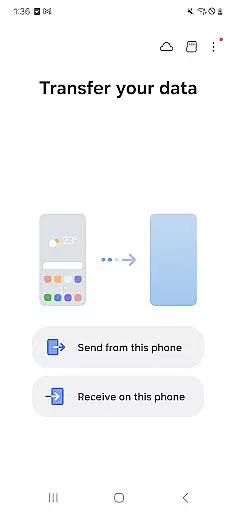
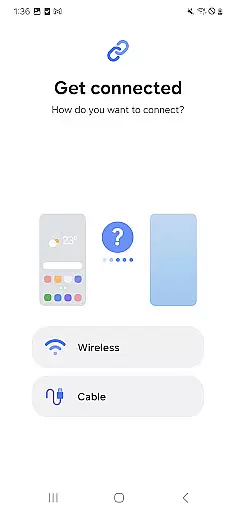
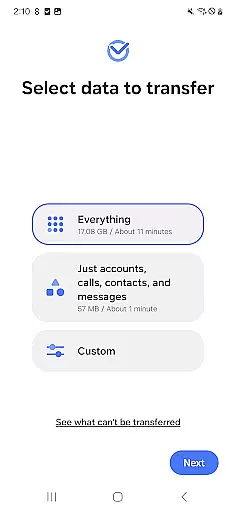
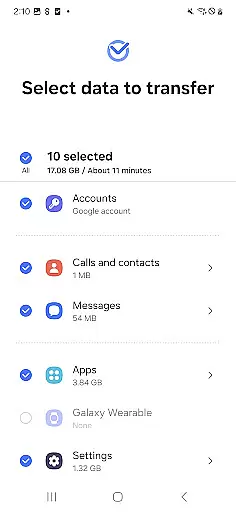
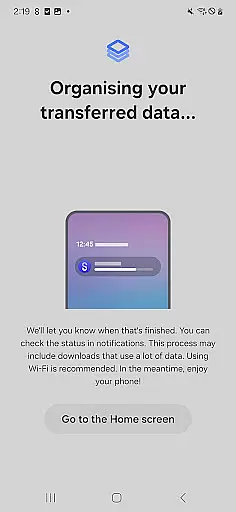
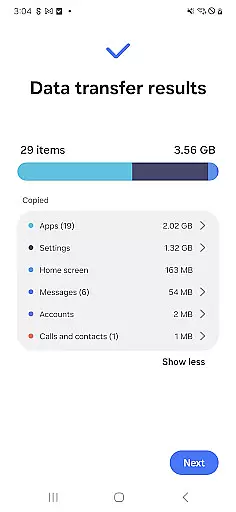
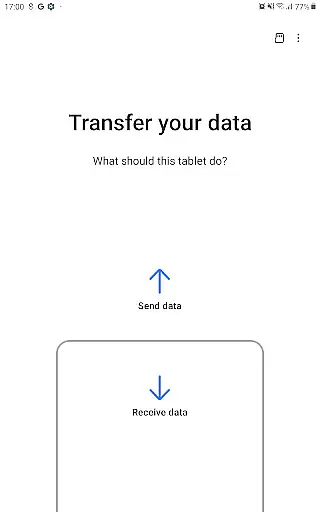

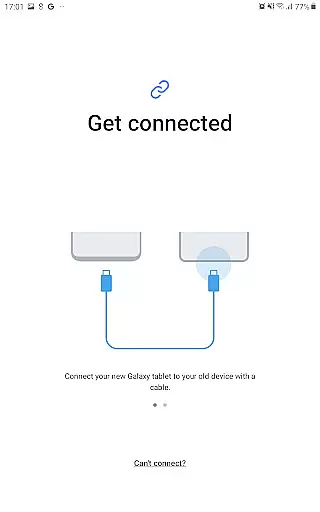
Samsung Smart Switch Mobile is a powerful tool designed to simplify the process of switching to a new Galaxy device. This application allows users to transfer a wide range of data including contacts, music, photos, calendar entries, text messages, and even device settings from their old device to their new Galaxy phone or tablet. Additionally, it provides app suggestions based on your previous app usage, helping you quickly adapt to your new device.
The app supports transfers from both Android and iOS devices, offering multiple transfer methods for iPhone users. Whether you prefer a wired transfer using your iOS device cable or choose to import data from iCloud, Smart Switch has you covered. The application also works seamlessly with Samsung's desktop software for more complex transfer needs. With support for a wide range of devices and extensive data compatibility, this tool ensures a smooth transition to your new Galaxy device.
Smart Switch Mobile stands out with its comprehensive device compatibility and versatile transfer options. It supports not only Samsung Galaxy devices but also other major Android brands like HTC, LG, Sony, and more. For iOS users, the app offers three distinct transfer methods: wired connection, iCloud import, and iTunes synchronization through the desktop version.
Beyond basic data migration, the app can transfer app data and home screen layouts between Galaxy devices, preserving your preferred setup. It requires minimal free space (500MB) on both devices to function effectively. The app also includes advanced troubleshooting features for connectivity issues and provides detailed permission management to ensure secure data handling. These robust features make Smart Switch an essential tool for anyone upgrading to a new Galaxy device.
Smart Switch Mobile is designed to ensure the highest level of accuracy and effectiveness in its core functions, which include transferring data such as contacts, messages, photos, and more from your old device to a new Galaxy device. The app supports a wide range of content types, ensuring that users can move their digital lives seamlessly.
The tool employs advanced algorithms to maintain data integrity during transfers, whether you're moving from another Android device or switching from iOS. It handles various file formats and ensures that DRM-free content like music and videos are transferred without any loss in quality. This meticulous attention to detail guarantees that all your important files remain intact and accessible on your new device.
For users upgrading within the Galaxy ecosystem, Smart Switch offers additional capabilities such as transferring app data and even home screen layouts, provided both devices are running compatible versions of the operating system. This feature not only saves time but also enhances user experience by preserving personalized settings and preferences.
Ultimately, the effectiveness of Smart Switch lies in its ability to simplify what could otherwise be a complex process. By providing an intuitive interface and reliable transfer mechanisms, it empowers users to switch devices with confidence, knowing their data is handled securely and efficiently.
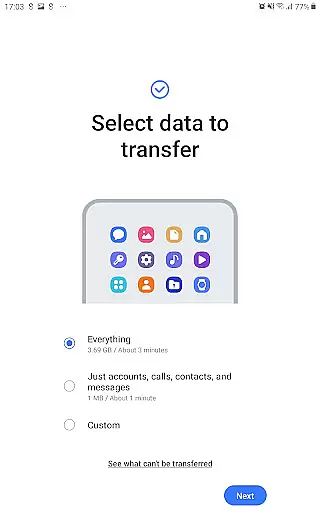
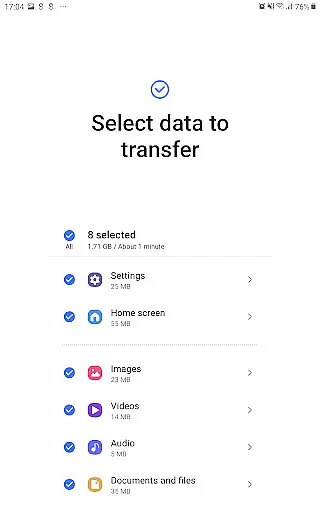
The interface of Smart Switch Mobile exemplifies simplicity and intuitiveness, making it accessible for users of all technical backgrounds. Upon launching the app, users are greeted with clear instructions and a straightforward layout that guides them through the data transfer process step-by-step.
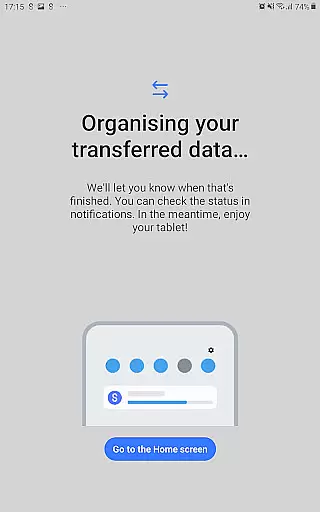
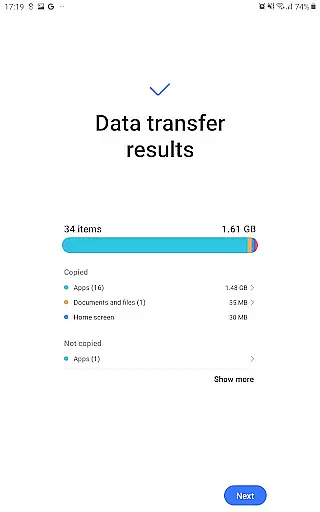
Each function is logically organized, allowing users to easily locate and activate the specific data they wish to transfer. Whether it's contacts, messages, or media files, the app provides visual cues and progress indicators that keep users informed about the status of their transfer. This transparency helps reduce anxiety and uncertainty during the migration process.
Moreover, Smart Switch incorporates smart suggestions, recommending similar apps on Google Play if certain applications cannot be directly transferred. This thoughtful addition not only aids in maintaining continuity but also introduces users to new tools that might enhance their experience on the Galaxy platform.
By minimizing the learning curve and focusing on user-centric design principles, Smart Switch ensures that even those who may feel intimidated by technology can navigate its features with ease. Its streamlined approach removes unnecessary complexity, allowing users to focus on enjoying their new device rather than worrying about the intricacies of data migration.
User-friendly interface
Wide device compatibility
Multiple transfer methods
Comprehensive data coverage
Secure data handling
Limited iOS functionality
DRM content restrictions
Storage space requirements
Occasional connection issues
Android version limitations

Extremely fast, secure, and protects your privacy
 4.80
4.80
A recovery soft,it features photo recovery, video recovery, file recovery.
3.40
Universal TV remote control all TVs, Roku, LG, Samsung, Fire, Vizio, Sony, TCL.
4.40
Enjoy smooth gameplay with Game Booster
4.90
Navigate with Ease and Style
4.90
Mirror your screen to Chromecast and Android TV - Super fast and simple
4.60
Making emulation easy for everyone!
4.30
Protect your device with antivirus, storage cleanup, and system monitoring
4.70
Mobile Security with Scam Protection | Malware & Virus Cleaner | Safe Browser
4.70
Best leveling tool for your Android device. Hang paintings like a pro.
4.90
WiFi Signal Strength Meter help you detect WiFi Signal Strength in real time.
4.80
App to pay for FUTO Keyboard
4.60
Just swipe the edge to do something!
4.40
Forza Tuning Calculator App for Forza Horizon 5, Motorsport and Earlier Titles
4.40
Fluid navigation gestures for all of us!
4.30
PC precision for mobile gaming: dominate with keyboard and mouse!
4.30
View detailed information about your Nissan Leaf the dealer never shows you.
4.10
A simple app to back up and restore SMS & MMS messages and call logs.
4.10
This app unlocks the Pro features of the Central for DayZ app
3.60


User Reviews