
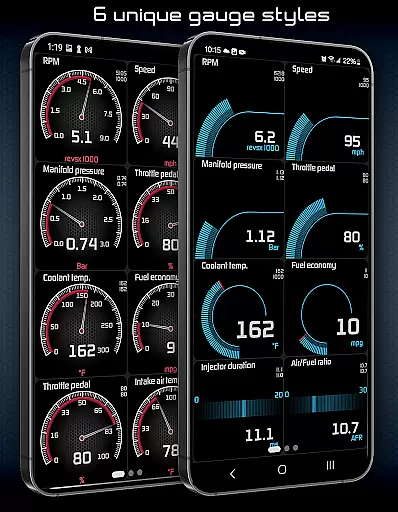
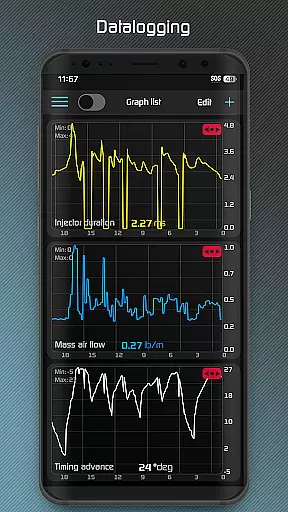
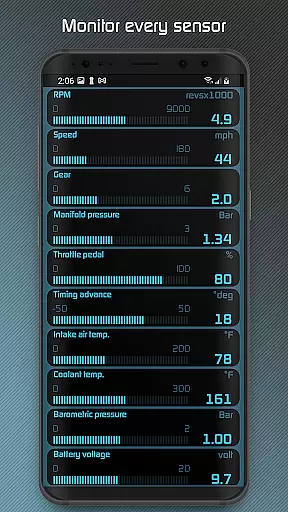
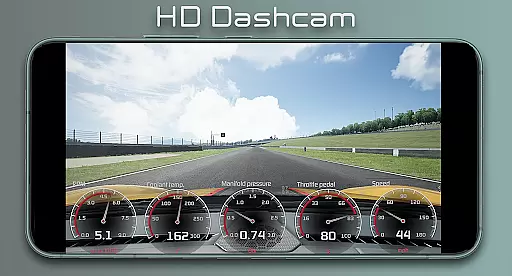
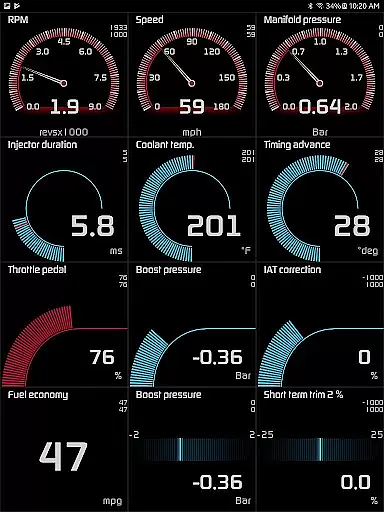
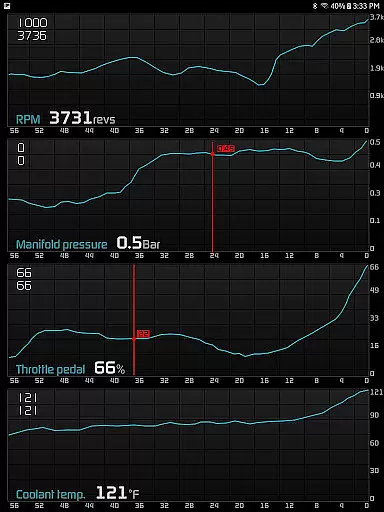
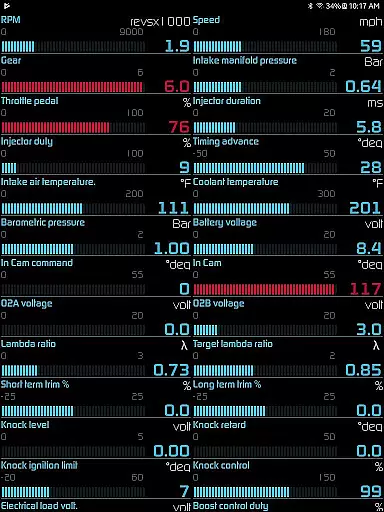
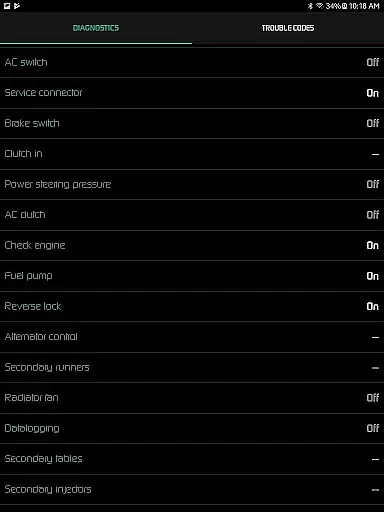
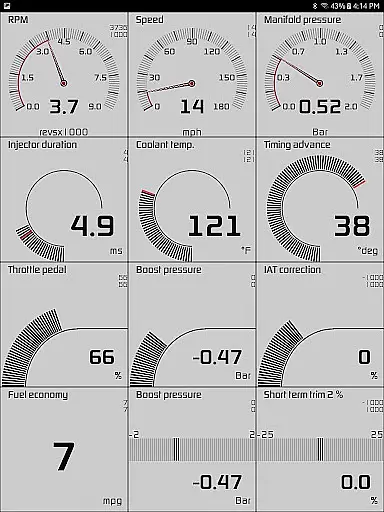
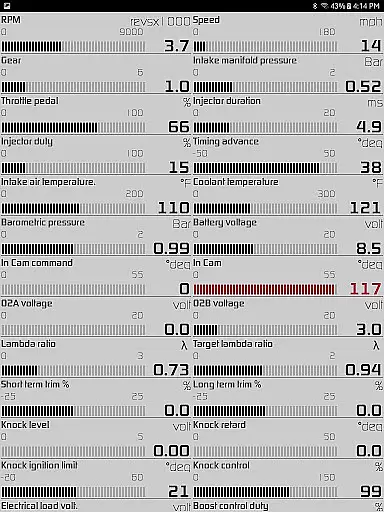
Hondata is a powerful automotive tool designed for Honda vehicle owners who want to monitor and optimize their car's performance. The app transforms your Android device into an all-in-one diagnostic and tracking system, providing real-time data on over 80 sensors. With customizable gauges, interactive graphs, and advanced diagnostics, Hondata allows users to troubleshoot issues, track fuel economy, and even record HD videos with superimposed performance metrics.
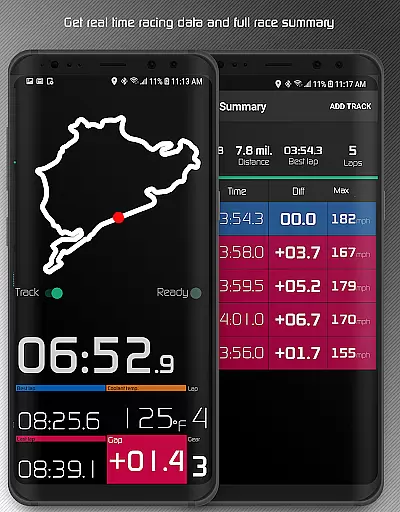
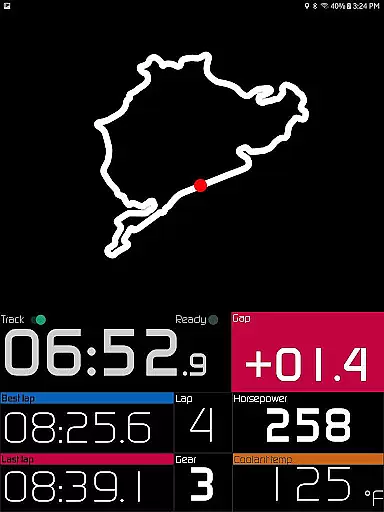
One of the standout features is its compatibility with onboard ECUs through devices like Flashpro and Kpro4, enabling deep insights into engine parameters. Whether you're a performance enthusiast or simply looking to save on fuel costs, Hondata delivers professional-grade tools directly to your smartphone. Its racetrack feature further enhances its appeal by offering detailed drag race times, lap statistics, and GPS-based circuit tracking.
Hondata stands out with its comprehensive suite of features tailored for automotive enthusiasts. The app provides real-time monitoring of up to 80 sensors, including boost pressure, battery voltage, and G-force measurements, all presented through fully customizable gauges. Users can plot this sensor data onto interactive graphs, recording up to four parameters simultaneously and exporting the results as CSV files for deeper analysis.
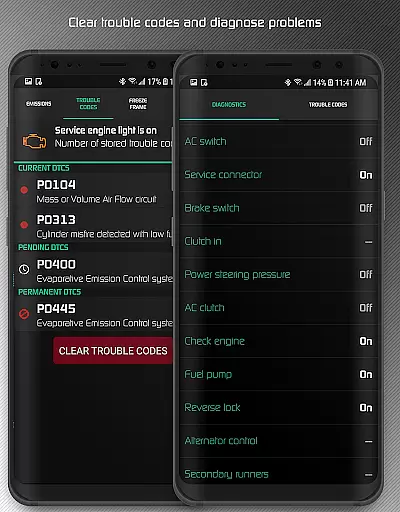
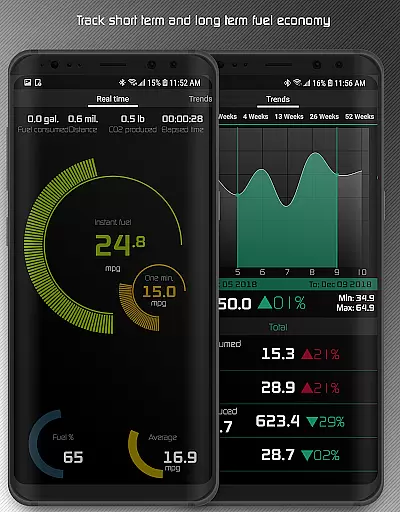
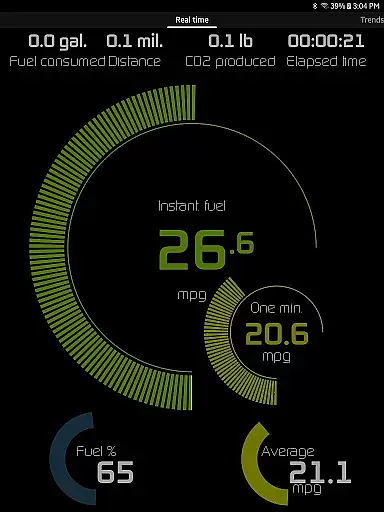
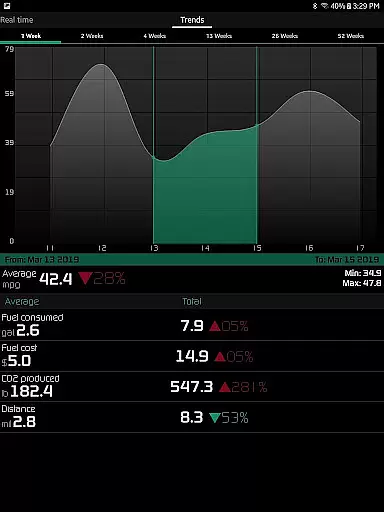
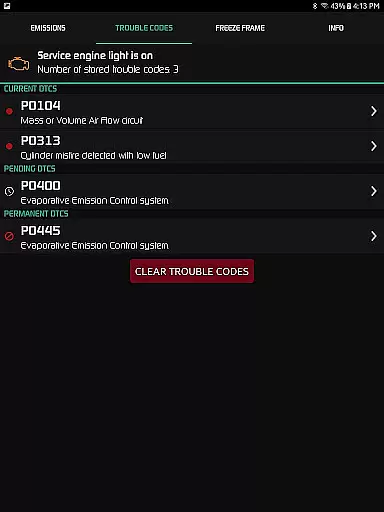
The app also includes advanced diagnostic capabilities, allowing users to read and clear trouble codes, reset service lights, and access over 40 diagnostic parameters such as VTEC pressure and engine knock counts. For those focused on efficiency, Hondata offers five different methods to calculate fuel economy, displayed in multiple units like mpg and km/l. Additionally, the racetrack mode provides precise timing for drag races and lap sessions, complete with GPS-based position tracking and detailed post-race summaries.
The Hondata app offers an extensive range of core functions that are crucial for real-time vehicle performance tracking and diagnostics. With the ability to monitor up to 80 sensors, it provides users with precise data on various aspects such as fuel economy, boost pressure, and battery voltage. This level of detail ensures that car owners have a comprehensive understanding of their Honda's current state.
One of the key features is the interactive graphing system which allows users to plot sensor data and record information from multiple sources simultaneously. This functionality not only enhances the precision of performance tracking but also supports in-depth analysis by enabling data export to CSV files for further examination. Such tools are essential for both enthusiasts looking to optimize their vehicle's performance and everyday users aiming to maintain optimal running conditions.
In addition to performance metrics, the app facilitates effective troubleshooting through direct access to the car's ECU. Users can read and clear trouble codes, effectively turning their Android device into a diagnostic tool that can preemptively identify issues before professional servicing. This preemptive capability can lead to significant cost savings and prevent minor issues from escalating into major repairs.
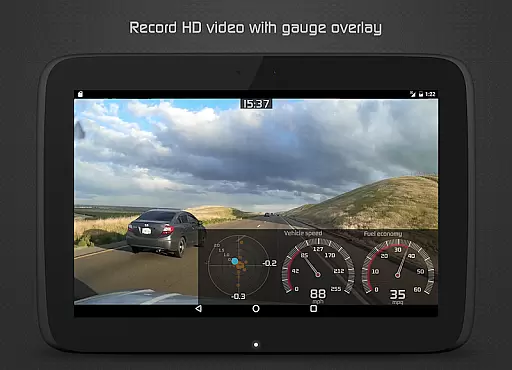
Furthermore, the Hondata app includes specialized features like fuel economy tracking in various units, high-definition video recording with superimposed gauges, and even racetrack functionalities for performance enthusiasts. These features collectively ensure that whether for regular maintenance or advanced performance tuning, the Hondata app delivers accurate and effective tools tailored for Honda vehicles.
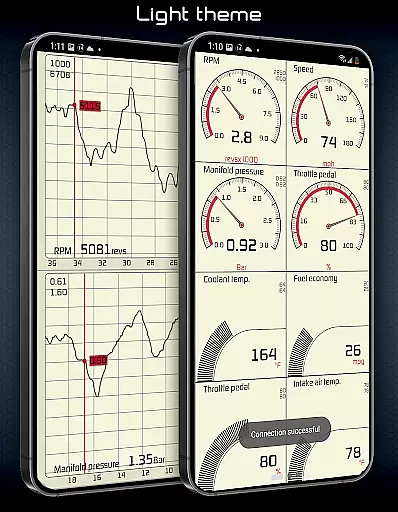
Achieving a balance between functionality and usability, the Hondata app boasts an interface that emphasizes simplicity and intuitiveness without compromising on depth. The customizable gauge system allows users to tailor the display to their preferences, ensuring that critical information is always at their fingertips. This customization extends to choosing between different themes, catering to individual aesthetics while maintaining clarity and ease of use.
For those who require detailed diagnostics, the app presents a straightforward method to access and interpret complex vehicle data. By breaking down over 40 diagnostic parameters into understandable segments, it empowers users to make informed decisions regarding their vehicle's health. Clear visual and auditory notifications further enhance this intuitive approach when sensor thresholds are reached, providing timely alerts without overwhelming the user.
Moreover, the Hondata app incorporates practical features such as speed limit warnings and heads-up display (HUD) options for night driving, which contribute to safer driving experiences. These elements are seamlessly integrated into the user interface, promoting an environment where safety and convenience go hand-in-hand with performance monitoring.
Lastly, the inclusion of landscape mode across all views and the ability to switch between metric and imperial units demonstrate the app's commitment to accommodating diverse user needs. Whether performing a drag race or conducting long-term fuel economy analysis, the Hondata app ensures that its sophisticated toolset remains accessible to users of varying technical backgrounds, making it a truly versatile automotive companion.
User-friendly interface
Comprehensive sensor coverage
Advanced diagnostic tools
Real-time performance tracking
Customizable display options
No Android Auto support
Limited ECU compatibility
Requires specific hardware
Potential connectivity issues
Steep learning curve

 4.50
4.50
App that Recover your pictures, videos or files after you delete them.
4.20
Optimize your WiFi network, turn your phone into Wifi Analyzer
4.70
eXtended Permission Manager - a small app to manage permissions and AppOps
4.50
MS-DOS in your pocket. Play old DOS games anywhere you are ;)
4.10
Planner and Tracker for Stardew Valley
4.60
Mirror your screen to Fire TV - Super fast and simple
4.40
A simple app to back up and restore SMS & MMS messages and call logs.
4.10
Fun lie-detection pranks for friends and parties.
3.80
The one-and-only remote control for PC, Mac, and Linux
4.70
Protect your device with antivirus, storage cleanup, and system monitoring
4.70
An open-source APK explorer for Android!
4.10
Automate everything from settings to photos, SMS to speech. ADC2 prize winner.
4.10
Smart and comfortable browsing experience.
3.80
This app unlocks the Pro features of the Central for DayZ app
3.60
Clean the junk files on your device
3.40
Undelete and recover your lost or deleted files with DiskDigger!
3.40
Unlock your Essential Key. Create custom shortcuts to your favorite apps!
4.0
Download any file easily and quickly with Downloader
4.3


User Reviews